Default Gamemode
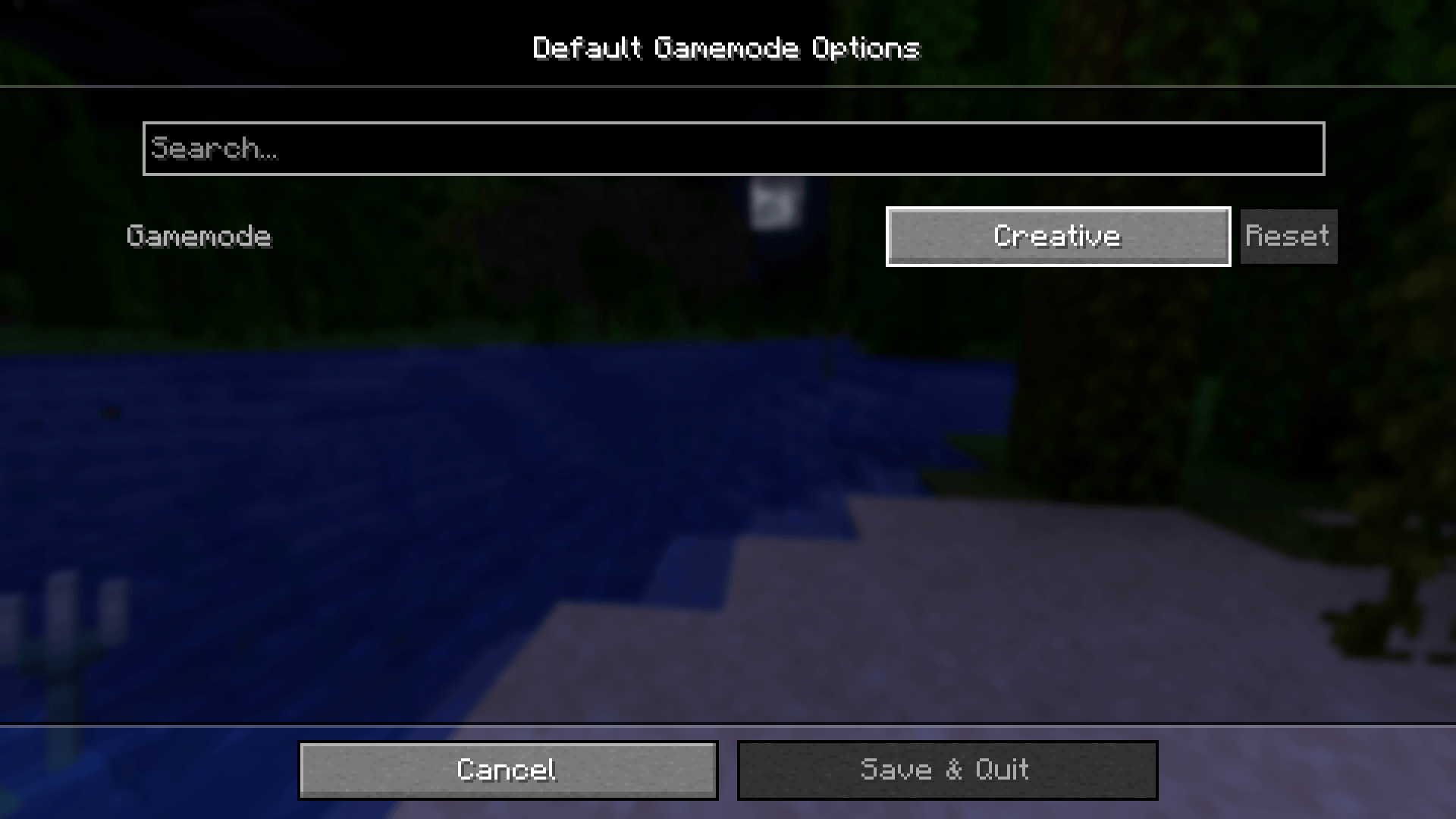
This mod let you change the default world gamemode (survival, hardcore, creative, spectator)
截图
介绍
🔄 Default Gamemode 🎮
This mod let you change the default world gamemode (survival, hardcore, creative, spectator) when creating a new world. It won’t change the gamemode of an existing world!





✨ Features
- Changes the default gamemode when creating a new world
- Supports all gamemodes: Survival, Hardcore, Creative, and Spectator
- Includes settings to configure which gamemode to set as default (with ModMenu and Cloth Config API)
- Compatibility with Modern World Creation
🔄 Versions
- Minecraft >= 1.20
- Fabric >= 0.16.4
- Quilt >= 0.17.3
Want a NeoForge version? Check the TakeruDavis’ fork
🚀 Planned Features
Nothing for now, but feel free to suggest any feature you want!
📦 Modpack
Feel free to include Better Slots in modpacks.
🌐 Looking for a server? Support me at the same time!
Want to play with friends? Get your own server with Wabbanode.
Use the code WILDLIGHT to support me and get 25% off.

常见问题
Default Gamemode 支持哪些 Minecraft 版本?
Default Gamemode 支持 Minecraft Java 版 1.20–26.3,共 24 个版本,可用的加载器:Fabric / Quilt。下载时注意选择和你游戏版本一致的文件。
Default Gamemode 怎么安装?
先用 PCL2 或 HMCL 启动器安装对应版本的 Fabric / Quilt,再把下载的 .jar 文件放进游戏目录的 mods 文件夹,重新启动游戏即可。开启了版本隔离的,mods 文件夹在 versions/版本名 下面。
Alfakynz 的其他作品
查看全部 →
No More Pop-ups
一款用于移除游戏内弹窗的 Minecraft 模组

Crystal Tooltips
Adds beautiful borders to tooltips using the Legendary Tooltips mod

Legendary Tooltips x Equipment Compare
Fix tooltip rendering issues when Legendary Tooltips and Equipment Compare are installed by ensuring that the stack count is always hidden behind the tooltips.

Legendary Tooltips x Equipment Compare
Fix tooltip rendering issues when Legendary Tooltips and Equipment Compare are installed by ensuring that the stack count is always hidden behind the tooltips.
评论
登录后评论和评分