
截图
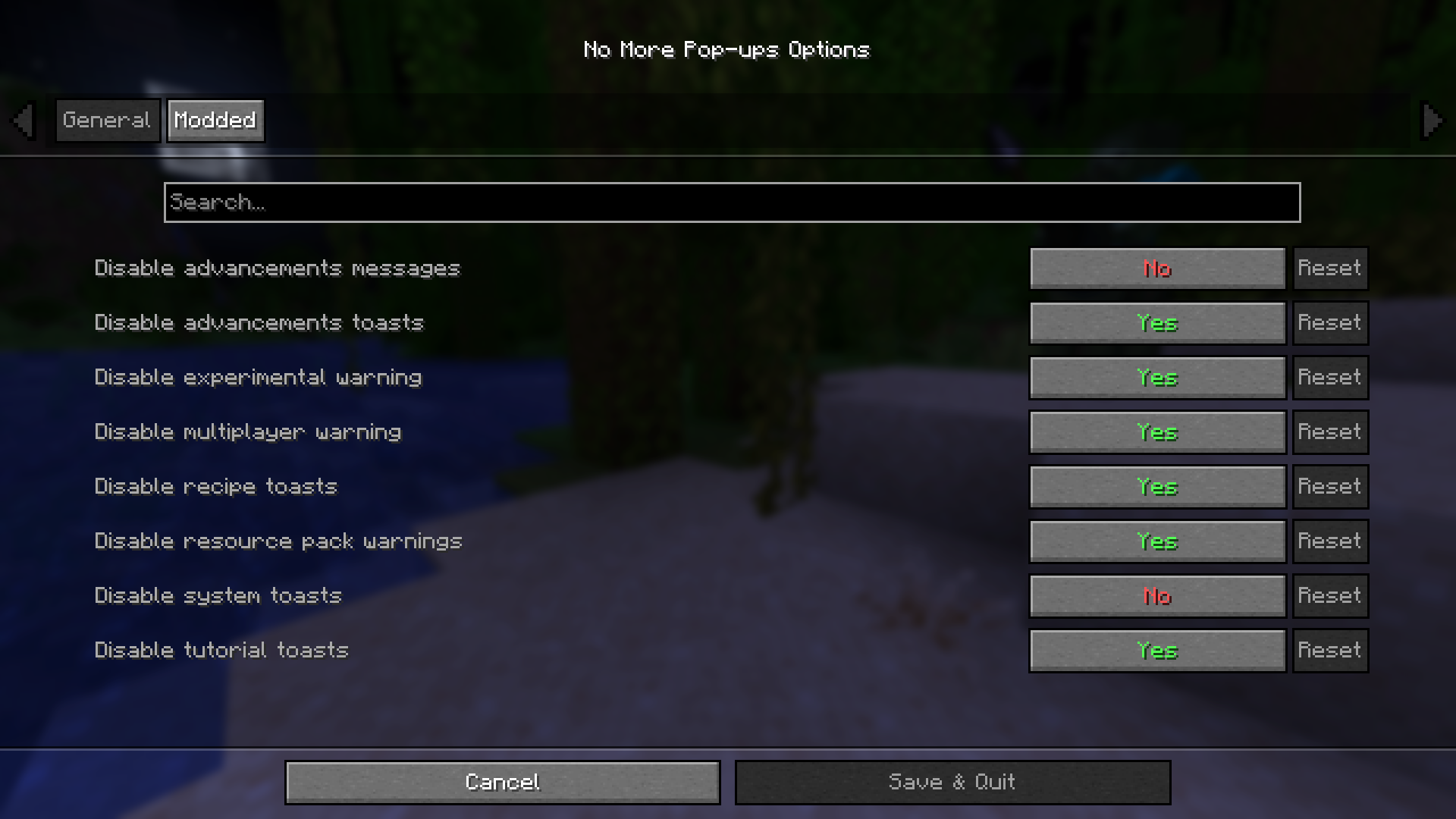

介绍
❌ No More Pop-ups 💬









✨ Features
- Removes _”New Recipe Unlocked!”_ pop-ups
- Removes Tutorial pop-ups
- Removes Advancement pop-ups
- Removes System pop-ups
- Removes Narrator pop-ups
- Removes Resource Pack warning
- Removes Multiplayer warning
- Removes Experimental World warning
- Removes Advancements messages in chat (disabled by default)
- Includes settings to configure which pop-ups appear (available with ModMenu and Cloth Config API)
- Removes some pop-ups or messages from mods (false by default):
- Chunks Fade In
- FastQuit
- FrozenLib (Wilder Wild)
- Nether Weather
- Terralith
🔄 Versions
| Minecraft | Fabric/Quilt | Forge | NeoForge |
|———–|————–|——-|———-|
| 1.20.1 | ✅ | ✅ | ✅ |
| 1.20.2-4 | ✅ | ✅ | ❌ |
| 1.20.5-6 | ✅ | ❌ | ❌ |
| 1.21.1 | ✅ | ❌ | ✅ |
| 1.21.2-11 | ✅ | ❌ | ❌ |
| 26.1-26.3 | ✅ | ❌ | ✅ |
Fabric >= 0.16.4 / 0.18.4
Forge >= 47.1.47
NeoForge >= 21.1.229 / 26.1.0.1-beta / 26.2.0.57
🚀 Planned Features
Nothing for now, but feel free to suggest any feature you want!
📦 Modpack
Feel free to include No More Pop-ups in modpacks.
🌐 Looking for a server? Support me at the same time!
Want to play with friends? Get your own server with Wabbanode.
Use the code WILDLIGHT to support me and get 25% off.

常见问题
No More Pop-ups 支持哪些 Minecraft 版本?
No More Pop-ups 支持 Minecraft Java 版 1.20–26.3,共 24 个版本,可用的加载器:Fabric / Forge / NeoForge / Quilt。下载时注意选择和你游戏版本一致的文件。
No More Pop-ups 怎么安装?
先用 PCL2 或 HMCL 启动器安装对应版本的 Fabric / Forge / NeoForge / Quilt,再把下载的 .jar 文件放进游戏目录的 mods 文件夹,重新启动游戏即可。开启了版本隔离的,mods 文件夹在 versions/版本名 下面。运行环境:仅客户端。
Alfakynz 的其他作品
查看全部 →
Crystal Tooltips
Adds beautiful borders to tooltips using the Legendary Tooltips mod

Legendary Tooltips x Equipment Compare
Fix tooltip rendering issues when Legendary Tooltips and Equipment Compare are installed by ensuring that the stack count is always hidden behind the tooltips.

Auto GUI Scale
Changes the auto GUI value by dividing it by 1.5

Crystal Tooltips
Adds beautiful borders to tooltips using the Legendary Tooltips mod
评论
登录后评论和评分