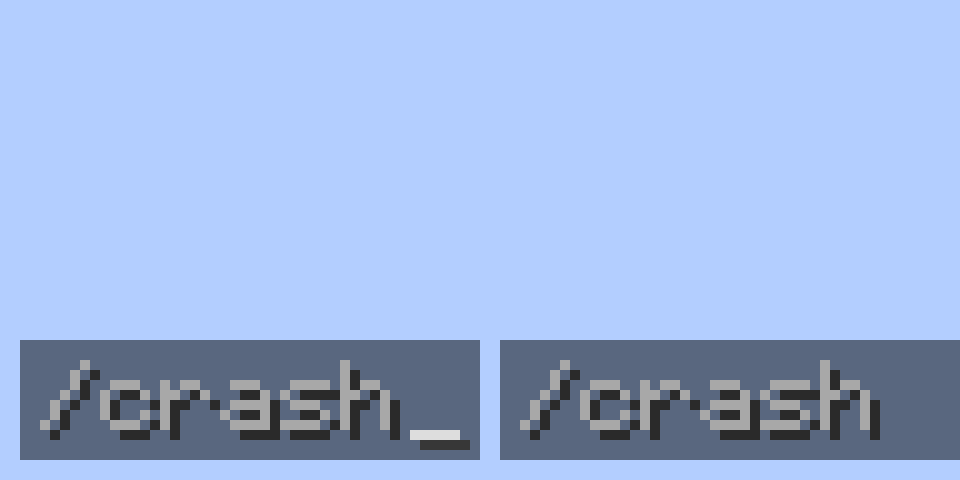
介绍
中文介绍正在准备中,下面暂时显示原文。
Crash Command



Make a crash the game and JVM using the command.
Requirements
Commands
Crash
crash [client|server] [game|jvm]
client– Make a crash to client. This argument only works on client-side.game– Make the game crash. This argument is the same as pressing F3 C for 10 seconds on a client. Default option.jvm– Make the JVM crash. This argument is the same as pressing Ctrl F3 C for 10 seconds on a client.- If no argument is specified, default is
game. server– Make a crash to server. This argument only works on server-side.- Sub-arguments are the same as
client - If no argument is specified, it will be executed depending on environment.
- When executed on client with this mod (regardless server host or player), the result will be like
crash client. - When executed on server console, or by server player without the mod (when has proper permission), the result will be like
crash server.
Known Issues
- If you join the server as player, and you have permission level
4, theclientargument is not suggested and theserverargument is not executed. This is not a Crash Command bug. Learn more
Notes
- The mod file name indicates the mod name, loader and version:
(mod name)-(mod loader)-(mod version)-mc(built minecraft version).jar- For example:
Fabroxy-fabric-1.0.0-mc1.19.3.jar youJustLostTheGamemethod is used in this mod. Unfortunately, since I’m using Yarn mapping, the method is writtenmakeJvmCrashnotyouJustLostTheGamein source. If you want to know funny topic about this method, please watch the PhoenixSC’s video. Learn more
常见问题
Crash Command 支持哪些 Minecraft 版本?
Crash Command 支持 Minecraft Java 版 1.19–1.21.8,共 21 个版本,可用的加载器:Fabric。下载时注意选择和你游戏版本一致的文件。
Crash Command 怎么安装?
先用 PCL2 或 HMCL 启动器安装对应版本的 Fabric,再把下载的 .jar 文件放进游戏目录的 mods 文件夹,重新启动游戏即可。开启了版本隔离的,mods 文件夹在 versions/版本名 下面。运行环境:客户端 / 服务端。
NoEul 的其他作品
查看全部 →
Slyde More
by NoEul
A Fabric mod that allows dragging sliders further without screen width limit when used with Slyde mod
12万
10 个月前
Modrinth
Revert Stackable Curing Discount
by NoEul
Revert the villager curing discount system to before MC-181190 fix
1.5万
3 年前
Modrinth
Crash Command
by NoEul
You just lost the game - Make a crash the game and JVM using the command
1.2万
1 年前
Modrinth
Client Data Command
by NoEul
Add client-sided Data command
8,964
2 年前
Modrinth
评论
登录后评论和评分