
Counter
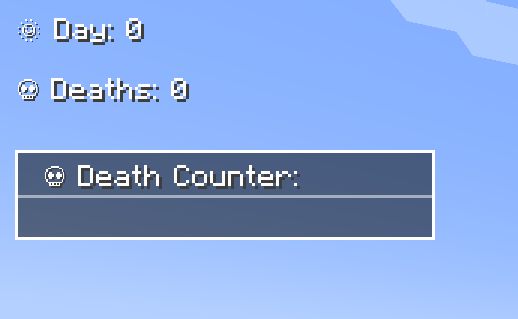
Counter Mod adds configurable Day & Death Counters, a Time Overlay, a Coordinates Overlay and a Numeric Ping Display for tracking world progression and player stats, and in-game time.
截图
介绍
Track Days, Deaths, Survival Time, Time, Coordinates & Ping – Fully Customizable!
The Counter Mod enhances Minecraft by adding Day Counters, Death Counters, a Survival Time Tracker, a Time Overlay, a Coordinates Overlay and a Numeric Ping Display. Whether in singleplayer or multiplayer, this mod provides an easy way to track world progression, player statistics, and network latency – especially useful in hardcore modpacks.
🌟 Features
- ✅ Day Counter – Displays the current Minecraft day as an overlay or in chat.
- ✅ Death Counter – Tracks player deaths with an overlay leaderboard & chat display.
- ✅ Survival Time Tracker – Tracks how long a player has survived since their last death. Shows best time, global best, and history.
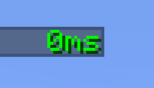
- ✅ Time Overlay – Shows the current in-game time directly on screen.
- ✅ Coords Overlay – Shows the current coordinates directly on screen and share locations with others.
- ✅ Numeric Ping Display – Replaces vanilla ping bars with color-coded numeric values.
- ✅ Highly Configurable – Customize positions, colors, display modes, and styles.
⚙️ Configuration
- Configure everything via server-config.toml and client-config.toml.
- Customize text color, overlay positions, scaling, and display styles.
- Supports multiple display modes: Chat, Overlay, or both.
- Enable or disable specific features (Day, Death, Survival, etc.) independently.
- 📜 For a full list of config options, visit: GitHub Configuration Guide
📝 Commands
Below is an overview of the main commands the mod provides:
| Command | Permission | Description |
|—————————————-|————|————————————————————————————|
| /day get | all | Shows the current day counter value. |
| /day set <days> | admin | Sets the Day Counter to the specified value. |
| /death get [player / list] | all | Shows your own total deaths, another player’s deaths, or the leaderboard (list). |
| /death set <player> <amount> | admin | Sets the death count for the specified player(s). |
| /death reset | admin | Resets the death count of all players to 0. |
| /time get | all | Shows the current in-game time. |
| /coords get | all | Shows your current coordinates. |
| /coords send [player / all] | all | Shares your coordinates with another player or all players. |
| /survival history [player] | all | Shows the survival time history for you or another player. |
| /survival best [player / global] | all | Displays the best survival time for you, another player, or the global best. |
| /survival current [player] | all | Displays the current survival time since the last death. |
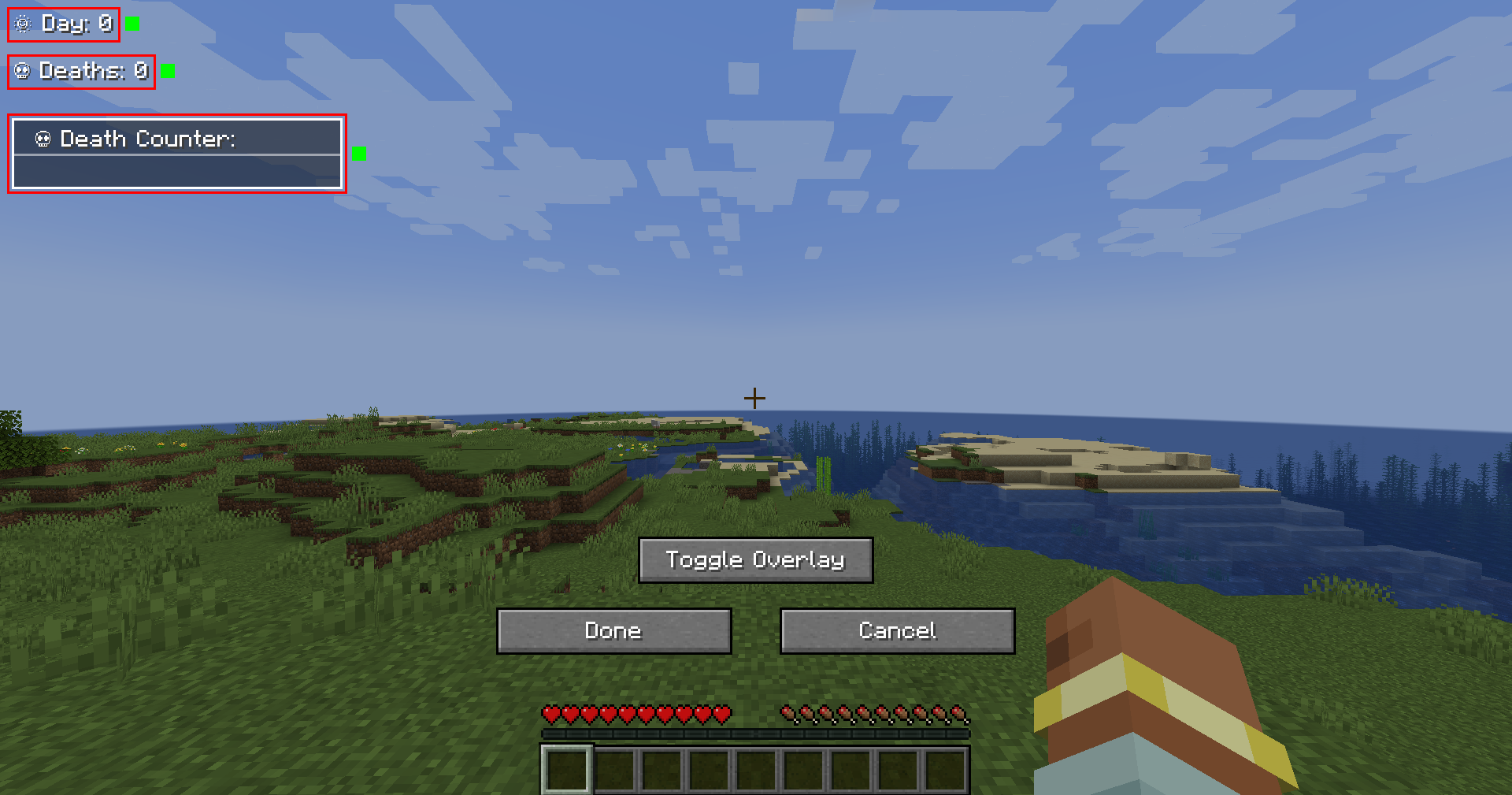
🎨 Overlay Edit Mode
- Easily adjust the position and visibility of overlays via an in-game UI.
- Supports dragging elements, hiding overlays, and saving changes dynamically.
- Resize overlays with buttons.
- Change alignment (left, center, right) using arrow icons.
🔗 Links
🐛 Please report issues to the Issue Tracker on GitHub
常见问题
Counter 支持哪些 Minecraft 版本?
Counter 支持 Minecraft Java 版 1.21–26.3,共 15 个版本,可用的加载器:NeoForge。下载时注意选择和你游戏版本一致的文件。
Counter 怎么安装?
先用 PCL2 或 HMCL 启动器安装对应版本的 NeoForge,再把下载的 .jar 文件放进游戏目录的 mods 文件夹,重新启动游戏即可。开启了版本隔离的,mods 文件夹在 versions/版本名 下面。运行环境:客户端和服务端都要装。
bigbull333 的其他作品
查看全部 →
Counter (Day & Death)
Counter Mod adds configurable Day & Death Counters, a Time Overlay, a Coordinates Overlay and a Numeric Ping Display for tracking world progression and player stats, and in-game time.

Vibranium
Vibranium with new tools, weapons, and armor, bringing exciting crafting possibilities to your game!

Vibranium
Vibranium with new tools, weapons and armor (including wolf armor), as well as a powerful 3x3 mining tool (Vibranium Mace) and an improved shield!
评论
登录后评论和评分