Counter (Day & Death)
Counter Mod 提供可配置的天数和死亡次数计数器、时间覆盖层、坐标覆盖层及数字化延迟显示,帮助追踪世界进度、玩家数据和游戏内时间。
截图
介绍
Track Days, Deaths, Survival Time, Coordinates & Ping – Fully Customizable!
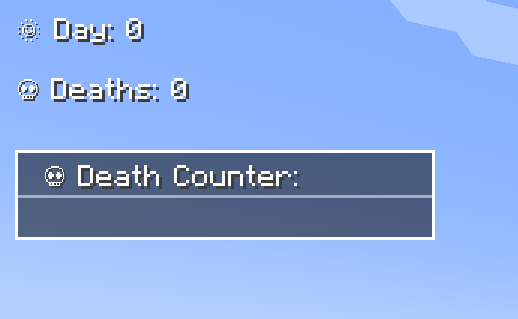
The Counter Mod enhances Minecraft by adding Day Counters, Death Counters, a Survival Time Tracker, Time Overlay, Coordinates Overlay, and a Numeric Ping Display. Whether in singleplayer or multiplayer, this mod provides an easy way to track world progression, player statistics, and network latency – especially useful in hardcore modpacks.
🌟 Features
✅ Day Counter – Displays the current Minecraft day as an overlay or in chat.
✅ Death Counter – Tracks player deaths with an overlay leaderboard & chat display.
✅ Survival Time Tracker – Tracks how long a player has survived since their last death. Shows best time, global best, and history.
✅ Time Overlay – Shows the current in-game time directly on screen (12h/24h format).
✅ Coords Overlay – Shows the current coordinates directly on screen and share locations with others.
✅ Numeric Ping Display – Replaces vanilla ping bars with color-coded numeric values.
⚙️ Configuration
- Configure everything via
server-config.tomlandclient-config.toml. - Customize text color, overlay positions, scaling, and display styles.
- Supports multiple display modes: Chat, Overlay, or both.
- Enable or disable specific features (Day, Death, Survival, etc.) independently.
- 📜 For a full list of config options, visit: GitHub Configuration Guide
📝 Commands
Below is an overview of the main commands the mod provides:
| Command | Permission | Description |
|---|---|---|
/day get |
all | Shows the current day counter value. |
/day set <days> |
admin | Sets the Day Counter to the specified value. |
/death get [player / list] |
all | Shows your own total deaths, another player’s deaths, or the leaderboard (list). |
/death set <player> <amount> |
admin | Sets the death count for the specified player(s). |
/death reset |
admin | Resets the death count of all players to 0. |
/time get |
all | Shows the current in-game time. |
/coords get |
all | Shows your current coordinates. |
/coords send [player / all] |
all | Shares your coordinates with another player or all players. |
/survival history [player] |
all | Shows the survival time history for you or another player. |
/survival best [player / global] |
all | Displays the best survival time for you, another player, or the global best. |
/survival current [player] |
all | Displays the current survival time since the last death. |
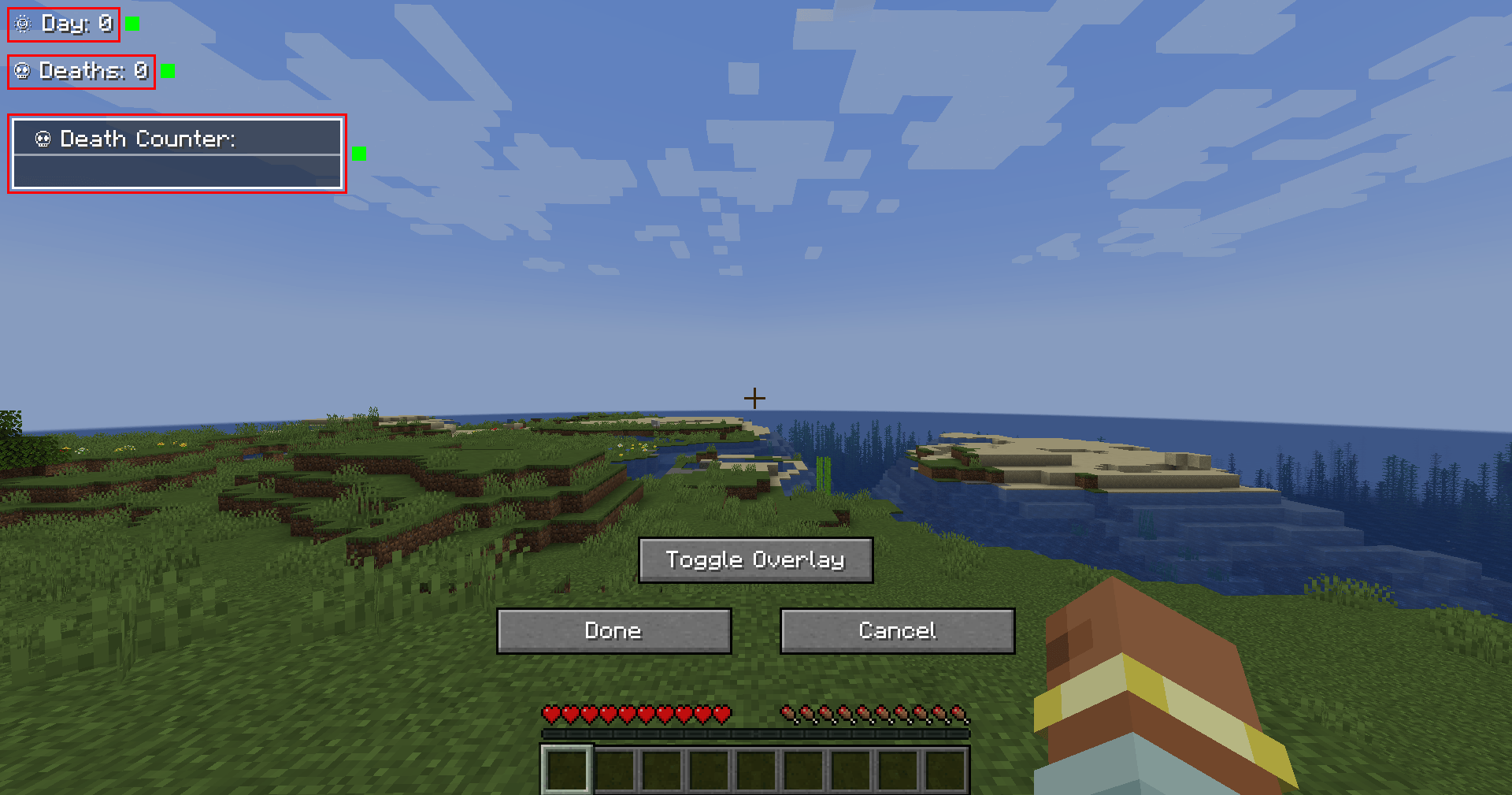
🎨 Overlay Edit Mode
- Easily adjust the position and visibility of overlays via an in-game UI.
- Supports dragging elements, hiding overlays, and saving changes dynamically.
- Resize overlays with buttons.
- Change alignment (left, center, right) using arrow icons.
🔗 Links
🐛 Please report issues to the Issue Tracker on GitHub
常见问题
Counter (Day & Death) 支持哪些 Minecraft 版本?
Counter (Day & Death) 支持 Minecraft Java 版 1.21–26.3,共 15 个版本,可用的加载器:NeoForge。下载时注意选择和你游戏版本一致的文件。
Counter (Day & Death) 怎么安装?
先用 PCL2 或 HMCL 启动器安装对应版本的 NeoForge,再把下载的 .jar 文件放进游戏目录的 mods 文件夹,重新启动游戏即可。开启了版本隔离的,mods 文件夹在 versions/版本名 下面。
bigbull333 的其他作品
查看全部 →
Vibranium
Vibranium with new tools, weapons, and armor, bringing exciting crafting possibilities to your game!

Vibranium
Vibranium with new tools, weapons and armor (including wolf armor), as well as a powerful 3x3 mining tool (Vibranium Mace) and an improved shield!

Counter
Counter Mod adds configurable Day & Death Counters, a Time Overlay, a Coordinates Overlay and a Numeric Ping Display for tracking world progression and player stats, and in-game time.

MarketBlocks
The complete player shop & economy suite: Trade Stands and Market Crates with 3D item displays, a server marketplace, and autonomous AI traders buying your goods!
评论
登录后评论和评分