介绍
中文介绍正在准备中,下面暂时显示原文。
What’s this mod?
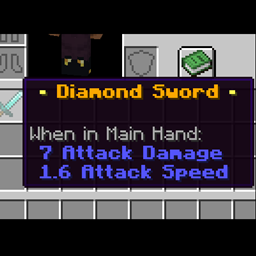
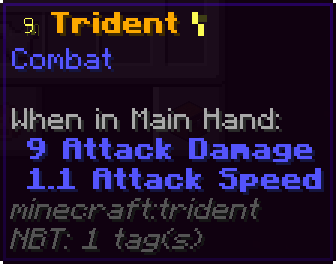
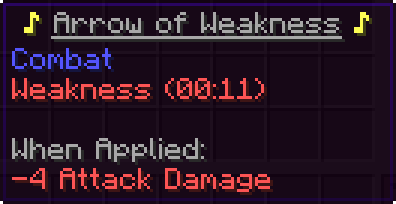
A configurable way to change the appearance of item tooltips.
You can access the config file and change the tooltip properties all by yourself.
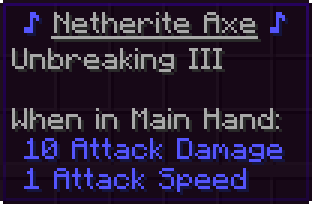
Properties:
- ApplyChanges: you can use this field to disable the mod when you want. When its value equal to ‘true’ the mod is working;
- TitleElementsOrder: this field is used to order the tooltip title. Its default value is ‘[1, 0]’, the number 1 represents the rarity component and the 0 represents the item name;
- RarityIcon: stores the character that represents the rarity of the item. Its default value is ‘ ♦ ‘;
- RarityFormatting: apply a general format to the rarity title component. Its default value is ‘[“§l“]’, that apply a bold format to the component;
- NameFormatting: apply a general format to the item name title component. Its default value is ‘[“§7”]’, that apply a gray color to the component;
- DescriptionColorsOverride: replace one description format with another. Example: a value ‘[“§7 §a”]’ causes every description component with the format “§7” to have the format “§a” applied. You can replace one format for another two(three, four etc) formats(‘[“§7 §n §7”]’, apply a bold format with the same color);
- RarityColorsOverride: exactly like the DescriptionColorsOverride, but instead of changing the description format it changes the rarity format.
If you manage to find any bug please report it immediately!
Do it here or on the git page.
常见问题
Coloring Tooltips 支持哪些 Minecraft 版本?
Coloring Tooltips 支持 Minecraft Java 版 1.20.1,可用的加载器:Forge。下载时注意选择和你游戏版本一致的文件。
Coloring Tooltips 怎么安装?
先用 PCL2 或 HMCL 启动器安装对应版本的 Forge,再把下载的 .jar 文件放进游戏目录的 mods 文件夹,重新启动游戏即可。开启了版本隔离的,mods 文件夹在 versions/版本名 下面。


评论
登录后评论和评分