
截图

介绍


This addon adds new blocks, items and mechanics to the mod Create.
Included mechanics
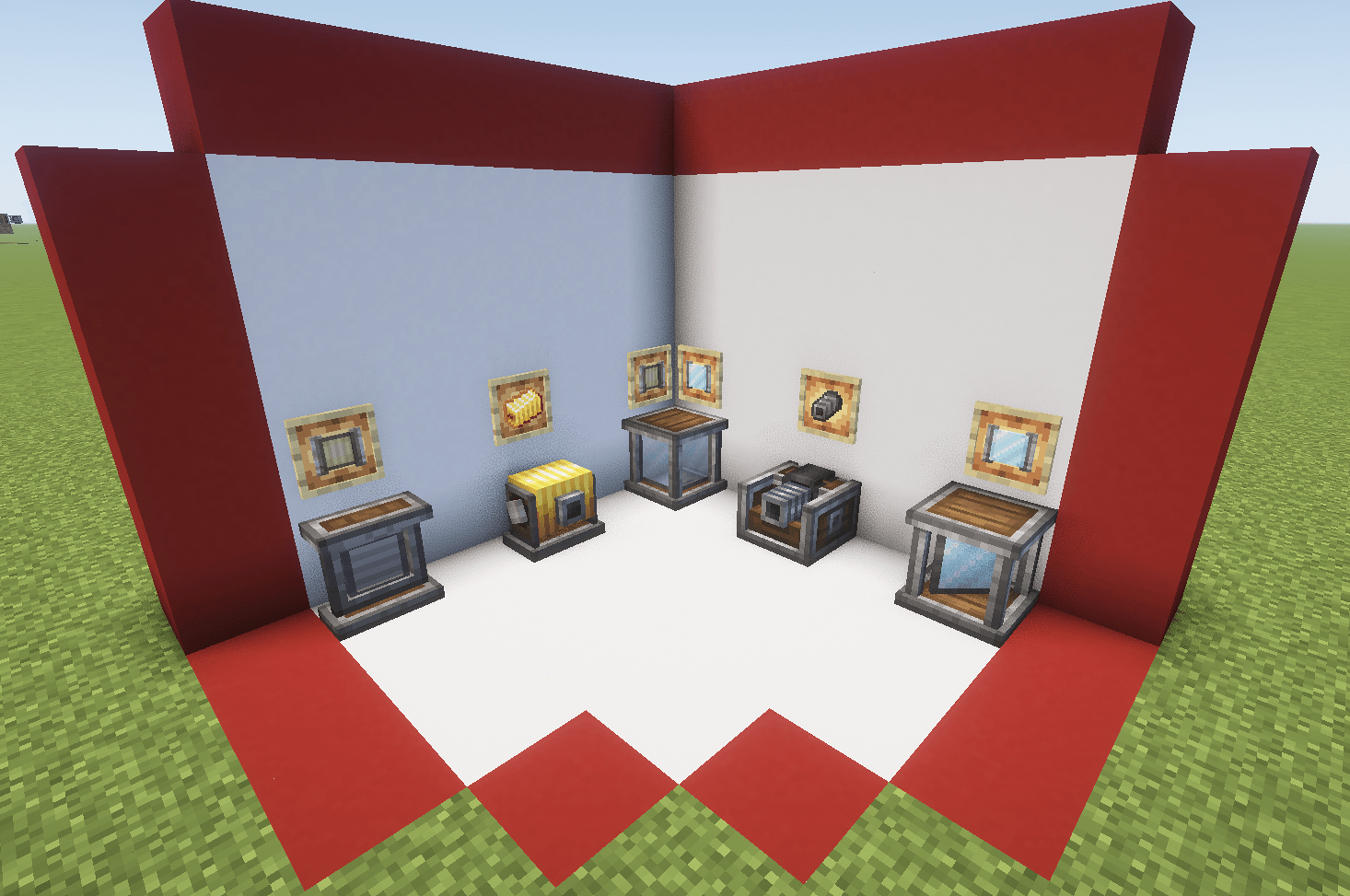
- Optical Source: emit different types of beams based on the rotational force applied
- Optical Receptor: transform the received beam into rotational force based on its properties
- Optical Sensor: emit redstone signal based on the incident beam properties
- Mirror: reflect the beam perpendicularly
- Polarizing Filter: polarize the beam (duh)
- Beam Splitter Cube: split the beam in two and polarize the resultant beams perpendicularly
- Beam Condenser: condense up to three beams into one combining its properties
- Beam Focuser: new type of recipe based on beam characteristics
- Thermal Optical Source: similar to a normal source but with high su usage based on fluid aplications
- Hologram Display: display text or items in a hologram style
- Beam Reader: display the properties of the incident beam
\* Beam Modulator: use it to comunicate through light
Different ways to generate light
Produce eletromagnetic waves with rotational force

New Receptor States
Transform eletromagnetic waves back to rotational force

Retextured Optical Sensor
A way to light ambients with style

New Components
Explore some of the other components of the mod (only stable on version 0.4)

All the crafts can be found with the JEI mod, and most additional mechanics can be explored with the Ponder Mod system.
Some things may break on changing versions. This mod is developed by one person and occasionally receives contributions via GitHub. Please understand that this project is treated as a hobby and not a full-time job.
Many thanks to those who translated the mod:
Russian: Mark2200 (0.2.2 or above)
Chinese Translation: CHN-YunRu (0.2.2 or above)
Brazilian Portuguese: lpcamors (0.2.2 or above)
Spanish: albertosaurio65 (0.2.2 or above)
常见问题
Create Optical 支持哪些 Minecraft 版本?
Create Optical 支持 Minecraft Java 版 1.20.1–26.1.2,共 20 个版本,可用的加载器:Forge / NeoForge。下载时注意选择和你游戏版本一致的文件。
Create Optical 怎么安装?
先用 PCL2 或 HMCL 启动器安装对应版本的 Forge / NeoForge,再把下载的 .jar 文件放进游戏目录的 mods 文件夹,重新启动游戏即可。开启了版本隔离的,mods 文件夹在 versions/版本名 下面。运行环境:客户端和服务端都要装。
评论
登录后评论和评分