
CheckmarkBan
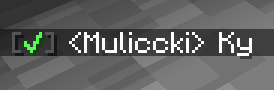
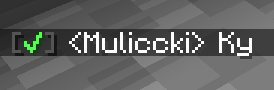
A lightweight client-side Fabric mod that adds clickable green checkmarks [✔] next to player names in chat. Click to open a customizable GUI with instant commands like.
截图


介绍
Green Checkmark GUI
Green Checkmark GUI is a lightweight, 100% client-side Fabric mod for Minecraft 1.21+ that enhances chat interactivity. It automatically detects online player usernames in chat messages and appends a clickable green checkmark [✔] next to their names.
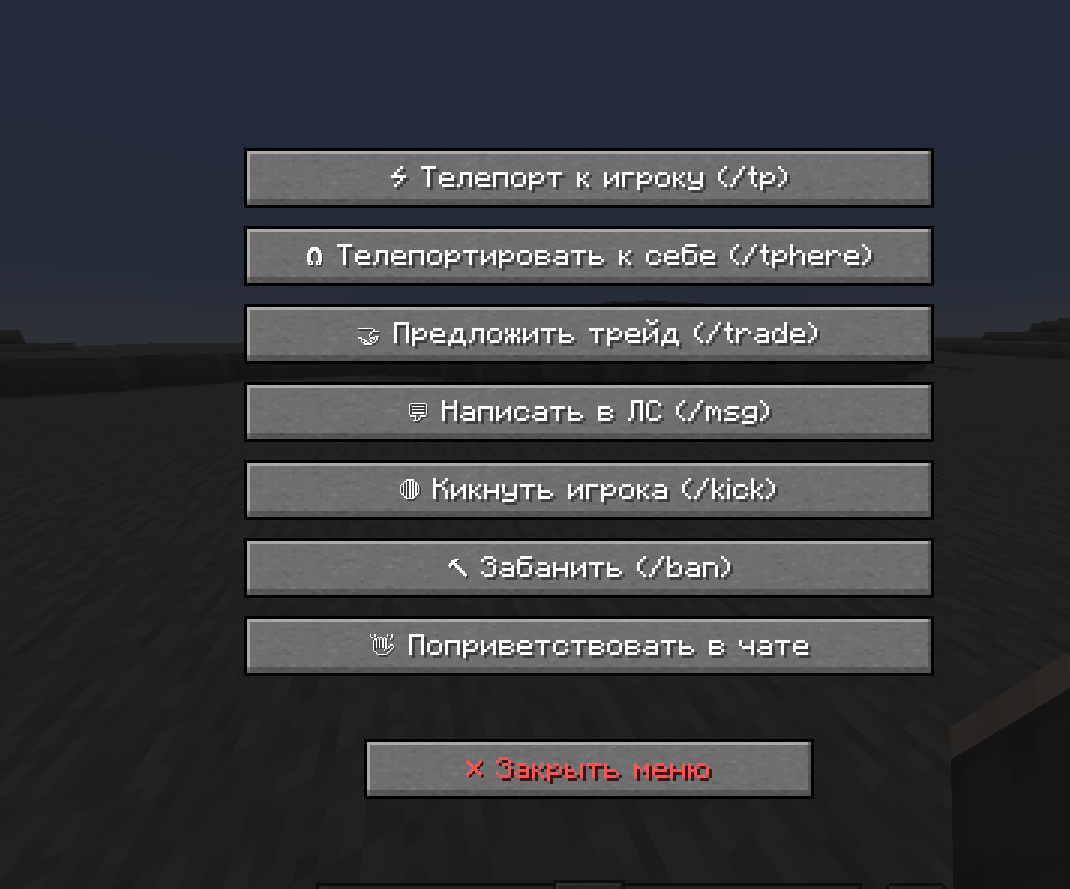
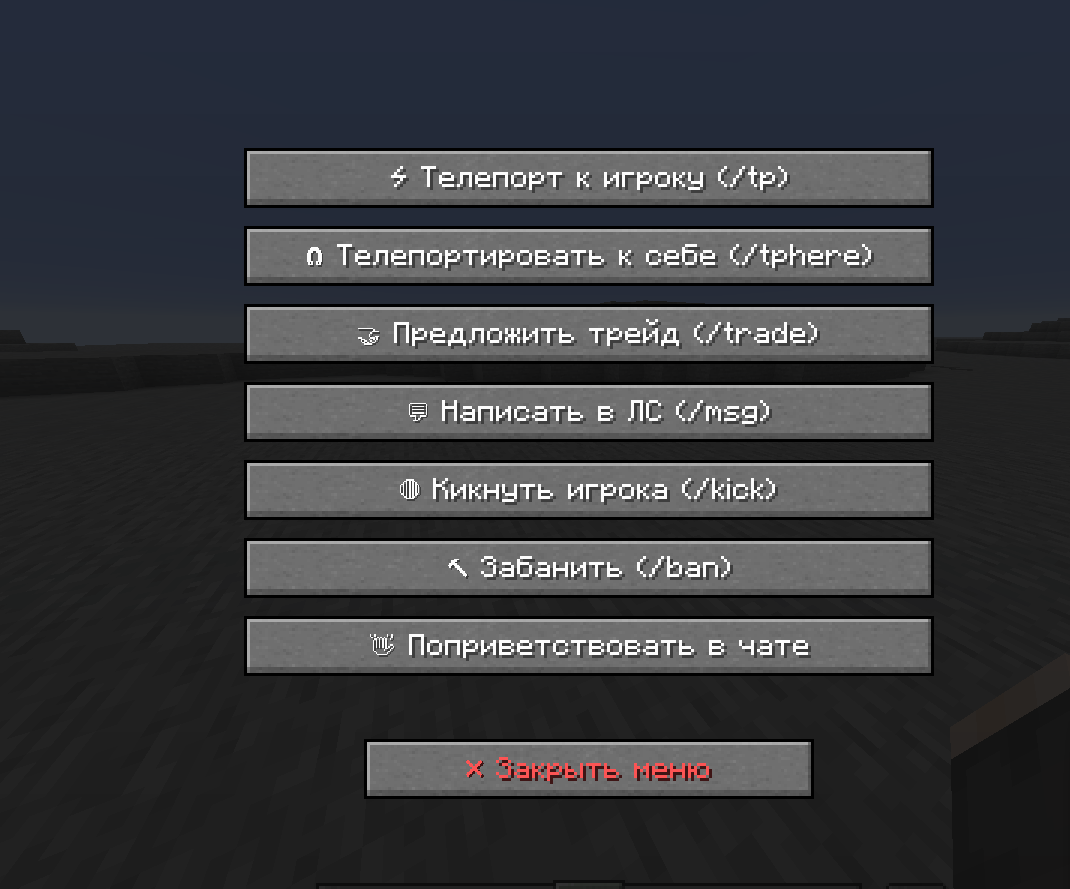
Clicking the checkmark opens a clean, customizable GUI menu with buttons that execute predefined commands or chat messages instantly.
If you encounter a mod issue, please contact me and I will fix it: Discord: Maleccki
Write me what can be added to the mod.
Write me on discord: maleccki
✨ Features
- Interactive Chat Checkmarks: Automatically adds a bright green
[✔]tag next to online player nicknames in chat. - Custom Command GUI: Left-click any checkmark to open a sleek player management screen with interactive buttons.
- 100% Client-Side: Works on any multiplayer server (Vanilla, Paper, Spigot, Hypixel, modded servers, etc.) without requiring server-side installation.
- Fully Configurable Buttons: Define any command or message in the JSON config. Supports placeholders
{player}and%player%, which dynamically replace with the selected target’s username. - In-Game Reloading: Edit your configuration file on the fly and apply changes instantly using
/gcm reloadwithout restarting Minecraft. - Shader & Mod Compatible: Optimized background rendering prevents crashes when used with shader packs (Iris, Sodium, Polytone) and custom GUI mods (OptiGUI).

⚙️ Configuration
Upon first launch, a configuration file is generated at .minecraft/config/greencheckmark.json. You can easily add, remove, or modify GUI buttons:
{
  "checkmarkSymbol": "✔",
  "checkmarkColor": "GREEN",
  "hoverTooltip": "§a[✔] §fClick to open command menu for §e{player}",
  "buttons": [
    {
      "label": "⚡ Teleport (/tp)",
      "command": "/tp {player}",
      "closeOnExecute": true
    },
    {
      "label": "🧲 Teleport Here (/tphere)",
      "command": "/tphere {player}",
      "closeOnExecute": true
    },
    {
      "label": "🤝 Trade (/trade)",
      "command": "/trade {player}",
      "closeOnExecute": true
    },
    {
      "label": "💬 Send PM (/msg)",
      "command": "/msg {player} Hello! How are you?",
      "closeOnExecute": true
    },
    {
      "label": "👋 Say Hello",
      "command": "Hello, {player}! Welcome to the server!",
      "closeOnExecute": true
    }
  ]
}
常见问题
CheckmarkBan 支持哪些 Minecraft 版本?
CheckmarkBan 支持 Minecraft Java 版 1.20.1–1.21.11,共 18 个版本,可用的加载器:Fabric。下载时注意选择和你游戏版本一致的文件。
CheckmarkBan 怎么安装?
先用 PCL2 或 HMCL 启动器安装对应版本的 Fabric,再把下载的 .jar 文件放进游戏目录的 mods 文件夹,重新启动游戏即可。开启了版本隔离的,mods 文件夹在 versions/版本名 下面。运行环境:仅客户端。
Maleccki 的其他作品
查看全部 →
Mod Helper Admin
Mod Helper Admin - a tool for Minecraft server moderators. Simplifies dealing with rule breakers and automates routine tasks. Fully customizable to fit your moderation team's needs.

BanHitbox
BanHitbox - Quick punishment mod for Minecraft admins. Aim at player, press middle mouse, select violations, and ban instantly. Supports multiple punishments and custom commands.

ModCore Library
Essential library mod providing utilities and APIs for Minecraft mod developers. Simplifies registration, networking, config management, and more.
评论
登录后评论和评分