
ChatSocket
Game minimized, chat maximized! Lets send Minecraft chat messages via WebSockets.
截图
介绍
ChatSocket
A simple mod providing a web socket connection for sending and receiving chat messages / commands. Made for lazy people having Minecraft in the background while
playing other games or developing.
Config
Ingame Config is available via owo-config (also accessible via mod-menu). There you can configure
- port (default: 8080)
- host: (default: 127.0.0.1)
- enabled: (default: true)
- communication type: (default: PLAIN_TEXT)
- PLAIN_TEXT
- JSON
Usage
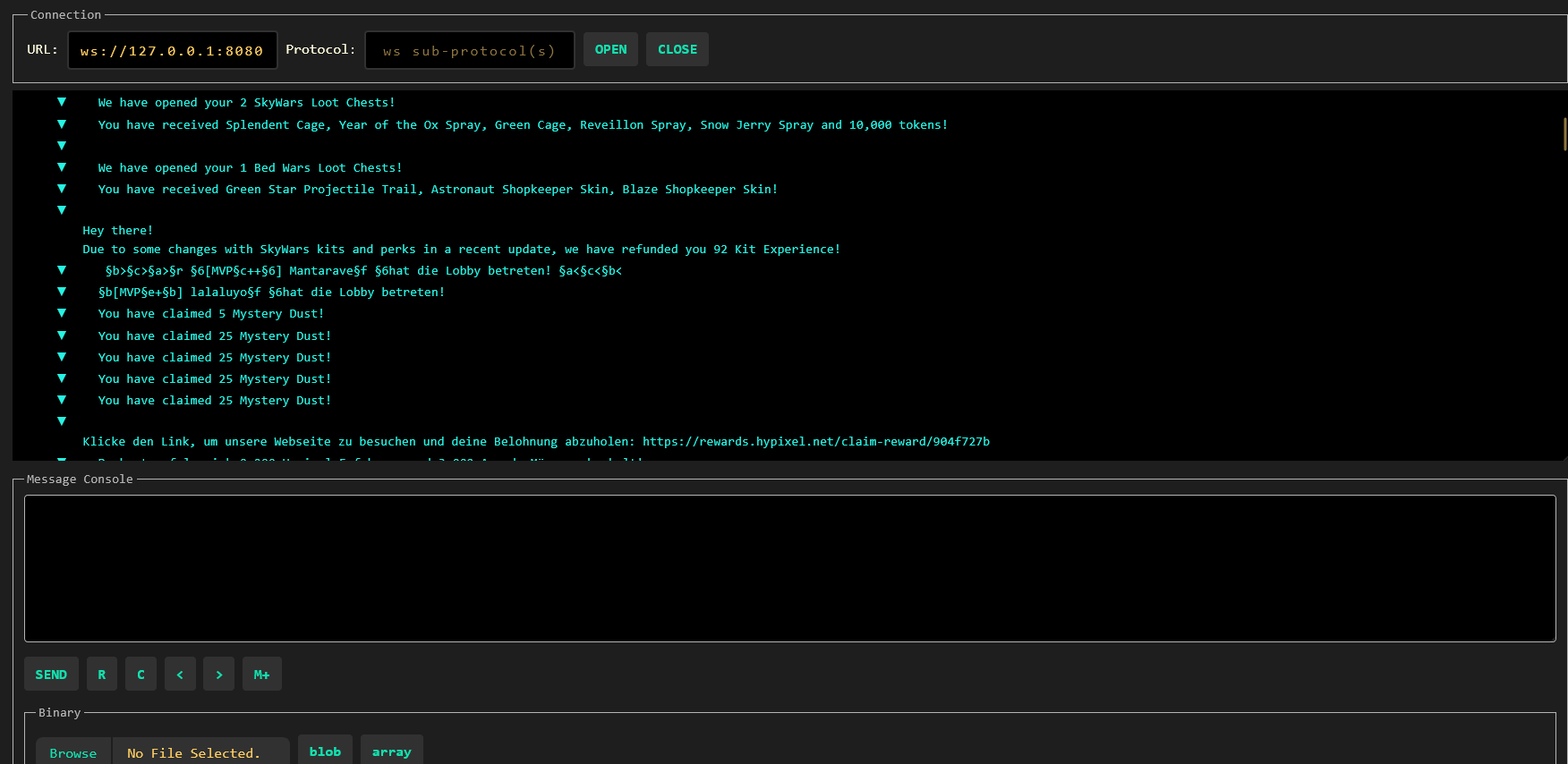
For testing purposes, I recommend using a browser extension like Weasel Websocket. Once you connected
to the websocket (ws://127.0.0.1:8080), you will already receive messages and be able to send some.
For different purposes, there are currently two modes: `PLAIN_TEXT and JSON`.
PLAIN_TEXT Mode
In this mode, messages are being sent and received in full plain text. No json whatsoever.
This is intended for IntelliJ websocket plugins or other tools that are not able to parse JSON.
Mind that the communicationType update event is still being sent as a json object.
JSON Mode
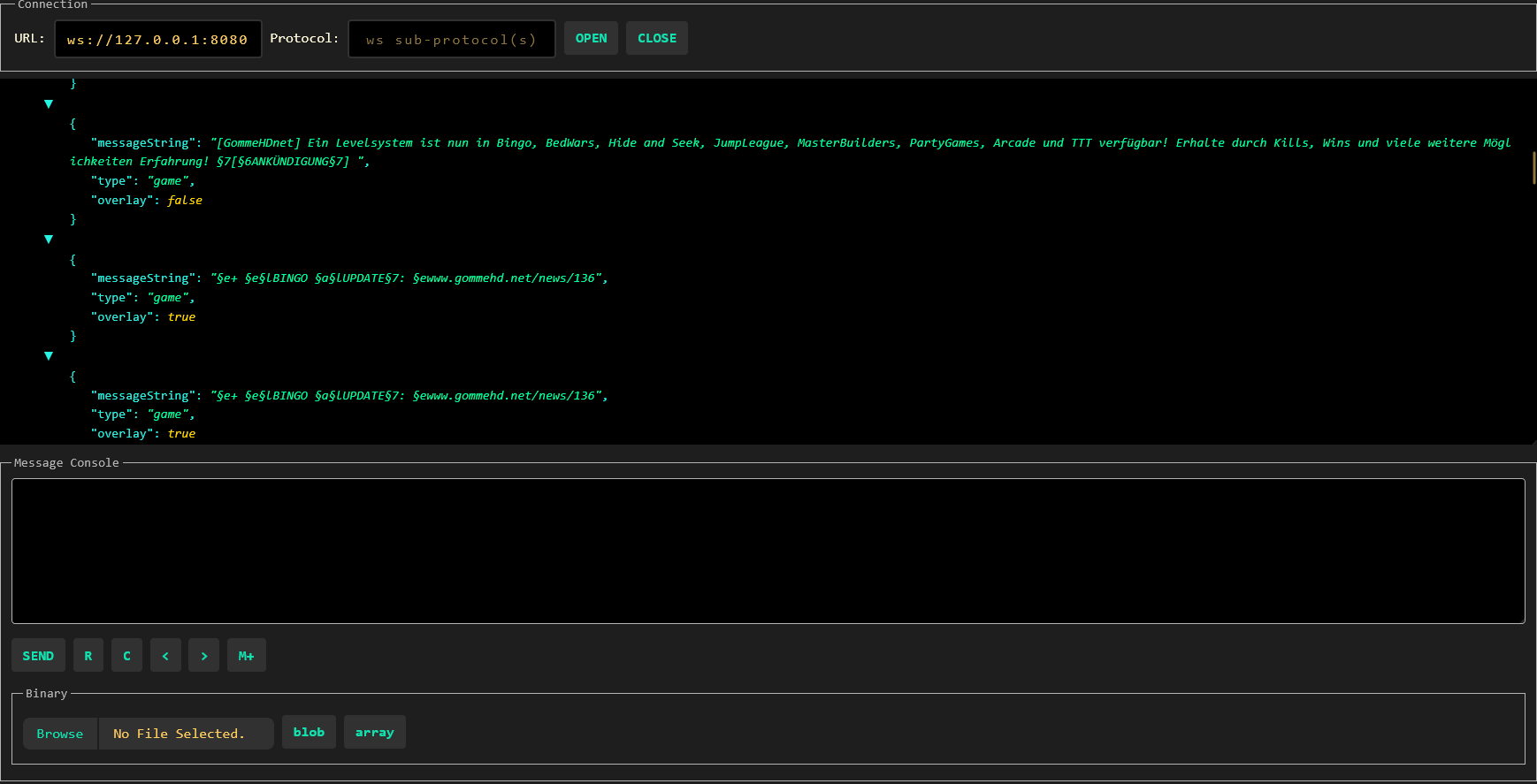
To provide more flexibility, the JSON mode is available. In this mode, messages are being sent and received as JSON objects.
The following JSON objects are being sent:
Incoming messages
Chat Message
{
  "type": "chat",
  "messageString": "Hello World",
  "gameProfile": {
    "uuid": "8661e1be-bbf5-4cd6-86ba-60cc35f8f7e0",
    "name": "AriVanHouten"
  },
  "timestamp": "2011-12-03T10:15:30Z"
}
Game Message
// most of the time these are being sent by the server
{
  "type": "game",
  "messageString": "Hello World",
  "overlay": false,
}
CommunicationType Change
// Will be sent regardless of the mode
{
  "type": "communicationType",
  "communicationType": "PLAIN_TEXT" // or "JSON"
}
Error
// Will be sent regardless of the mode
{
  type: "error",
  "error": "Error message"
}
Outgoing messages
Sending a chat message
{
  "type": "chat", // Alternatively: 'command' => will only prepend a slash to the message
  "message": "Hello World",
}
常见问题
ChatSocket 支持哪些 Minecraft 版本?
ChatSocket 支持 Minecraft Java 版 1.21.5,可用的加载器:Fabric。下载时注意选择和你游戏版本一致的文件。
ChatSocket 怎么安装?
先用 PCL2 或 HMCL 启动器安装对应版本的 Fabric,再把下载的 .jar 文件放进游戏目录的 mods 文件夹,重新启动游戏即可。开启了版本隔离的,mods 文件夹在 versions/版本名 下面。运行环境:仅客户端。


评论
登录后评论和评分