介绍
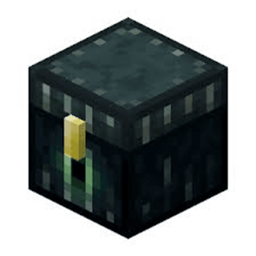
A Minecraft Forge mod for Minecraft 1.8.9 that tracks and displays collection chest data on-screen. Perfect for SkyBlock and similar gamemodes where Ender Chests display item counts in their titles. (Specifically made for SaiCoPvP)
—
Features
Ender Chest Highlights
Color-coded outlines around Ender Chests based on fill percentage:
Red – Below 50% filled
Orange – 50-80% filled
Green – Above 80% filled
– Highlights only chests within 64 blocks for performance.
– Highlights persist across sessions using saved data.
On-Screen Display
Message bar centered on-screen showing chest data (e.g. `[1,234 / 1,500] – 82.3% filled`).
– Appears when you look at a tracked chest or after opening one.
– Automatically hides after a few seconds when not looking at a chest.
Left-Click Data Collection
– Left-click an Ender Chest to silently read its data without opening the GUI.
– Prevents accidental mining – Left-clicks are intercepted to read data instead of breaking the block.
– Works even when the chest GUI is blocked or would normally open.
Data Persistence
– Chest data is saved to `config/cctracker/chest_data.json`.
– Data is stored per dimension and persists across restarts.
– Stored counts support K, M, and B suffixes (e.g. 1.5M, 2K).
—
Commands
| Command | Description |
|———–|————-|
| `/togglecc` | Toggle all CCTracker features on/off. When **off**, Ender Chests can be mined normally. |
| `/clearcc` | Clear all stored chest data and remove highlights. |
—
Requirements
– Minecraft 1.8.9
– Minecraft Forge (1.8.9-11.15.1.2318 or compatible)
—
Installation
1. Install Minecraft Forge for 1.8.9.
2. Download the CCTracker `.jar` file.
3. Place the `.jar` in your `mods` folder.
4. Launch the game.
—
Data Format
CCTracker parses chest titles in the format `[current / max]` (e.g. `Cobblestone [1,234/1,500]`). The mod extracts the count and percentage for display and highlighting.
常见问题
CCTracker 支持哪些 Minecraft 版本?
CCTracker 支持 Minecraft Java 版 1.8.9,可用的加载器:Forge。下载时注意选择和你游戏版本一致的文件。
CCTracker 怎么安装?
先用 PCL2 或 HMCL 启动器安装对应版本的 Forge,再把下载的 .jar 文件放进游戏目录的 mods 文件夹,重新启动游戏即可。开启了版本隔离的,mods 文件夹在 versions/版本名 下面。


评论
登录后评论和评分