
Build Blueprint Preview
A client-side building helper that shows a blue blueprint-style preview of where your held block will be placed. 블록 설치 위치를 파란 청사진 오버레이로 미리 확인하세요!
截图


介绍
Build Blueprint Preview
See it before you place it.
Check a block’s position, shape and direction before placing it.
Broad Minecraft version support — from 1.20 through 26.3.
Fabric · Client-side · No server installation required
<!– IMAGE 1: Main image, immediately below the introduction.
File: 01-blueprint-stairs-ko.png –>
<img src="https://cdn.modrinth.com/data/cached_images/41f1ba121dea3fc9775cb926c8c1c0f10b8aba67.png"
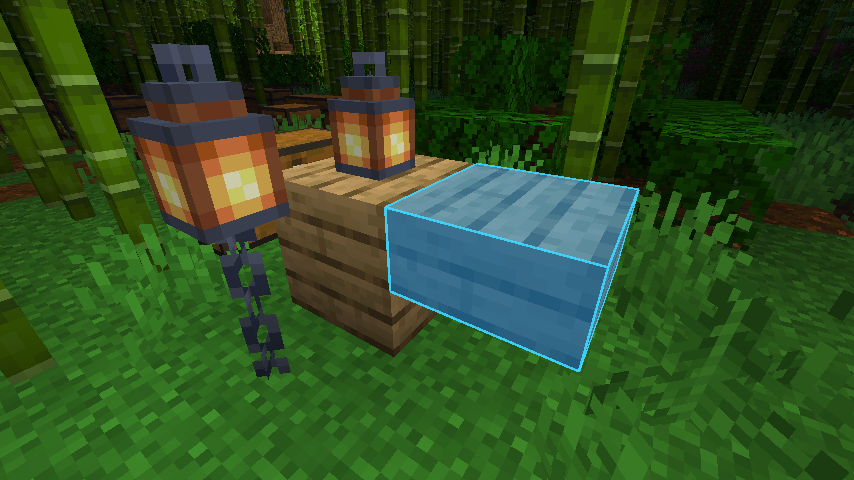
alt=”A translucent blue oak stair preview showing its position and shape before placement in Minecraft 26.3.”>
Check the shape and direction before you place the block.
Compare the preview with the placed block
<!– IMAGE 2: Expandable comparison below the main image.
File: 04-stair-placed-ko.png –>

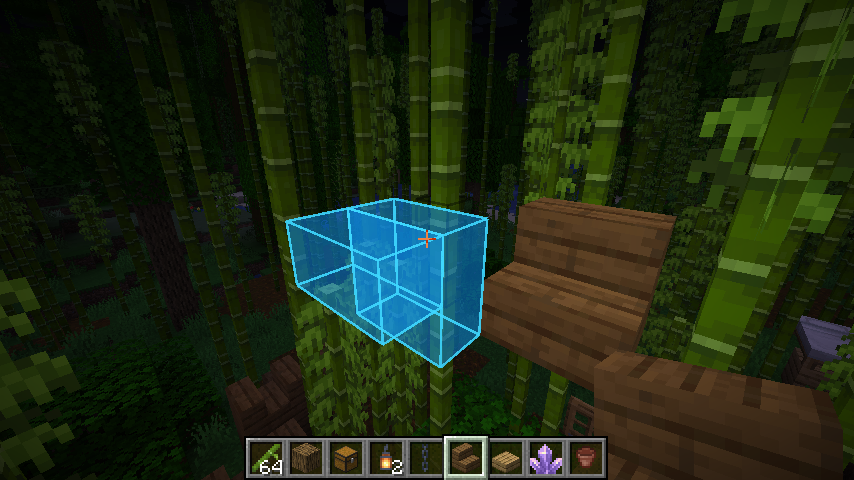
The same stair after placement, shown from the same viewpoint.
Choose your preview style
Pick the style that feels clearest while you build:
- Outline — a clean edge around the block you are about to place.
- Blueprint — a translucent shape that is easy to line up.
- Model — a preview using the block’s model and textures.
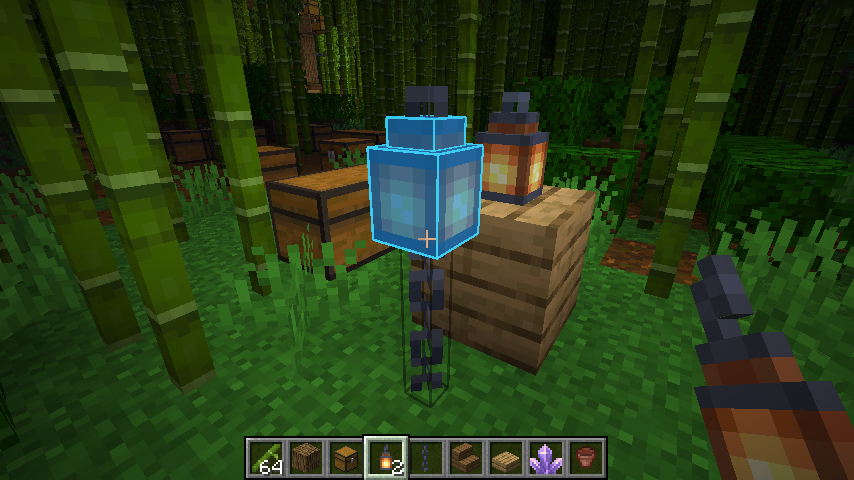
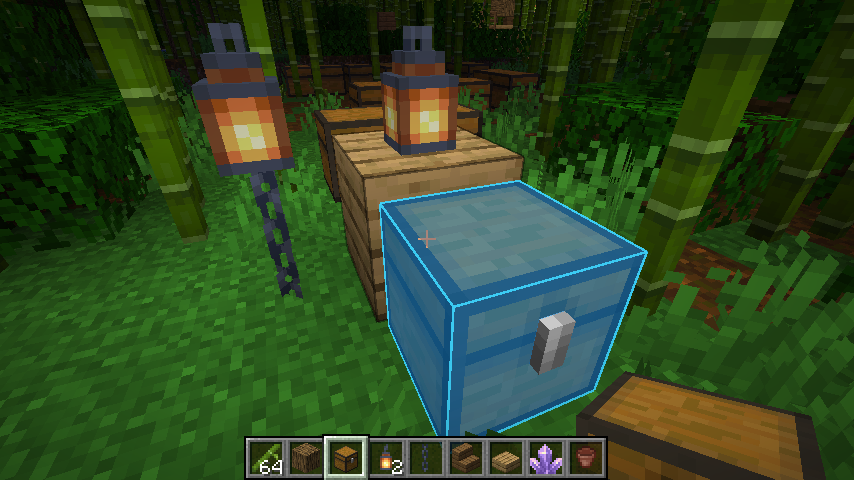
Preview stairs, slabs, doors, beds and chests before placing them. Offhand placement previews are supported, too.
<!– IMAGE 3: Below the preview-style descriptions.
File: 07-en-settings-tab0.png –>

Choose a preset, then fine-tune the individual preview layers.
Make the preview yours
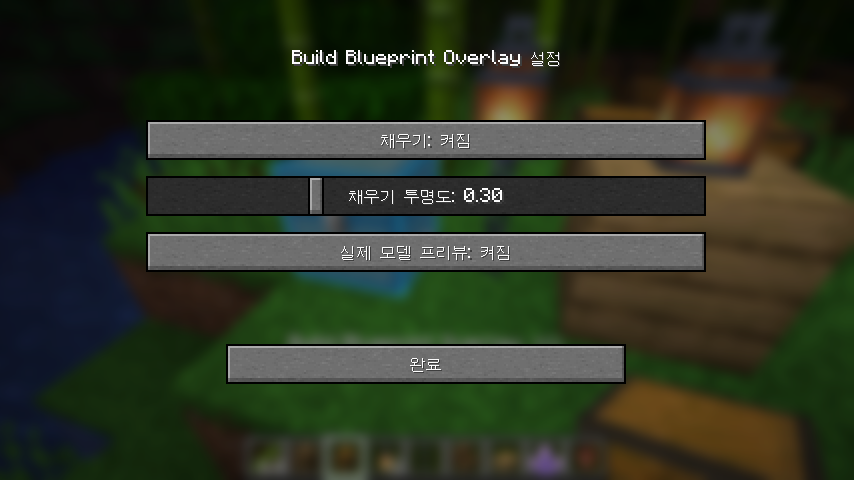
Adjust outline and fill colors separately, and set the opacity of each preview layer. The live style sample helps you see your changes as you make them.
<!– IMAGE 4: Below the color and opacity explanation.
File: 07-en-settings-tab1.png –>

Find a look that is comfortable for your world and your building style.
Prefer a quieter view? Show previews only for directional blocks. You can also choose the startup state, remember your preview toggle, or enable local placement hints.
View startup and behavior settings
<!– IMAGE 5: Expandable behavior screenshot.
File: 07-en-settings-tab2.png –>

Changes apply immediately and are saved when you close settings. Use Restore defaults whenever you want to start fresh.
Two keys to get started
- B — turn the placement preview on or off.
- N — open settings.
Press B once to toggle the preview; there is no need to hold it. The preview starts off by default. Both shortcuts can be changed in Minecraft’s Controls menu.
Install & play
- Choose one mod file that matches your Minecraft version from the Versions page.
- Install Fabric Loader and Fabric API for the same Minecraft version.
- Put the mod JAR and Fabric API JAR in your
modsfolder, then launch the game.
Mod Menu is optional. You can open this mod’s settings with N without it.
Supported Minecraft versions and Java requirements
Supported releases: 1.20–1.20.6, 1.21–1.21.11, 26.1, 26.1.1, 26.1.2, 26.2 and 26.3.
- Minecraft 1.20–1.20.4: Java 17
- Minecraft 1.20.5–1.21.11: Java 21
- Minecraft 26.x: Java 25
Screenshots show Build Blueprint Preview 1.1.2 running on Minecraft 26.3.
The preview is a client-side prediction. Server placement rules may produce a different result.
常见问题
Build Blueprint Preview 支持哪些 Minecraft 版本?
Build Blueprint Preview 支持 Minecraft Java 版 1.20–26.3,共 24 个版本,可用的加载器:Fabric。下载时注意选择和你游戏版本一致的文件。
Build Blueprint Preview 怎么安装?
先用 PCL2 或 HMCL 启动器安装对应版本的 Fabric,再把下载的 .jar 文件放进游戏目录的 mods 文件夹,重新启动游戏即可。开启了版本隔离的,mods 文件夹在 versions/版本名 下面。运行环境:仅客户端。
Codeboy 的其他作品
查看全部 →
Count Easy
An unofficial client-side utility mod for DdingTycoon that automatically counts container items and displays totals, prices, and server-specific information in a clean overlay. 띵타이쿤을 위한 비공식 클라이언트 편의성 모드로, 컨테이너의 아이템을 자동 계산하고 개수·가격·서버 전용 정보를 깔끔한 오버레이로 표시합니다

Grid Easy
A lightweight 3D grid overlay for precise building, alignment, and per-axis spacing control. 정밀한 건축과 축별 간격 조절을 위한 가볍고 최적화된 3D Grid Overlay 모드입니다.

Daily TODO
A lightweight client-side TODO overlay for tracking daily tasks directly in Minecraft.
评论
登录后评论和评分