
截图
介绍
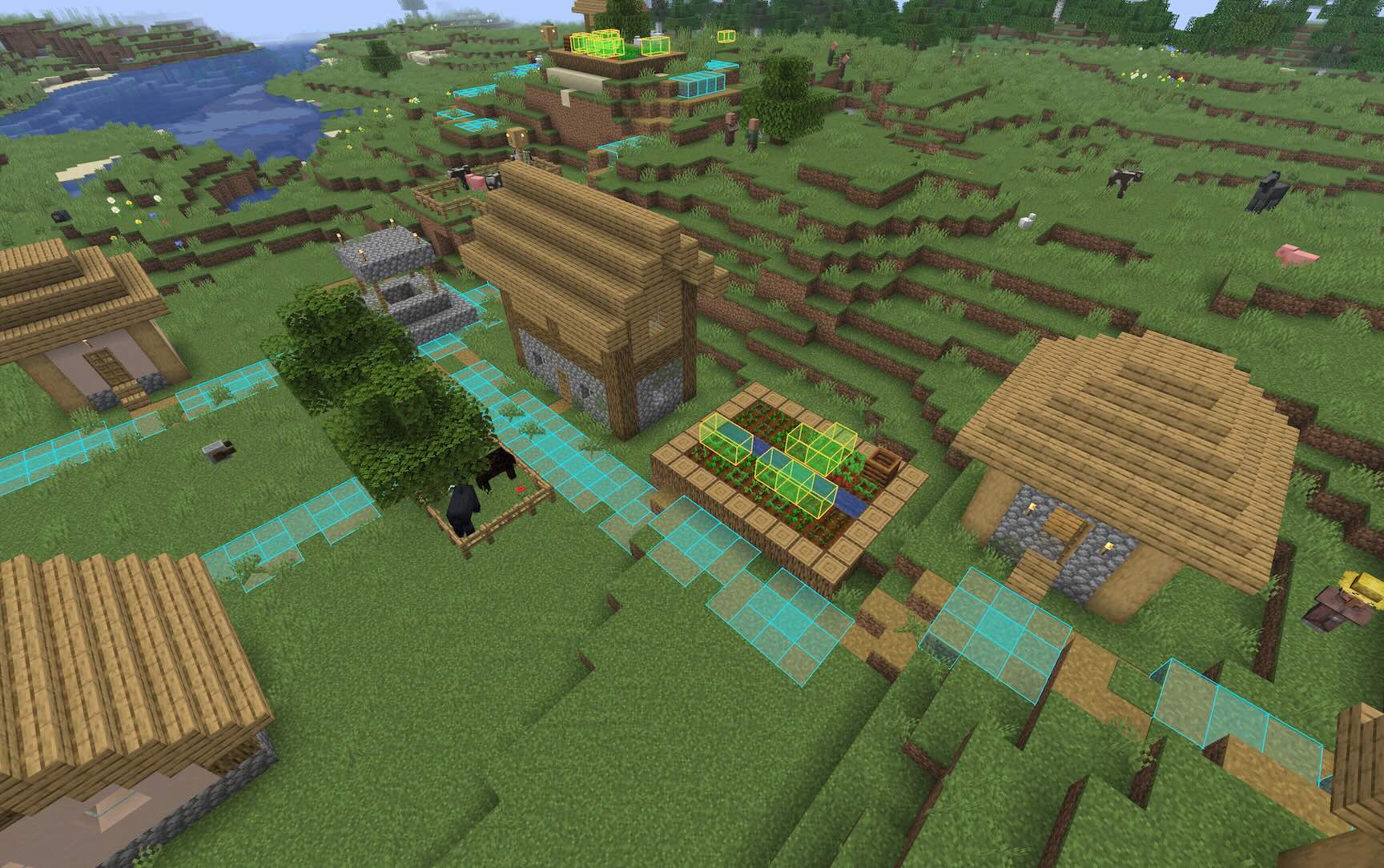
Highlights every occurrence of a block pattern near you.
Patterns can be 1D, 2D or 3D, and you can search for shapes and groups of different
blocks, including wildcard (?)
Usage
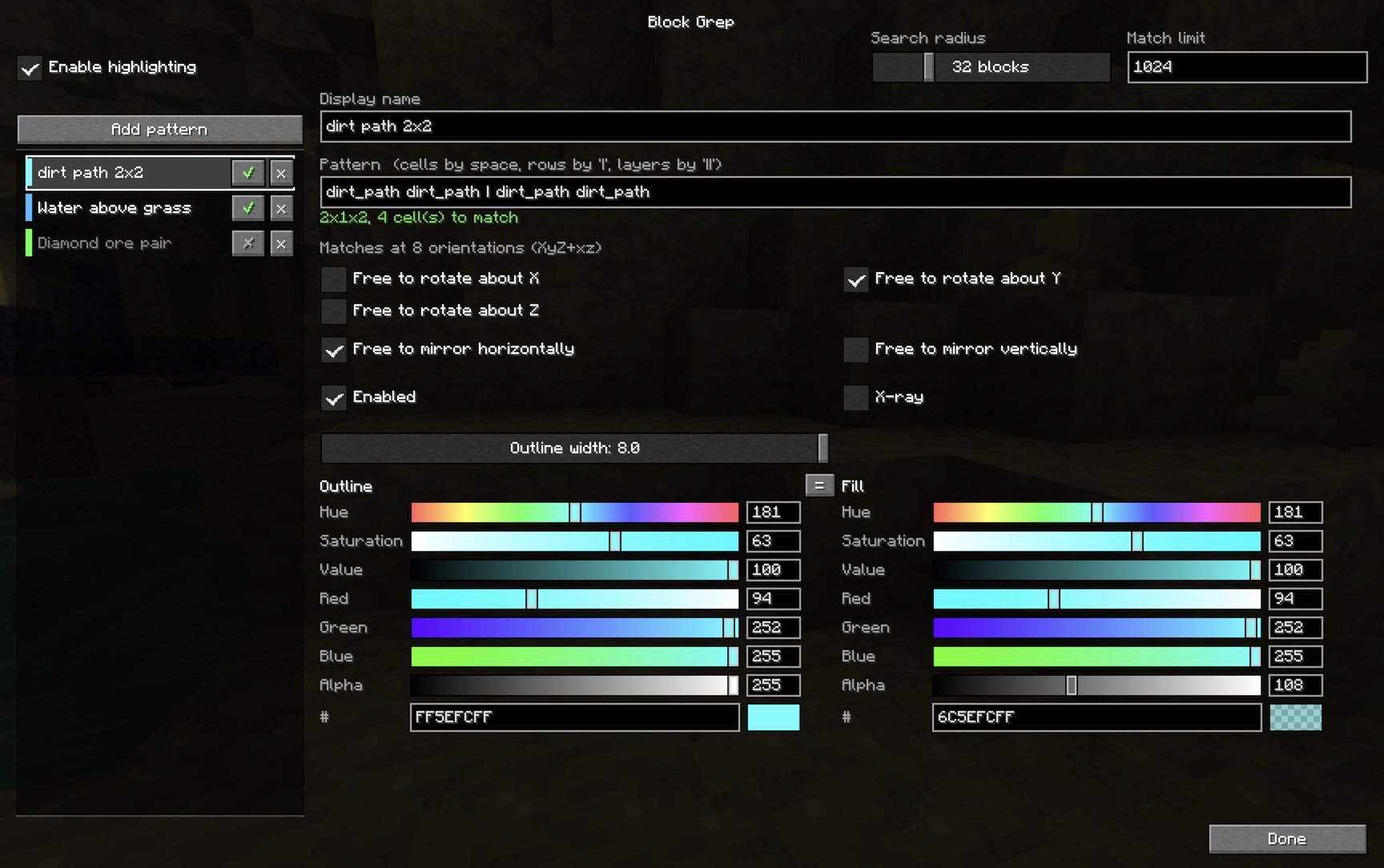
The easiest way to configure the mod is using the GUI settings screen. This can
be started with the command /blockgrep config, or you can go to
Options → Controls → Key Binds → Block Grep and assign “Open pattern settings” a key.
On Fabric, if you have Mod Menu installed, it’ll appear in the mod menu list.
In the settings screen you can create new patterns and configure their rendering
settings.
Commands
You can configure the mod entirely using commands if you wish.
/blockgrep pattern [symmetry] <spec>   add a shape of any dimensions
/blockgrep box <x> <y> <z> <blocks>    add a uniform box
/blockgrep list                        show the saved patterns
/blockgrep toggle <n>                  turn one on or off
/blockgrep only <n>                    enable one, disable the rest
/blockgrep all on|off                  every pattern at once
/blockgrep name <n> <text>             rename one
/blockgrep remove <n>                  delete one
/blockgrep radius <blocks>             4–128, default 32
/blockgrep limit <count>               default 512
/blockgrep config                      open the settings screen
/blockgrep status
/blockgrep off
Pattern syntax
Patterns are made of cell predicates, each of which tries to match a block:
| Form | Meaning |
|—|—|
| mud | that block (namespace defaults to minecraft) |
| mud,dirt | Either mud or dirt |
| mud,dirt,grass_block | Either mud or dirt or a grass block |
| #minecraft:trapdoors | any block with that tag, ie. any trapdoor in this example |
| ? | any block, including air |
| !air | anything the rest does not match |
These are combined into larger patterns using , | and ||. So,
| Form | Meaning |
|—|—|
| mud mud | Two mud blocks beside each other (east-to-west) |
| mud \| mud | Two mud blocks beside each other (north-to-south) |
| mud mud \| mud mud | Four mud blocks in a 2×2 square |
| mud,dirt mud,dirt \| mud,dirt mud,dirt | Four blocks of mud-or-dirt in a 2×2 square |
| stone stone \| stone stone \|\| mud mud \| mud mud | A 2x2x2 cube with stone on the bottom layer and mud on the top layer |
Examples
- A 2×2 square of mud and/or dirt:
/blockgrep box 2 1 2 mud,dirt, or/blockgrep pattern mud,dirt mud,dirt | mud,dirt mud,dirt
- A grass block above another grass block:
/blockgrep pattern grass_block || grass_block
- A 2×2 of mud, with anything (or nothing) above it:
/blockgrep pattern mud mud | mud mud || ? ? | ? ?
- Any 2×2 of logs, of any wood type:
/blockgrep pattern #logs #logs | #logs #logs
Dimensioned form
A pattern can also be given as explicit dimensions followed by x·y·z cells, in
x then z then y order:
/blockgrep pattern 2 2 2 mud mud mud mud #logs ? ? #logsSymmetry
By default a pattern is matched at all four compass orientations. An optional
symmetry spec before the pattern changes that. It is up to three axis letters —
lowercase to allow rotation about that axis, uppercase or absent to pin it — with
h and v to allow horizontal and vertical mirroring.
/blockgrep pattern XYZ   mud ? | ? mud     only as written        (1)
/blockgrep pattern y     mud ? | ? mud     four compass turns     (4, the default)
/blockgrep pattern yh    mud ? | ? mud     ...plus horizontal flips  (8)
/blockgrep pattern yv    mud ? | ? mud     ...plus a top-to-bottom flip (8)
/blockgrep pattern yvh   mud ? | ? mud     both mirror families   (16)
/blockgrep pattern xyz   mud ? | ? mud     all 24 rotations of the cube
/blockgrep pattern xyzvh mud ? | ? mud    all 48, reflections included
Mirror planes can also be named individually after a +, by the axis normal to
each: +x is the east-west flip, +y the top-to-bottom one, +z north-south.
So yh is exactly y+xz, and yv is y+y.
Three things are worth knowing:
- Rotations about two different axes generate rotations about the third, so
xy,yz,xzandxyzall mean the same 24 orientations. - Reflections are not implied by rotations. An L-shape and its mirror image are different shapes however you turn them, which is why
handvexist. - Mirrors are only interchangeable because of rotation. With the four turns of
yin hand,+xand+zname the same eight orientations; with no rotation at all they are genuinely different flips, andXYZ+xzgives four orientations because composing the two mirrors produces a 180° turn.
Symmetric shapes are deduplicated, so each occurrence is reported once however
many orientations were searched.
Cheating
**Note: this mod _can_ be used as an ore-finder so it should be considered a
bit cheaty.** Removing X-ray mode for a “lite” non-cheaty version was considered,
but you’d still be able to look for, say, valuable ore below a grass_block or
stone, highlighting that less-valuable block, so while removing X-ray mode
would limit bulk cheating, it wouldn’t make it a fair non-cheaty mod to use.
常见问题
Block Grep 支持哪些 Minecraft 版本?
Block Grep 支持 Minecraft Java 版 26.1–26.3,共 5 个版本,可用的加载器:Fabric / NeoForge。下载时注意选择和你游戏版本一致的文件。
Block Grep 怎么安装?
先用 PCL2 或 HMCL 启动器安装对应版本的 Fabric / NeoForge,再把下载的 .jar 文件放进游戏目录的 mods 文件夹,重新启动游戏即可。开启了版本隔离的,mods 文件夹在 versions/版本名 下面。运行环境:客户端和服务端都要装。
_gid 的其他作品
查看全部 →
Beacon Obscura
A small server-side-only mod to enable visual hiding of beacon beams using tinted glass, without requiring client-side mods or configuration

Fire Sprinkler
Server-side mod to make a button under a water-carrying block extinguish fire, burning mobs and players underneath

Trade School
Server-side-only mod as a proof-of-concept to demonstrate an idea for an alternative to "Villager Trading Rebalance", making villager trading less grindy, and exploration more rewarding

No-Fly Zone
Build a beacon with a No-Fly effect and elytra and happy ghasts stop working inside its range.
评论
登录后评论和评分