
BiomeWalker
Track your steps and distance per biome. HUD overlay with biome stats. Per-world data storage.
截图

介绍
BiomeWalker
BiomeWalker tracks every step you take and records your biome exploration progress. See exactly which biomes you’ve visited, how many steps you’ve taken in each one, and where most of your adventures happen.
Features HUD Overlay
Displays your current biome and total step count in the bottom-left corner of your screen.
Biome Statistics
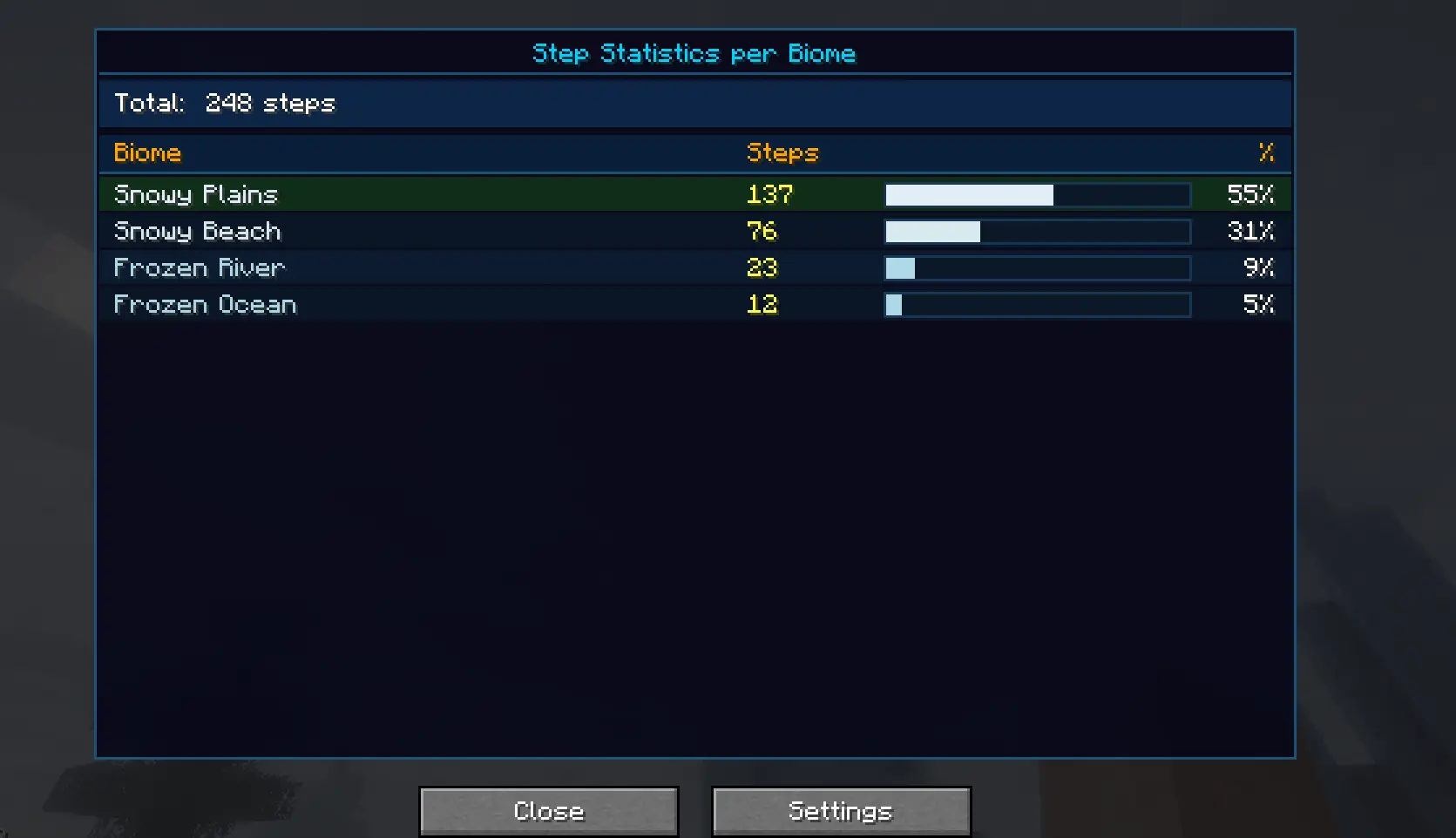
Press H to open a detailed statistics screen containing:
Every biome you’ve visited Steps taken per biome Percentage of total travel Progress bars for easy comparison Auto-Sprint
Press O to toggle auto-sprint and keep running without holding the sprint key.
Per-World Data
Statistics are saved separately for every singleplayer world and multiplayer server.
Settings Menu
Customize the HUD or reset your saved statistics through the settings menu.
Controls Key Action H Open biome statistics O Toggle auto-sprint
Requirements Minecraft 1.20.1 Fabric Loader Fabric API
Why BiomeWalker?
Whether you’re exploring new terrain, completing biome challenges, or simply curious about your travel habits, BiomeWalker helps you track your journey across the Minecraft world.
Explore. Walk. Discover. Track your adventure. 🌍🚶
常见问题
BiomeWalker 支持哪些 Minecraft 版本?
BiomeWalker 支持 Minecraft Java 版 1.20.1–1.21.11,共 18 个版本,可用的加载器:Fabric。下载时注意选择和你游戏版本一致的文件。
BiomeWalker 怎么安装?
先用 PCL2 或 HMCL 启动器安装对应版本的 Fabric,再把下载的 .jar 文件放进游戏目录的 mods 文件夹,重新启动游戏即可。开启了版本隔离的,mods 文件夹在 versions/版本名 下面。运行环境:仅客户端。

评论
登录后评论和评分