Auto Login
Automatically logs in to authentication servers using a locally encrypted password.
截图
介绍
Languages
Auto Login
A client-side Fabric mod that automatically logs you into authentication-based Minecraft servers (e.g. EasyAuth, AuthMe) using a locally encrypted password.
This mod runs entirely on the client and does not modify any server behavior.
Features
- Automatically sends
/login <password>after joining a server - Password is stored locally and encrypted (AES-GCM with random device key)
- No server-side plugin or mod required
- Client-only and suitable for multiplayer servers
- Manual command trigger for testing or fallback use
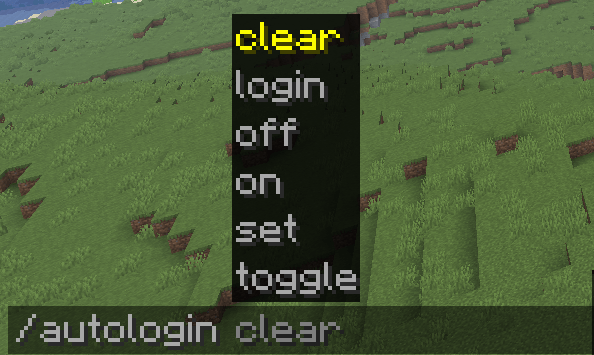
Commands
Set password (required once)
/autologin set <password>- Encrypts and saves the password locally
- Enables auto-login automatically
Trigger auto-login immediately
/autologin login- Runs a login attempt immediately
- Useful for testing or manual retries
Enable / disable
/autologin on
/autologin off
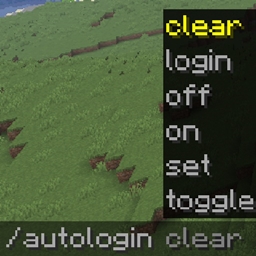
Clear saved password
/autologin clear- Deletes stored credentials
- Disables auto-login
How It Works
- On first setup, the password is encrypted and saved locally
- When you join a server:
- The mod waits until the client is fully initialized
- Then sends the login command directly to the server
- The password is never sent anywhere else and is never logged
The mod does not intercept packets, modify UI, or hook into server authentication logic.
Security Notes
- Passwords are stored only on your local machine
- Encryption uses:
- Random 256-bit device key (generated per installation, not derivable from public info)
- AES-GCM (authenticated encryption)
- The encryption key is stored in a separate file from the config
- No plaintext password is written to disk
- Do not reuse important real-world passwords
Supported Versions
- Minecraft 26.3
- Fabric Loader 0.19.5+
- Fabric API 0.160.5+
- Java 25
License
MIT
常见问题
Auto Login 支持哪些 Minecraft 版本?
Auto Login 支持 Minecraft Java 版 1.21.11–26.3,共 3 个版本,可用的加载器:Fabric。下载时注意选择和你游戏版本一致的文件。
Auto Login 怎么安装?
先用 PCL2 或 HMCL 启动器安装对应版本的 Fabric,再把下载的 .jar 文件放进游戏目录的 mods 文件夹,重新启动游戏即可。开启了版本隔离的,mods 文件夹在 versions/版本名 下面。
lyuwenhan 的其他作品
查看全部 →
Player Highlighter
用发光轮廓和 HUD 目标图标标出玩家。
PlayerHighlighter
Highlights players with a glowing outline and a HUD target icon.

Infinity Fireworks
Prevents firework rockets from being consumed when used.

Fly Speed Modifier
Temporarily adjusts Freecam or player flight speed using a key and the mouse wheel.
评论
登录后评论和评分