
截图
介绍
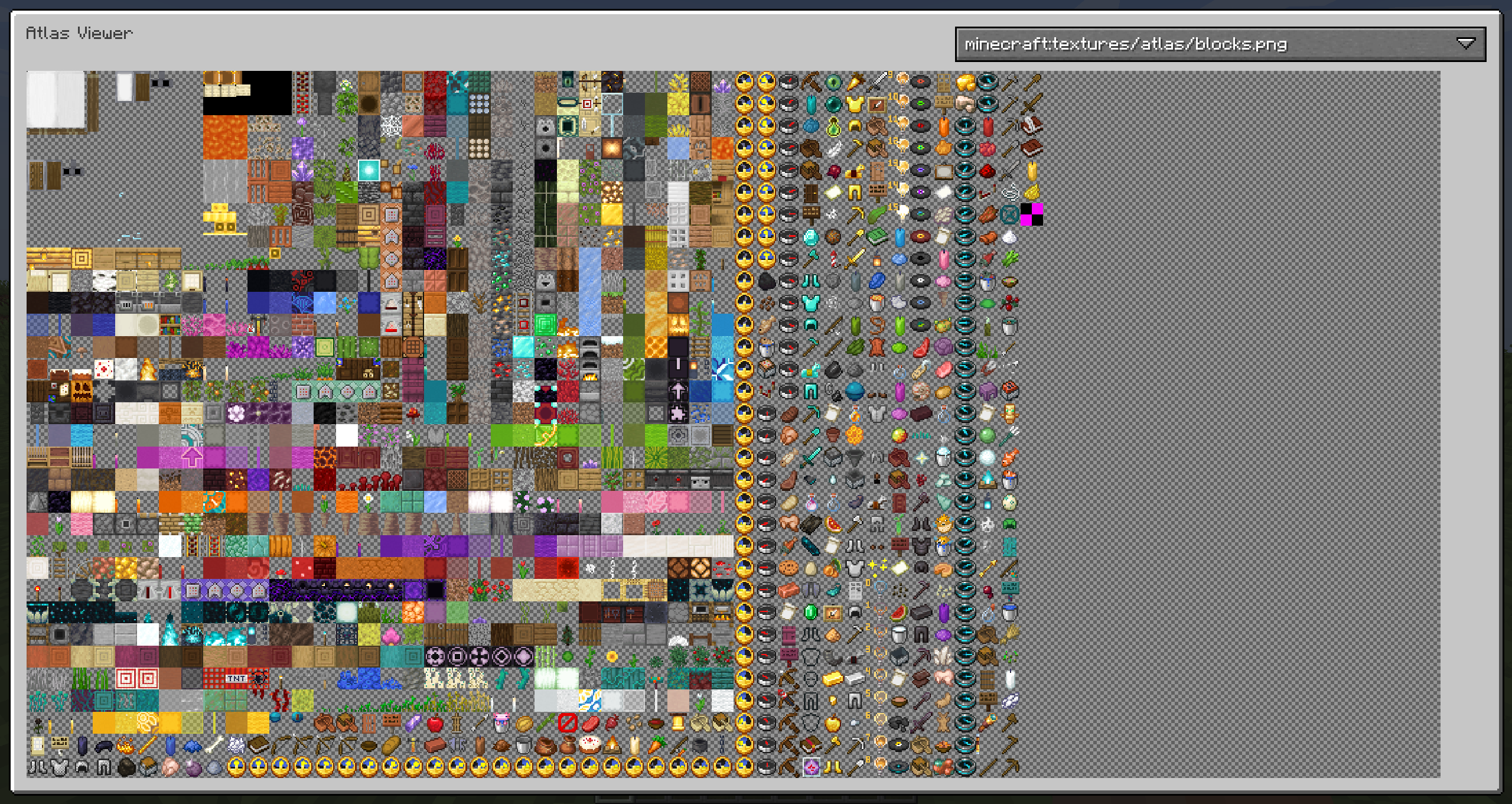
AtlasViewer allows you to inspect the texture atlases that are currently being used and view details about the sprites on each atlas.
Among other things, this allows you to find out how much space each sprite takes on the atlas and which mods may be wasting space on the atlas with inefficient sprite layouts.
By default, the atlas view is opened by pressing V.
The view of the atlas can be panned by dragging with the left mouse button and zoomed with the scroll wheel.
To view the details of a sprite, hover over it in the atlas view and right click it.
Both the full atlas as well as individual sprites can be exported to a PNG file.
常见问题
AtlasViewer 支持哪些 Minecraft 版本?
AtlasViewer 支持 Minecraft Java 版 1.18.2–26.3,共 28 个版本,可用的加载器:Fabric / Forge / NeoForge。下载时注意选择和你游戏版本一致的文件。
AtlasViewer 怎么安装?
先用 PCL2 或 HMCL 启动器安装对应版本的 Fabric / Forge / NeoForge,再把下载的 .jar 文件放进游戏目录的 mods 文件夹,重新启动游戏即可。开启了版本隔离的,mods 文件夹在 versions/版本名 下面。



评论
登录后评论和评分