
ArmorPlus
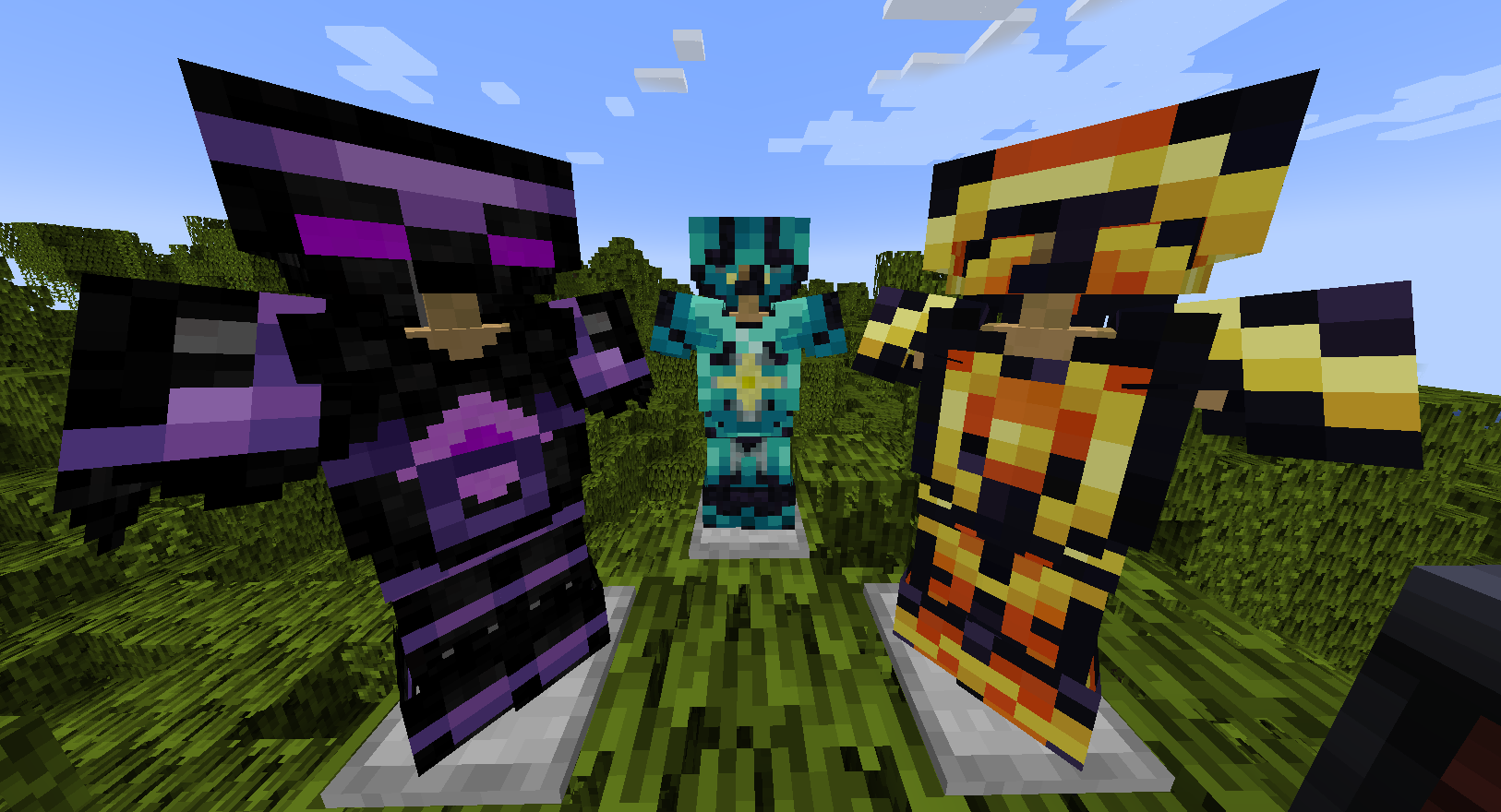
ArmorPlus is a mod based on exploration, killing, building, getting geared up, fight the bosses and explore the depths of your worlds
介绍

ArmorPlus is a mod which introduces brand new multi-tiered arsenal to your Minecraft world, each with its own unique abilities so that they can all be utilized to the fullest depending on the different situations your journeys may encounter.
It also adds some world generation to ensure that you will always have something new to explore.
Dependencies
Armor Trims
Mod Integrations
ArmorPlus has added integration with:
JEI (Just Enough Items): Workbench, High-Tech Bench, Ulti-Tech Bench & The Champion Bench (Not 1.16.5+)
TOP (The One Probe): Support for all of the ArmorPlus helmets (Not 1.16.5+)
Tesla: The tesla tools & steel armor (Not 1.12.2+)
RF (Embemed): The RF tools & Steel armor (Not 1.11.2+)
Tinkers’ Construct: Some materials and modifiers like Lava Crystal (Material)
ProjectE (EMC): A configurable option to make almost everything in the mod to contain EMC value (enable it via armorplus/integrations.cfg) (Not 1.16.5+)
CraftTweaker: All of the benches and the lava infuser have CT support (Not 1.16.5+)
How to use the CraftTweaker Integration
Click Here for a detailed explanation
Modpacks
Found an issue?
- You can create a ticket at the issue tracker here: GitHub Issues.
Want to support me?
- You can support me by buying me a coffee at ko-fi.
Can I repost this mod in other websites ?
- No, you aren’t allowed to repost any versions of this mod to other websites.
Am I allowed to use the mod’s textures or any art work ?
- No.
Will there be a Fabric version?
- At the current moment there are NO plans to port the mod to Fabric.
Modpack Permissions
\Link to them\ Licence.md)
Social Links
常见问题
ArmorPlus 支持哪些 Minecraft 版本?
ArmorPlus 支持 Minecraft Java 版 1.16.5–26.1.2,共 4 个版本,可用的加载器:Forge / NeoForge。下载时注意选择和你游戏版本一致的文件。
ArmorPlus 怎么安装?
先用 PCL2 或 HMCL 启动器安装对应版本的 Forge / NeoForge,再把下载的 .jar 文件放进游戏目录的 mods 文件夹,重新启动游戏即可。开启了版本隔离的,mods 文件夹在 versions/版本名 下面。运行环境:客户端和服务端都要装。
sokratis12GR 的其他作品
查看全部 →
ArmorPlus
ArmorPlus 添加了新的盔甲套装、工具、武器、建筑方块和进度内容,丰富你的 Minecraft 冒险体验。
TheDragonLib
适用于 sokratis12GR 大多数模组的前置库
Sword Displays
A mod that allows you to display your weapons

TheDragonLib
A library for most of sokratis12GR's Mods
评论
登录后评论和评分