
Armor Shift
A client-side utility to instantly cycle and swap equipped armor with sets in your inventory via a single keybind.
介绍
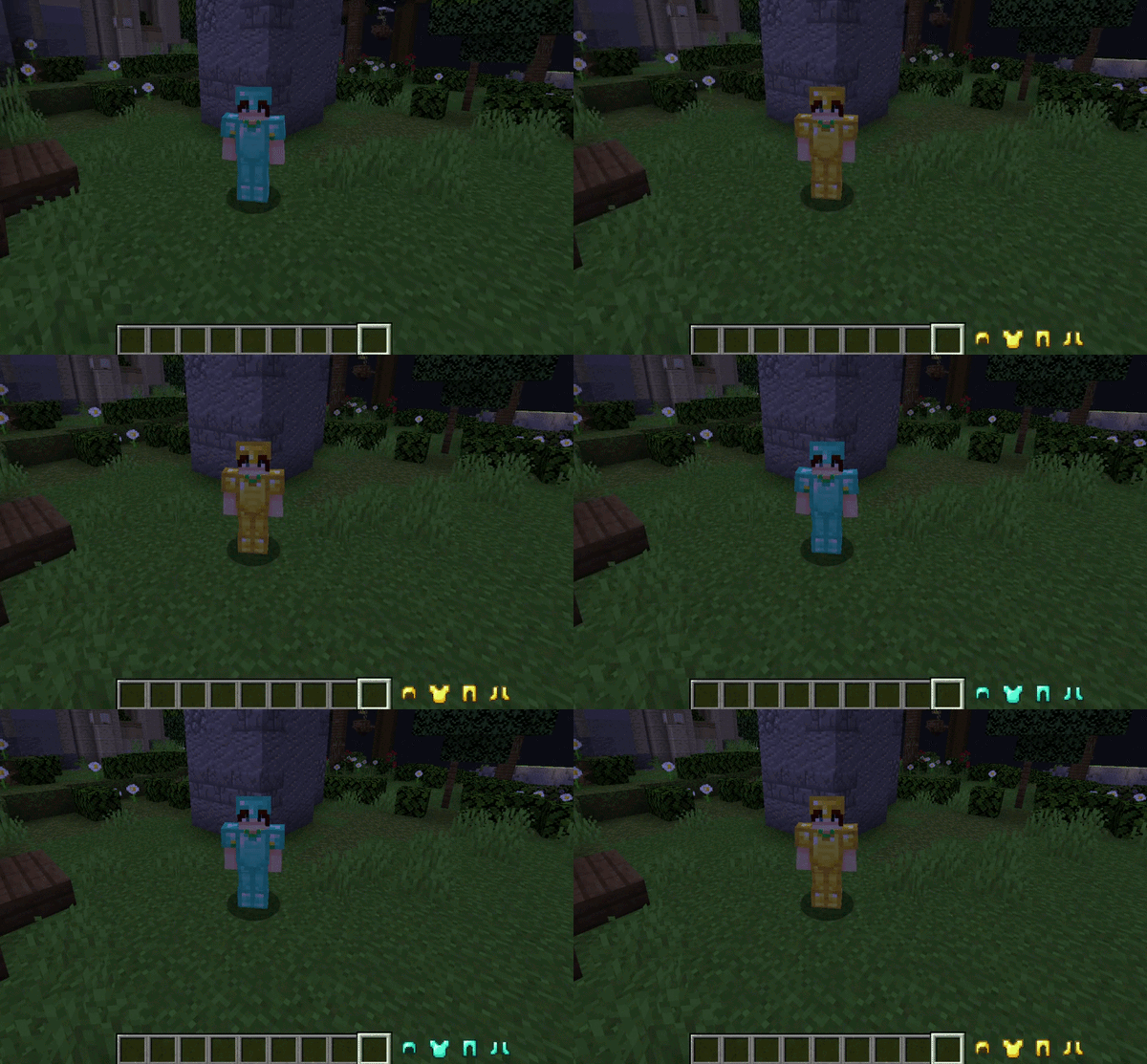
Armor Shift is a client-side utility for Minecraft Forge designed to streamline gear management. It provides a seamless mechanism to instantly exchange equipped armor pieces with alternative sets located within the player’s inventory, eliminating the need for manual GUI interaction during critical gameplay moments.
Overview
Armor Shift eliminates the necessity of manual inventory management in the heat of action. Designed for players who demand technical efficiency and agility, the mod allows for gear transitions without ever closing the game screen or interrupting movement.
As a purely client-side modification, this mod focuses on versatility, allowing it to be used in any multiplayer environment or SMP without requiring plugins or server-side installations.
Features
- Instant Exchange: Perform a full armor swap instantly via a single keybind without opening the inventory screen.
- Zero Server Requests: As a purely client-side modification, Armor Shift works on any multiplayer server or SMP without requiring server-side installation.
- Priority-Based Selection: Automatically finds and equips the first matching armor pieces found in your inventory, following a standard top-to-bottom scanning order.
- Intelligent Conflict Context: The keybind is active only when in-game and not in other menus to prevent conflicts.
Configuration
The mod is configured directly through the standard Minecraft controls menu:
- Navigate to Options > Controls > Key Binds.
- Locate the Armor Shift category.
- Assign a preferred key to the Swap Armor function (unassigned by default to prevent conflicts).
Compatibility
- Minecraft Version: 1.20.1
- Mod Loader: Forge 47.4.10+
- Side: Client-side only
Credits
Author: SatDPhoe


常见问题
Armor Shift 支持哪些 Minecraft 版本?
Armor Shift 支持 Minecraft Java 版 1.20.1–1.20.4,共 4 个版本,可用的加载器:Forge。下载时注意选择和你游戏版本一致的文件。
Armor Shift 怎么安装?
先用 PCL2 或 HMCL 启动器安装对应版本的 Forge,再把下载的 .jar 文件放进游戏目录的 mods 文件夹,重新启动游戏即可。开启了版本隔离的,mods 文件夹在 versions/版本名 下面。运行环境:仅客户端。
SatDPhoe 的其他作品
查看全部 →
CPM Animator Utils
A QoL utility for Customizable Player Models (CPM) animators to streamline frame management and animation workflow.

Botania Slots
A Quality-of-Life mod that adds dedicated Curios slots for your Mana Tablets and Rings, decluttering your inventory and reducing server lag.

Babel Core
A modern framework providing web-inspired UI systems, optimized data management, and professional utility hooks for SatDPhoe's mods.

Item Editor
Administrative item editor for Forge 1.20.1. Create and adjust custom items, attributes, enchantments, effects, tooltip flags, and spawn egg entity data through a clean in-game UI.
评论
登录后评论和评分