
截图
介绍
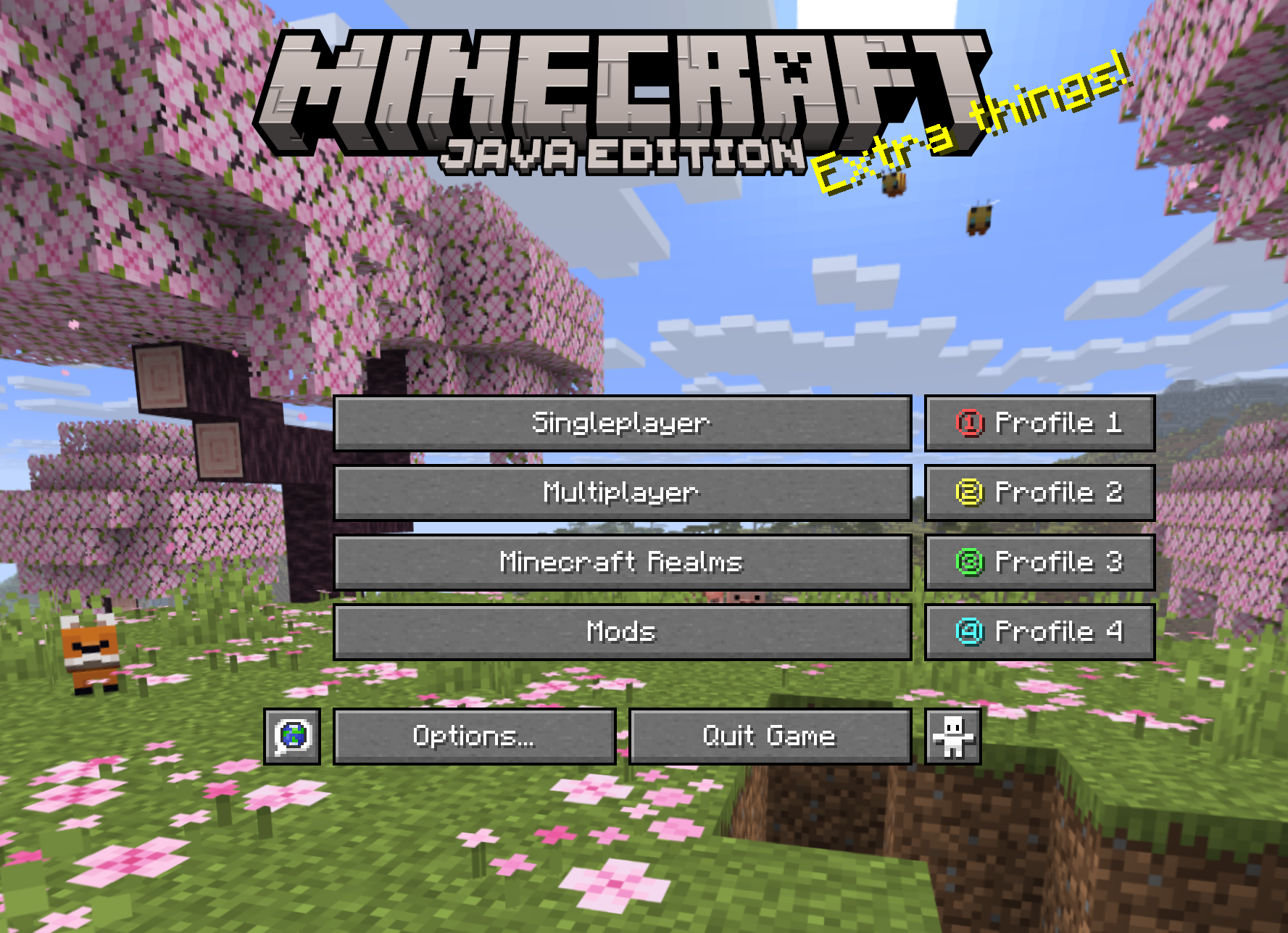
AR1 Connect Button is a handy client-side Fabric mod that adds 4 quick‑connect buttons to the main menu. No more opening the “Multiplayer” screen and typing the address manually – just click a button and you’re instantly on your favourite server.
Key Features
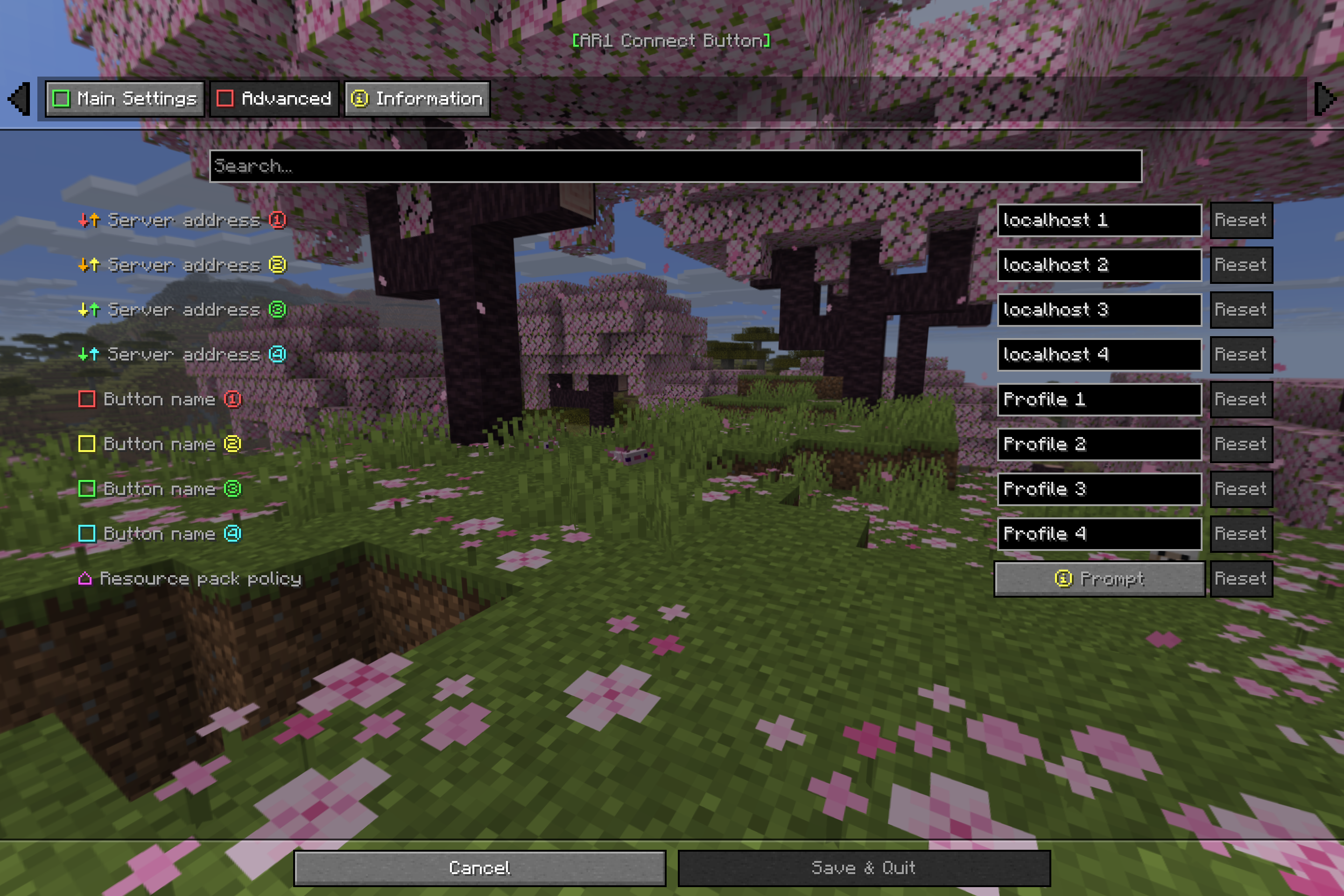
- 4 profiles – configure addresses and labels for up to four servers.
- Customisable buttons – each button has a custom name (up to 10 characters) and a tooltip showing the server address.
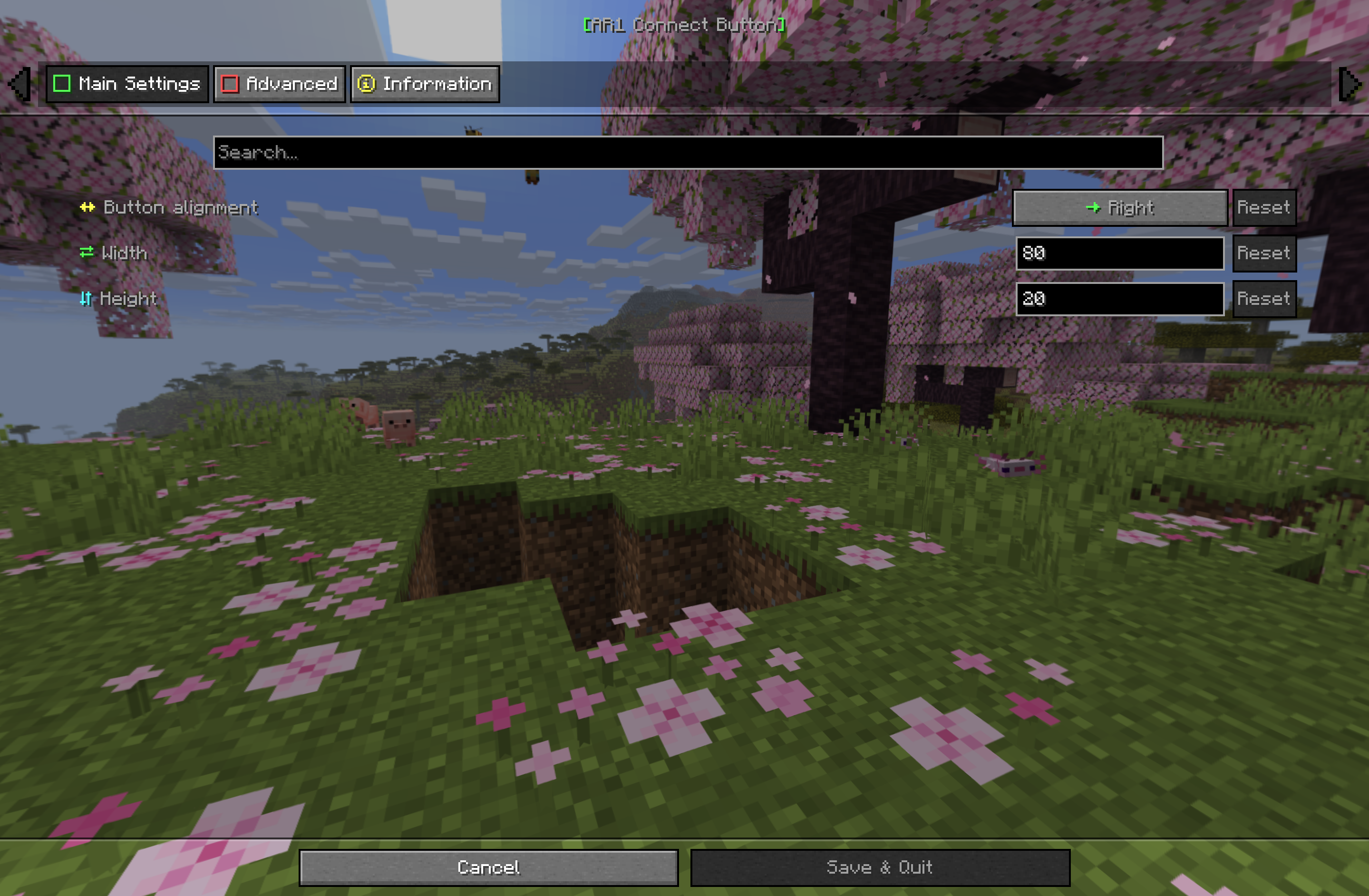
- Flexible positioning – buttons can be placed to the left or right of the main menu buttons.
- Full size control – adjust button width and height in pixels.
- Resource pack policy – choose how to handle server resource packs: allow, deny, or ask.
- Convenient settings UI – integrates with ModMenu and Cloth Config.
- Localisation – support for 14 languages.
- Lightweight and performant – the mod does not affect gameplay.
How to Use
- Install the mod (see installation below).
- Open the settings (ModMenu → AR1 Connect Button).
- Enter server addresses (e.g.,
play.server.comor192.168.1.10:25565) and set button labels (up to 10 characters). - If needed, adjust alignment, dimensions, and resource pack policy.
- The profile buttons will appear on the main menu.
- Click any button to connect to the corresponding server immediately.
Configuration
All settings are available via ModMenu (or manually in the config/ar1-connect-button.json file).
| Category | Option | Description |
|—————-|———————–|—————————————————————————–|
| General | Alignment | Place buttons to the left or right of the “Singleplayer” button. |
| General | Width | Button width in pixels (20–200). |
| General | Height | Button height in pixels (10–50). |
| Advanced | Address 1–4 | Server address for each profile. |
| Advanced | Label 1–4 | Button label (max 10 characters). |
| Advanced | Resource Pack Policy | Allow, deny, or prompt before loading a server resource pack. |
Localization
The mod is fully translated into 14 languages:
| Country | Language | Name | Code |
|———|———-|——|——|
| 🇷🇺 | Russian | Русский | ru_ru |
| 🇺🇸 | English | English | en_us |
| 🇩🇪 | German | Deutsch | de_de |
| 🇪🇸 | Spanish | Español | es_es |
| 🇵🇱 | Polish | Polski | pl_pl |
| 🇺🇦 | Ukrainian | Українська | uk_ua |
| 🇧🇾 | Belarusian | Беларуская | be_by |
| 🇫🇷 | French | Français | fr_fr |
| 🇧🇬 | Bulgarian | Български | bg_bg |
| 🇨🇿 | Czech | Čeština | cs_cz |
| 🇯🇵 | Japanese | 日本語 | ja_jp |
| 🇰🇿 | Kazakh | Қазақша | kk_kz |
| 🇮🇳 | Hindi | हिन्दी | hi_in |
| 🇨🇳 | Chinese (Simplified) | 简体中文 | zh_cn |
Developed by ar1emq – a member of THEMIDNIGHTCORE.
常见问题
AR1 Connect Button 支持哪些 Minecraft 版本?
AR1 Connect Button 支持 Minecraft Java 版 26.1.2–26.3,共 3 个版本,可用的加载器:Fabric。下载时注意选择和你游戏版本一致的文件。
AR1 Connect Button 怎么安装?
先用 PCL2 或 HMCL 启动器安装对应版本的 Fabric,再把下载的 .jar 文件放进游戏目录的 mods 文件夹,重新启动游戏即可。开启了版本隔离的,mods 文件夹在 versions/版本名 下面。运行环境:仅客户端。
THEM!DNIGHTCORE 的其他作品
查看全部 →
AR1 Animated Typing
A simple mod adding customizable animations when typing in text fields

AR1 Backup
A powerful mod that lets you create backups of your worlds—manually or automatically!

AR1 Text Formatting
Mod that allows using standard Minecraft formatting codes "§" in absolutely every text field: chat, books, signs, item names, GUIs, action bars, titles, and more.

AR1 Coins Mod
A simple mod that adds coin transfers to the game, featuring 18 types of coins and coin piles!
评论
登录后评论和评分