AppliedSwatches – AE2 Addon
Pick a colour or theme and pull matching blocks straight out of your Applied Energistics 2 network.
截图
介绍
AppliedSwatches is an Applied Energistics 2 addon for builders. Choose a colour or a theme, and it finds every block in your ME network that fits, then hands them to you.
Matching uses CIELAB, a colour space built to match how human eyes see colour, and scores each block by its ΔE (colour difference) from your palette. Blocks that look alike to you match, not just ones with similar RGB numbers. Explanation
Companion Mod for colour matching existing builds, can be found here: AppliedSwatches Companion
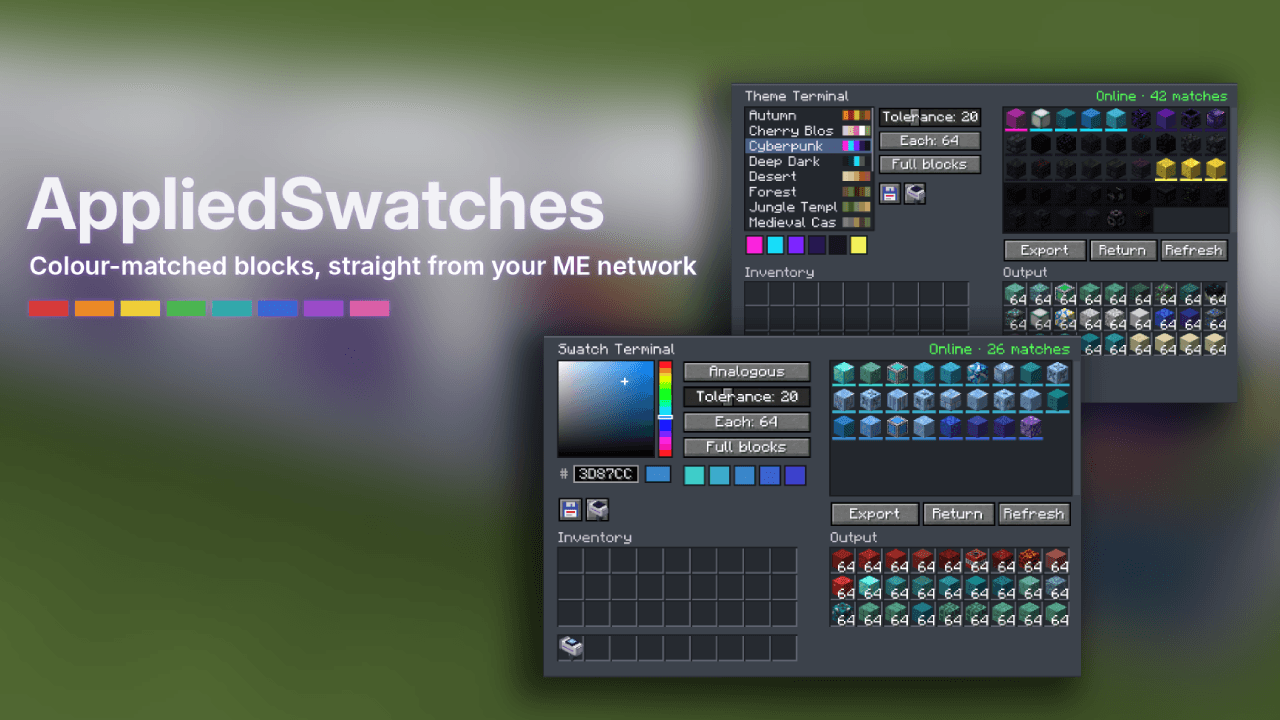
Swatch Terminal
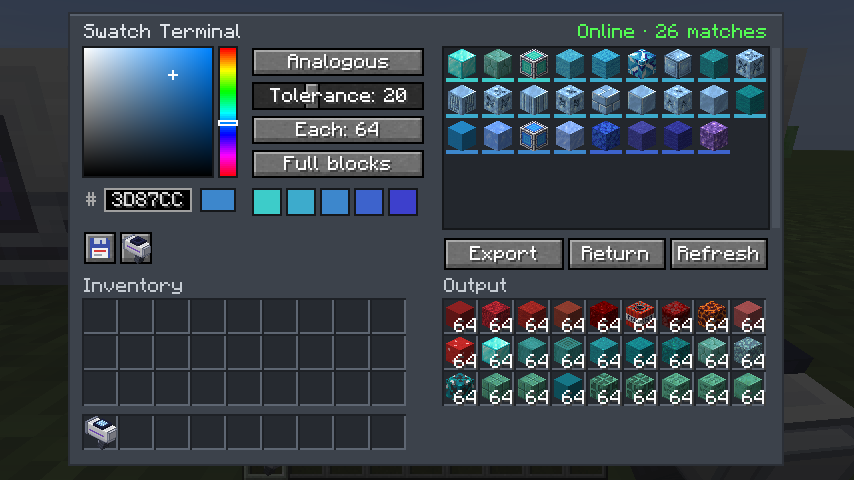
Pick a colour with the HSV picker or a hex code, then a scheme: single, monochrome, analogous, complementary, split complementary or triadic. The terminal reads the actual textures of every block you have stored and lists the ones that match, closest first.
- Tolerance slider and amount per block (1–64)
- Full blocks only, or any shape (slabs, stairs, walls…)
- Click a result to skip it
- Show craftable toggle (off by default): also lists matching blocks you don’t have yet but can craft, marked with a green +
- Export pulls a balanced spread of the palette into 27 output slots; Return puts it back
- Save and load swatches as
.json, or save one as a theme. Share it online or view other themes at https://www.ae-swatches.xyz/ - Output slots work with hoppers and pipes
- Resource packs change the matches, since colours come from the textures you see
Theme Terminal
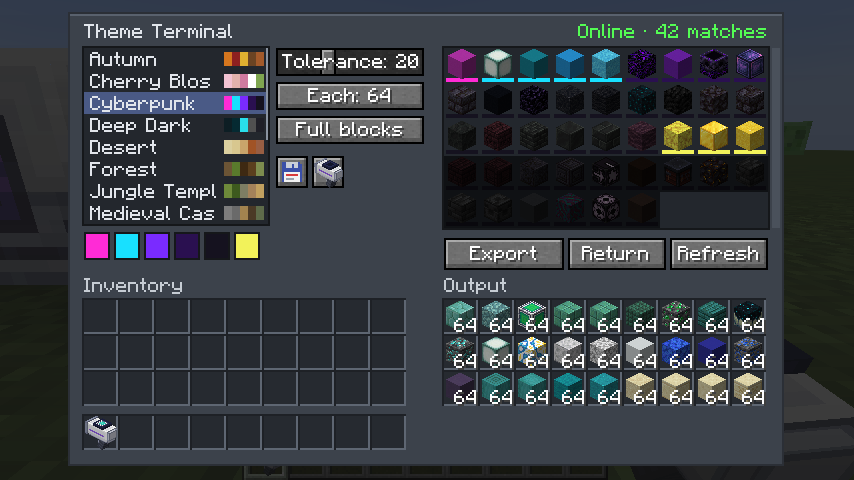
Works the same way, but with named palettes. It ships with 14: Autumn, Cherry Blossom, Cyberpunk, Deep Dark, Desert, Forest, Jungle Temple, Medieval Castle, Nether, Pastel, Snowy Tundra, Steampunk, The End and Underwater. Themes can pin signature blocks, and you can import and export your own as .json.
Swatch Applicator
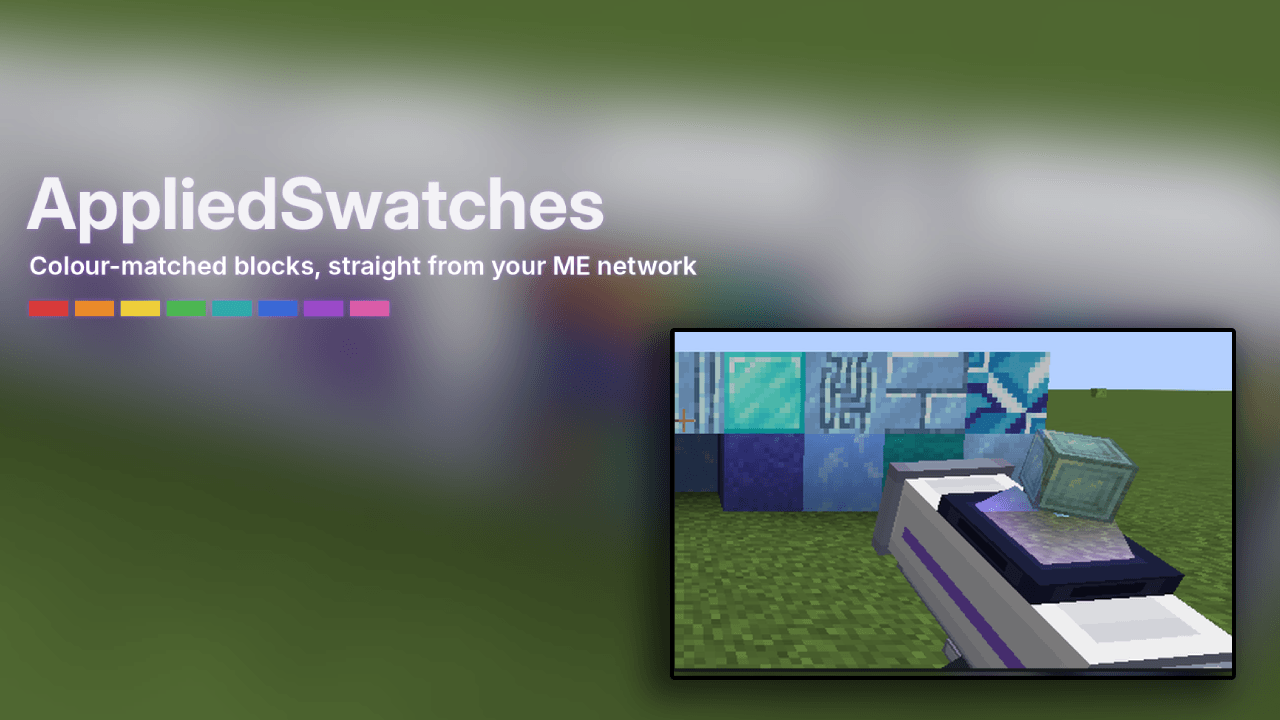
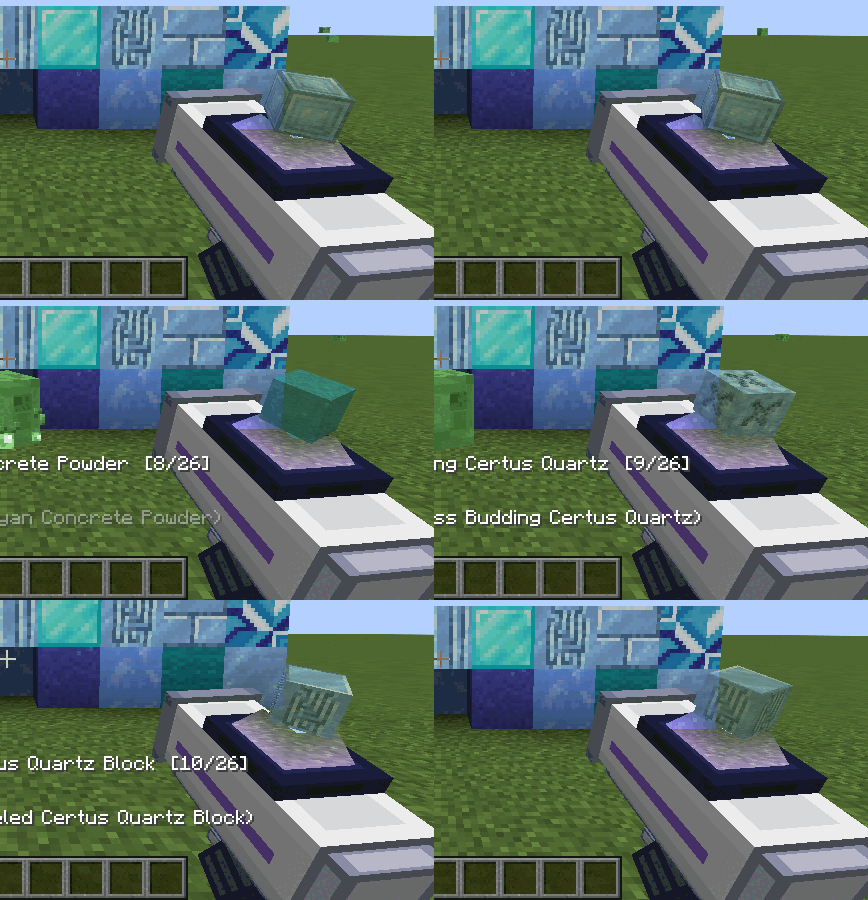
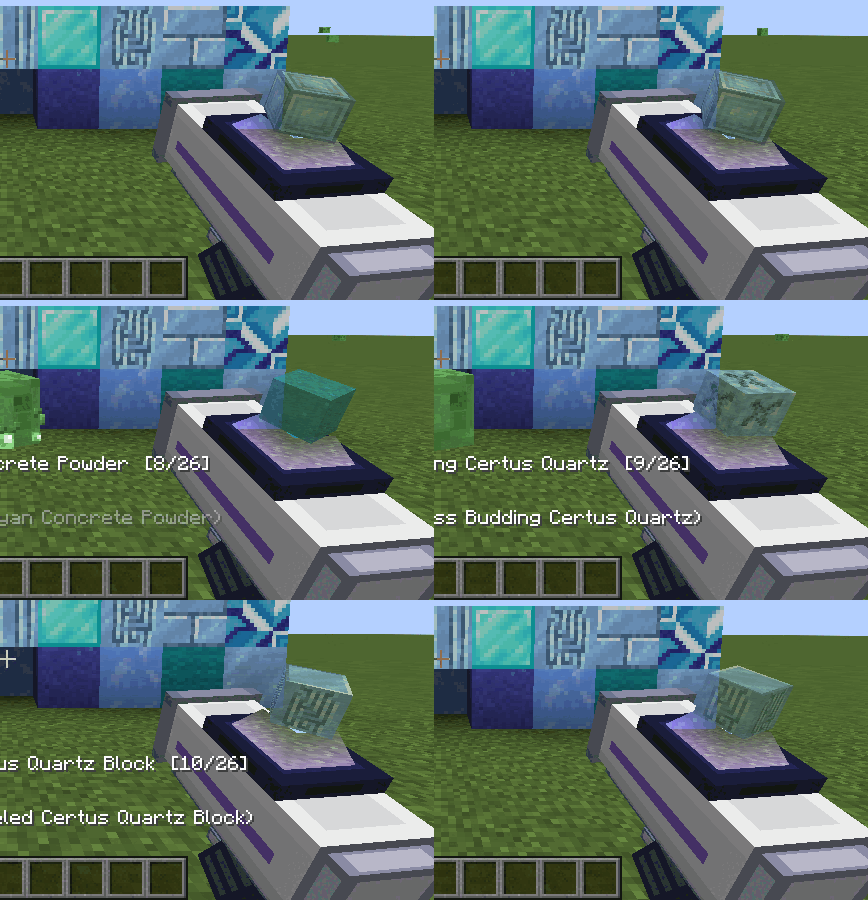
A handheld placer. Load a palette from either terminal with one click, then right-click to place blocks straight out of your ME network. Shift + scroll changes the block, and Random mode mixes the whole palette as you build. The screen shows a hologram of the selected block.
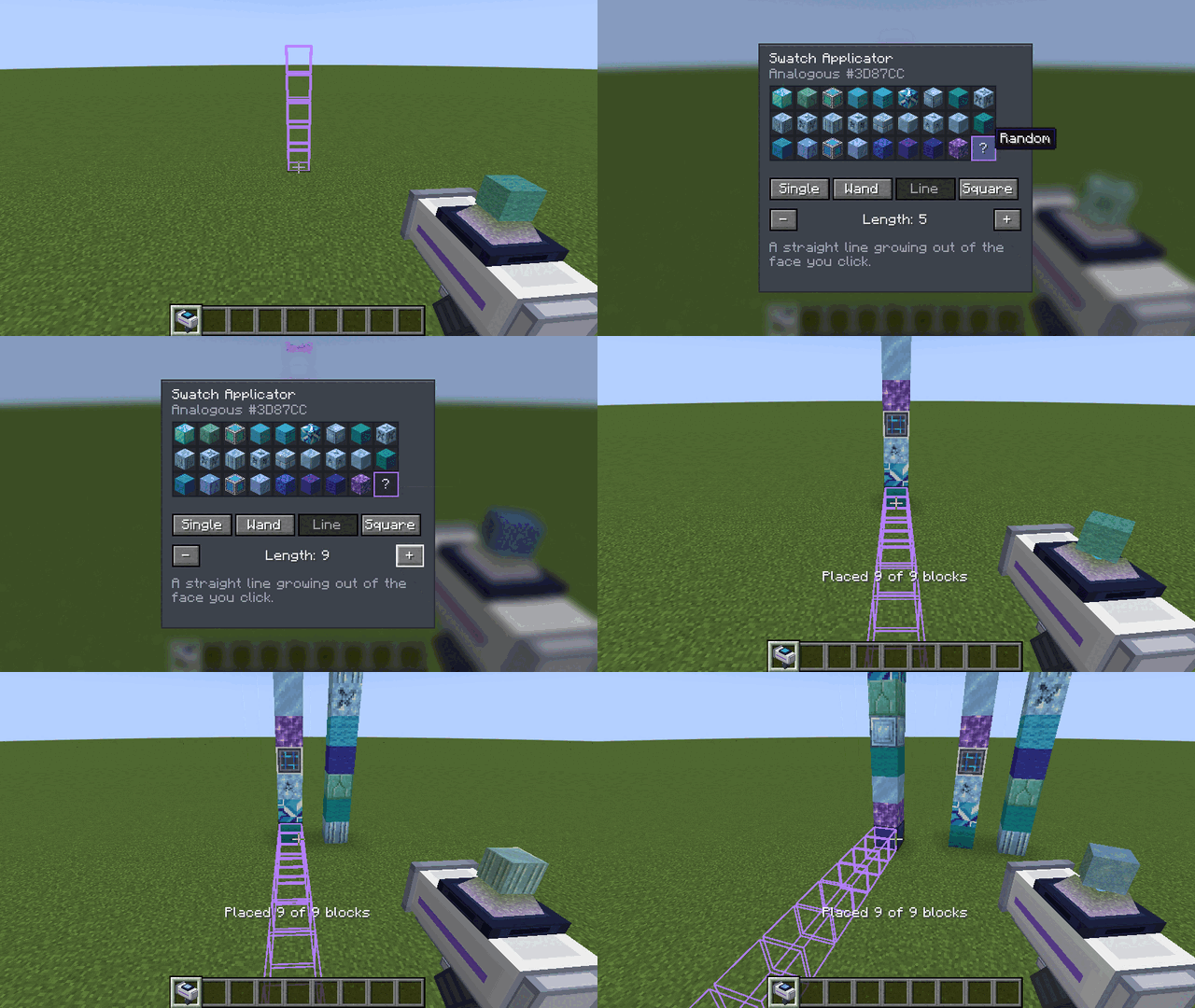
Shift + right-click opens its settings, where you pick the block and a placement mode:
- Single: one block at a time
- Wand: extends the surface you click across matching blocks, like a building wand (3×3 to 9×9)
- Line: a straight line out of the clicked face (2 to 16 long)
- Square: a square on the clicked face (3×3 to 9×9) A purple outline shows where blocks will go before you place them.
Requirements
- Minecraft 1.21.1, NeoForge 21.1+
- Applied Energistics 2 (19.x)
- Install on both client and server
Recipes
- Swatch Terminal: ME Terminal + Logic Processor + red, green and blue dye
- Theme Terminal: Swatch Terminal + book
- Swatch Applicator: Formation Core, Wireless Receiver, Engineering Processor, 2 iron ingots
Config
config/appliedswatches-server.toml: idle power for each terminal (default 2 AE/t) and applicator range (default 64 blocks, 0 = whole dimension).
Source and issues: GitHub
FAQ & Colour Theory: GitHub
常见问题
AppliedSwatches – AE2 Addon 支持哪些 Minecraft 版本?
AppliedSwatches – AE2 Addon 支持 Minecraft Java 版 1.21.1–26.1.2,共 2 个版本,可用的加载器:NeoForge。下载时注意选择和你游戏版本一致的文件。
AppliedSwatches – AE2 Addon 怎么安装?
先用 PCL2 或 HMCL 启动器安装对应版本的 NeoForge,再把下载的 .jar 文件放进游戏目录的 mods 文件夹,重新启动游戏即可。开启了版本隔离的,mods 文件夹在 versions/版本名 下面。
hrbs_ 的其他作品
查看全部 →
AppliedSwatches Companion – AE2 Addon
An AppliedSwatches addon that scores your builds and suggests matching accent blocks from ME storage.
Note’d – Sticky Notes
Stick colorful notes on any wall, floor or ceiling to leave messages for other players, with up to 9 per block that anyone can read, edit or tear off.
评论
登录后评论和评分