AppliedSwatches Companion – AE2 Addon
An AppliedSwatches addon that scores your builds and suggests matching accent blocks from ME storage.
截图
介绍

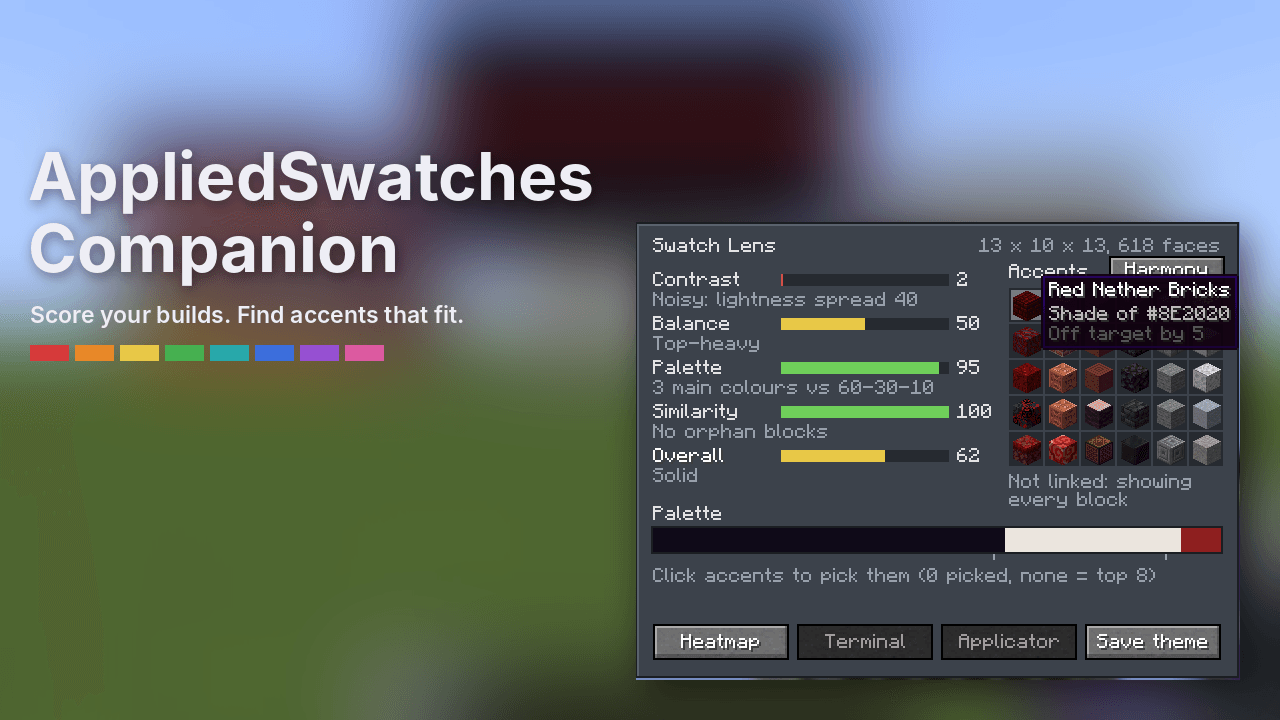
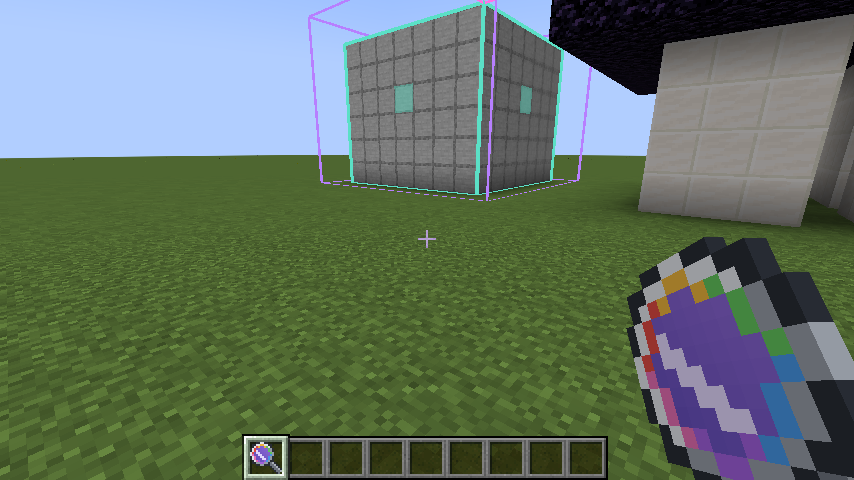
AppliedSwatches Companion is an addon for AppliedSwatches and Applied Energistics 2. Point the Swatch Lens at a build and it shows how the build reads: contrast, visual weight, palette and pattern. Then it suggests accent blocks that fit, straight from your ME network.
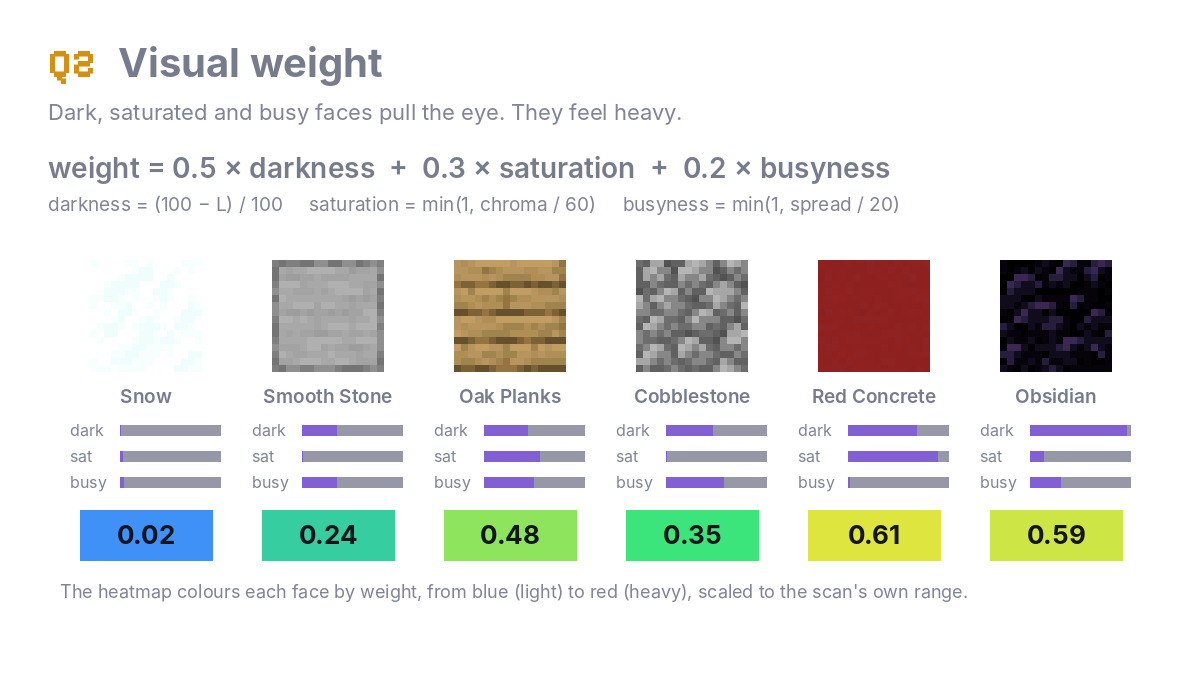
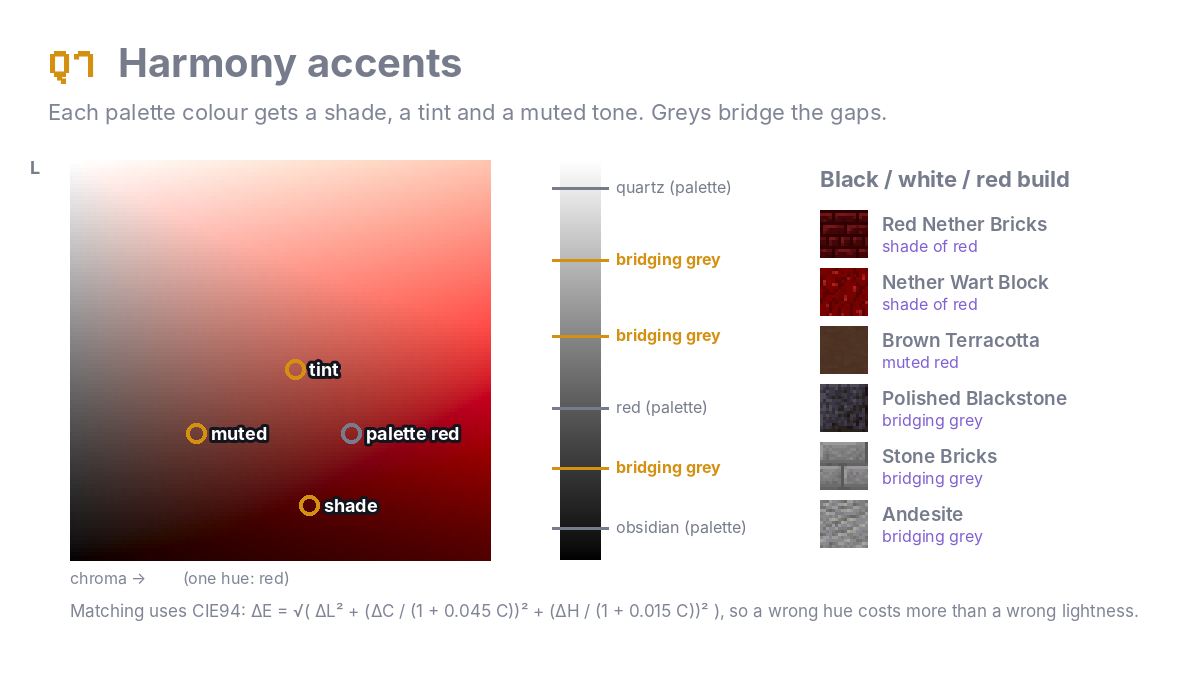
The scores come from real design theory: lightness contrast, visual weight balance, the 60-30-10 colour rule and Gestalt similarity. Colours are worked out in CIELAB from the textures you actually see, so resource packs count.
Swatch Lens
- Sneak + use on a Swatch or Theme Terminal to link the lens to its ME network
- Sneak + use a block for corner A, use a block for corner B (up to 64 blocks per side)
- Use in the air to scan; sneak + use in the air to clear
Scores
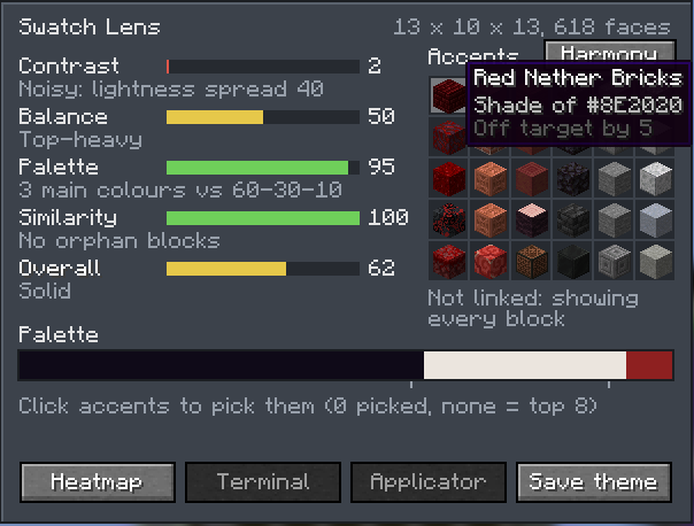
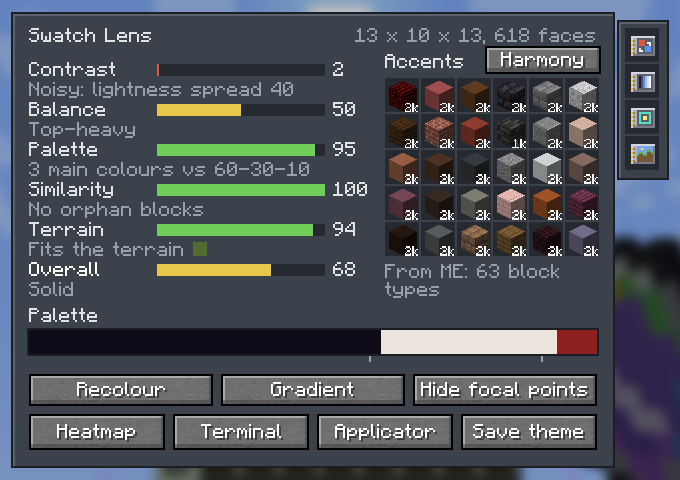
- Contrast: enough light and dark to show shape, without harsh jumps
- Balance: visual weight centred and slightly low, not leaning or top-heavy
- Palette: how close the colour split is to 60-30-10
- Similarity: one-off “orphan” blocks that break the pattern
- Terrain (Surroundings Module): how the build’s colours fit the land around it
- Overall: the average of all the scores
Heatmap
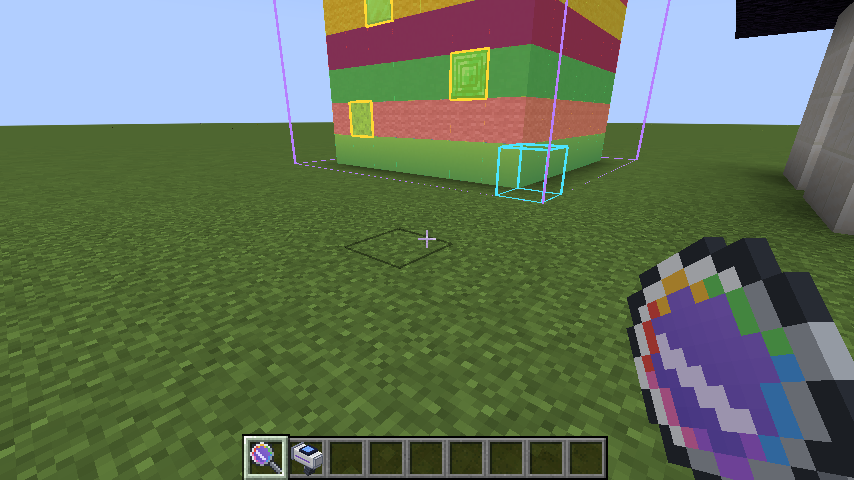
Tints every visible face from blue (light) to red (heavy) and outlines orphan blocks in yellow, so you can see exactly what’s pulling the eye.
Accents
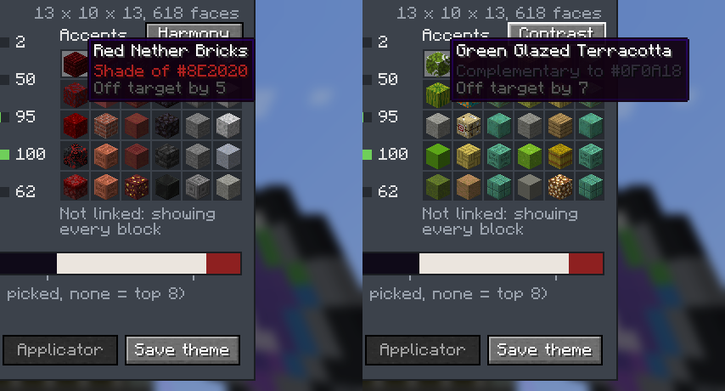
- Harmony (default): shades, tints and muted tones of your build’s own colours, plus greys that bridge big gaps. A black, white and red build gets charcoal, greys and maroons.
- Contrast: complementary colours for a deliberate pop
- Linked and online: only blocks in your ME network, with amounts
- Terminal pulls 64 of each pick into the terminal’s output
- Applicator loads the picks into your Swatch Applicator
- Save theme writes the palette and accents as an AppliedSwatches theme
Modules
Cards that add features to the lens, like AE2’s upgrade cards. Install them in the module panel on the right of the Lens screen, or right-click a module onto the lens.
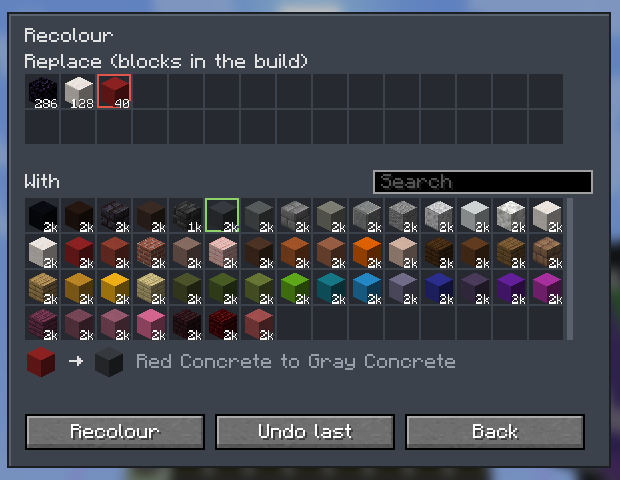
- Recolour Module: swap a block across the whole build, along with its stairs, slabs and walls. New blocks come out of ME and the old ones go back in, and you can undo the last swap.
- Gradient Module: pick a start block and an end block, and the lens fills 3 to 9 steps between them from your ME stock. Send the ramp to the terminal or load it into a Swatch Applicator.
- Focal Point Module: outlines plain, light stretches of the build and marks where an accent would catch the eye.
- Surroundings Module: adds a Terrain score that compares your palette with the blocks in a 16-block ring around the build.
How it works
Full explanations with diagrams are in the README FAQ.
Requirements
- Minecraft 1.21.1, NeoForge 21.1+
- Applied Energistics 2 (19.0.27 or newer)
- AppliedSwatches (0.2.3 or newer)
- Install on both client and server
Recipe
- Swatch Lens: fluix crystal on top, glass on each side of a spyglass, amethyst shard below
- Recolour Module: advanced card, formation core, annihilation core (shapeless)
- Gradient Module: basic card, white dye, black dye (shapeless)
- Focal Point Module: basic card, glow ink sac (shapeless)
- Surroundings Module: basic card, compass (shapeless)
常见问题
AppliedSwatches Companion – AE2 Addon 支持哪些 Minecraft 版本?
AppliedSwatches Companion – AE2 Addon 支持 Minecraft Java 版 1.21.1–26.1.2,共 2 个版本,可用的加载器:NeoForge。下载时注意选择和你游戏版本一致的文件。
AppliedSwatches Companion – AE2 Addon 怎么安装?
先用 PCL2 或 HMCL 启动器安装对应版本的 NeoForge,再把下载的 .jar 文件放进游戏目录的 mods 文件夹,重新启动游戏即可。开启了版本隔离的,mods 文件夹在 versions/版本名 下面。
hrbs_ 的其他作品
查看全部 →
AppliedSwatches – AE2 Addon
Pick a colour or theme and pull matching blocks straight out of your Applied Energistics 2 network.
Note’d – Sticky Notes
Stick colorful notes on any wall, floor or ceiling to leave messages for other players, with up to 9 per block that anyone can read, edit or tear off.
评论
登录后评论和评分