
截图
介绍

Overview
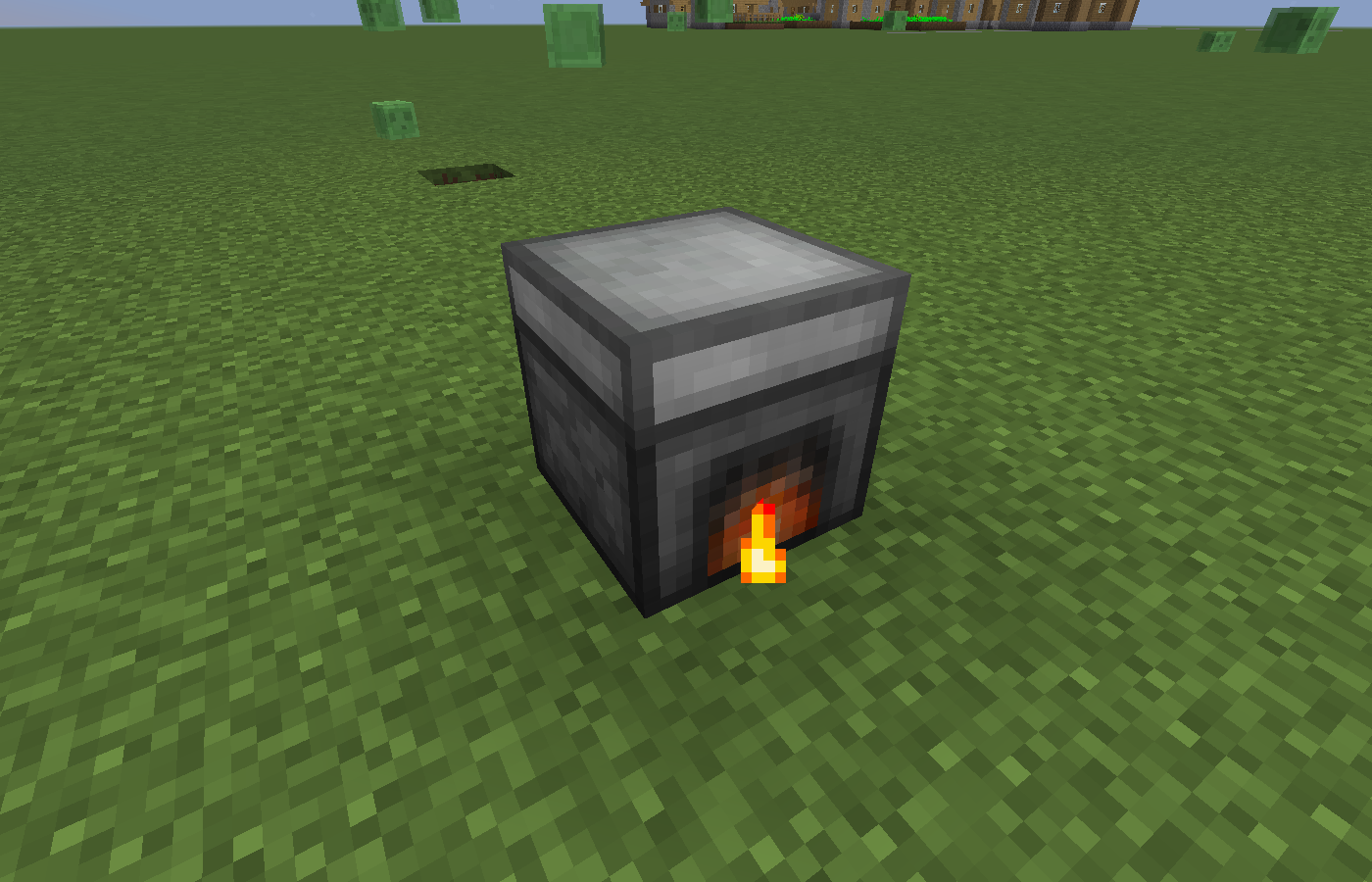
This mod is a simple expansion on the concept behind the vanilla furnace, it features a furnace which has a few buffer stacks for output, no more wasting fuel because the output has no where to go, as well as a single buffer stacks for both the fuel input and the “to smelt” stack. This furnace also caches experience so that you can extract it and it doesn’t get voided if you decide you wish to automate your smelting. Oh, and everything is customizable via a JSON file 😉
GUI
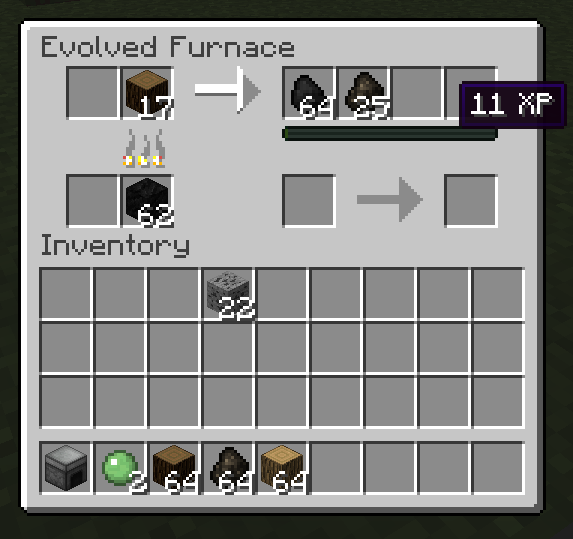
The gui should be intuitive to use and looks as follows:

It shows you visually and through a graphical element modelled after the player’s experience bar how much experience it holds. It is important to note that the experience in the gui rounds down to the nearest integer because of how communication between the tile entity and the GUI works.
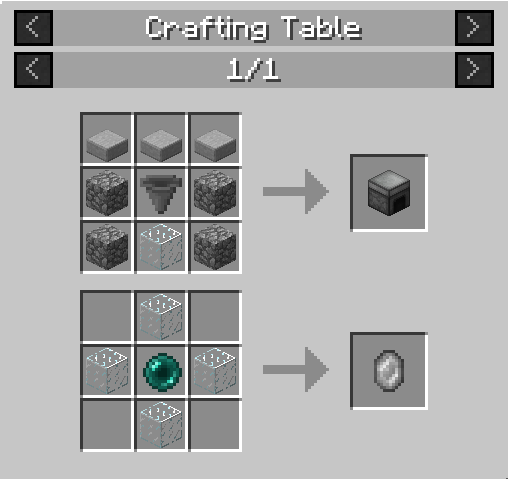
You can place an experience crystal in the slot underneath the first output slot and if the furnace is storing 10 or more experience it will put it into the crystal and place it in the output slot.
JEI Integration

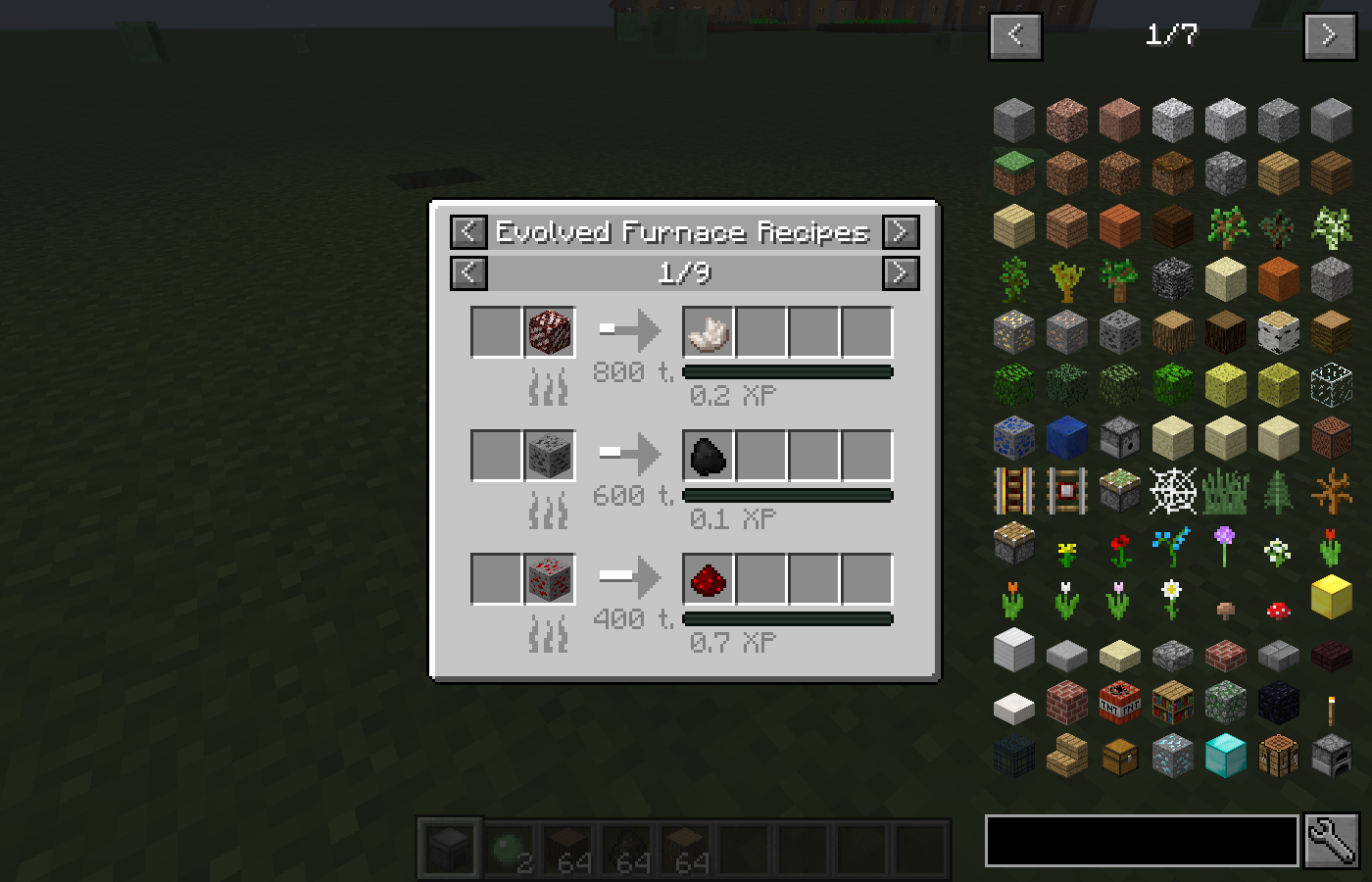
You can see all of the registered recipes through JEI, the fantastic Item/Recipe handler made by Mezz, check out the optional libraries for the file downloads. *This is an example, showing differing smelt times. None are changed by default*
Recipes

The Experience Crystal will render the approximate amount of experience it contains inside it, as well as display it in the tooltip.
Configurability
This mod has an extensive configurability aspect to it, all of the recipes registered for the furnace get printed out to a json file for reference on gameload, and then get read back in and fill the Evolved Furnace’s recipe registry, you can insert new recipes or change the properties of existing ones by adding entries to the generated user file, make sure that the json format is valid otherwise the game will crash (no comma after the last entry). The items shown in the JEI screenshot were modified by adding these items to the JSON file. *this is an example, none are changed by default*
[
{
“modNameInput”: “minecraft”,
“stackNameInput”: “quartz_ore”,
“metaDataInput”: 32767,
“ignoreInputMeta”: true,
“stackSizeInput”: 1,
“nbtStringInput”: null,
“modNameOutput”: “minecraft”,
“stackNameOutput”: “quartz”,
“metaDataOutput”: 0,
“stackSizeOutput”: 1,
“nbtStringOutput”: null,
“experience”: 0.2,
“burnTime”: 800,
“toRegister”: true
},
{
“modNameInput”: “minecraft”,
“stackNameInput”: “coal_ore”,
“metaDataInput”: 32767,
“ignoreInputMeta”: true,
“stackSizeInput”: 1,
“nbtStringInput”: null,
“modNameOutput”: “minecraft”,
“stackNameOutput”: “coal”,
“metaDataOutput”: 0,
“stackSizeOutput”: 1,
“nbtStringOutput”: null,
“experience”: 0.1,
“burnTime”: 600,
“toRegister”: true
},
{
“modNameInput”: “minecraft”,
“stackNameInput”: “redstone_ore”,
“metaDataInput”: 32767,
“ignoreInputMeta”: true,
“stackSizeInput”: 1,
“nbtStringInput”: null,
“modNameOutput”: “minecraft”,
“stackNameOutput”: “redstone”,
“metaDataOutput”: 0,
“stackSizeOutput”: 1,
“nbtStringOutput”: null,
“experience”: 0.7,
“burnTime”: 400,
“toRegister”: true
}
]
Using the nbt tag feature is a little tricky, but a sample tag would be “{ench:[0:{lvl:1s,id:8s}]}” to place level one depth strider as the only enchantment on an item.
If you wish to remove a recipe from the registry, copy it’s entry over from the reference json and change “to register” to false.
Caveats
As of beta release 0.2.x for both 1.7.10 and 1.8.8/9 the recipe registry runs on world/server start instead of game load which mean that it is guaranteed to catch all regular properly registered furnace recipes from other mods. I will have a look at minetweaker in the future.
Screenshot

常见问题
Alt-F4 支持哪些 Minecraft 版本?
Alt-F4 支持 Minecraft Java 版 1.7.10–1.8.9,共 3 个版本,可用的加载器:Forge。下载时注意选择和你游戏版本一致的文件。
Alt-F4 怎么安装?
先用 PCL2 或 HMCL 启动器安装对应版本的 Forge,再把下载的 .jar 文件放进游戏目录的 mods 文件夹,重新启动游戏即可。开启了版本隔离的,mods 文件夹在 versions/版本名 下面。
VapourDrive 的其他作品
查看全部 →
Hammerz
Bringing hammers to various existing toolsets

VapourWare
Base mod that is the foundation for 1.20+ mods by VapourDrive. Contains shared code for fuel powered machines, and a wrench.

Magnanimous Tools
Second tier tools with a nature-based twist

Agricultural Enhancements
Enhancements and additions to agriculture including Irrigation, Harvesting, Planting, Soil management and more.
评论
登录后评论和评分