
Alchemia: Potion Crafting
A more interesting way to make potions! Based on Potion Craft Alchemy Simulator.
截图


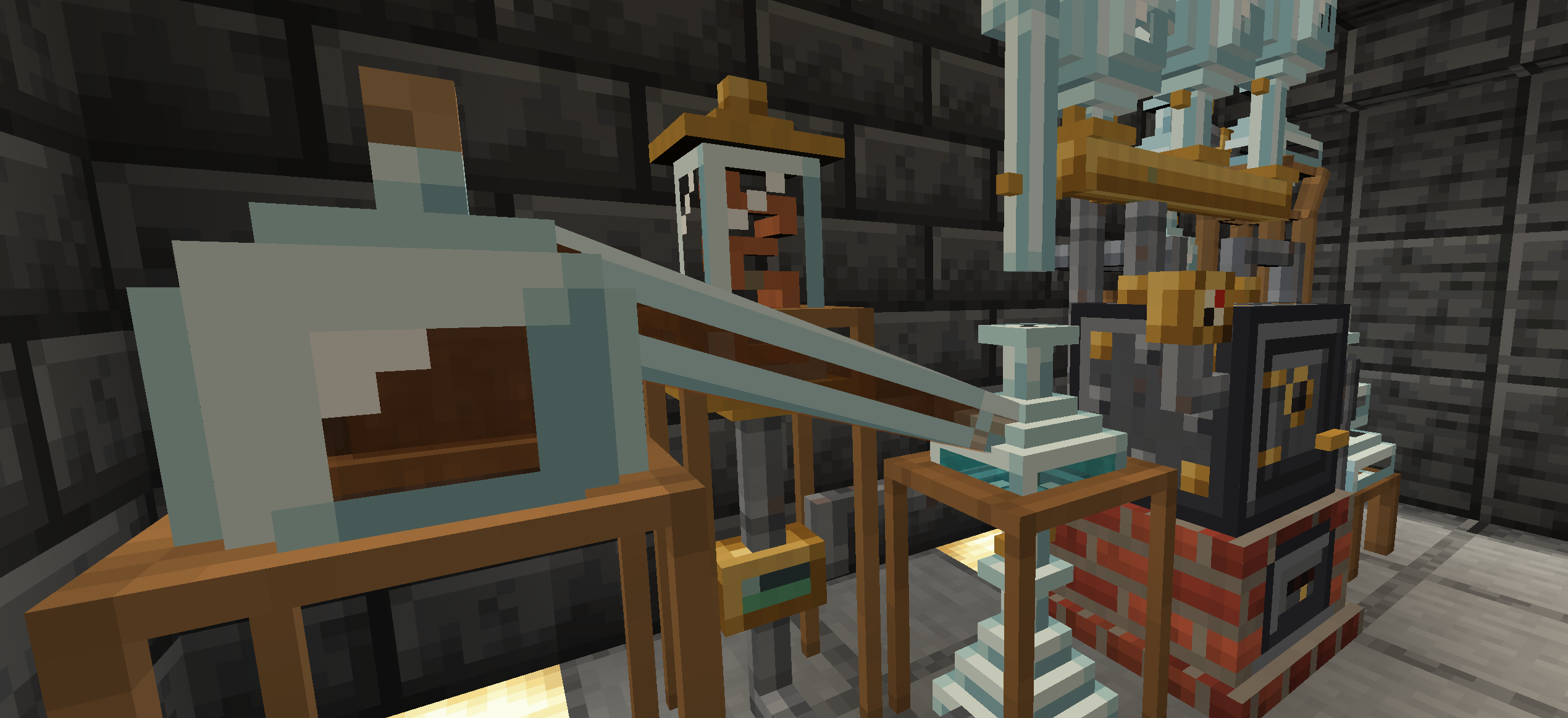

介绍
Alchemia
Essentially a rough replication of Potion Craft: Alchemist Simulator, rebuilt for Minecraft and stripped down a bit.
This allows you to brew potions by moving a potion icon around a map of effects. Every ingredient pushes the potion along a fixed path. Land on or near an effect and the potion will now have said effect, potency of the effect depends on how close to the centre of the effect you land, The map is generated per world, so recipes aren’t the same between saves.

Getting started
Place a vanilla cauldron on a lit campfire. That turns it into an Alchemical Cauldron. Break it and you get the cauldron and campfire back.
Craft an Alchemist’s Guide with a book and any ingredient. It records every potion you make, tracks the effects you’ve discovered, and lists the ingredients you’ve used along with the ingredients path.
You can pick a saved recipe and sneak + right-click the cauldron to brew it again.
The new Art is by Azlan (SomeAngryMinter), whose been a huge help with refining the artstyle and some ideas work.
常见问题
Alchemia: Potion Crafting 支持哪些 Minecraft 版本?
Alchemia: Potion Crafting 支持 Minecraft Java 版 1.18.2–26.3,共 12 个版本,可用的加载器:Forge / NeoForge。下载时注意选择和你游戏版本一致的文件。
Alchemia: Potion Crafting 怎么安装?
先用 PCL2 或 HMCL 启动器安装对应版本的 Forge / NeoForge,再把下载的 .jar 文件放进游戏目录的 mods 文件夹,重新启动游戏即可。开启了版本隔离的,mods 文件夹在 versions/版本名 下面。运行环境:客户端和服务端都要装。
muddykat 的其他作品
查看全部 →
Engineered Schematics
An Immersive Engineering add-on designed to make multiblock creation easier.

Immersive Geology
Ore Processing with Real Processes using Multiblock Machines in the style of Immersive Engineering (add-on mod for IE)

Immersive Convergence
API for Immersive Engineering addons

Immersive Geology
An add-on for Immersive Engineering that implements many new ores and multi-block machines, the core of this mod is to implement real world ore processing in a fun way.
评论
登录后评论和评分