
AeroBind
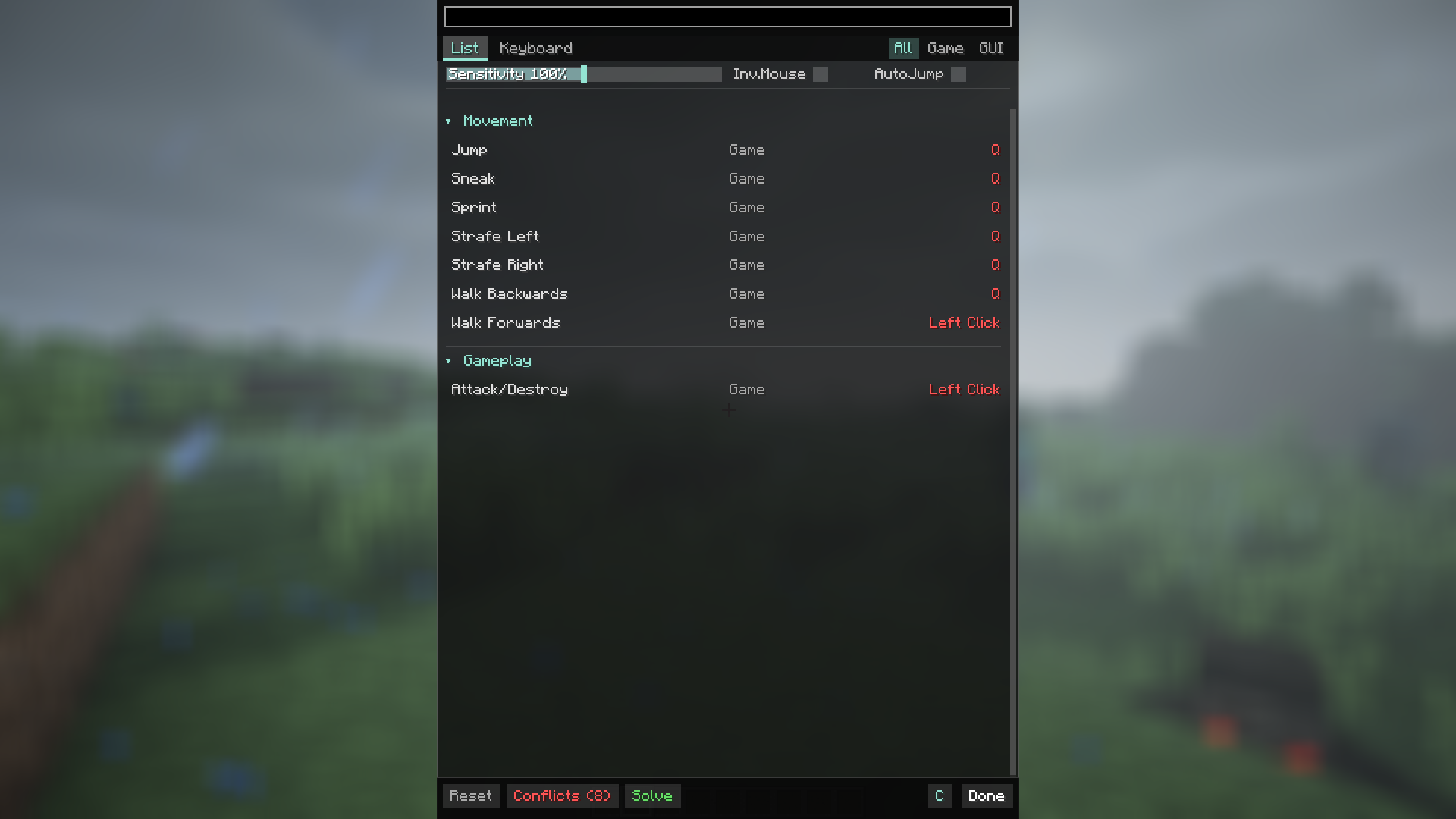
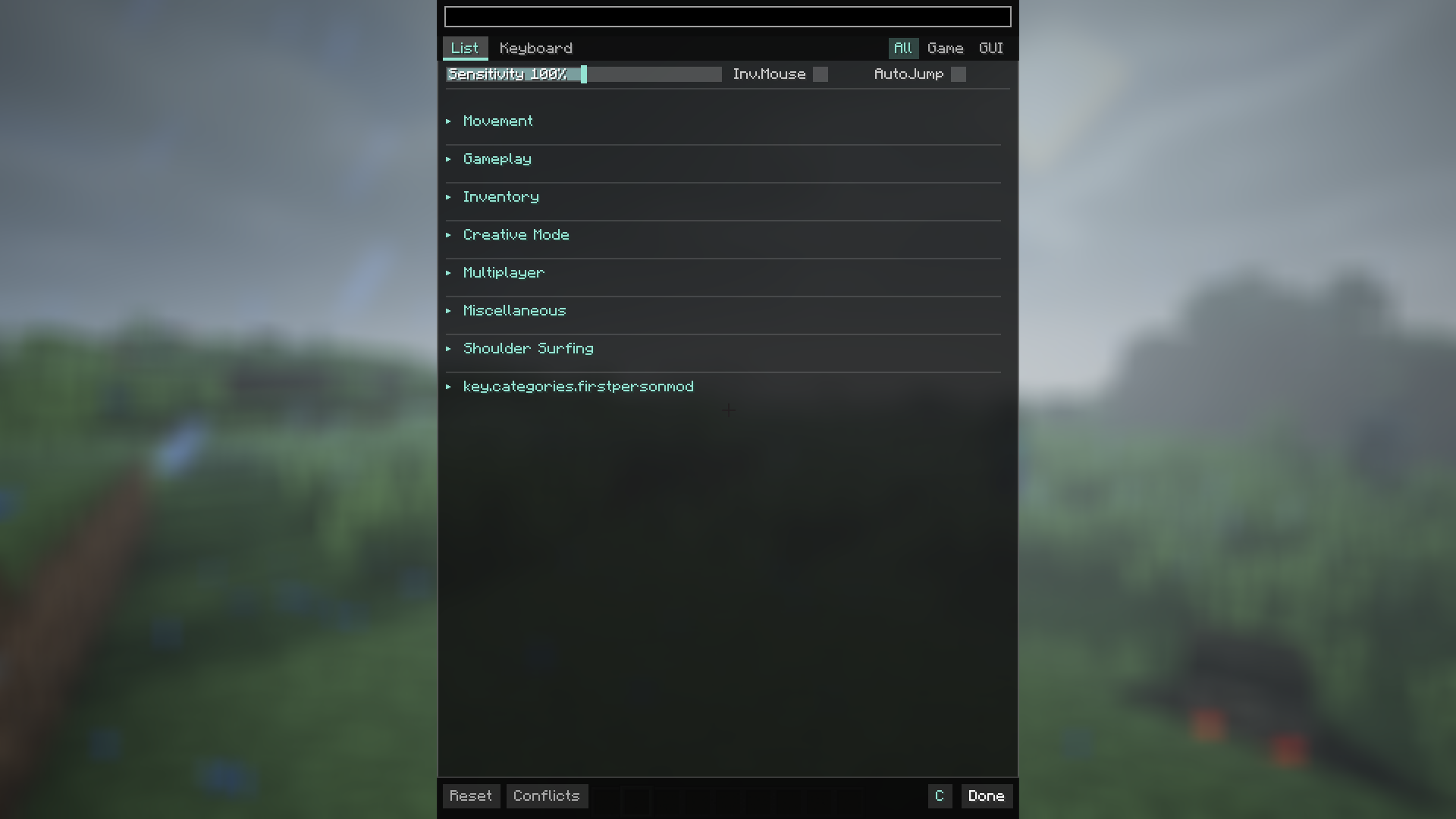
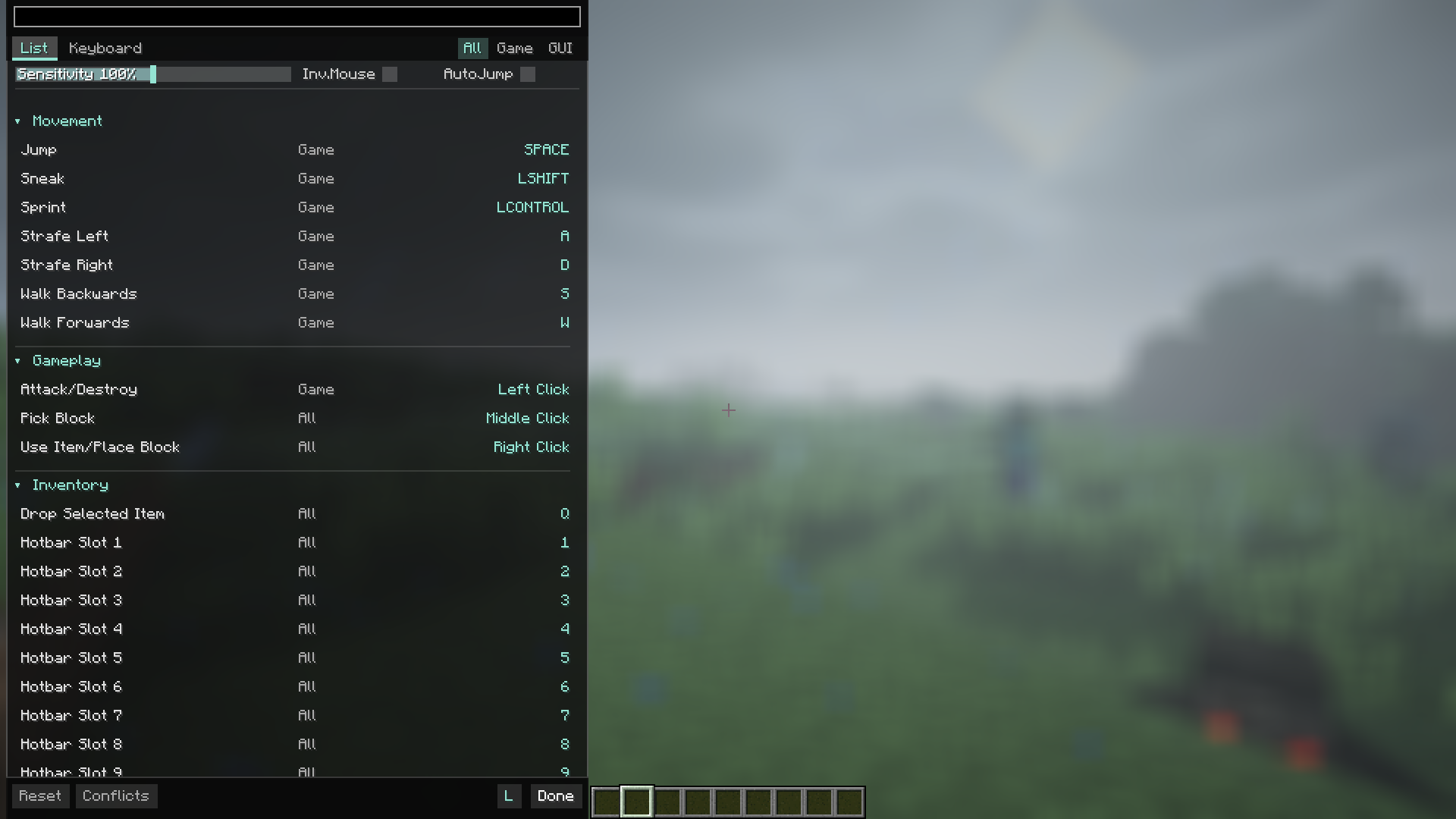
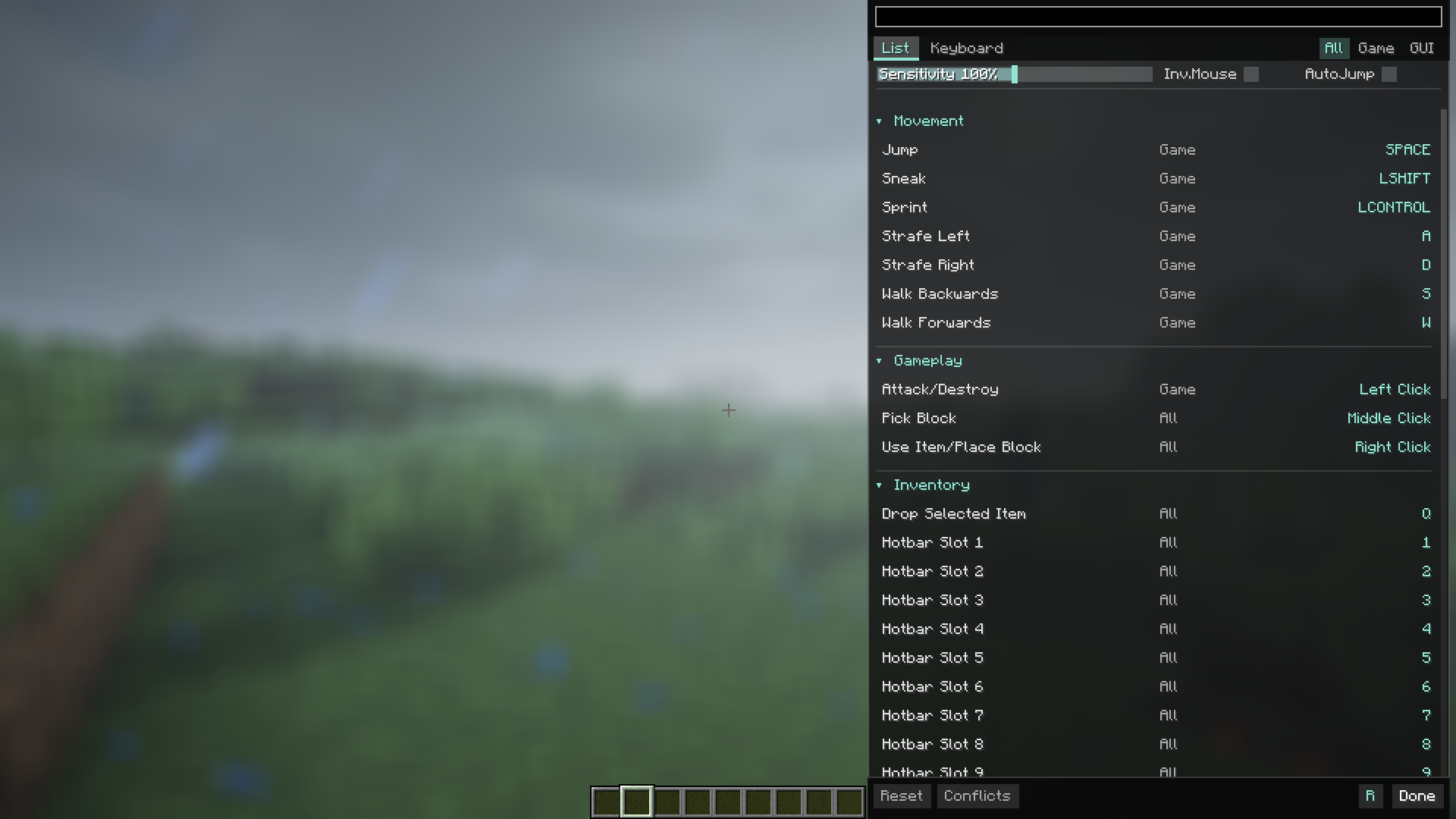
AeroBind is a modern control menu overhaul for Minecraft that introduces instant search, a visual keymap, and smart conflict resolution for a streamlined user experience.
截图
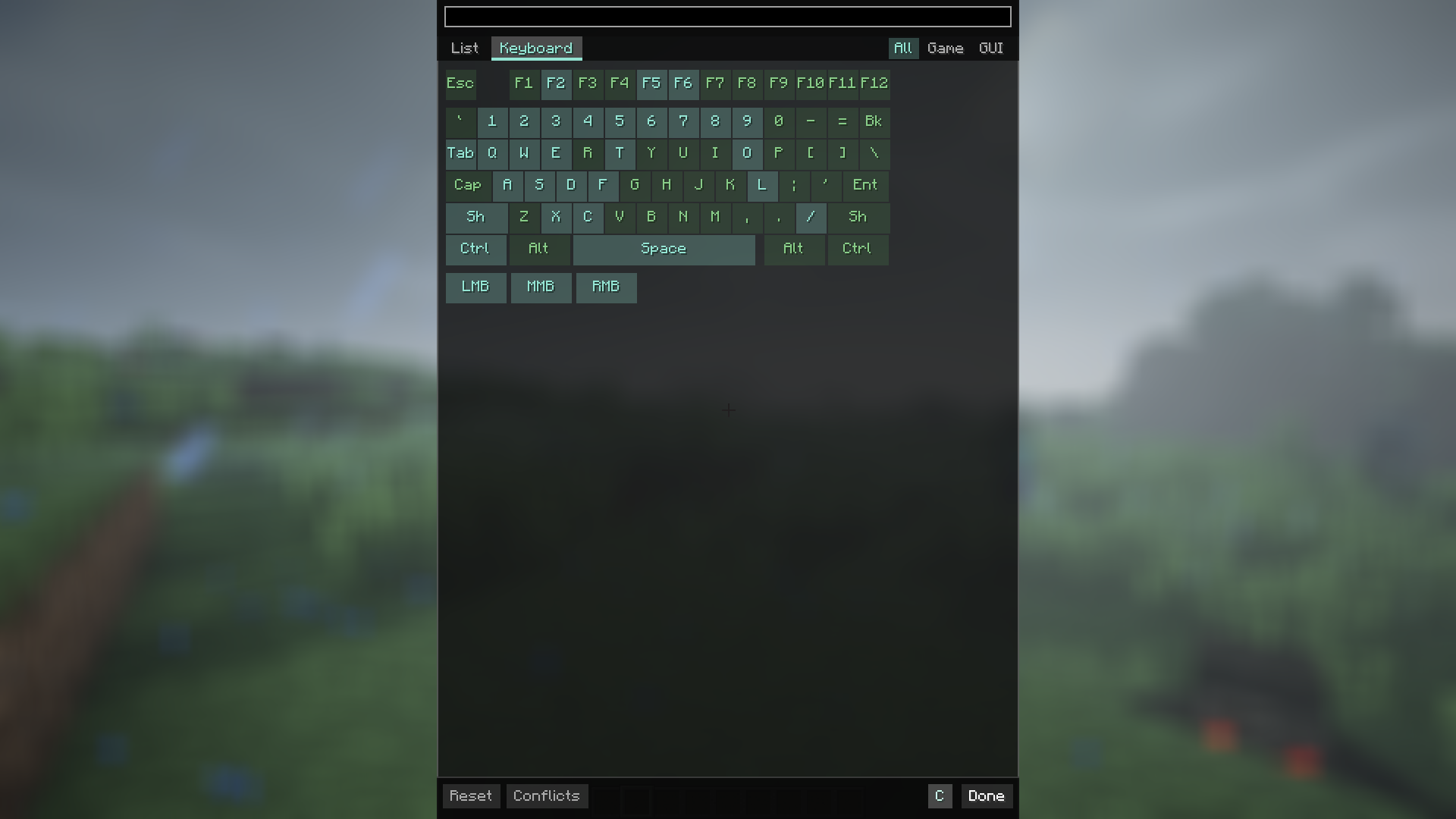
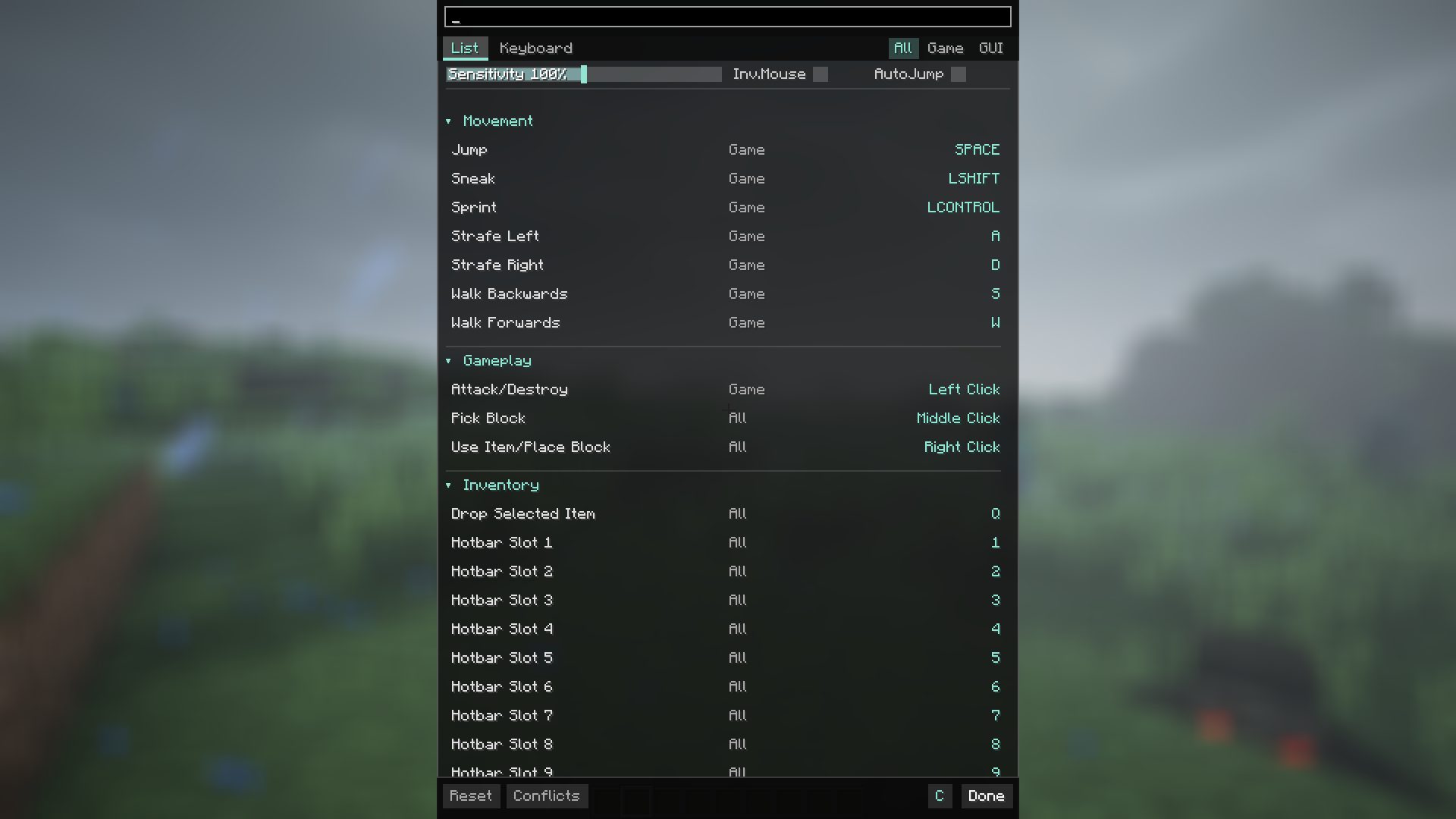
介绍
_AeroBind is a mod that makes the Minecraft control menu convenient, clear, and modern. If you’re tired of scrolling through a massive list of settings looking for a specific keybind, this mod is the solution._
🎮 Why is it so convenient?
- Instant Search: Just start typing the name of the action (e.g., “zoom” or “sprint”), and the mod will immediately highlight the right button. No more endless scrolling!
- Visual Keyboard: There is a virtual keyboard built right into the settings. It shows at a glance which keys are occupied and which are free, making it easy to plan your layout.
- Smart Conflict Resolution (“Solve” Button): Accidentally assigned two functions to one key and everything turned red? Just hit the “Solve” button, and the mod will automatically move conflicting actions to the nearest available keys.
- Key Combinations (Combos): Running out of keys for all your mods? AeroBind allows you to bind actions to combinations, such as Shift + R or Alt + C.
- Useful Filters: Feeling overwhelmed? Use filters to show only the keys active “In-game” (movement, jumping) or only “In-menu” (inventory, settings).
- Quick Settings: Change mouse sensitivity, toggle auto-jump, or invert your mouse directly from the controls menu. No need to back out to the main settings!
- Easy Sorting: Categories can be collapsed or expanded with a single click, allowing you to hide what you don’t need right now.
With AeroBind, customizing your controls is fast, simple, and satisfying!
常见问题
AeroBind 支持哪些 Minecraft 版本?
AeroBind 支持 Minecraft Java 版 1.12.2,可用的加载器:Forge。下载时注意选择和你游戏版本一致的文件。
AeroBind 怎么安装?
先用 PCL2 或 HMCL 启动器安装对应版本的 Forge,再把下载的 .jar 文件放进游戏目录的 mods 文件夹,重新启动游戏即可。开启了版本隔离的,mods 文件夹在 versions/版本名 下面。运行环境:仅客户端。
TheKryzzz_ 的其他作品
查看全部 →
Show Me Your Skin! (Neoforge Port)
A mod that allows hiding armor

Show Me Your Skin! (Neoforge Port)
A mod that allows hiding armor

First Person View
Just a little mod that adding a first person view

Camera Utils (Neoforge Port)
Camera utilities for neoforge.
评论
登录后评论和评分