
截图


介绍
THIS IS AN **UNOFFICIAL MOD PORT FOR NEOFORGE!!!**
Features
- Dynamic zoom
- Camera detaching
- Adjustable third person distance
- Two customizable third person perspectives
- Advanced cinematic camera controls
- Movement smoothing
Dynamic Zoom
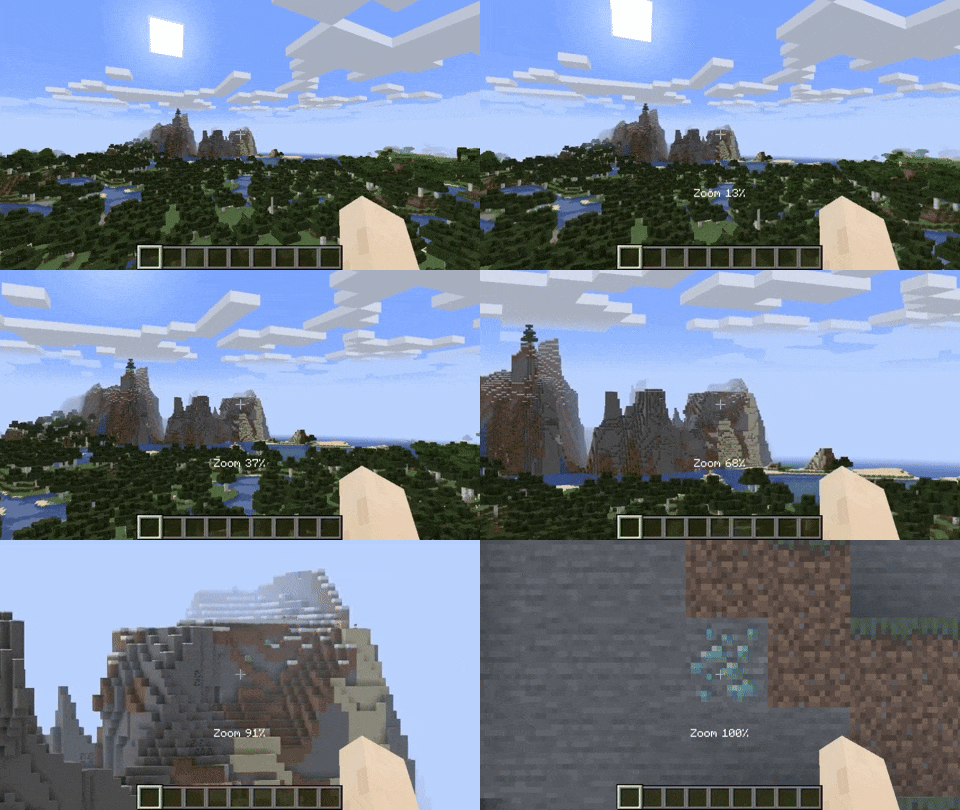
By default the zoom key is bound to Z. Holding the zoom key and scrolling dynamically adjusts the zoom value.
Camera Detaching
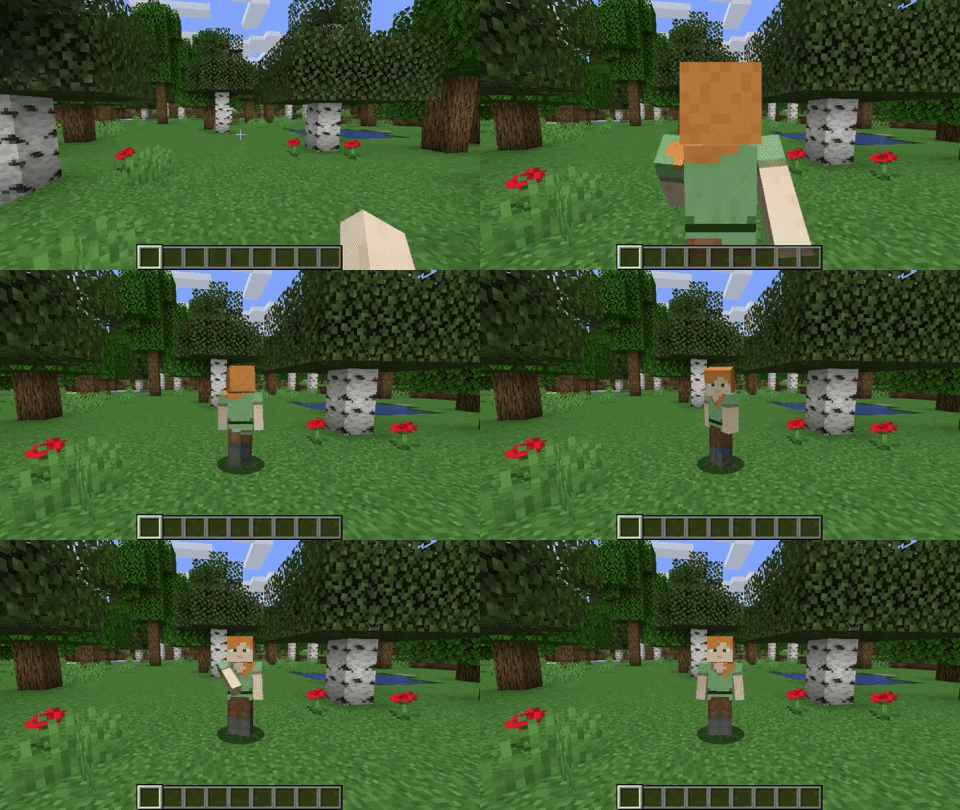
By hitting the detach camera button, the players camera is locked to the current position. You can still control the player like before, just from another point of view. By pressing RIGHT ALT in combination with the detach camera key, the camera goes back to the position, the camera was last detached.
Adjustable Third Person Distance
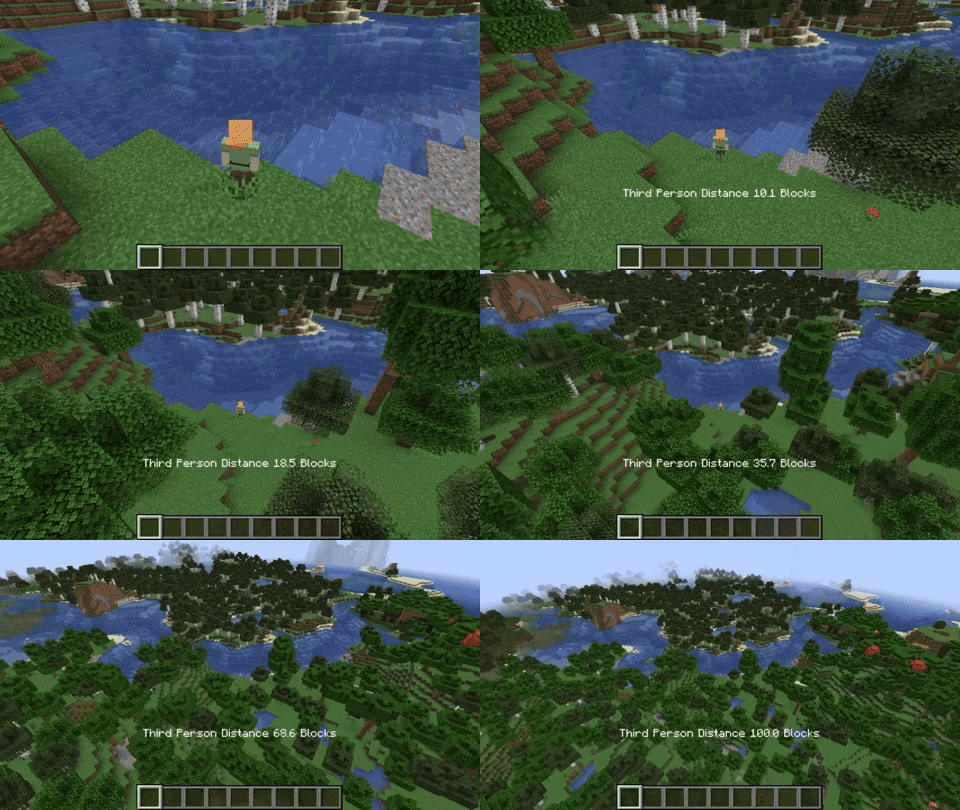
When holding the third person distance modifier in third person, you are able to scroll out up to 100 blocks away from the player.
Customizable Third Person Perspectives
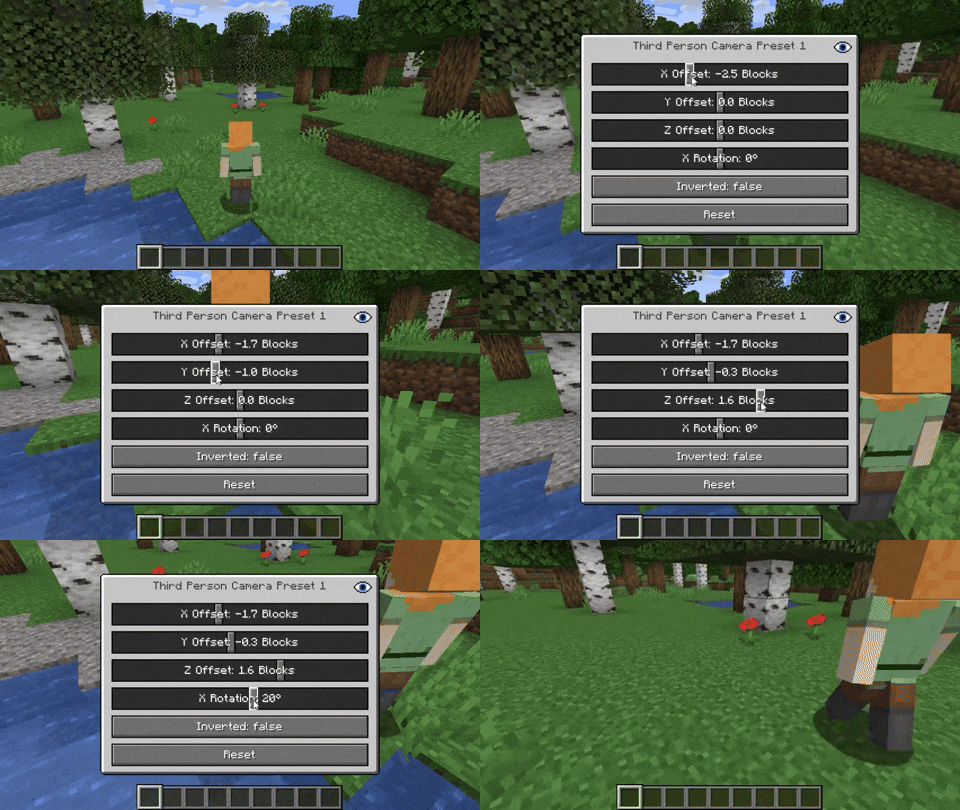
This mod allows for two custom third person perspectives. These are bound to F6 and F7 by default. These can be modified by pressing RIGHT ALT and F6 or F7 respectively.
Advanced Cinematic Camera Controls
By pressing RIGHT ALT and the cinematic camera button, you can adjust the properties of the cinematic camera.
THIS IS AN **UNOFFICIAL MOD PORT FOR NEOFORGE!!!**
常见问题
Camera Utils (Neoforge Port) 支持哪些 Minecraft 版本?
Camera Utils (Neoforge Port) 支持 Minecraft Java 版 1.21.1,可用的加载器:NeoForge。下载时注意选择和你游戏版本一致的文件。
Camera Utils (Neoforge Port) 怎么安装?
先用 PCL2 或 HMCL 启动器安装对应版本的 NeoForge,再把下载的 .jar 文件放进游戏目录的 mods 文件夹,重新启动游戏即可。开启了版本隔离的,mods 文件夹在 versions/版本名 下面。运行环境:仅客户端。
TheKryzzz_ 的其他作品
查看全部 →
Show Me Your Skin! (Neoforge Port)
A mod that allows hiding armor

First Person View
Just a little mod that adding a first person view

Particle Rain (Backport)
An immersive 1.12.2 backport that replaces vanilla weather with beautiful particle effects, dynamic surface interactions, and biome-specific atmospheric enhancements.

Pull Me Up
Team climb mod: crouch at a ledge to pull your teammate up. Fast, smooth, and seamless.
评论
登录后评论和评分