
AE Crafting Tracker
A Minecraft NeoForge mod that highlights active Pattern Providers in AE2 networks. Provides real-time visual feedback for crafting status with color-coded highlights (green=yellow=red) and a Network Locator tool for remote AE network monitoring.
截图
介绍
AE Crafting Tracker
A Minecraft NeoForge 1.21.1 mod that provides real-time visual feedback for AE2 crafting status.
Features
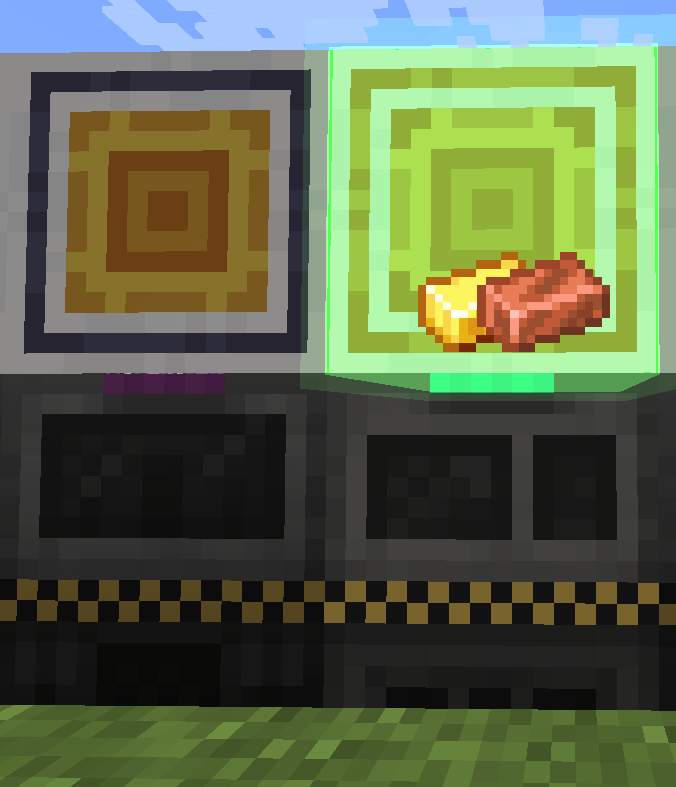
Pattern Provider Highlighting
- Automatically detects active Pattern Providers in your AE2 network
- Color-coded highlights:
- 🟢 Green — Provider is actively crafting
- 🟡 Yellow — Provider is stalled (busy but no progress)
- 🔴 Red — Provider is stuck (locked, output full, or missing ingredients)
- Shows output item icons above highlighted providers
- Configurable highlight colors and opacity
Network Locator
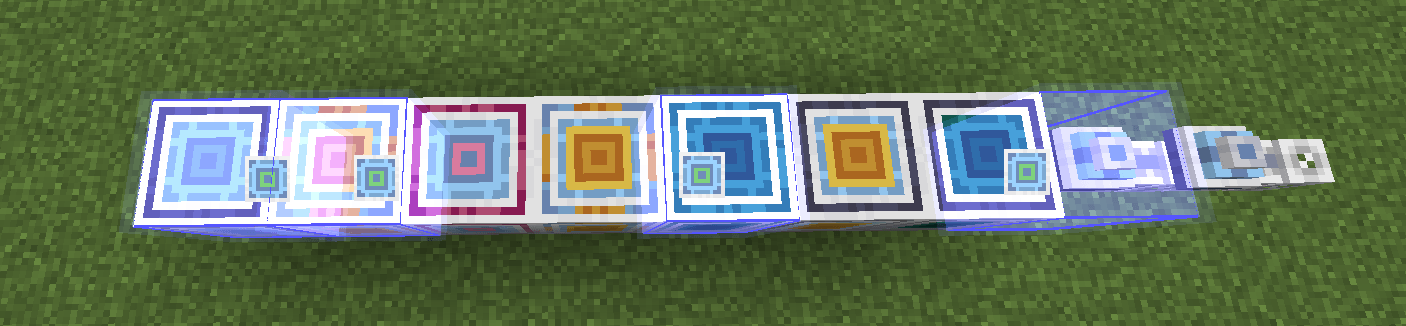
- Craftable item that scans AE networks for blocks matching your filter items
- 9 filter slots in the GUI — drag items from EMI or manually place
- Bind the locator by shift-clicking on an AE network controller/access point
- Highlights matching blocks on the network with distance info
- Works across dimensions (scan only active when in the same dimension as the bound position)
- Instant network switch detection: clear old highlights and scan new network immediately
- Instant drop detection: all highlights clear when item is dropped
Runtime Mode
- Enable runtime highlighting via the button in the locator screen
- Highlights persist even when the locator GUI is closed
- Toggle on/off freely without affecting your config settings
Dependencies
- Minecraft 1.21.1
- NeoForge 21.1+
- Applied Energistics 2 (AE2) — runtime
Asset Credits
- The Network Locator item texture is based on AE2’s
network_tooltexture, copyright © Applied Energistics 2.
常见问题
AE Crafting Tracker 支持哪些 Minecraft 版本?
AE Crafting Tracker 支持 Minecraft Java 版 1.21.1,可用的加载器:NeoForge。下载时注意选择和你游戏版本一致的文件。
AE Crafting Tracker 怎么安装?
先用 PCL2 或 HMCL 启动器安装对应版本的 NeoForge,再把下载的 .jar 文件放进游戏目录的 mods 文件夹,重新启动游戏即可。开启了版本隔离的,mods 文件夹在 versions/版本名 下面。
Chatterjay 的其他作品
查看全部 →
EMIAccelerator
Caches the EMI item stack list to disk and defers search index building to a background thread, drastically reducing EMI reload time.

Network Tool Plus
AE2 Network Tool enhancement mod with auto card collection and 21 upgrade slots.

EMILink
EMI ↔ AE2 / BeyondDimensions integration enhancement mod, adding convenient AE2 and BD related operations to the EMI recipe interface.

Visible Energy
A FluxNetworks addon that highlights energy devices in-world with colored overlays, network connection lines, and transfer rate labels. Use /ve scan to find and visualize Flux Networks devices around you.
评论
登录后评论和评分