
截图
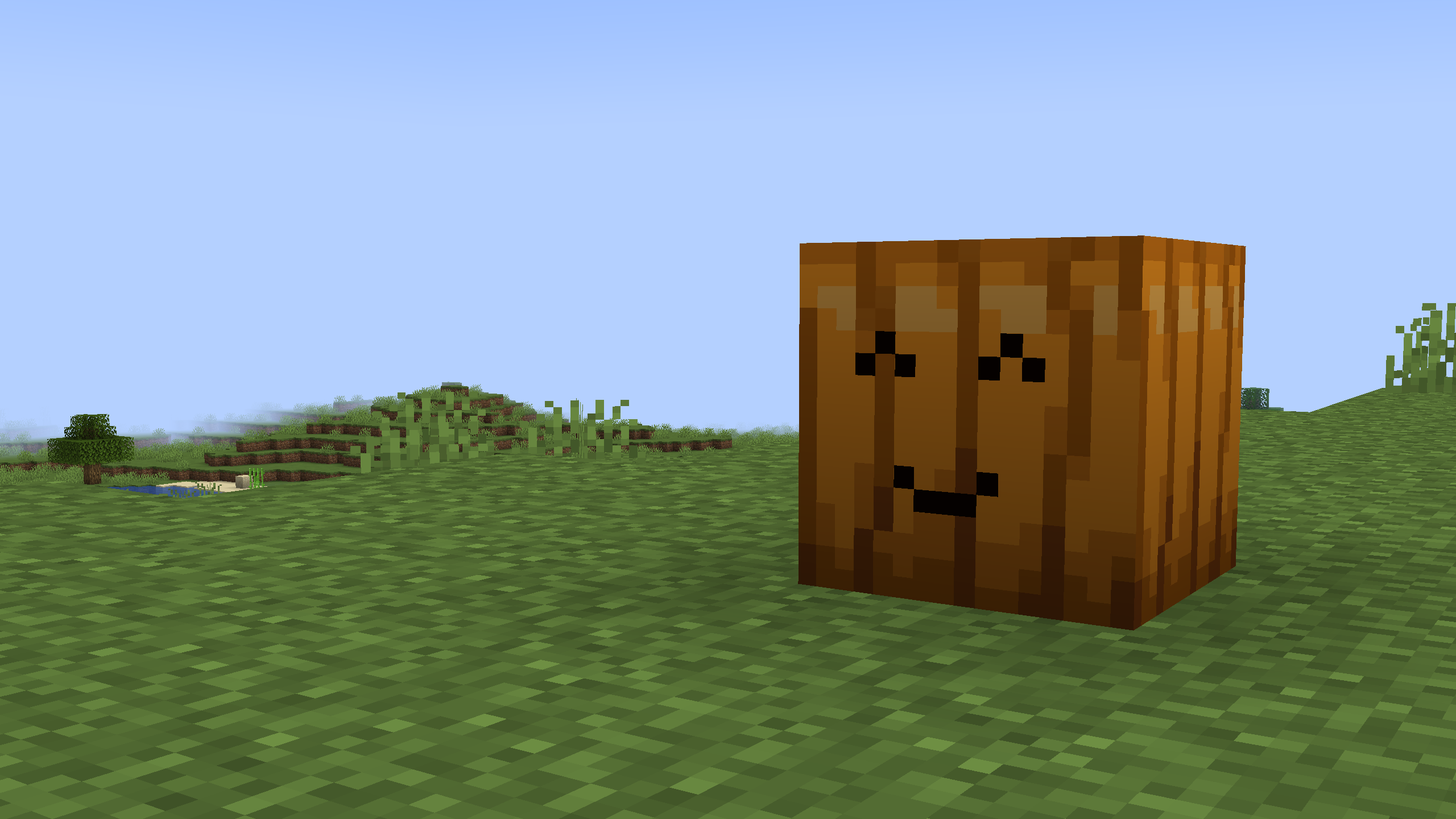
介绍



About
This datapack adds a knife which allows you to carve your own designs into pumpkins! Drop a torch on to them to turn them into Jack o’Lanterns! Made specifically for halloween.
Overview
Watch this video for an explanation about the datapack:
Download
If you don’t know how to download the datapack and resourcepack, follow these steps.
Add Data Pack to new world
- Select the version you want and download the pumpkin-carver–dp.zip file
- Click Create new world in minecraft
- Click More, then Data Packs
- Drag the pumpkin-carver–dp.zip file into there, and make sure you put it on the selected side (right side)
Add Data Pack to existing World
- Select the version you want and download the pumpkin-carver–dp.zip file
- Select your world in minecraft
- Click Edit at the bottom of the screen
- Click Open World Folder
- Click the datapacks folder
- Drag the pumpkin-carver–dp.zip file into there
Install Resource Pack
To find the resource pack, click on the version you want and scroll down. Make sure to download the ‘required resource pack’
- Select the version you want and download the pumpkin-carver–rp.zip file
- Click Options in minecraft
- Click Resource Packs
- Drag the pumpkin-carver–rp.zip file into there, and make sure you put it on the selected side (right side)
License
Pumpkin Carver Datapack © 2024 by GoldenRobot II is licensed under CC BY 4.0
常见问题
Pumpkin Carver 支持哪些 Minecraft 版本?
Pumpkin Carver 支持 Minecraft Java 版 1.21.2–1.21.3,共 2 个版本。下载时注意选择和你游戏版本一致的文件。
Pumpkin Carver 怎么安装?
新建世界时在「数据包」里把下载的 .zip 拖进去;已有的存档,把文件放进存档目录下的 datapacks 文件夹,进游戏输入 /reload 即可生效。服务器同样放在世界目录的 datapacks 里。
GoldenRobotII 的其他作品
查看全部 →
Space Race
Space Race is a Datapack that allows you to build your OWN rocket and explore the solar system!
Christmas Datapack
A Datapack that adds 12 new Christmas features to Minecraft! A Christmas tree and presents, candy canes and roast chicken feasts, and a bunch more cool items!

Block Display Helper
This datapack helps with the block display entity with special items, such as a move stick, a scale stick and a rotate stick.

Printer Datapack
This datapack adds a way to shrink down any build to a single block!
评论
登录后评论和评分