
介绍
中文介绍正在准备中,下面暂时显示原文。
Overview
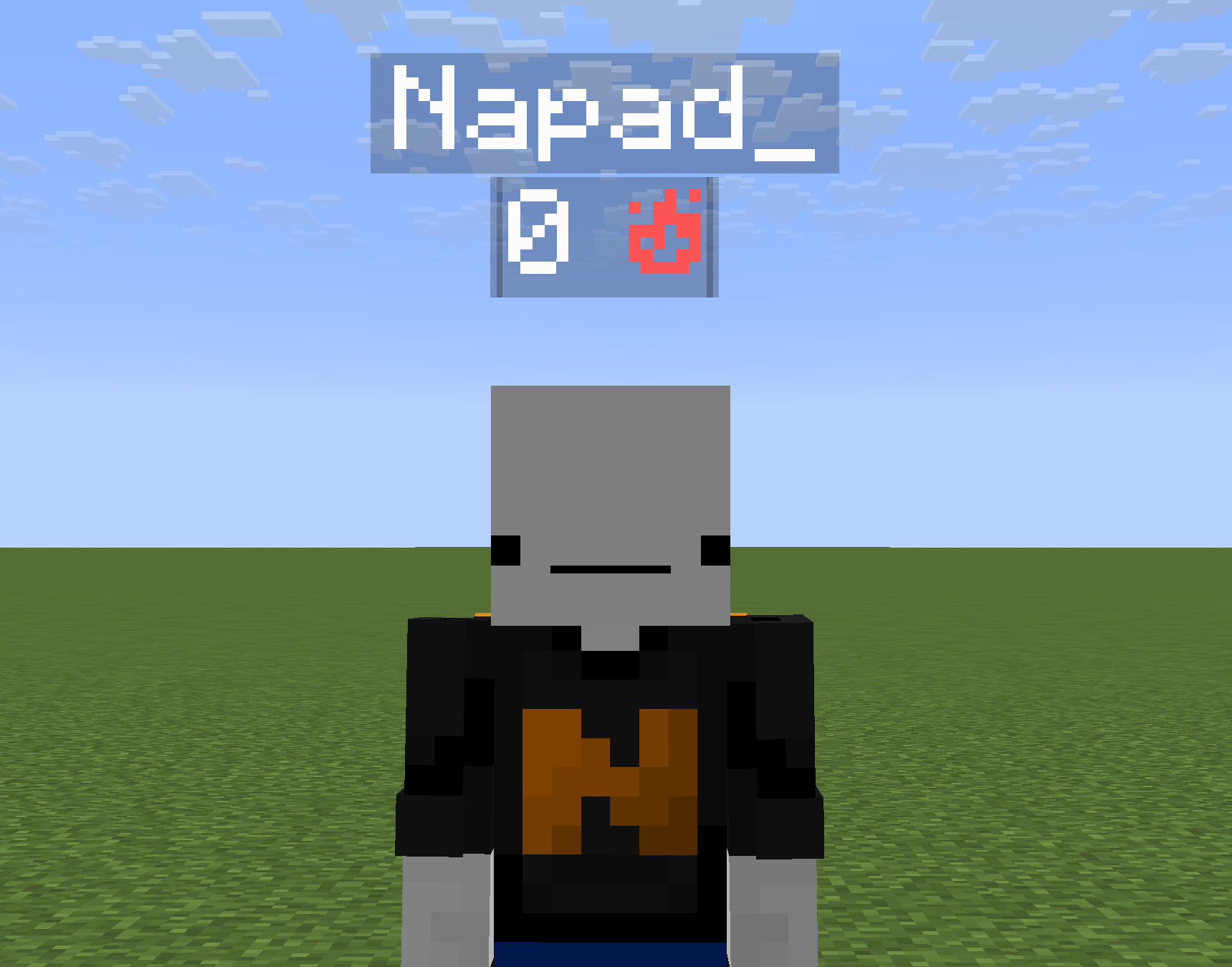
Shows below everybody’s nametag their killstreak, which is how many kills they have gotten since their last death.
Installation
Server Installation (Datapack)
- Go in the main server file
- Open _world_ -> _datapacks_
- Upload the datapack in the _datapacks_ folder
World Installation (Datapack)
- Press Win + R and enter %appdata%
- Open _.minecraft_ -> _saves_ -> __ -> datapacks
- Upload the datapack in the _datapacks_ folder
(Note that if you are using a launcher like Modrinth App or Prism Launcher, you’ll need to go on your instance on the launcher and click on _Open Folder_.)
Server Installation (Mod)
- Go in the main server file
- Open _mods_
- Upload the mod in the _mods_ folder
常见问题
Killstreak 支持哪些 Minecraft 版本?
Killstreak 支持 Minecraft Java 版 1.21–26.2,共 16 个版本,可用的加载器:Fabric / Forge / NeoForge / Quilt。下载时注意选择和你游戏版本一致的文件。
Killstreak 怎么安装?
新建世界时在「数据包」里把下载的 .zip 拖进去;已有的存档,把文件放进存档目录下的 datapacks 文件夹,进游戏输入 /reload 即可生效。服务器同样放在世界目录的 datapacks 里。
Napad 的其他作品
查看全部 →
Longer Strength II Potions
by Napad
Changes level 2 strength potions to last 8 minutes instead of 1.5 minutes
4,607
1 个月前
Modrinth
Bliss Dragon Egg
by Napad
The Dragon Egg holder has 20 hearts
3,847
1 个月前
Modrinth

Customizable Pearl Cooldown
by Napad
Allows you to choose the duration of the cooldown of Ender Pearls
2,737
1 个月前
Modrinth

No Ender Pearl Teleportation
by Napad
Stops Ender Pearls from teleporting players
2,419
4 个月前
Modrinth
评论
登录后评论和评分