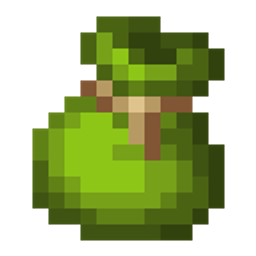
Deep Bundles
Adds bundle variants that can hold more items and automatically pick up certain categories of items
截图

介绍
The purpose of deep bundles is to enable longer expeditions by automatically storing commonly found items.
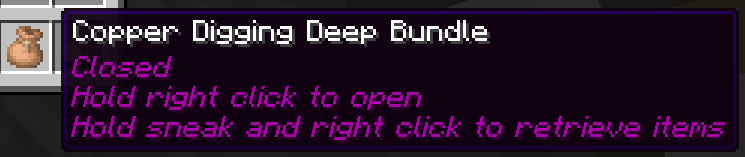
Deep bundles can be open or closed, and only picks up items while open (you can tell by the enchantment glint or the tooltip). Items can only be retrieved while the bundle is closed. To open or close it, hold right click while not sneaking when it’s in your main hand until it changes state. To retrieve items, hold right click while sneaking with the closed bundle in your main hand. If your deep bundle gets full, it will automatically close itself, and can’t be reopened until some items are removed and it has space for more items.
While deep bundles can pick up items while they’re in any inventory slot (or even your offhand), they only store items from your inventory and ignore anything in your hotbar or offhand, to allow keeping some but not all items.
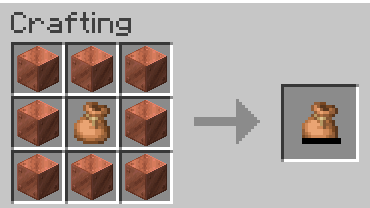
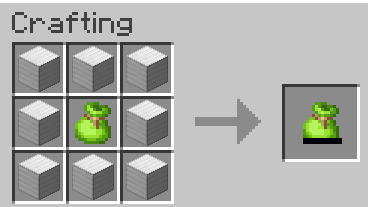
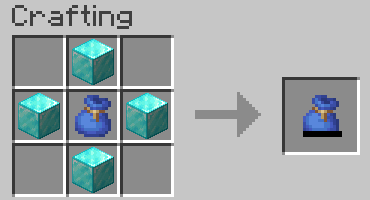
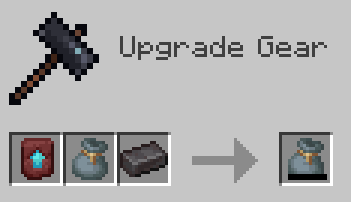
Deep bundles are crafted from a specific color of bundle depending on the category, as well as a tier material. They come in 4 tiers: copper, iron, diamond, and netherite, which hold 128, 256, 512, and 1024 items respectively. They can’t be upgraded to a higher tier once they’ve been crafted, you’ll need to make a new one if you want a higher tier than what you have.
There are currently 6 bundle categories:
- Digging (brown) – items you might dig up from the world with a shovel, like dirt or sand
- Farming (lime) – farmable plant/animal products, like wheat, sugar cane, or raw meats
- Fishing (blue) – fish and nautilus shells
- Mining (gray) – items you might pick up with a pickaxe while mining, like ores or stone
- Monster (red) – mob drops, like rotten flesh or string
- Woodcutting (green) – logs, saplings and other items that come from trees
These categories are controlled by item tags, which can be easily changed if necessary.
If you notice any bugs or have constructive feedback, please let me know.
常见问题
Deep Bundles 支持哪些 Minecraft 版本?
Deep Bundles 支持 Minecraft Java 版 26.2–26.3,共 2 个版本。下载时注意选择和你游戏版本一致的文件。
Deep Bundles 怎么安装?
新建世界时在「数据包」里把下载的 .zip 拖进去;已有的存档,把文件放进存档目录下的 datapacks 文件夹,进游戏输入 /reload 即可生效。服务器同样放在世界目录的 datapacks 里。
aji56 的其他作品
查看全部 →
Stacking Items
Allows many item types that don't stack to 64 to stack higher, without breaking the game balance too much

Easier Enchanting
Adds recipes and features that make enchanting easier to do

Lock Dimensions
A simple datapack that allows server admins to enable or disable the nether or the end

Tool Progression
Locks tool recipes behind exploration
评论
登录后评论和评分