
截图
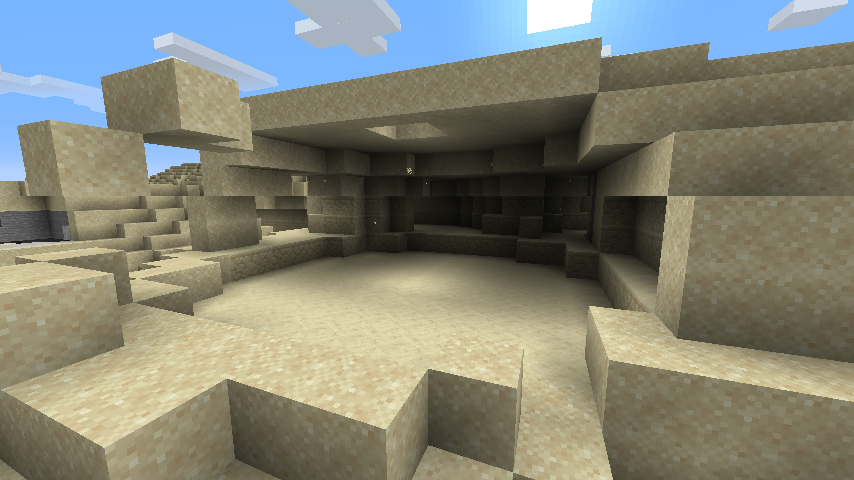
介绍
Better Cave Sounds Datapack
Version: 1.0
Author: Pixelpaw P.
Minecraft Version: 1.21.x+
Overview
Better Cave Sounds enhances the natural Minecraft cave ambience to make exploring underground more immersive and useful for cave detection. The datapack plays cave sounds only when you are truly underground, making it a natural “cave detector.”
Features
- Plays ambient cave sounds when:
- Standing on stone or deepslate blocks
- Light level = 0 (completely dark)
- Y-coordinate < 63 (below sea level)
- Optional: Randomized pitch for a more natural feel
- Only triggers in actual caves, not dark surface areas
- Lightweight, built entirely using vanilla Minecraft functions
Installation
- Download the datapack folder.
- Place it in your world’s
datapacksfolder:
.minecraft/saves/<world_name>/datapacks/- Start your world and run the setup function once:
/function better_cave_sounds:setup- The datapack is now active. Sounds will play automatically when exploring caves.
Notes
- Works in survival and creative modes.
- The sound only triggers when all conditions are met.
- You can tweak pitch, sound type, or conditions by editing the
.mcfunctionfiles.
Optional Tweaks
- Surrounding block checks to detect enclosed caves.
- Additional cave-related sounds for variety.
- Adjust Y-coordinate threshold for deeper or shallower cave detection.
常见问题
Better Cave Sounds 支持哪些 Minecraft 版本?
Better Cave Sounds 支持 Minecraft Java 版 1.21–1.21.10,共 11 个版本。下载时注意选择和你游戏版本一致的文件。
Better Cave Sounds 怎么安装?
新建世界时在「数据包」里把下载的 .zip 拖进去;已有的存档,把文件放进存档目录下的 datapacks 文件夹,进游戏输入 /reload 即可生效。服务器同样放在世界目录的 datapacks 里。
Mine Co. + 的其他作品
查看全部 →
Fog Begone
Removes all fog from the game for a clearer experience.

PixelPaw’s Back To Nostalgia Pack
Make minecraft look and feel old

Trailer
Make Minecraft Look and Feel Like Trailer

Windows 95 Plus!
A vanilla-friendly resource pack that turns Minecraft into Windows 95 with Microsoft Plus! — pink UI, setup wizard loading screen, and retro vibes with BTB Shader + High Contrast.
评论
登录后评论和评分