
AREPEEGEE (RPG), an Origins Addon
An addon for Origins, for those who wants to have a bit of RPG in their world.
截图





介绍

Huge credits to mischievouspixel, who helped me out greatly with the texture work. Do check out their sick Origins Addon!
Select a class from one of 5 types.
Pick CHARGE classes to annihilate those in your way or TANK your way to victory.
SUPPORT your friends or AMBUSH your enemies.
Or perhaps you want to UTILIZE what you’re given instead?

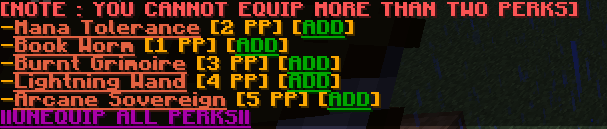
The addon aims to add in a tiny bit of RPG aspect to Minecraft, featuring a functional allying system as well as simple but fun customizable “classes” with varying traits, able to cater to all sorts of playstyles.
Also no, you don’t need Origins Classes.

-Can I add in other Origins add-ons/datapacks with this?
While it is possible, I don’t recommend adding other Origins add-ons/datapacks along side this, as it is meant to be a stand-alone addon. It may cause problems with the AREPEEGEE addon and could break some stuffs/make stuffs busted.
I’m not stopping you, though.
-How can I reset my stats?
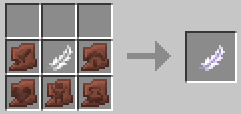
Stats are able to be reset through an item called “Tattered Pen”, more information can be found on the Trello.
-Can classes’ DMG and base stats be modified?
Yes, they can.
I tried my best to code it in a way so you can easily change numbers for balancing and what not.
Please contact me through Discord (helian12), if you need any additional help.
-Are TANK classes coming?
yes they will please give me more time coding four classes is tiring theres only 2 people working on this rn
-Will there be more classes?
Yes actually! I’m planning on adding a bunch of classes in waves, so stay tuned!!!

- Need extra info? Check out the Trello!
- Have some feedbacks? Fill out this Google Forms!
- Found a bug? Tell me with Google Forms!
- Got a cool suggestion? Let me know through Google Forms!
常见问题
AREPEEGEE (RPG), an Origins Addon 支持哪些 Minecraft 版本?
AREPEEGEE (RPG), an Origins Addon 支持 Minecraft Java 版 1.20.2–1.20.6,共 5 个版本,可用的加载器:Fabric。下载时注意选择和你游戏版本一致的文件。
AREPEEGEE (RPG), an Origins Addon 怎么安装?
新建世界时在「数据包」里把下载的 .zip 拖进去;已有的存档,把文件放进存档目录下的 datapacks 文件夹,进游戏输入 /reload 即可生效。服务器同样放在世界目录的 datapacks 里。

评论
登录后评论和评分