
Stardew Chest Buttons
Stardew Valley-style chest buttons : one click to deposit all your matching items, one to sort and organize any chest.
截图
介绍
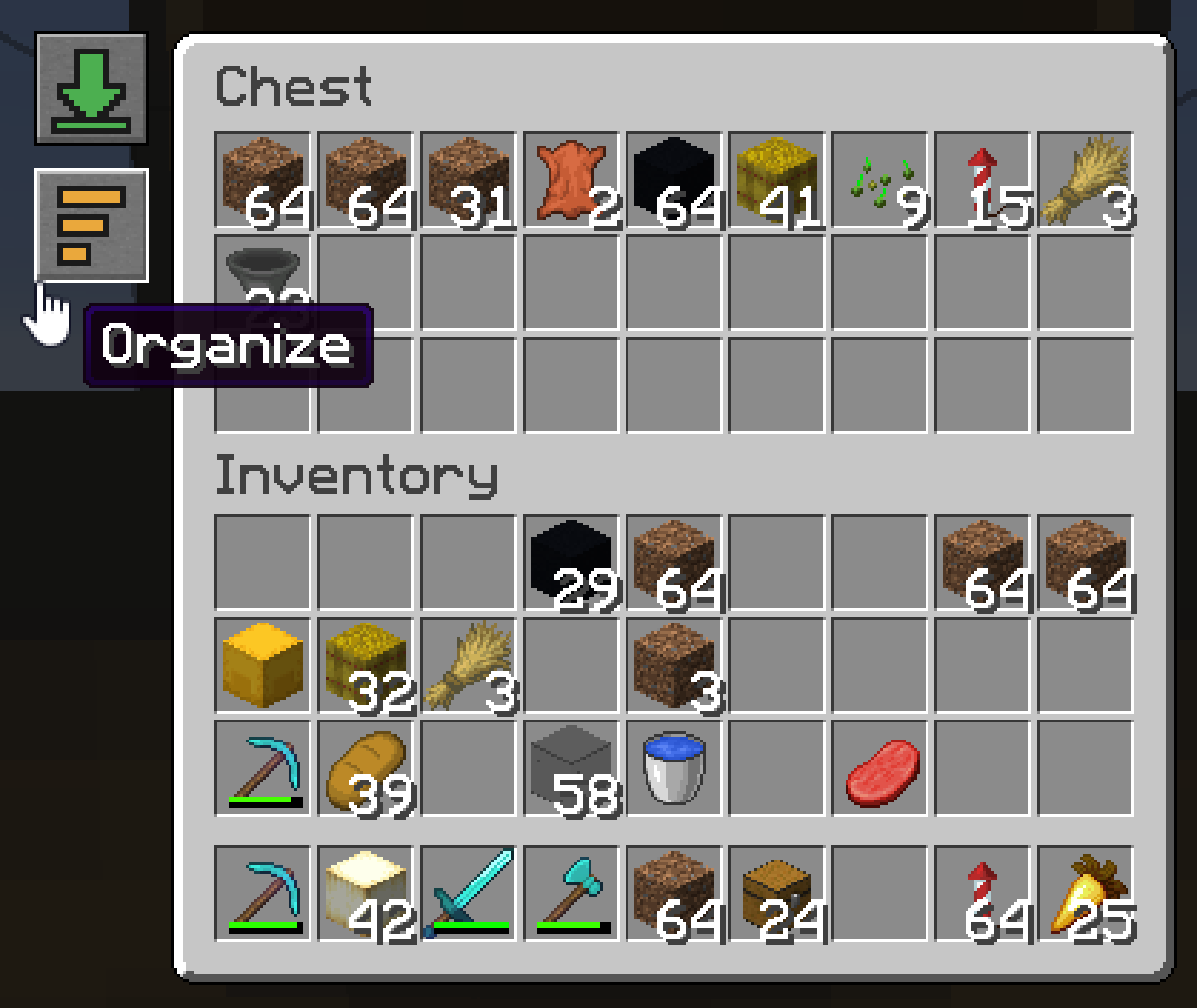
Chest Buttons recreates two of Stardew Valley’s most-loved chest-UI buttons in Minecraft. Open any chest, double chest, barrel, or shulker box and two icon buttons appear on the left side of the screen:
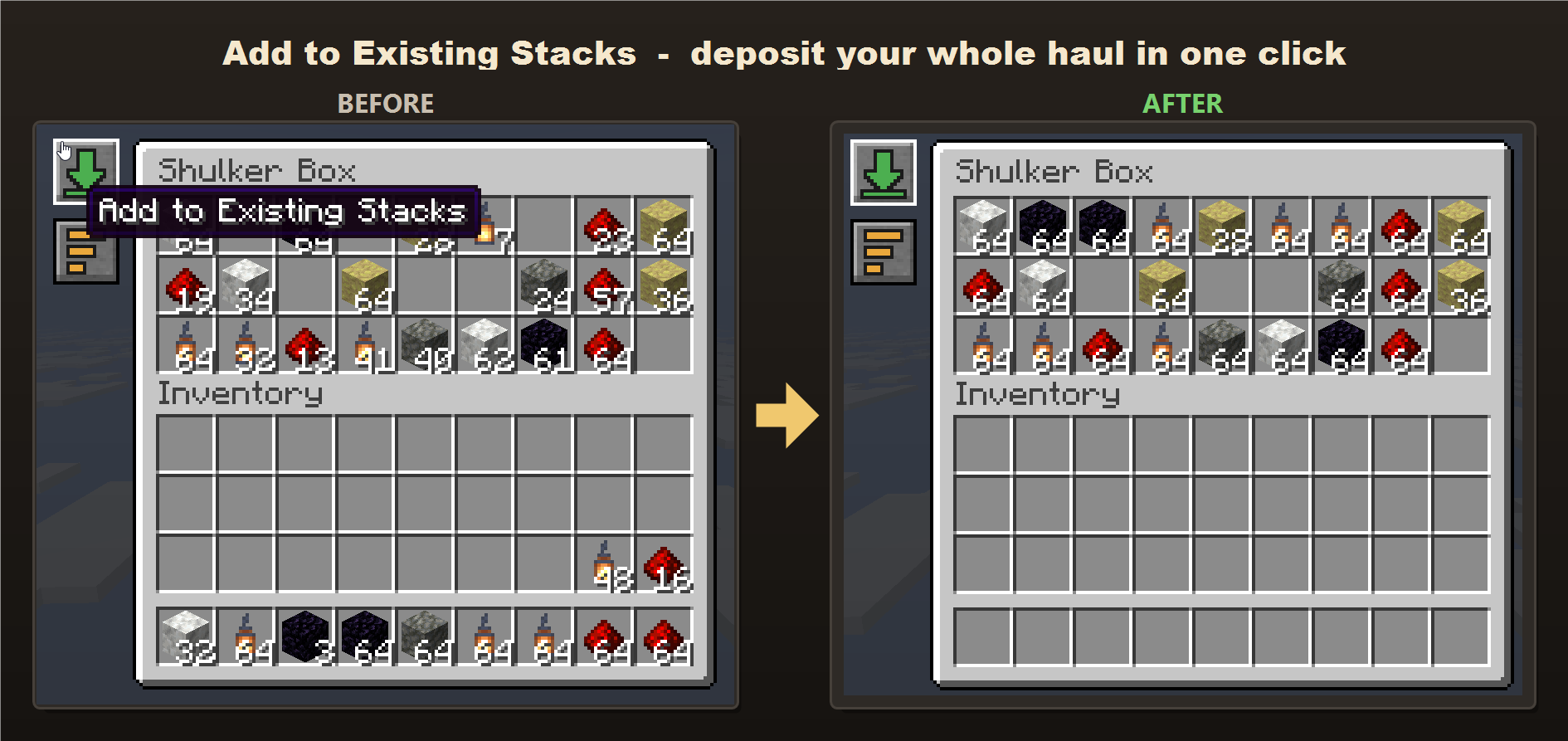
- Add to Existing Stacks: for every item type the chest already holds, instantly moves all your matching items into it. It tops up existing stacks first, then starts new stacks in any empty slots, so a chest that already has some cobblestone will swallow your entire cobblestone haul in one click. Item types the chest doesn’t already contain are left in your inventory – it never dumps unrelated items in.
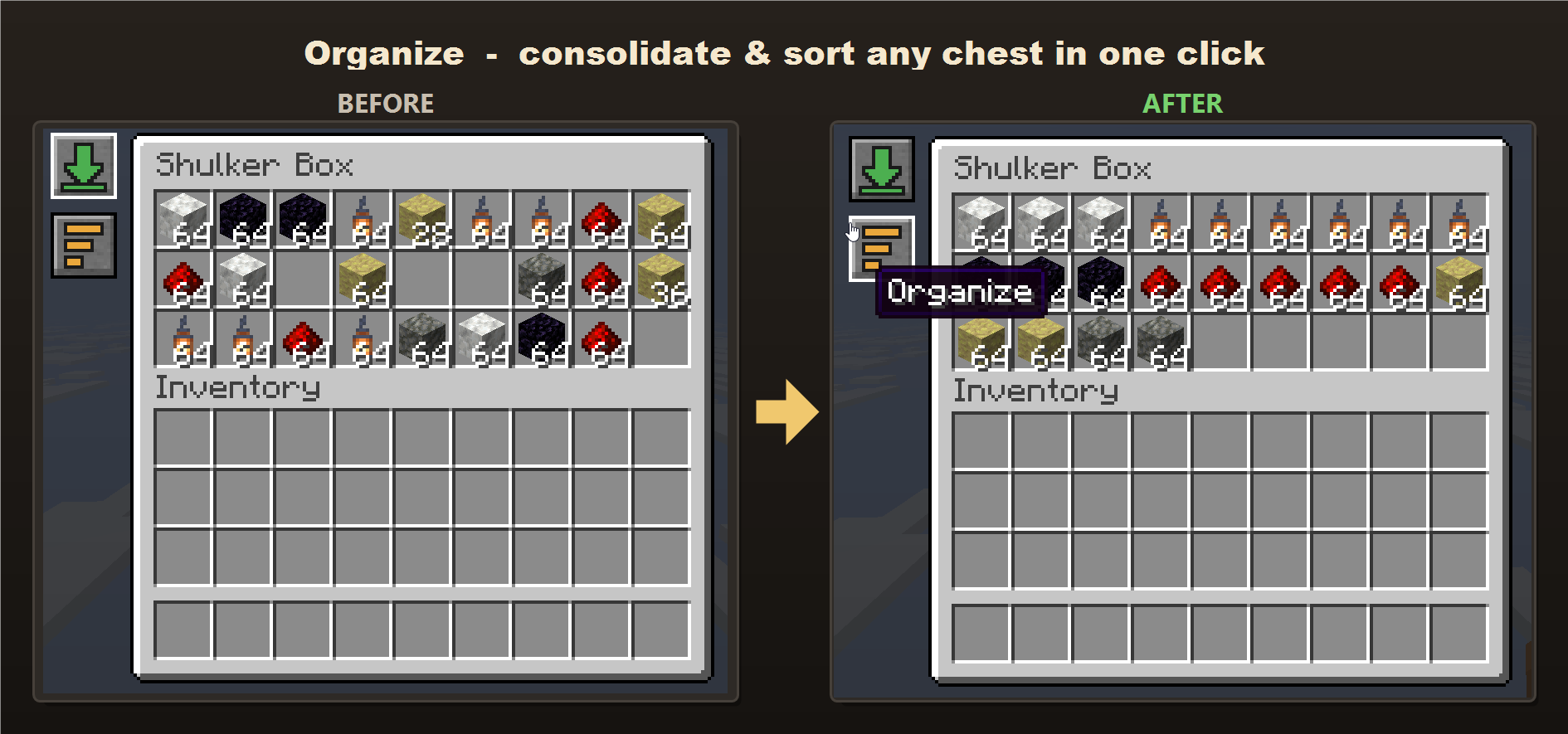
- Organize: consolidates partial stacks and sorts the entire chest neatly by item.
No more dragging items one stack at a time. Deposit and tidy a chest in a single click.
Multiplayer
Fully server-aware. The buttons are drawn client-side, but every item move is validated on the server, so it’s completely cheat-safe. The mod is required on both the client and the server; if only the client has it, the buttons simply won’t appear.
Requirements
- Minecraft 26.2
- Fabric Loader and Fabric API
- Java 25
常见问题
Stardew Chest Buttons 支持哪些 Minecraft 版本?
Stardew Chest Buttons 支持 Minecraft Java 版 26.2–26.3,共 2 个版本,可用的加载器:Fabric。下载时注意选择和你游戏版本一致的文件。
Stardew Chest Buttons 怎么安装?
先用 PCL2 或 HMCL 启动器安装对应版本的 Fabric,再把下载的 .jar 文件放进游戏目录的 mods 文件夹,重新启动游戏即可。开启了版本隔离的,mods 文件夹在 versions/版本名 下面。运行环境:客户端和服务端都要装。
johnnyscriptt 的其他作品
查看全部 →
Simple AutoClicker
Toggleable left/right autoclicking with per-button timings and an in-game settings screen. Client-side Fabric mod - clicks route through vanilla attack/use logic, pause in menus, and reset when you leave a world.

Villager Chess
Play chess against villagers! A Play Chess button on the trade screen starts a full game - their skill scales with trading level, from Novice pushover to near-unbeatable Master.

Villager Checkers
Play checkers against villagers! A Play Checkers button on the trade screen starts a full game - their skill scales with trading level, from a Novice who walks into every trap to a Master who converts won endings.

Villager Connect Four
Play Connect Four against villagers! A button on the trade screen starts a full game - their skill scales with trading level, and because the villager drops first, a Master has solved the game and cannot be beaten.
评论
登录后评论和评分