
AR1 Backup
A powerful mod that lets you create backups of your worlds—manually or automatically!
截图
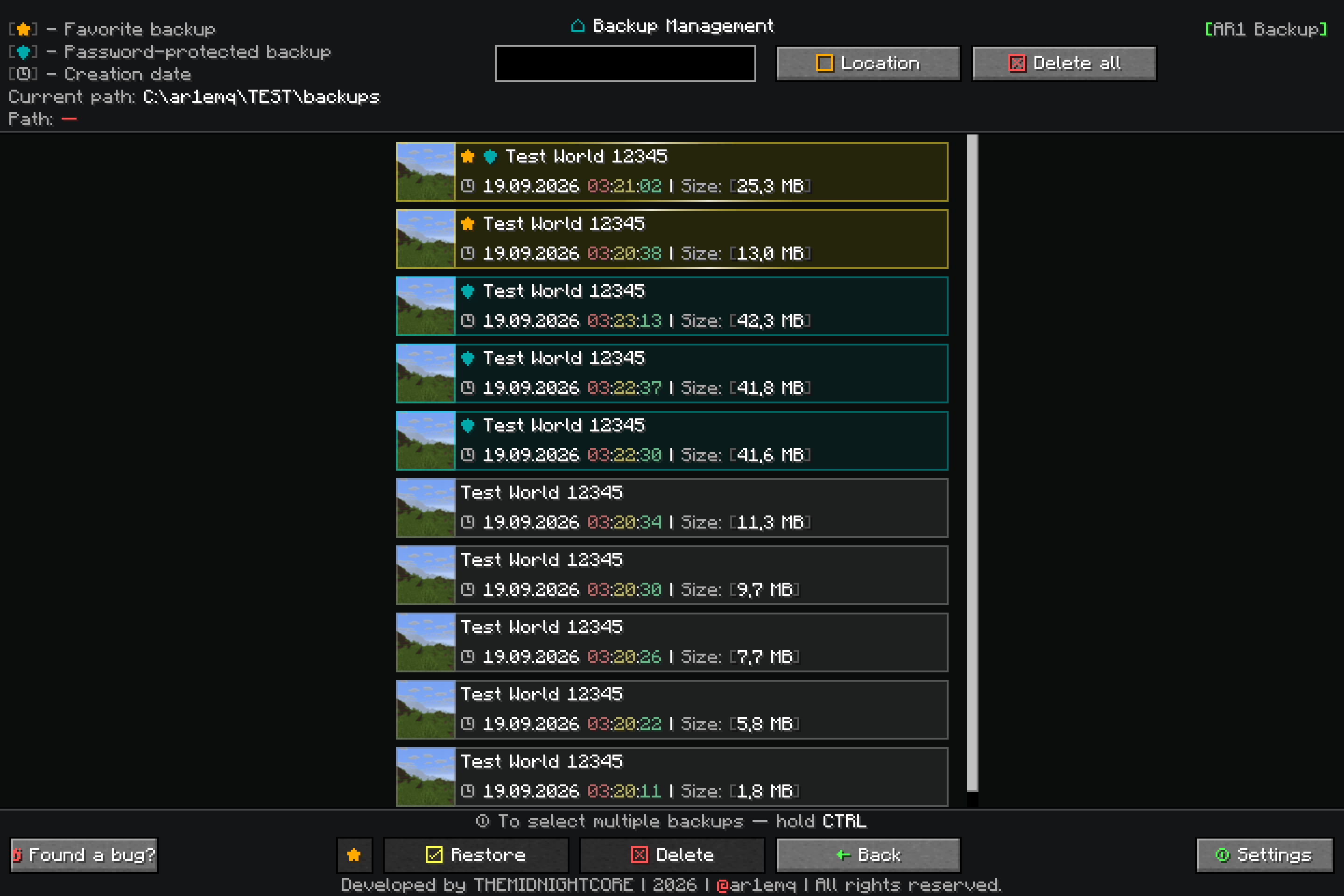
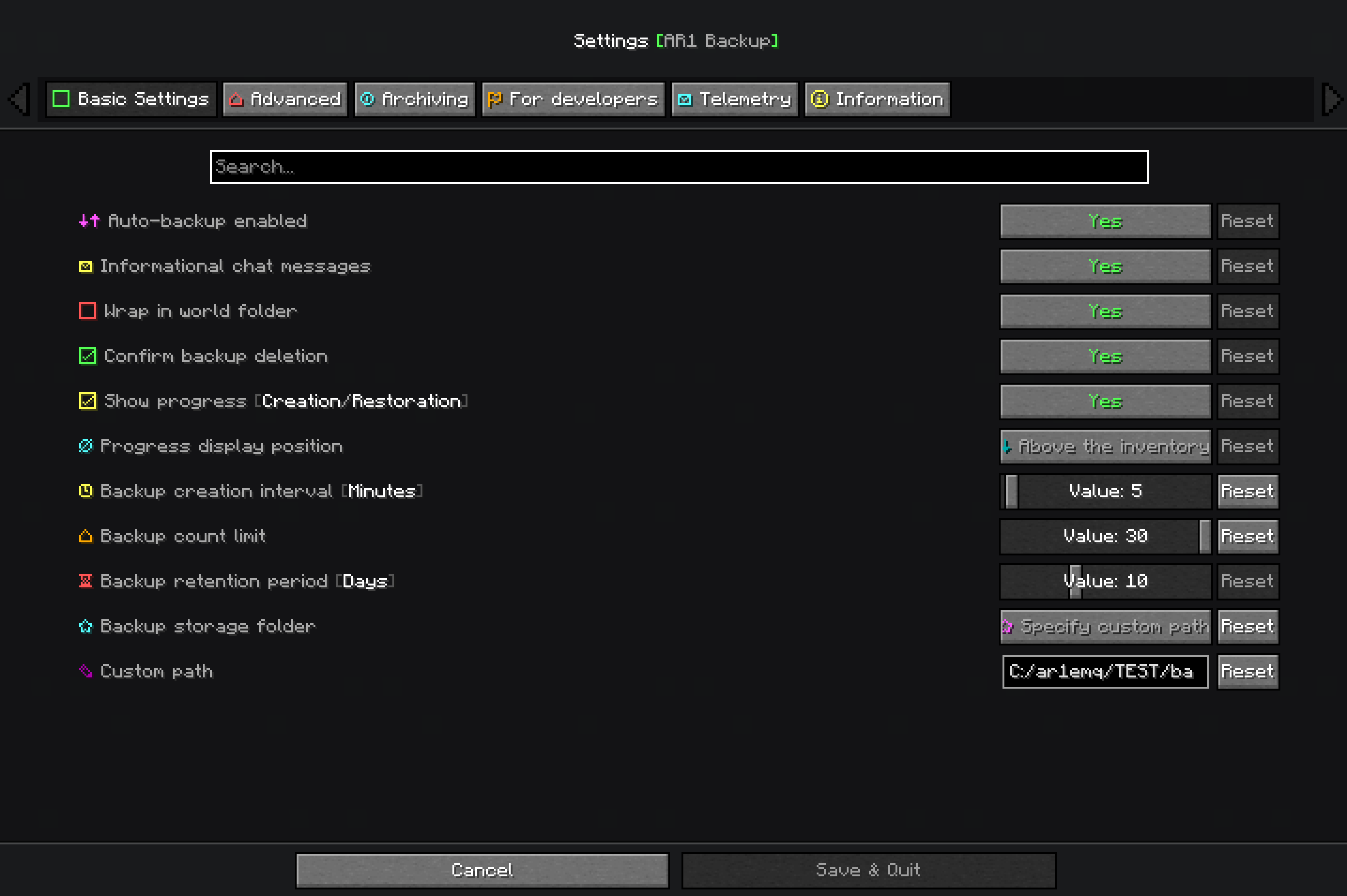
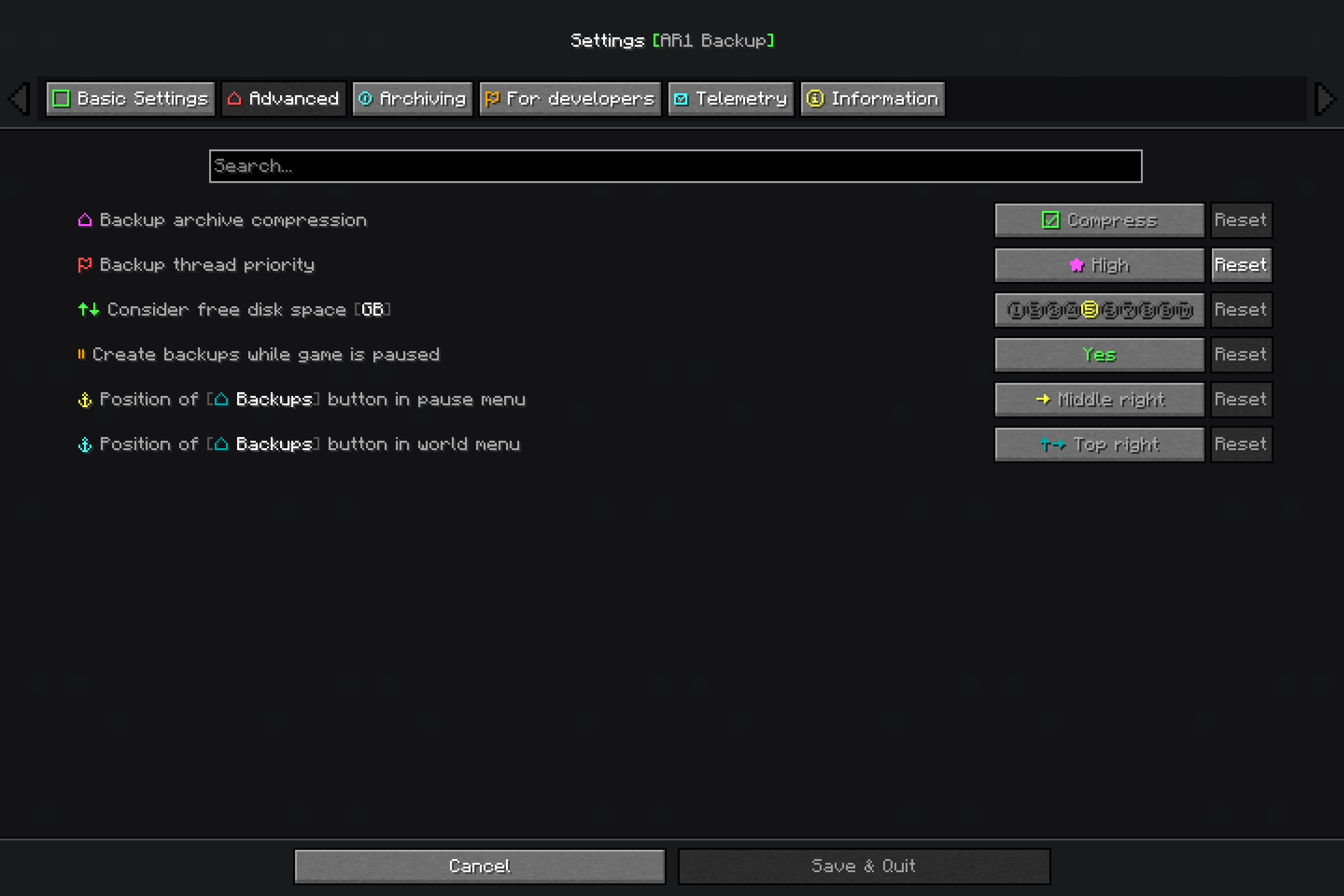
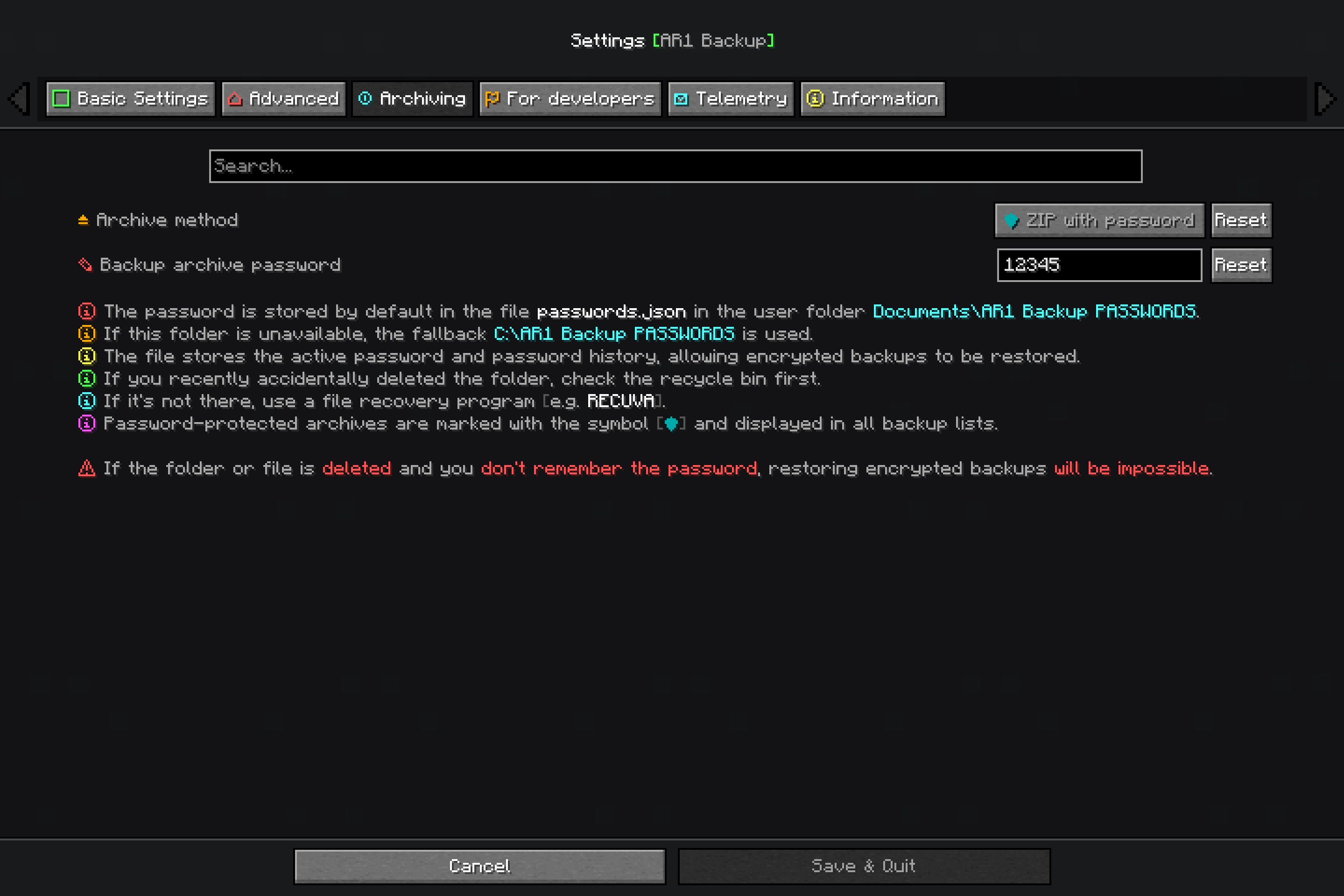
介绍
AR1 Backup is a flagship and reliable Fabric mod for manual or automatic backup of your Minecraft worlds. Forget about sudden crashes, corrupted chunks, or failed experiments — the mod takes care of your data integrity.
IMPORTANT INFORMATION AS OF 04.11.2026
23.10.2026

[EN] Porting mod version 11.0.0 to Minecraft 1.21.11 is very difficult.
Players who are waiting for the latest version of the mod for Minecraft 1.21.11 — please wait.
It is very difficult. But everything is in progress!
The mod version for Minecraft 1.21.11 will be released as 11.0.2.

[РУ] Порт версии мода 11.0.0 на версию Minecraft 1.21.11 очень затруднителен.
Игроки которые ждут новейшую версию мода на Minecraft 1.21.11 - пожалуйста ждите.
Это очень сложно. Но всё в процессе!
Версия мода для Minecraft 1.21.11 выйдет как 11.0.2

====================

04.11.2026

[RU]
Работа по портированию версии 11.0.0 на версию 11.0.2 (Fabric 1.21.11) всё ещё ведётся.
Есть сложности, и мы не уверены в успехе. Сначала версия 11.0.2 выйдет как [АЛЬФА],
затем по ходу тестирования мы будем менять статус на [БЕТА], а когда будем уверены в полной
работоспособности — сменим его на [РЕЛИЗ].
Спасибо за понимание.

[EN]
Work on porting version 11.0.0 to version 11.0.2 (Fabric 1.21.11) is still ongoing.
There are difficulties, and we are not sure it will succeed. Version 11.0.2 will first be released as [ALPHA];
then, as testing progresses, we will change its status to [BETA], and once we are confident it is fully
functional, we will change it to [RELEASE].
Thank you for your understanding.
Key Features
- Automatic Backups – configurable interval from 1 to 120 minutes.
- Manual Creation – via
/backup startcommand or the F7 hotkey (rebindable in controls). - Flexible Storage – default game folder or any custom absolute/relative path.
- Smart Cleanup – by backup count limit (5–30) and retention time (1–30 days).
- Free Space Check – prevents backups when disk space falls below a configurable threshold (1–10 GB).
- World Restore –
/backup restorecommand with automatic archive structure detection. Restore rewrite flag-r–/backup restore <filename> -rautomatically overwrites an existing world folder during restore. Without-r, the command will show an error if the folder already exists. - Multi-threaded Compression – adjustable compression level (0–9) and thread count (1–8).
- Progress Bars – animated indicators displayed in ActionBar or Subtitle.
- Password-protected Archives – create encrypted ZIP backups with AES‑256. Passwords are stored outside the game folder and automatically matched to archives during restoration.
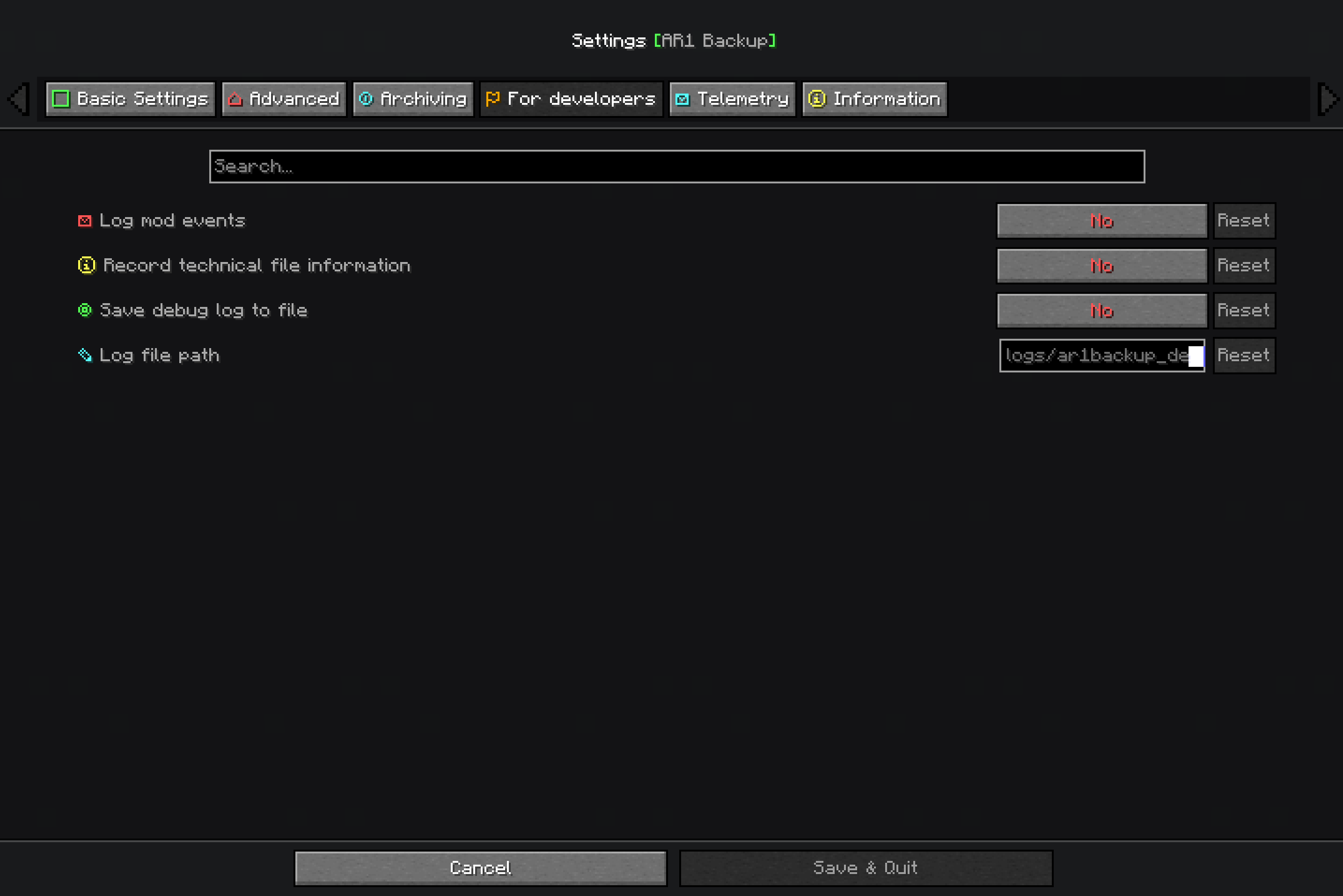
- Developer Tools – optional detailed logging, per‑file technical information, and export of logs to a user‑specified file.
- Automatic Recovery – corrupted or unreadable config files are regenerated with default values without crashing the game.
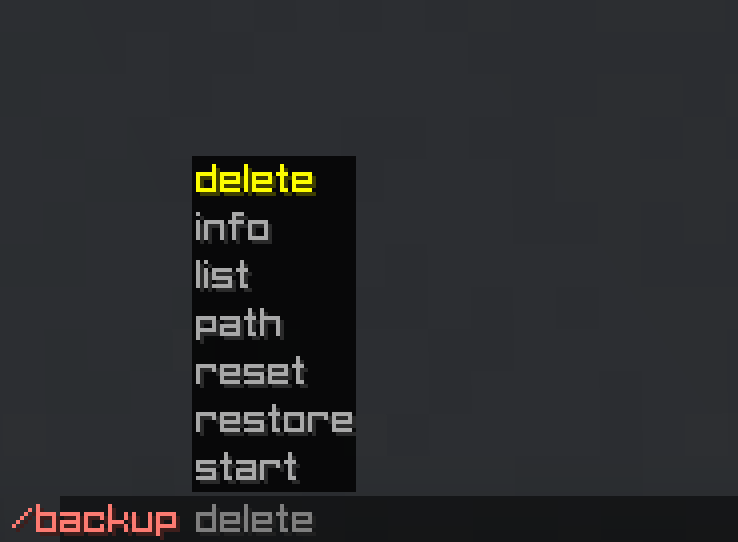
- Full Command Set – complete management via commands.
- Graphical Interface – integrated with ModMenu and Cloth Config.
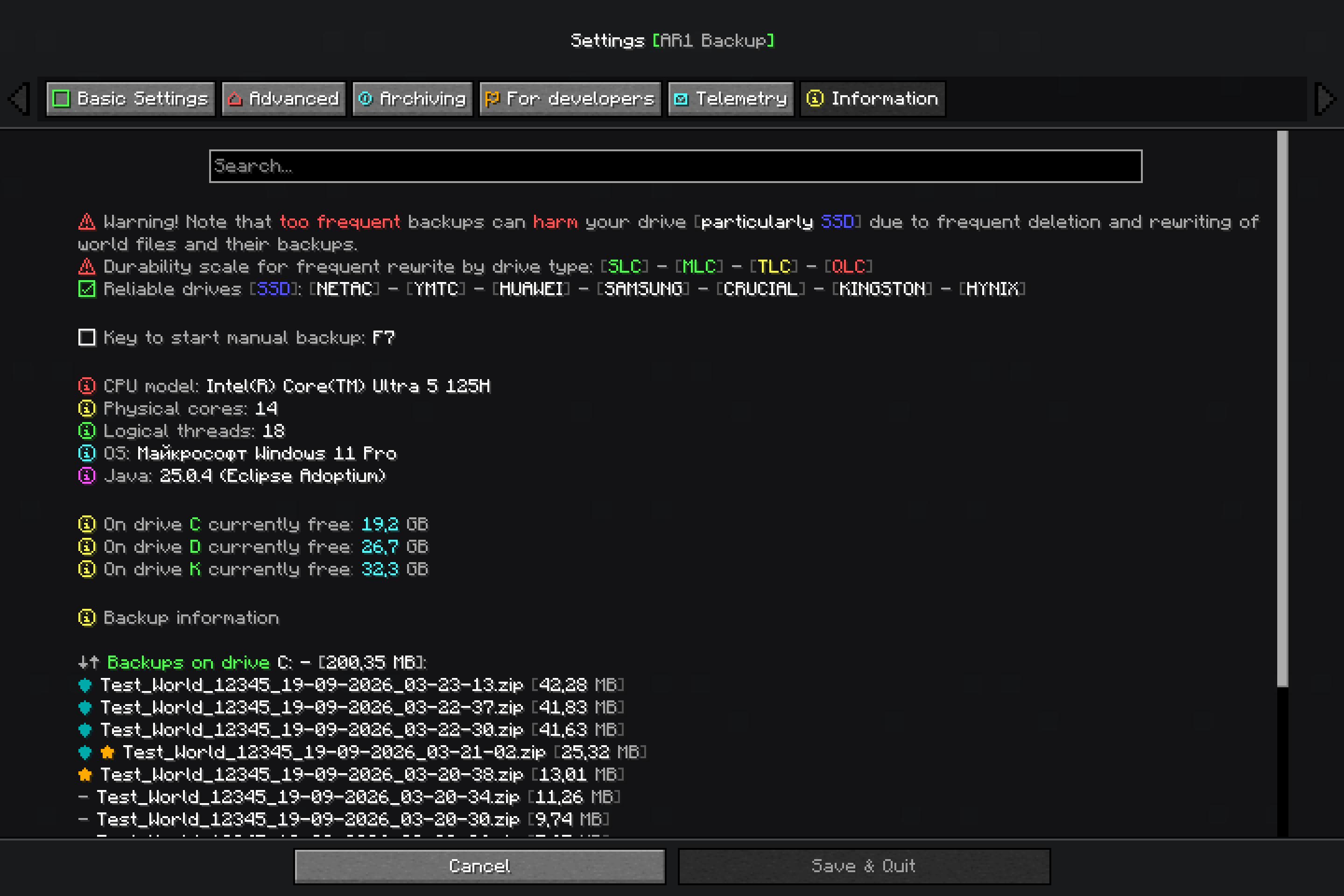
- Info Panel – in the settings screen, shows CPU model, cores, OS, Java version, free disk space, and backup statistics.
- Localization – fully translated into 14 languages (see below).
- More reliable backups (compared to competitors) — guarantees the complete preservation of all world data (including player inventories, statistics, and achievements) prior to archiving.
Password Protection
When the ZIP with password archive method is selected, backups are encrypted with AES‑256.
The password is not stored in the game folder or configuration file.
Where passwords are stored:
- Default location:
Documents\AR1 Backup PASSWORDS\passwords.json - Fallback location:
C:\AR1 Backup PASSWORDS\passwords.json
The file contains:
- the currently active password,
- full history of previously used passwords,
- mapping between each archive and the password used to create it.
Important warning: If the password file is deleted and you do not remember the password, encrypted backups cannot be restored. If you accidentally delete the folder, check the Recycle Bin first. If it is not there, use file recovery software (e.g., Recuva). Always keep a safe copy of your passwords in a secure place.
Localization
The mod is fully translated into 14 languages:
| Country | Language | Name | Code |
|———|———-|——|——|
| 🇷🇺 | Russian | Русский | ru_ru |
| 🇺🇸 | English | English | en_us |
| 🇩🇪 | German | Deutsch | de_de |
| 🇪🇸 | Spanish | Español | es_es |
| 🇵🇱 | Polish | Polski | pl_pl |
| 🇺🇦 | Ukrainian | Українська | uk_ua |
| 🇧🇾 | Belarusian | Беларуская | be_by |
| 🇫🇷 | French | Français | fr_fr |
| 🇧🇬 | Bulgarian | Български | bg_bg |
| 🇨🇿 | Czech | Čeština | cs_cz |
| 🇯🇵 | Japanese | 日本語 | ja_jp |
| 🇰🇿 | Kazakh | Қазақша | kk_kz |
| 🇮🇳 | Hindi | हिन्दी | hi_in |
| 🇨🇳 | Chinese (Simplified) | 简体中文 | zh_cn |
Commands
All commands use the /backup prefix:
| Command | Description |
|———|————-|
| start | Create a backup immediately |
| restore <filename> | Restore a world from a backup archive |
| restore <filename> -r | Restore and overwrite if folder exists |
| delete last | Delete the most recent backup |
| delete all | Delete all backups |
| delete all <drive> | Delete backups on a specific drive |
| delete confirm | Confirm a pending deletion |
| list | List all backups grouped by drive with sizes |
| info <filename> | Show detailed info about a backup |
| reset | Interrupt the current backup process |
| path game | Switch storage to the game directory |
| path set <path> | Set a custom backup path |
| path show | Display the current storage mode and path |
Configuration
All settings are available through the graphical interface (ModMenu) or manually in config/ar1-backup.toml:
- Enable/disable auto‑backup
- Backup interval (1–120 minutes)
- Backup limit (5–30 files)
- Retention days (0–30, 0 = disabled)
- ZIP compression level (0–9)
- Backup thread priority (1–10)
- Compression threads (1–8)
- Wrap in world folder (on/off)
- Storage mode (game folder / custom path)
- Show backup progress (on/off)
- Progress display type (ActionBar / Subtitle)
- Confirm deletion (on/off)
- Free space check threshold (1–10 GB)
- Archive method (ZIP / ZIP with password)
- Password (only for password method)
- Developer settings: detailed logging, per‑file technical info, save debug log, custom log path
Installation
- Install Fabric Loader.
- Place dependencies in the
modsfolder:
- Fabric API
- Cloth Config API
- ModMenu (recommended)
- Copy the
ar1-backup-<version>.jarinto themodsfolder.
Developed by ar1emq – a member of THEMIDNIGHTCORE
常见问题
AR1 Backup 支持哪些 Minecraft 版本?
AR1 Backup 支持 Minecraft Java 版 1.21.11–26.3,共 6 个版本,可用的加载器:Fabric。下载时注意选择和你游戏版本一致的文件。
AR1 Backup 怎么安装?
先用 PCL2 或 HMCL 启动器安装对应版本的 Fabric,再把下载的 .jar 文件放进游戏目录的 mods 文件夹,重新启动游戏即可。开启了版本隔离的,mods 文件夹在 versions/版本名 下面。运行环境:仅服务端。
THEM!DNIGHTCORE 的其他作品
查看全部 →
AR1 Animated Typing
A simple mod adding customizable animations when typing in text fields

AR1 Text Formatting
Mod that allows using standard Minecraft formatting codes "§" in absolutely every text field: chat, books, signs, item names, GUIs, action bars, titles, and more.

AR1 Coins Mod
A simple mod that adds coin transfers to the game, featuring 18 types of coins and coin piles!

AR1 No Experience
Mod that removes the "Too Expensive!" limit from the anvil and allows combining any enchantments, even those that are normally incompatible.
评论
登录后评论和评分