
HitTarget Highlighter
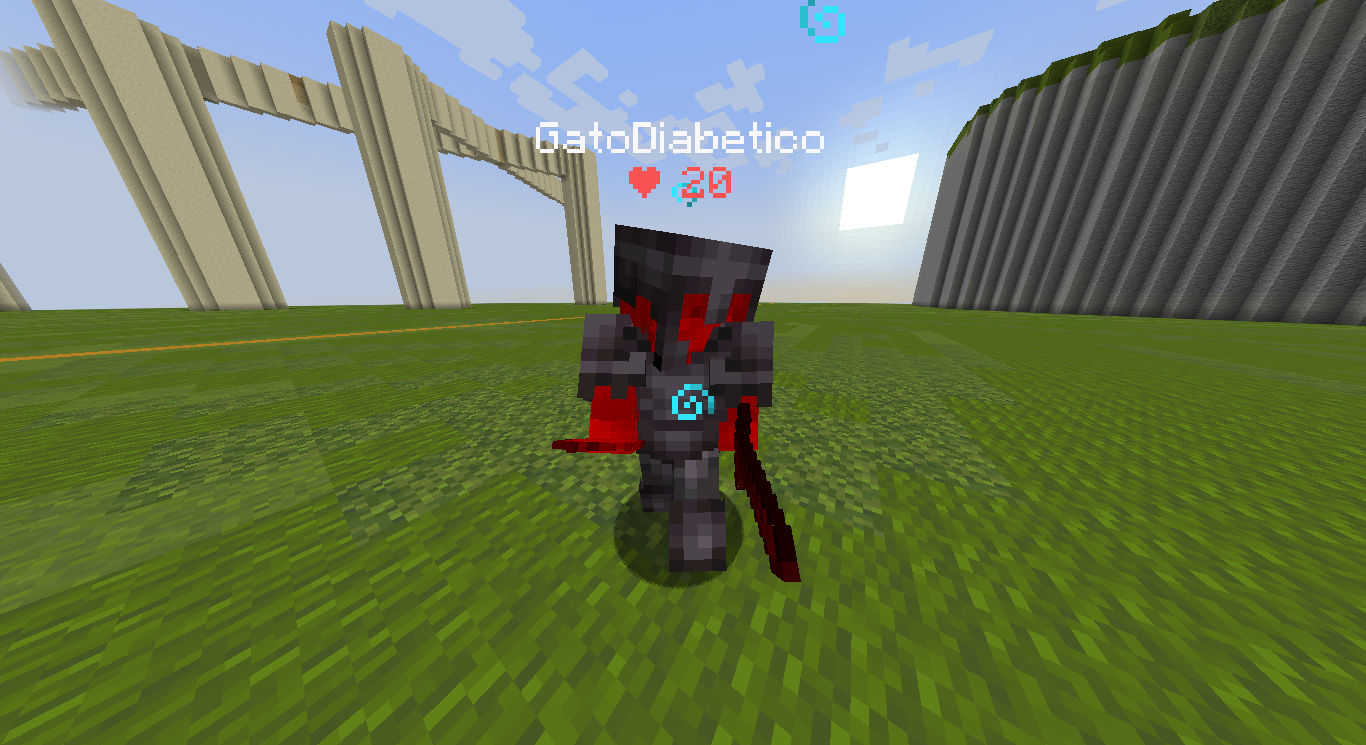
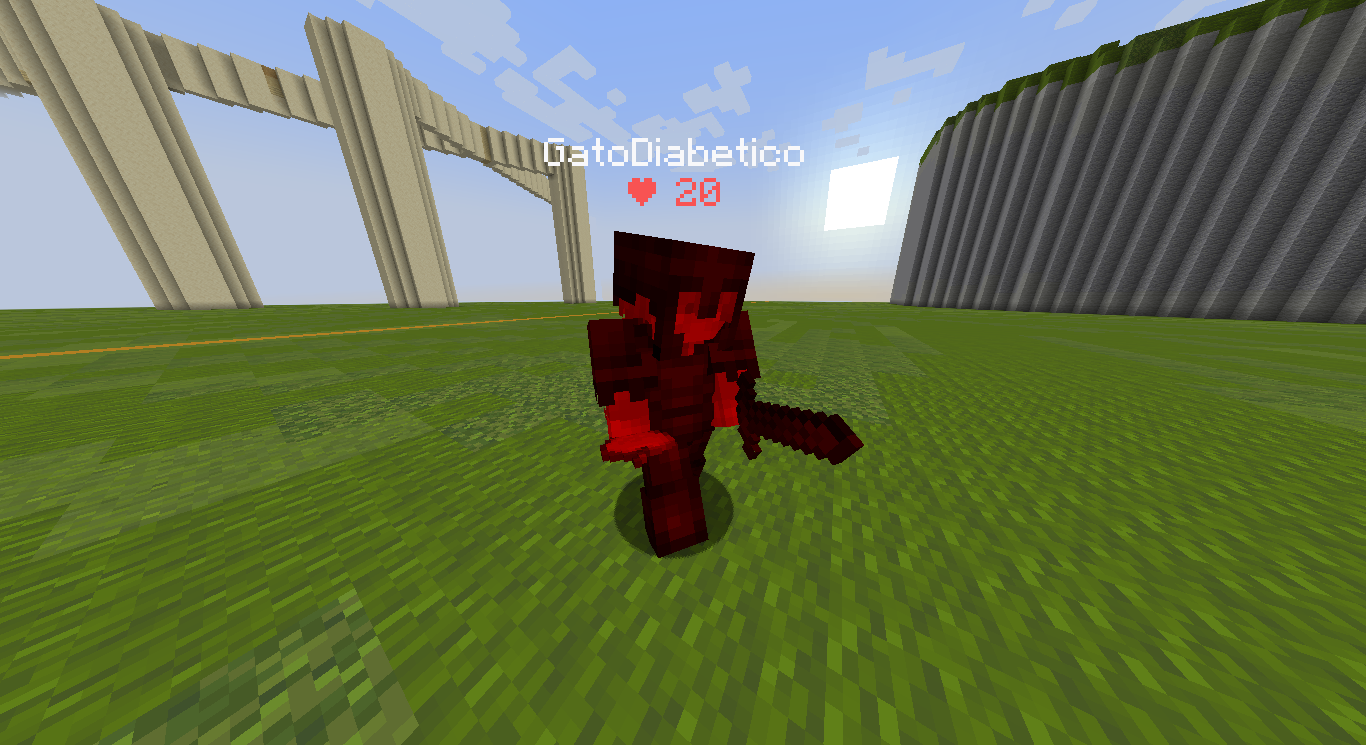
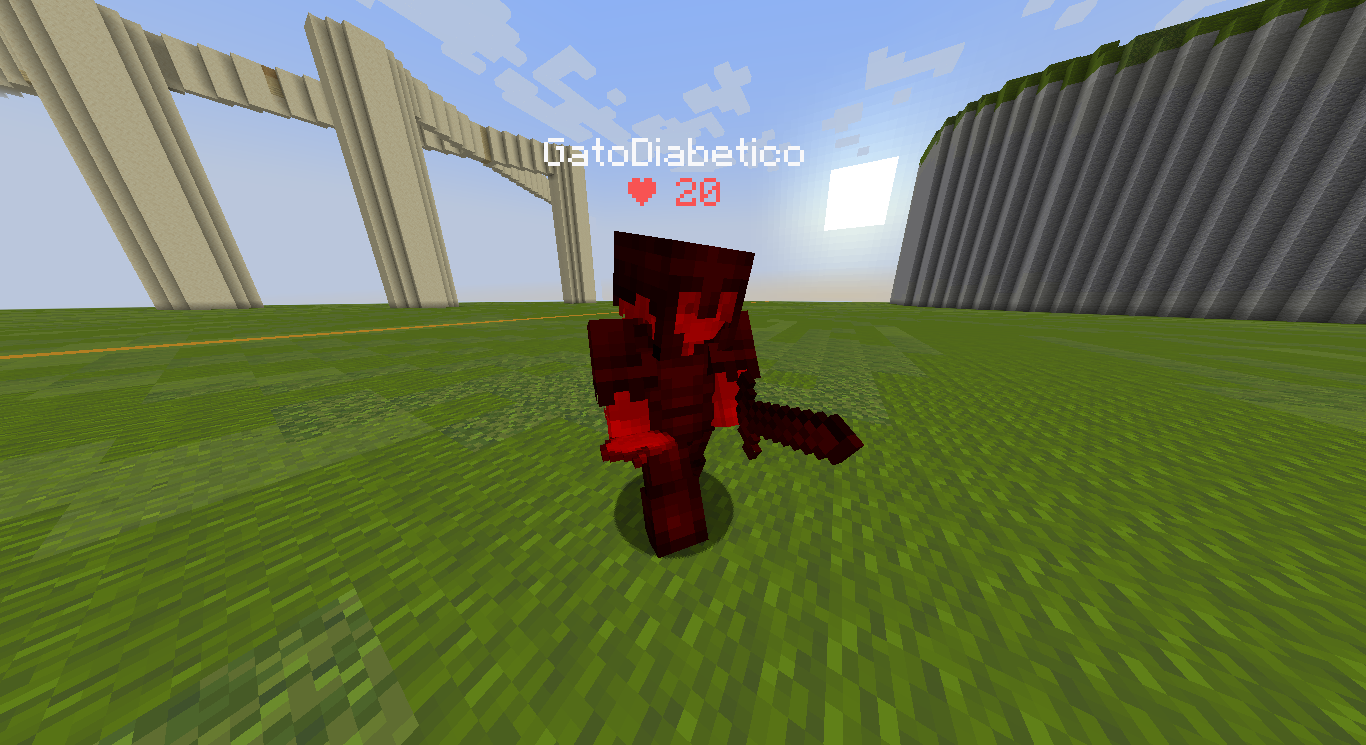
HitTarget Highlighter是一个轻量级客户端Fabric模组,当你击中实体时为其添加可自定义颜色的高亮,为实体身体及其盔甲提供清晰的战斗视觉反馈。
截图
介绍
✨ HitTarget Highlighter Features
Fully Customizable Colors – Use the integrated RGB sliders to choose any highlight color that fits your style or HUD setup.
Adjustable Transparency – Fine-tune the Alpha (opacity) level to make the highlight as subtle or as vibrant as you prefer.
Variable Highlight Duration – Set exactly how long the highlight stays on the screen after a hit, ranging from 0.5 to 5.0 seconds.
Independent Armor Toggle – Choose whether you want the entity’s armor to be highlighted as well. This can be toggled ON or OFF separately from the main body highlight.
Real-time Visual Preview – The configuration screen features a live color preview box, so you can see exactly how your choices will look in-game before saving.
Native Interface – A clean, intuitive configuration screen that uses Minecraft’s native UI style for a seamless experience.
Persistent Config – Your settings are automatically saved to a JSON file and reloaded every time you launch the game.
📸 Screenshots
Config menu Config screen featuring RGB sliders, Alpha transparency, Duration control, and the Armor highlight toggle.
In-game Action shot showing an entity being highlighted with a custom color upon impact.
🔧 Requirements
> Fabric Loader ≥ 0.18.4
> Fabric API
> Java 21
🎮 How to use
Install the mod and launch Minecraft.
Open the config screen with H (default key, changeable in your Controls settings).
Adjust the Red, Green, and Blue sliders to find your perfect color.
Use the Alpha slider to set the transparency and the Duration slider to set the highlight time.
Toggle the Armor button to decide if equipment should also be highlighted.
Click Done to save your settings.
Hit any entity in-game to see your custom highlight instantly!
🐛 Bug reports & suggestions
Send me a DM on Discord:
“`
marcellesa
“`
常见问题
HitTarget Highlighter 支持哪些 Minecraft 版本?
HitTarget Highlighter 支持 Minecraft Java 版 1.21.1–1.21.8,共 7 个版本,可用的加载器:Fabric。下载时注意选择和你游戏版本一致的文件。
HitTarget Highlighter 怎么安装?
先用 PCL2 或 HMCL 启动器安装对应版本的 Fabric,再把下载的 .jar 文件放进游戏目录的 mods 文件夹,重新启动游戏即可。开启了版本隔离的,mods 文件夹在 versions/版本名 下面。运行环境:仅客户端。
demoflash 的其他作品
查看全部 →
Quantum Hitbox
一款让你完全掌控实体碰撞箱的模组。支持实时 RGBA 自定义、流畅的色彩循环效果和高级可见性筛选,是提升画面清晰度、打造个性化 Minecraft 游戏体验的终极工具。

Fast Pot
Fast Pots 是一款 Fabric 客户端模组,按下快捷键即可快速将喷溅药水和滞留药水移入快捷栏。无需拖动——只要按住 Shift 并将鼠标悬停在药水上,它们就会自动填入快捷栏空位。

Legit Elytra Swap
Legit Elytra Swap 是一款客户端实用模组,可自动在胸甲和鞘翅之间切换,无需使用快捷键,并保持合法、自然的视觉效果。

Staff Detector
实时检测工作人员何时进入隐身模式。该模组监控玩家列表(TAB),如果有人没有真正断开服务器却隐藏起来,会立即提醒你——无论距离多远都有效!
评论
登录后评论和评分