
Quantum Hitbox
Mod that gives you total control over entity hitboxes. Featuring real-time RGBA customization, smooth Chroma cycling, and advanced visibility filters, it's the ultimate tool for visual clarity and aesthetic Minecraft gameplay.
截图
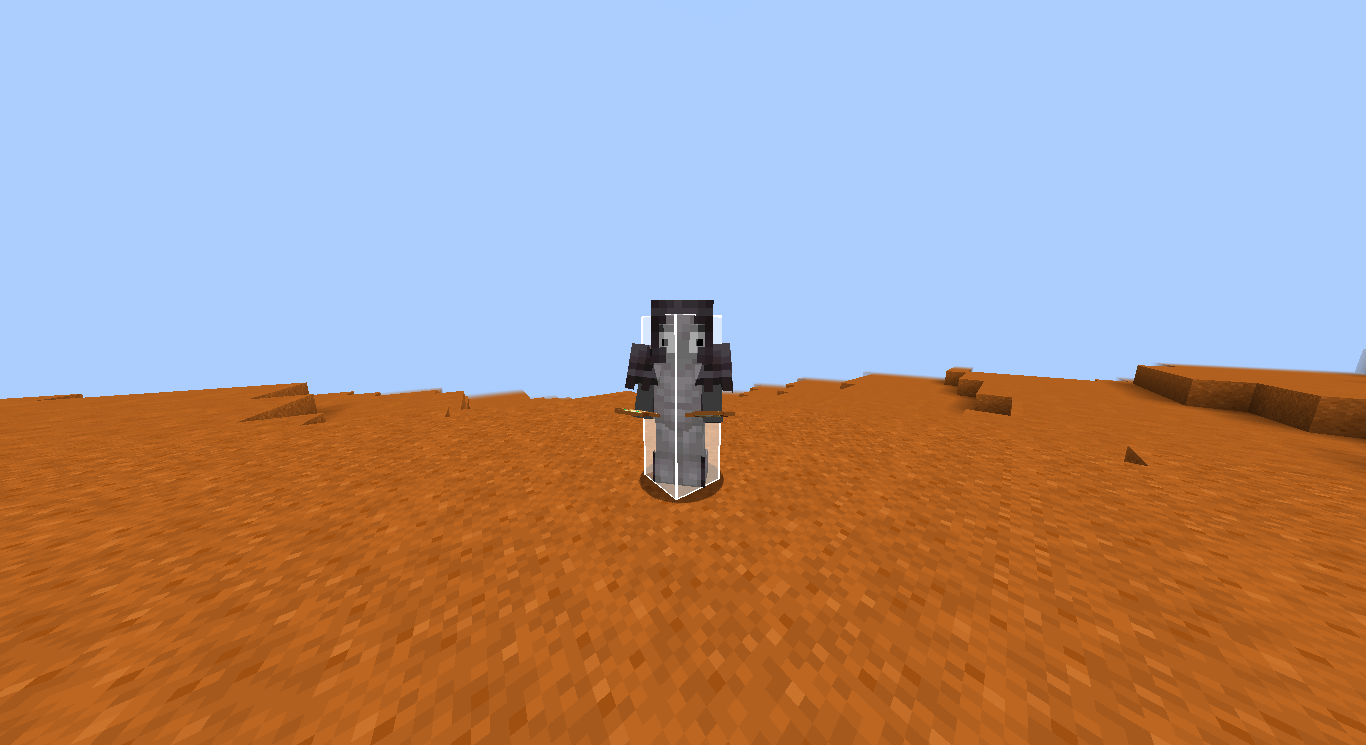
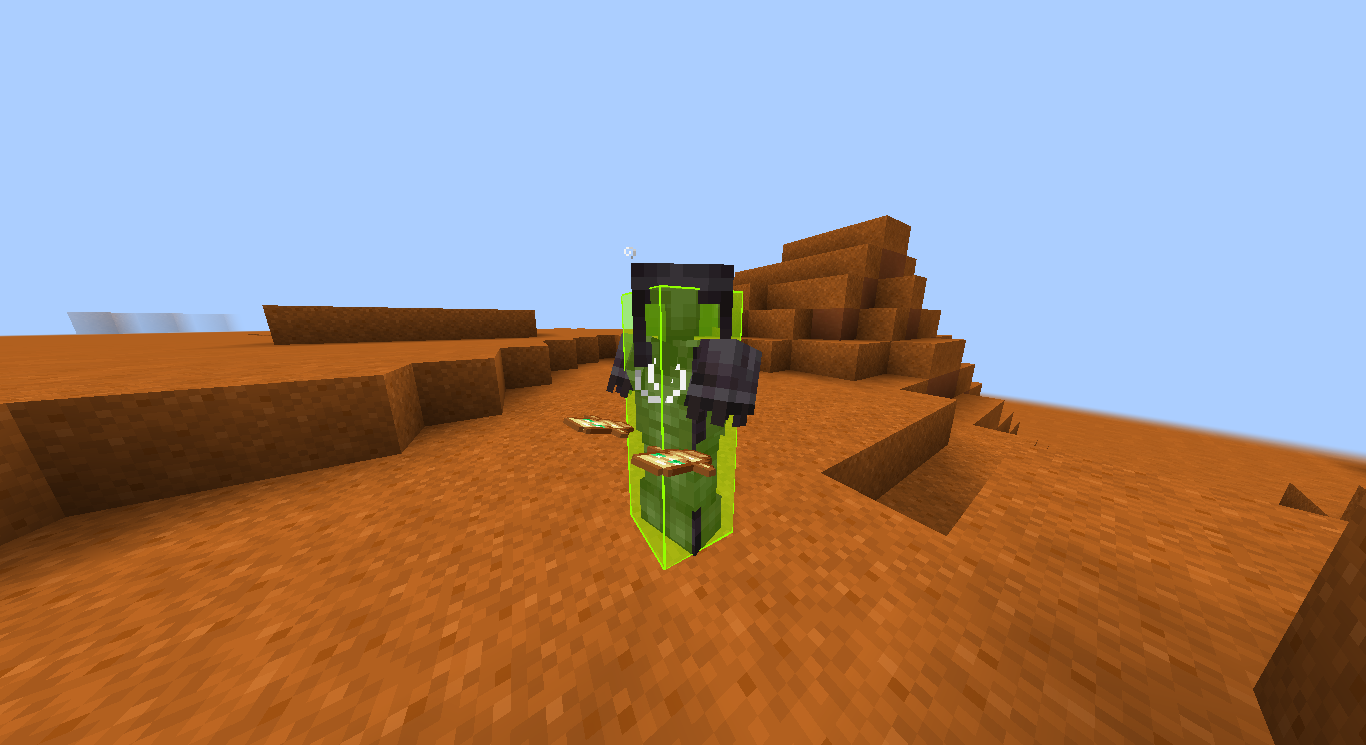
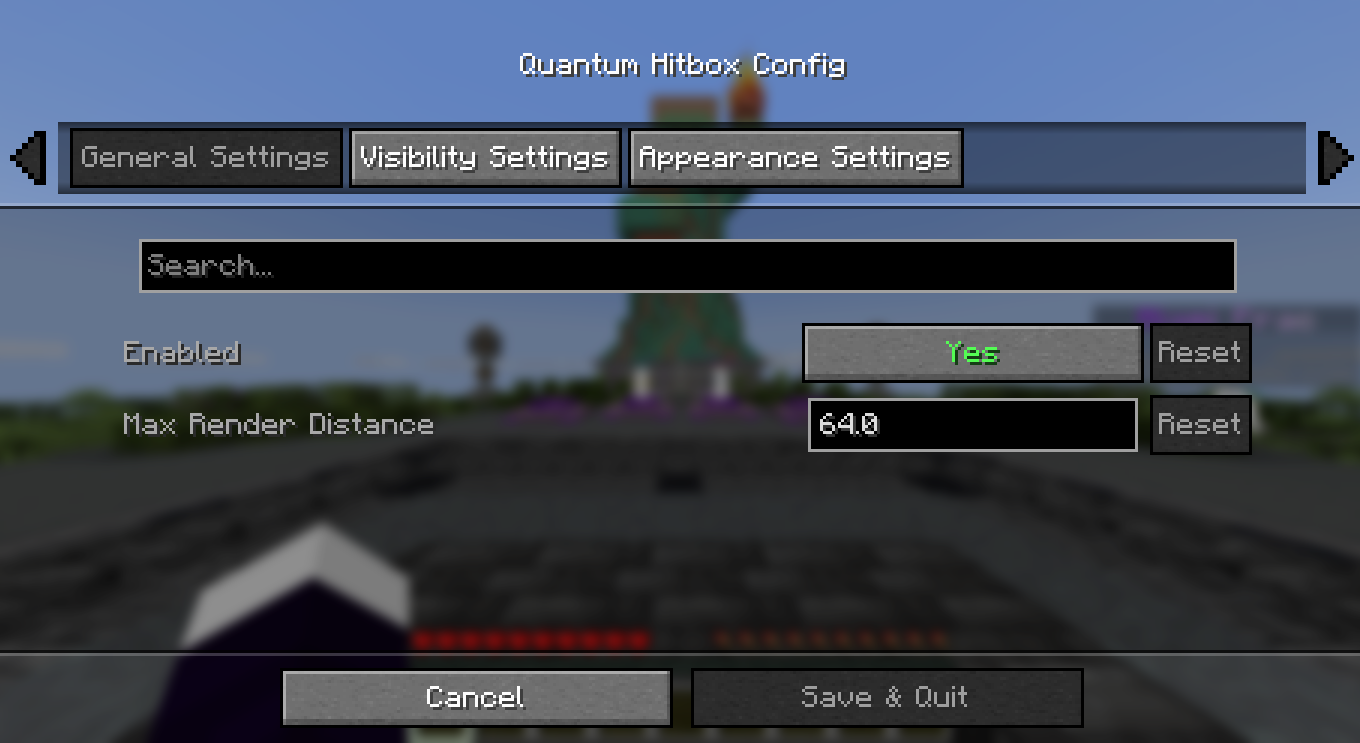
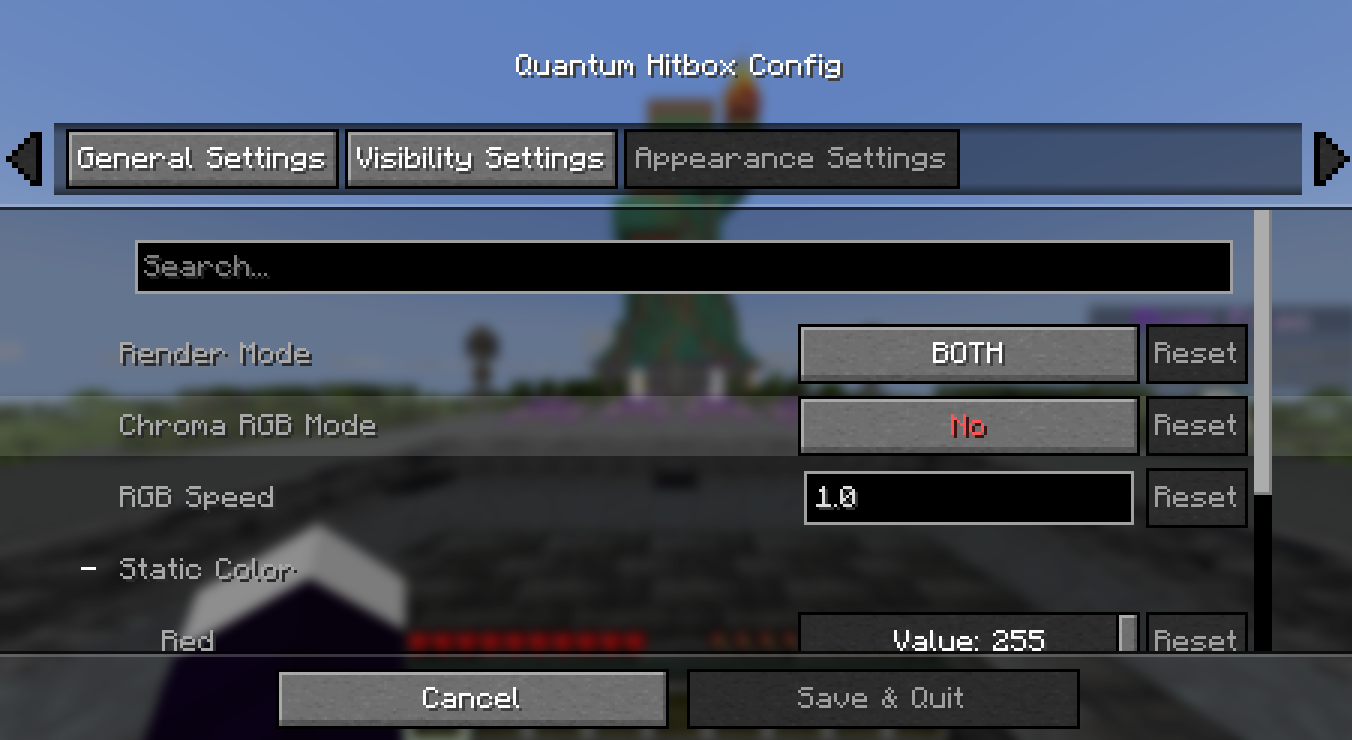
介绍
✨ Quantum Hitbox Features
Real-time RGBA Customization – Use intuitive sliders to pick any color and transparency level. Watch the changes happen instantly in the world as you move the bars!
Smooth Chroma (RGB) Mode – Enable dynamic color cycling with adjustable speed for a vibrant, animated hitbox experience.
Multiple Render Modes – Choose between a solid Fill, a sleek Outline, or Both to match your preferred visual style.
Advanced Visibility Filters – Fine-tune what you see: toggle hitboxes for all entities, only the one you’re looking at (crosshair), or even invisible entities.
Self-Hitbox Hiding – Intelligently hides your own hitbox in first-person view to keep your screen clear while maintaining full visibility of others.
Native & Professional UI – A clean, intuitive configuration menu that integrates seamlessly via Mod Menu & Cloth Config.
Persistent Config – Your settings are automatically saved to a JSON file and reloaded every time you launch the game.
🎮 How to use
Install the mod and launch Minecraft.
Open the config screen via Mod Menu or using your assigned keybinding (Check “Controls” to set your favorited key).
Adjust the Red, Green, and Blue sliders to find your perfect color.
Use the Alpha slider to set the transparency (affects both fill and outline!).
Toggle Chroma for a rainbow effect or change the Render Mode to switch between solid and outline looks.
Click Done to save. Your changes are visible instantly!
🐛 Bug reports & suggestions
Send me a DM on Discord:
“`
marcellesa
“`
常见问题
Quantum Hitbox 支持哪些 Minecraft 版本?
Quantum Hitbox 支持 Minecraft Java 版 1.21–26.1,共 11 个版本,可用的加载器:Fabric。下载时注意选择和你游戏版本一致的文件。
Quantum Hitbox 怎么安装?
先用 PCL2 或 HMCL 启动器安装对应版本的 Fabric,再把下载的 .jar 文件放进游戏目录的 mods 文件夹,重新启动游戏即可。开启了版本隔离的,mods 文件夹在 versions/版本名 下面。运行环境:仅客户端。
demoflash 的其他作品
查看全部 →
Fast Pot
Fast Pots is a client-side Fabric mod that lets you quickly move splash and lingering potions into your hotbar with a simple key press. No more dragging – just hold shift and hover over the potions you want, and they'll automatically fill the hotbar slots

Legit Elytra Swap
Legit Elytra Swap is a client-side utility mod that automates the hotkey-less swapping between chestplates and elytras in a "legit" and visually consistent manner.

HitTarget Highlighter
HitTarget Highlighter is a lightweight client-side Fabric mod that adds a customizable colored highlight to entities when you hit them, providing clear visual combat feedback for both the entity's body and its armor.

Staff Detector
Detects in real-time when a staff member enters vanish mode. The mod monitors the player list (TAB) and alerts you instantly if someone hides without actually disconnecting from the server—works regardless of distance!
评论
登录后评论和评分