
截图
介绍
Sound Visualizer
Never miss a sound again.
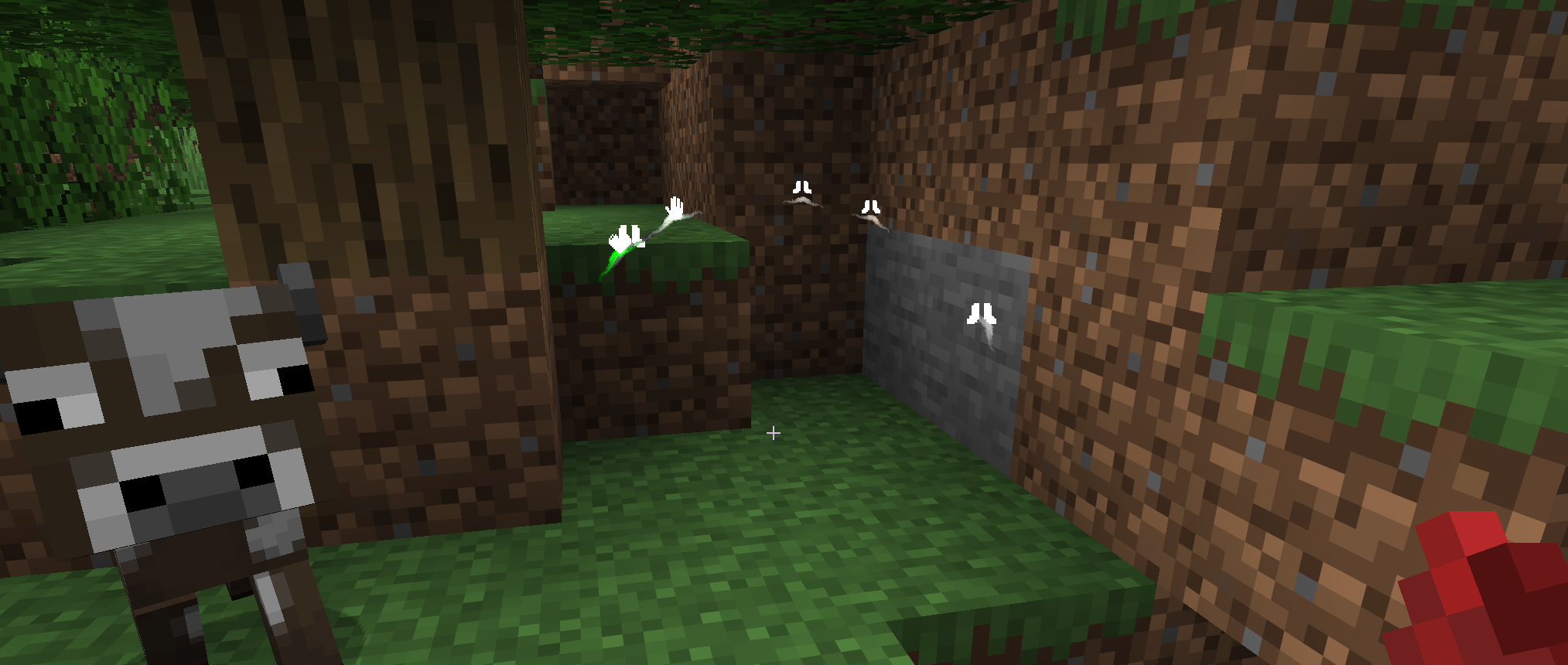
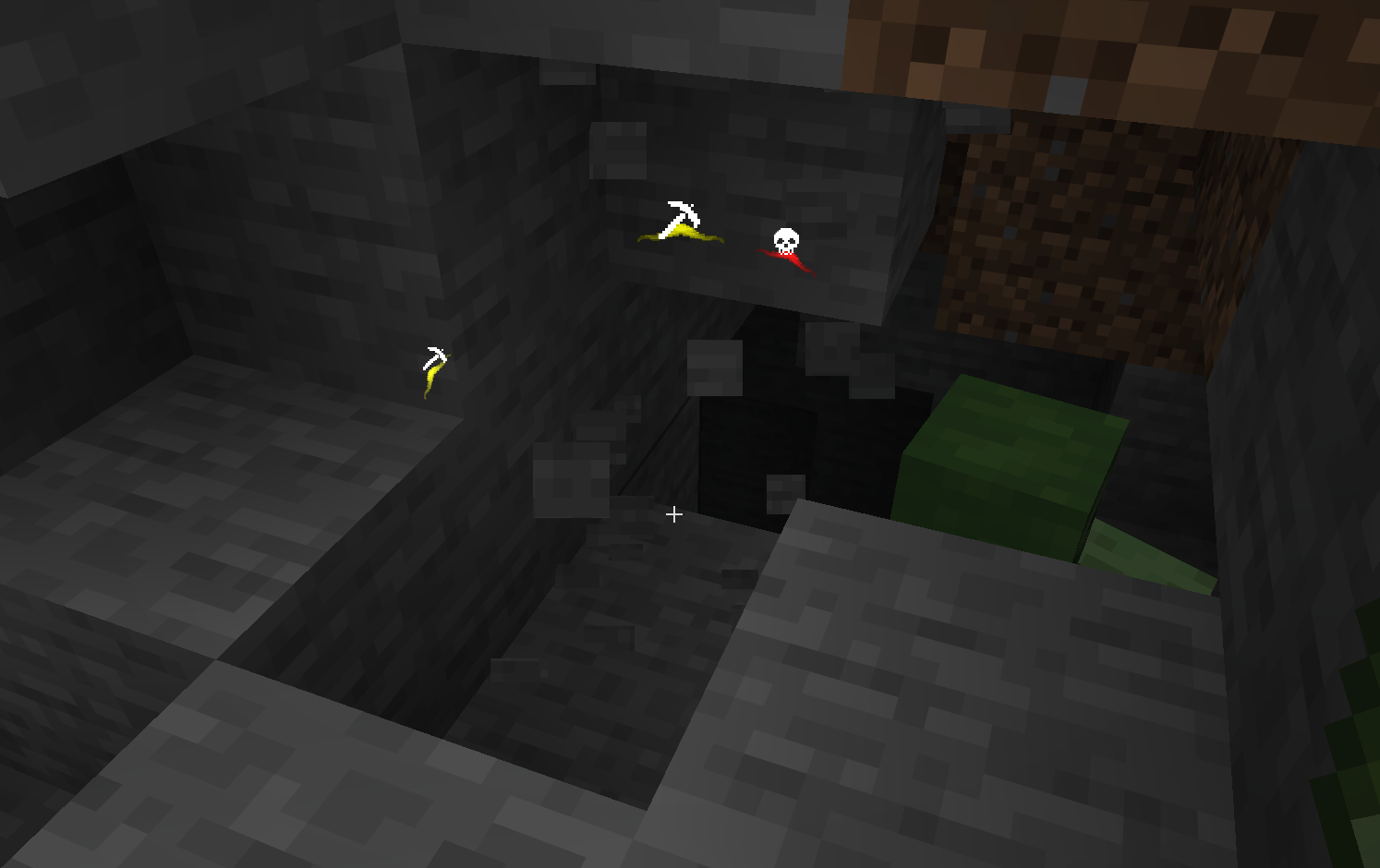
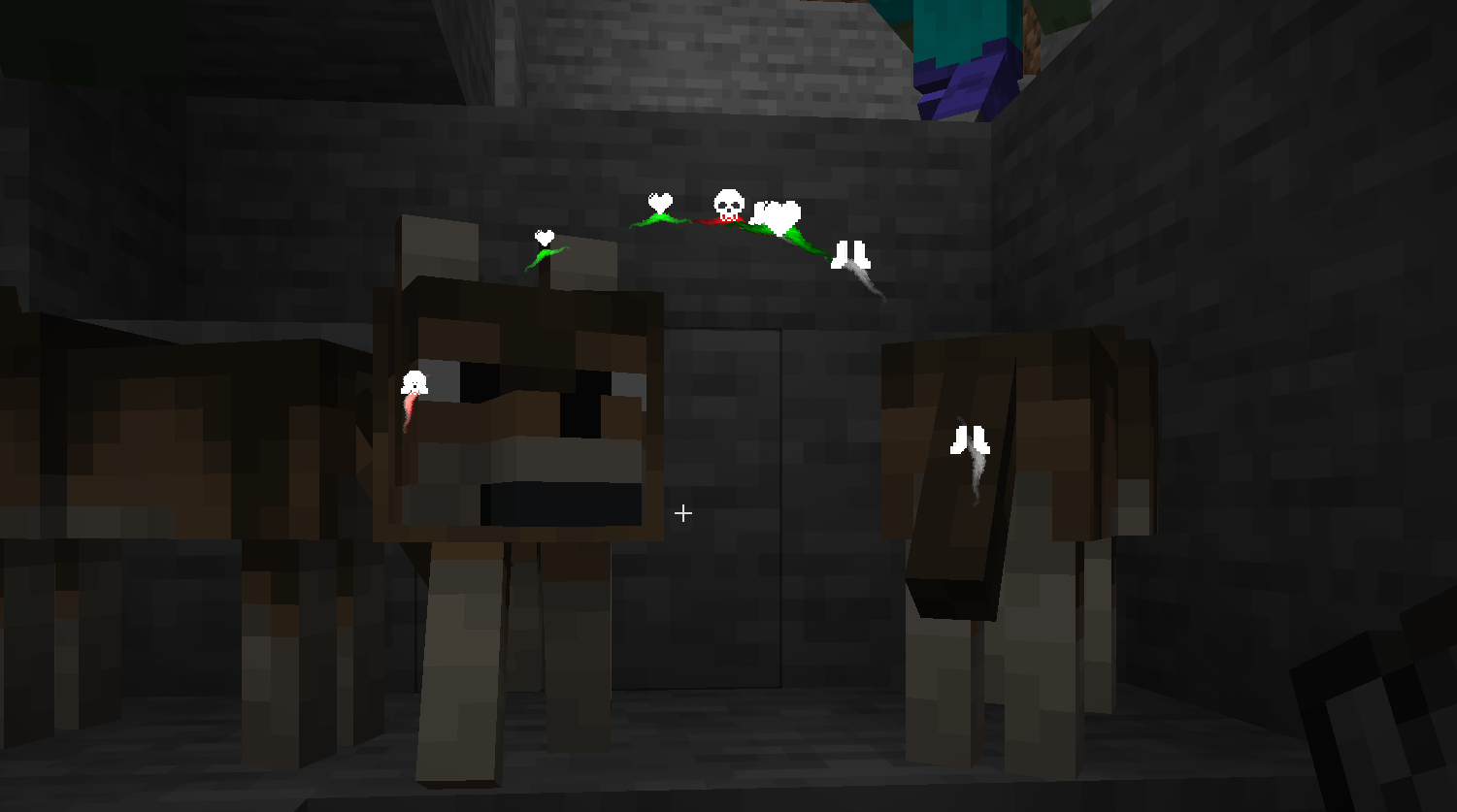
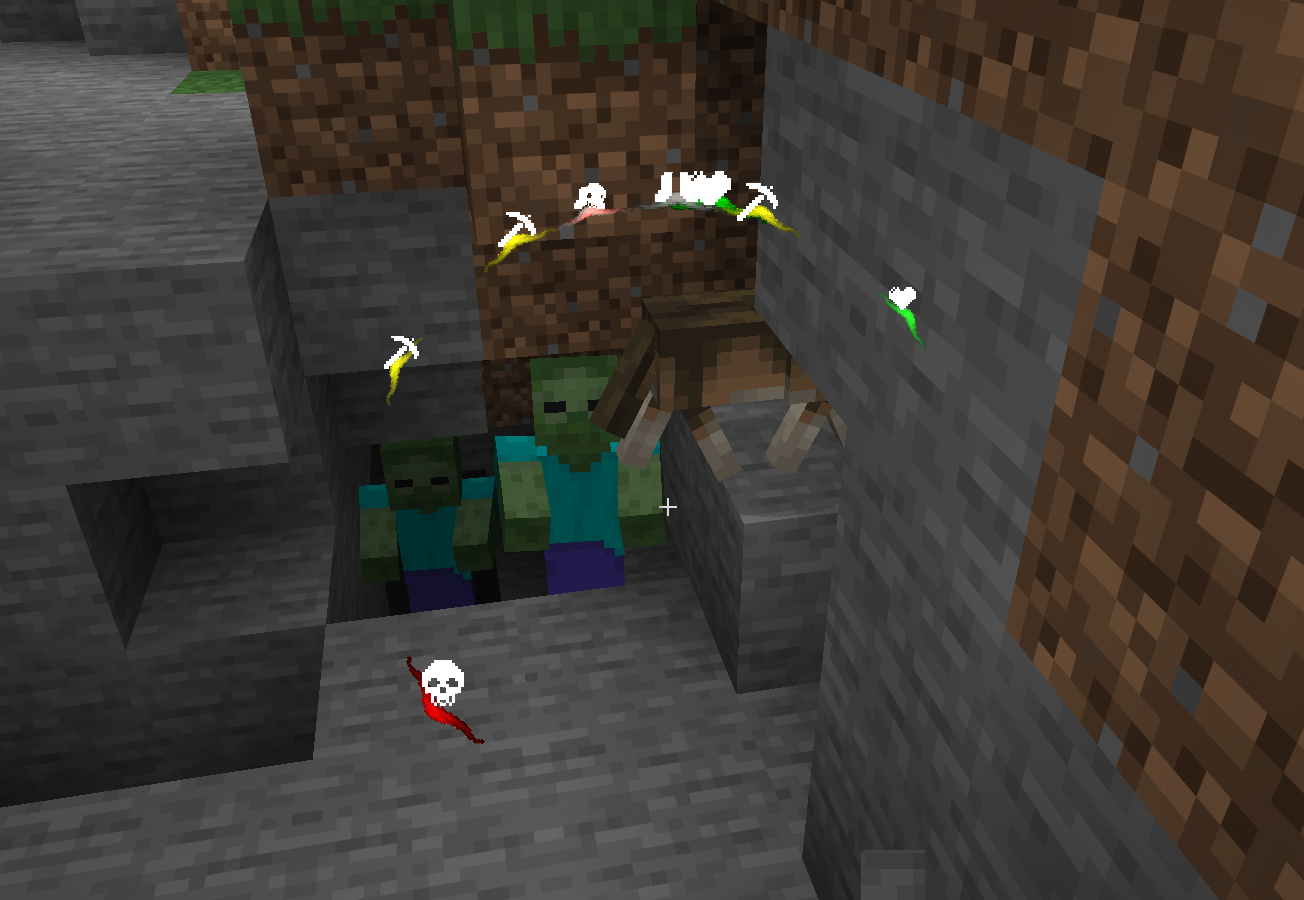
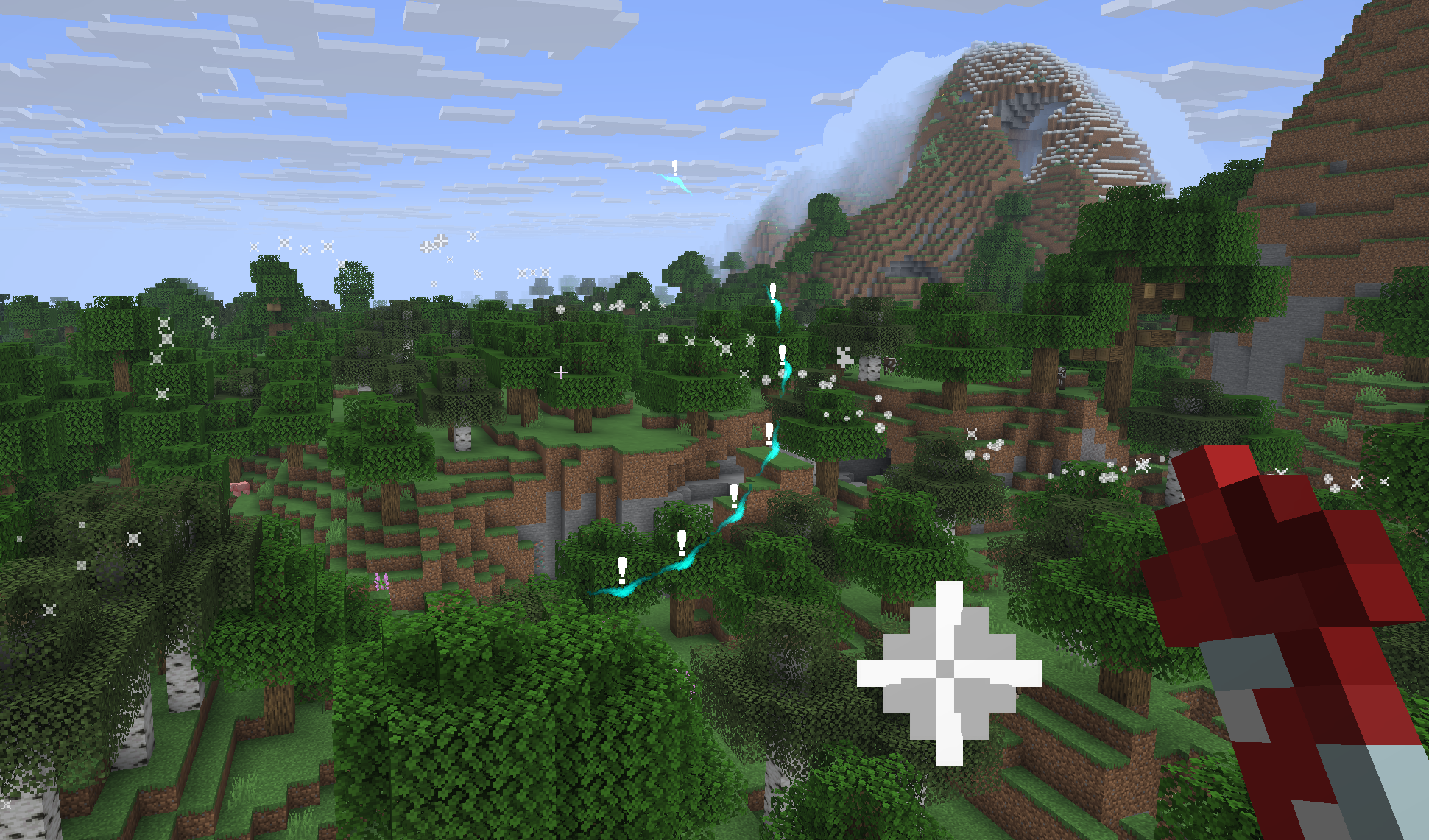
Sound Visualizer translates in-game audio into intuitive HUD indicators. See where sounds come from before you see the source. Works on both Fabric and NeoForge — one universal JAR for both.
Features
- Color-coded indicators — Hostile (red), Friendly (green), Footsteps (gray), Blocks (yellow), Player (white), Ambient (cyan)
- Category toggles — Enable or disable each sound category individually
- Smart merging — Same-direction sounds merge into one indicator to reduce clutter
- Opacity control — Adjust overall indicator visibility from 0% to 100%
- Custom colors — Pick your own color for each sound category
- Icon support — Category icons rendered on each arc
- Whitelist/Blacklist — Filter specific sound events
- Presence Footsteps compatible — Footsteps from modded sources detected correctly
- Client-side only — Works on any server, no install required
Configuration
Open via Mod Menu (Fabric) or the Mods button (NeoForge), then find Sound Visualizer and click Config.
| Setting | Default | Description |
|———|———|————-|
| Opacity | 100% | Overall indicator visibility |
| Arc Thickness | 32 | Size of the directional arcs |
| Orbit Radius | 50 | Distance from crosshair |
| Icon Scale | 1.0 | Size of category icons |
| Fade Time | 2.0s | How long indicators linger |
| Distance Scaling | On | Indicators shrink with distance |
| Show Icons | On | Display category icons on arcs |
| Max Hearing Distance | 16 | Maximum range for sound detection |
Category Colors tab
Each category has two settings:
- Show — Toggle to enable/disable that category
- Color — Pick a custom color for the indicator
Filter Settings tab
- Whitelist — Only show these sound events
- Blacklist — Hide these sound events (default:
minecraft:weather.rain)
Requirements
- Minecraft 26.1+ (tested on 26.1.2 and 26.2)
- Java 25
- Fabric Loader 0.19+ or NeoForge 26.1+
- Architectury API
- Cloth Config
- Mod Menu (optional — provides the config screen on Fabric)
Installation
- Install Fabric or NeoForge for your Minecraft version
- Install Architectury API and Cloth Config
- Drop the universal JAR into your
modsfolder - Launch — no server-side install needed
Changelog
2.2.0
- Added category enable/disable toggles — hide categories you don’t want to see
- Improved Presence Footsteps compatibility — footsteps now correctly show neutral icons
- Fixed SoundSource.NEUTRAL being misclassified as Friendly
2.1.0-beta.2
- Fixed config not loading on NeoForge (settings now persist across restarts)
- Renamed Transparency to Opacity for clarity
- Added single universal JAR for both Fabric and NeoForge
2.1.0-beta.1
- Added Opacity slider (0-100%) to reduce indicator visibility
- Fixed config not persisting across restarts
2.1.0-beta
- Updated to Minecraft 26.1.2 and Java 25
- Updated Architectury API, Fabric API, NeoForge, Cloth Config, and Mod Menu
- Migrated Shadow plugin for Gradle 9.x compatibility
- Fixed Fabric client source set configuration
- Verified working on Fabric (26.2) and NeoForge (26.1.2, 26.2)
2.0.0
- Initial cross-loader release (Fabric + NeoForge via Architectury)
- Added NeoForge support
- Added config screen via Cloth Config
- Added sound merging, distance scaling, and icon rendering
License
MIT — free to use in any modpack.
Developed with ❤️ by G10W5.
常见问题
Sound Awareness 支持哪些 Minecraft 版本?
Sound Awareness 支持 Minecraft Java 版 1.21–26.2,共 12 个版本,可用的加载器:Fabric / NeoForge。下载时注意选择和你游戏版本一致的文件。
Sound Awareness 怎么安装?
先用 PCL2 或 HMCL 启动器安装对应版本的 Fabric / NeoForge,再把下载的 .jar 文件放进游戏目录的 mods 文件夹,重新启动游戏即可。开启了版本隔离的,mods 文件夹在 versions/版本名 下面。运行环境:仅客户端。
G10W5 的其他作品
查看全部 →
Hide Your Armor
Fabric mod that allows you to toggle armor visibility with WGFM support.

Dead Sun – Zombie Apocalypse
Hardcore zombie apocalypse mod for Minecraft. Only zombies spawn in all dimensions. Sunlight doesn't protect you. Zombies got smarter.
评论
登录后评论和评分