
截图


介绍
Hide Your Armor



Client-side mod for hiding or setting transparency of your armor. Works locally by default, and optionally syncs to other players if the server has it too.
Features
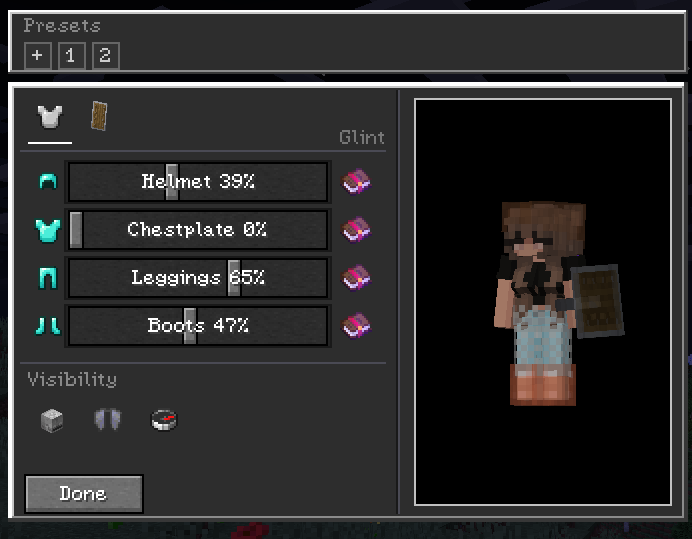
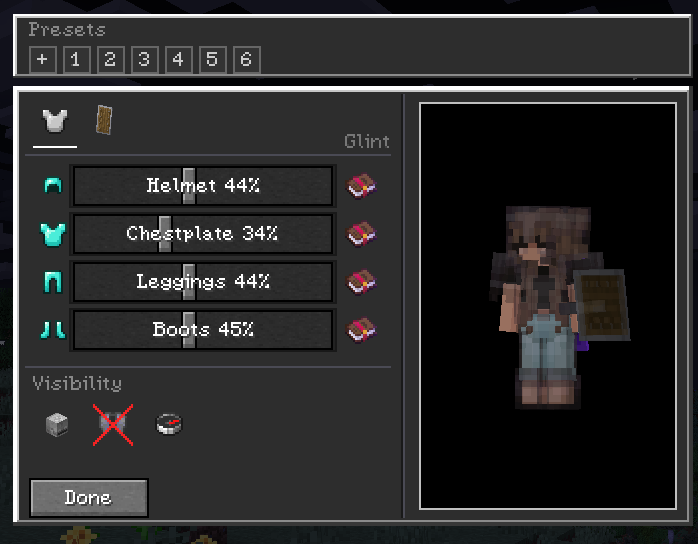
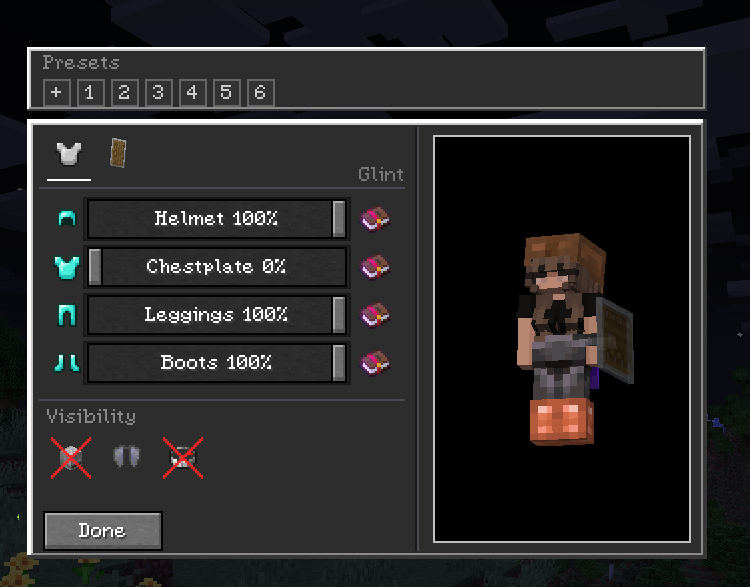
Opacity, not just on/off
Every piece has a slider from 0% to 100%. Drag it and see the change instantly on the preview doll. No need to re-equip anything.
- Armor – Helmet, Chestplate, Leggings, Boots each have their own slider
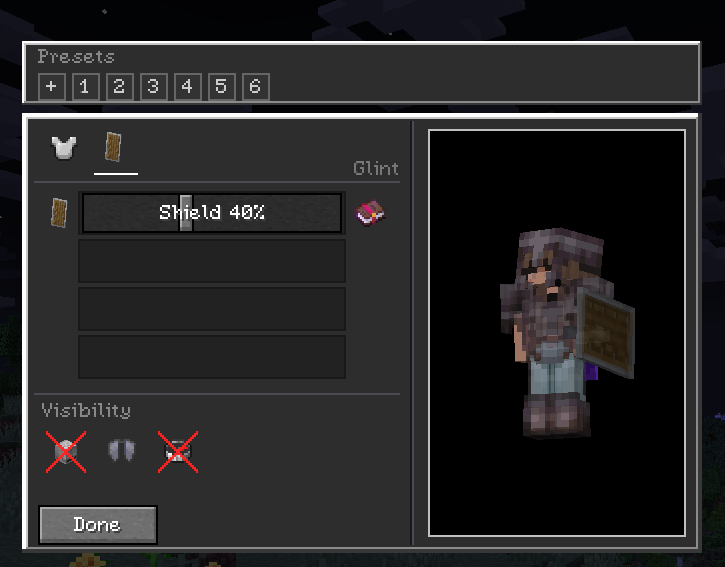
- Shield – Off-hand shield opacity
- Misc – Elytra, Skulls & blocks worn on head, Capes, and Armor trims
- Enchantment glint – Toggle the glint separately for each armor piece and the shield
Two tabs
Armor / Offhand.
Live preview
The config screen doesn’t pause the game. You can view the preview model and it updates in real time. Settings save to config/hidearmor.json when you close the screen.
Presets
Save your current sliders as a preset and apply it later. Right-click a preset to delete it.
Wildfire Female Gender Mod compat
If you use WGFM, breast armor layers follow your chestplate opacity and the glint toggles work on those meshes too.
Controls
- H – open Hide Your Armor (rebindable in Controls)
- While the screen is open: drag sliders, toggle glint, switch tabs. Hit
Escto close and save.
Multiplayer
The mod is client-side only. You can join vanilla servers fine – your settings just stay local.
If you want others to see you the way you configured it, turn on Multiplayer Sync (compass icon in the top-right of the config screen). When enabled, your config is sent to the server and the server relays it to other players who also have the mod.
| You | Server | Others see your opacity? |
| :— | :— | :—: |
| Singleplayer / LAN | – | Yes |
| Modded server | Mod installed | Yes |
| Vanilla / no mod | Not installed | No – stays local |
Players without the mod just see normal armor. No crashes or desyncs.
Installation
Universal jar works on both loaders (built with Architectury + Forgix).
- Fabric: Minecraft 26.3 + Fabric Loader + Fabric API
- NeoForge: Minecraft 26.3 + NeoForge 26.3.0.10-beta or newer
Fabric API is required on Fabric. No extra dependencies on NeoForge.
Config & Commands
No commands. Config is at config/hidearmor.json and is edited inside the game. You can back it up or delete it to reset.
License
MIT – see LICENSE.
Developed with ❤️ by G10W5.
常见问题
Hide Your Armor 支持哪些 Minecraft 版本?
Hide Your Armor 支持 Minecraft Java 版 1.21.4–26.3,共 6 个版本,可用的加载器:Fabric / NeoForge。下载时注意选择和你游戏版本一致的文件。
Hide Your Armor 怎么安装?
先用 PCL2 或 HMCL 启动器安装对应版本的 Fabric / NeoForge,再把下载的 .jar 文件放进游戏目录的 mods 文件夹,重新启动游戏即可。开启了版本隔离的,mods 文件夹在 versions/版本名 下面。运行环境:客户端和服务端都要装。


评论
登录后评论和评分