
截图

介绍
中文介绍正在准备中,下面暂时显示原文。
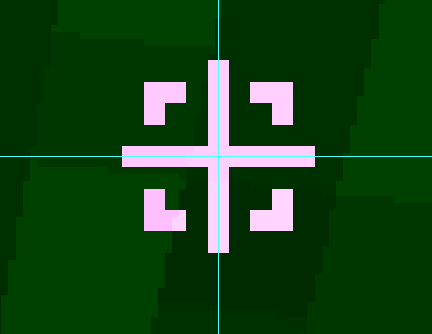
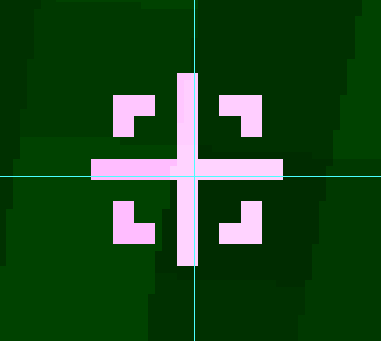
Walksy’s Crosshair Addons But Centered.



See it in action
Before vs After
Install
- Requires Fabric API.
- Requires WalksyLib.
- Requires Mod Menu if you want to use the in-game configuration screen.
Supported: Minecraft 26.1 through 26.2 on Fabric. This is a client-side mod and is not required on the server.
Use
- From the title or pause menu, open Mods and select Crosshair Addons But Centered.
- Open the configuration screen.
- In General → Global Options, use the first setting, Absolute Center Crosshair, to enable or disable complete-group centering. It is enabled by default.
- Use Environment Blend to switch blending for the entire group: the vanilla crosshair, attack indicator, hitmarker, shield indicators, and other addon overlays.
- Open the Addons category to enable indicators and edit their graphics, animations, sizes, and offsets.
- Save the configuration to apply it.
Tip: Turning off Absolute Center Crosshair restores Minecraft’s integer-positioned crosshair and the mod’s original addon placement. Resource-pack crosshair sprites remain supported in either mode.
GPL-3.0-only · 2026 · NullKeeper-dev
Based on Crosshair Addons by Walksy. The absolute-centering coordinate model is informed by Centered Crosshair by JustAlittleWolf.
常见问题
Crosshair Addons But Centered 支持哪些 Minecraft 版本?
Crosshair Addons But Centered 支持 Minecraft Java 版 26.1–26.2,共 4 个版本,可用的加载器:Fabric。下载时注意选择和你游戏版本一致的文件。
Crosshair Addons But Centered 怎么安装?
先用 PCL2 或 HMCL 启动器安装对应版本的 Fabric,再把下载的 .jar 文件放进游戏目录的 mods 文件夹,重新启动游戏即可。开启了版本隔离的,mods 文件夹在 versions/版本名 下面。运行环境:仅客户端。


评论
登录后评论和评分