
LitematicaMatReplace (LMR)
Replace one material everywhere in a Litematica schematic—in a few clicks.
截图



介绍
Replace one material everywhere in Litematica in a few clicks.



| 🔁 Replace everywhere | 🔎 Find blocks fast | 💾 Save your way |
| — | — | — |
| Changes the actual schematic block data. | Search by block name or ID. | Overwrite the original or export a copy. |
See it in action
1. Choose a material
Every material row gets a Litematica-styled Replace button.
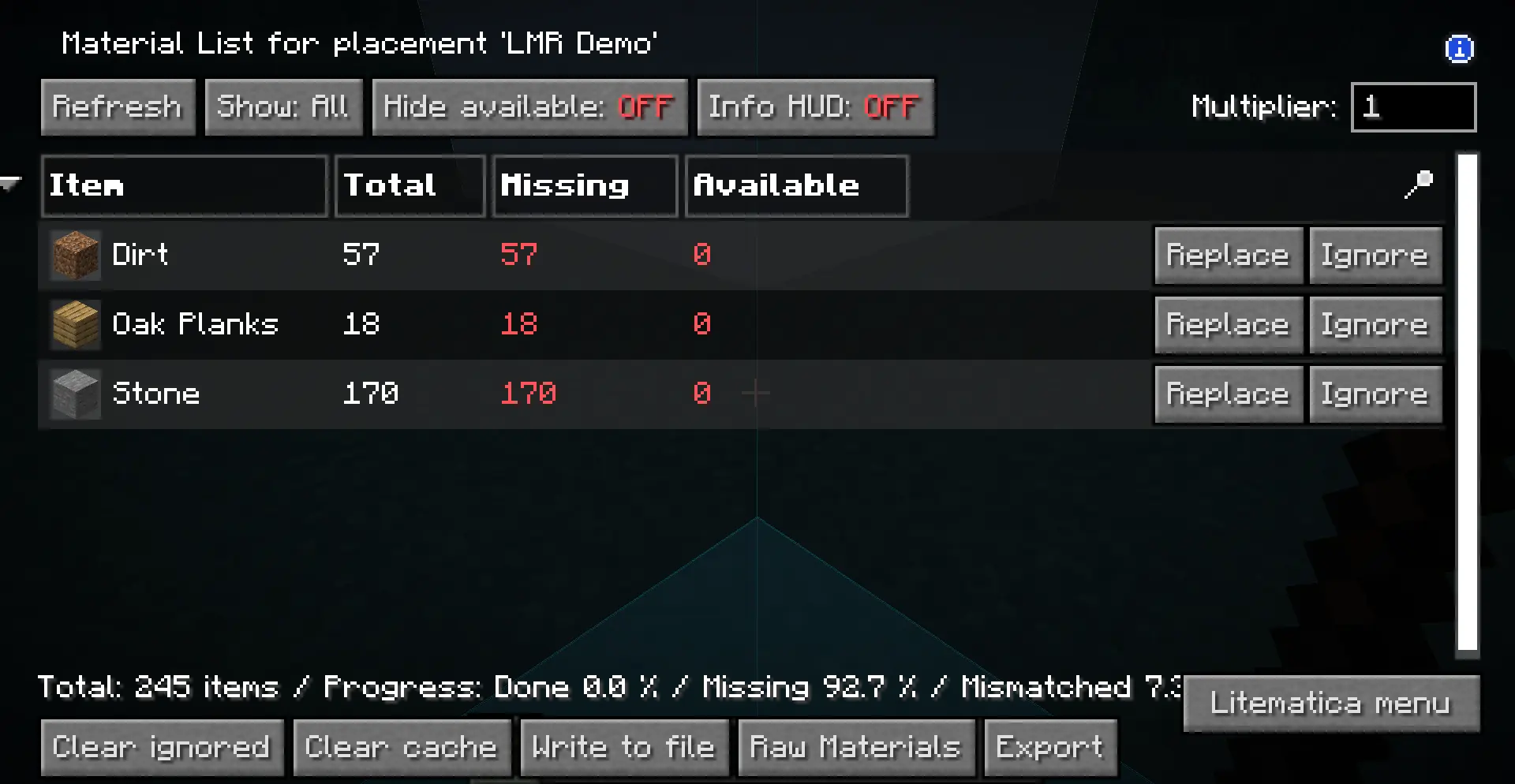
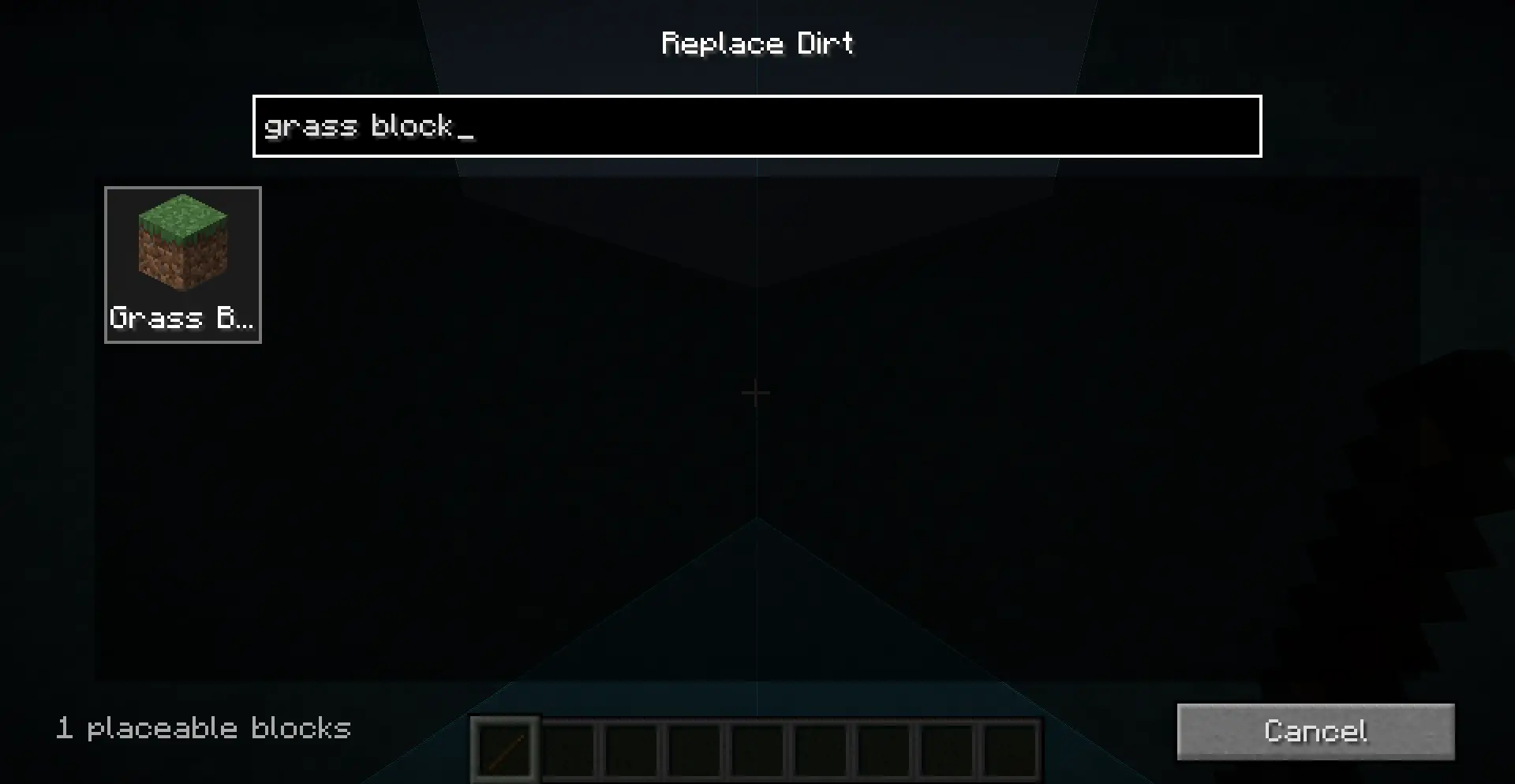
2. Find the replacement
Type a name or namespaced ID and choose from rendered block previews.
Install
- Install Fabric Loader.
- Download Litematica and MaLiLib for your exact Minecraft version.
- Download the matching LMR jar and place all three mods in your
modsfolder.
Supported: Minecraft
26.1,26.1.1,26.1.2, and26.2on Fabric.
LMR is client-side and does not bundle Litematica or MaLiLib.
Use
- Open a schematic or placement Material List.
- Click Replace beside the material you want to change.
- Search for and select the new block, then confirm the preview.
- Choose Overwrite Original or Export as New.
Tip: Export as new if you want to keep the original schematic untouched.
Replacements use the target block’s default state; NBT and orientation are
not preserved.
GPL-3.0-only · © 2026
NullKeeper-dev
常见问题
LitematicaMatReplace (LMR) 支持哪些 Minecraft 版本?
LitematicaMatReplace (LMR) 支持 Minecraft Java 版 26.1–26.2,共 4 个版本,可用的加载器:Fabric。下载时注意选择和你游戏版本一致的文件。
LitematicaMatReplace (LMR) 怎么安装?
先用 PCL2 或 HMCL 启动器安装对应版本的 Fabric,再把下载的 .jar 文件放进游戏目录的 mods 文件夹,重新启动游戏即可。开启了版本隔离的,mods 文件夹在 versions/版本名 下面。运行环境:仅客户端。
NullKeeper 的其他作品
查看全部 →
Crosshair Addons But Centered
Walksy 的准星附加组件,但真正居中了。
LitematicaMatReplace (LMR)
Replace one material everywhere in a Litematica schematic—in a few clicks.

AppleSkin Recolored
squeek502's AppleSkin but YOU can change the color.
评论
登录后评论和评分