
截图

介绍
中文介绍正在准备中,下面暂时显示原文。

A combined Minecraft datapack and resourcepack that displays your current coordinates and day count on the left-top corner.
WARNING! Resourcepack is required for correct datapack working!
Features
- Shows synced player position coordinates.
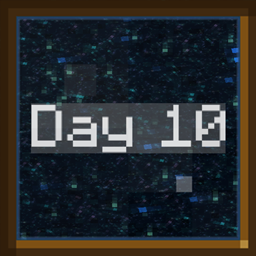
- Shows actual world day count.
- Thanks for the VSH shaders and negative spaces in the resourcepack, the datapack perfectly alignes actionbar to the left-top corner.
Datapack Installation
- Download
CoordsAndDays-pack.zip. - Copy this ZIP into
.minecraft/resourcepacksand activate it in options. - Copy the same ZIP into the selected world’s
datapacksfolder. - Join the world. The datapack is now installed and ready to use.
Mod Installation
- Download
CoordsAndDays-fabric.jar. - Drop it into
.minecraft/mods. - Reload the game and join the world. The datapack is now installed and ready to use.
常见问题
Coords & Days 支持哪些 Minecraft 版本?
Coords & Days 支持 Minecraft Java 版 26.2–26.3,共 2 个版本,可用的加载器:Fabric。下载时注意选择和你游戏版本一致的文件。
Coords & Days 怎么安装?
先用 PCL2 或 HMCL 启动器安装对应版本的 Fabric,再把下载的 .jar 文件放进游戏目录的 mods 文件夹,重新启动游戏即可。开启了版本隔离的,mods 文件夹在 versions/版本名 下面。运行环境:客户端 / 服务端。
FuzjaJadrowa 的其他作品
查看全部 →
Locator Bar
by FuzjaJadrowa
重新设计的 Minecraft 玩家定位栏概念。屏幕顶部的简洁清爽栏位。
11.3万
1 个月前
Modrinth · CurseForge
Don’t Hide My Days
by FuzjaJadrowa
Simple mod that separates local difficulty and day counter in F3 menu.
5,017
2 天前
CurseForge

Hurtborder
by FuzjaJadrowa
The barrier expands as the player takes damage.
3,722
1 年前
Modrinth · CurseForge

Froggy
by FuzjaJadrowa, ImpSteve
Mod that adds Froggy screamer into the game.
3,442
3 个月前
Modrinth · CurseForge
评论
登录后评论和评分