
Client Paintings
A mod that adds fully client side custom paintings without replacing vanilla ones.
截图
介绍
Client Paintings 
Client Paintings is a simple, fully client-side mod to add
new paintings via resource packs while keeping the vanilla paintings intact.
It achieves this by looking at the UUID of the painting entity and
applying a pseudo-random algorithm to it to determine which painting to render.
This mod uses a custom resource pack format to add new paintings,
you can use the Client Paintings Pack Generator on my website
to generate such a pack easily. Alternatively, see the resource pack format section below for technical instructions.
Features
- Add multiple new sets of paintings via resource packs
- Keep the vanilla paintings intact
- When a vanilla painting is shown, it will match the vanilla painting seen by players without the mod
- Custom paintings shown will match the custom paintings seen by other players with the mod
- Custom paintings are fully persistent between relogs and server restarts
Caveats
- Custom paintings will only match up between players if they both use the exact same painting sets
- Painting sets have to be added via a custom resource pack format, see below for details
Example
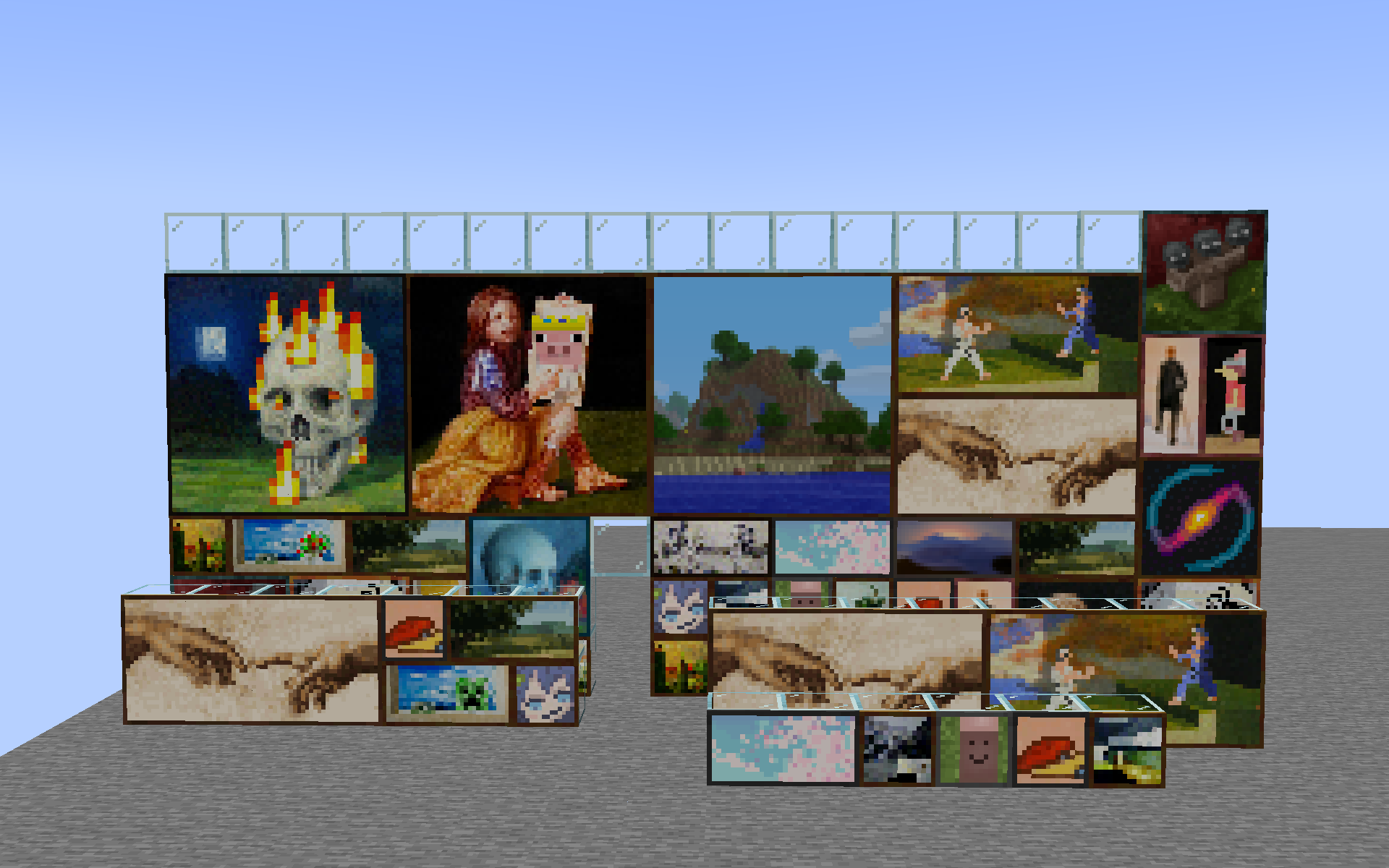
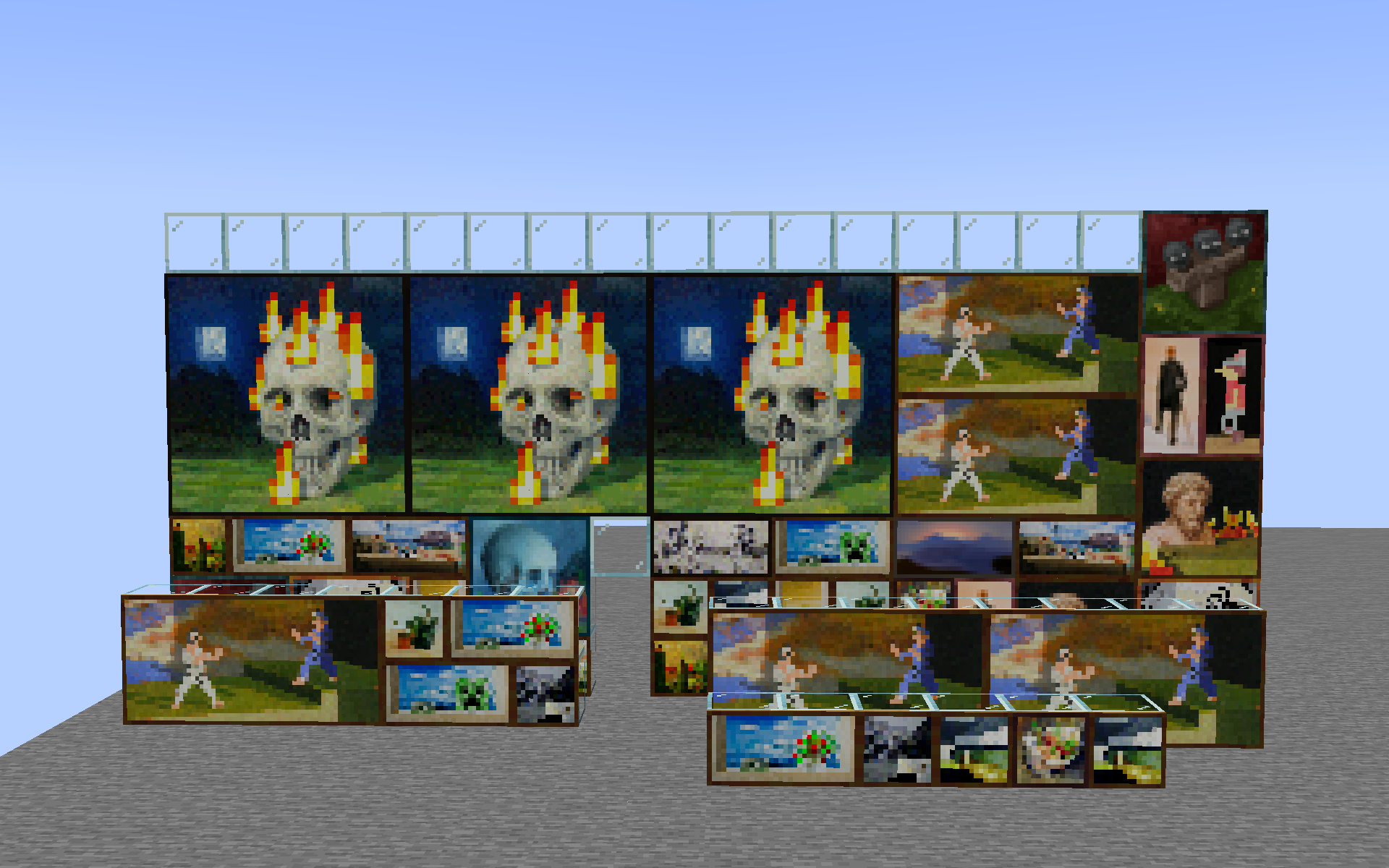
With the included default resource pack:
What vanilla players see:
Resource pack format
The resource pack format is very simple. It consists of a single client_paintings folder
located in the root of your resource pack namespace (e.g. assets/<namespace>/client_paintings).
Inside this folder, you can place any number of json files, each representing a custom painting.
Each json file must have the following structure:
{
  "texture": "<namespace>:client_paintings/painting_texture",
  "back": "<namespace>:client_paintings/painting_back_texture",
  "size": [2, 1]
}textureis the texture of the painting, it must be a png image with a ratio matching thesizefield, with width and height both being a multiple of 16. The texture has to be located within theassets/<namespace>/textures/client_paintingsfolder.backis the texture of the back of the painting, it must be a square png image with similarly, a width and height being a multiple of 16.sizeis the size of the painting in blocks, the first value is the width, the second value is the height. Do note only 1×1, 1×2, 2×1, 2×2, 4×2, 4×4, and 4×3 size paintings are supported due to the need to replace a vanilla painting.
An example resource pack structure would look as follows:
pack.mcmeta
assets
└── namespace
    ├── textures
    │   └── client_paintings
    │       ├── painting1.png
    │       ├── painting2.png
    │       ├── painting3.png
    │       └── backs
    │           ├── back1.png
    │           └── back2.png
    └── client_paintings
        ├── painting1.json
        ├── painting2.json
        └── painting3.json
The source for the default included pack can be easily browsed
here.
常见问题
Client Paintings 支持哪些 Minecraft 版本?
Client Paintings 支持 Minecraft Java 版 1.19–1.20.2,共 7 个版本,可用的加载器:Fabric。下载时注意选择和你游戏版本一致的文件。
Client Paintings 怎么安装?
先用 PCL2 或 HMCL 启动器安装对应版本的 Fabric,再把下载的 .jar 文件放进游戏目录的 mods 文件夹,重新启动游戏即可。开启了版本隔离的,mods 文件夹在 versions/版本名 下面。运行环境:仅客户端。
enjarai 的其他作品
查看全部 →
Do a Barrel Roll
Minecraft 鞘翅版微软飞行模拟器。
CICADA
令人困惑、有趣且相当中立的开发辅助工具
Show Me Your Skin!
隐藏或自定义盔甲显示效果的模组。
Show Me Your Skin! (Hide armor)
一款可隐藏或自定义盔甲显示效果的模组。
评论
登录后评论和评分