介绍
Discord: https://discord.gg/WcYsDDQtyR
Note:
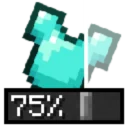
Armor transparency options have been removed as of version 2.0. Armor can still be hidden separately from trims and enchantment glint, but no gradual transparency can be set.
The code for this feature was too brittle for me to maintain with the many changes mojang has been making. I’ll properly update the description soon™.
If transparency is important to you, I recommend switching to Armor Hider by zannagh, which maintains this feature on newer versions.
Show Me Your Skin!
Show Me Your Skin! (the exclamation mark is important) is a client-side mod with
optional server-side support that enables extensive customization of armor
rendering. Every feature is toggleable and designed to be as flexible as possible.
Sliders galore
All the armor hiding options you could ever need, in one intuitive GUI.
Including:
- Individual configuration of each armor piece and elytra/shield:
- Arbitrary transparency
- Invisibility
- Enchant glint hiding
- Server-based syncing of settings
- Player name tag display toggle
- Context-sensitive armor hiding
- Per-player settings overrides

Truly flexible
Below are a few examples of the flexibility this mod offers. You can
fully cater the settings to your preference, and change them on the fly if needed.

Context-sensitive hiding
Armor can be restored to vanilla behavior based on certain conditions,
such as being in combat. This means the armor will be shown for a
configurable amount of seconds after a player is damaged.

Multiplayer support
When the mod is installed on a server, it’ll enter “server mode” and any settings
you configure for yourself will be visible in real-time to other players.
Though admins can enforce certain restrictions on what settings are available
if they feel the need for it.

When the mod is only installed on your client however, you’ll be able to
configure personal settings for every player on the server. Though these are
only visible to you.

常见问题
Show Me Your Skin! (Hide armor) 支持哪些 Minecraft 版本?
Show Me Your Skin! (Hide armor) 支持 Minecraft Java 版 1.18.1–26.2,共 23 个版本,可用的加载器:Fabric。下载时注意选择和你游戏版本一致的文件。
Show Me Your Skin! (Hide armor) 怎么安装?
先用 PCL2 或 HMCL 启动器安装对应版本的 Fabric,再把下载的 .jar 文件放进游戏目录的 mods 文件夹,重新启动游戏即可。开启了版本隔离的,mods 文件夹在 versions/版本名 下面。
enjarai 的其他作品
查看全部 →
Do a Barrel Roll
Minecraft 鞘翅版微软飞行模拟器。
CICADA
令人困惑、有趣且相当中立的开发辅助工具
Show Me Your Skin!
隐藏或自定义盔甲显示效果的模组。

A Good Place
为方块添加放置动画的模组
评论
登录后评论和评分