
截图


介绍
Missing Skin Default – Minecraft Resource Pack
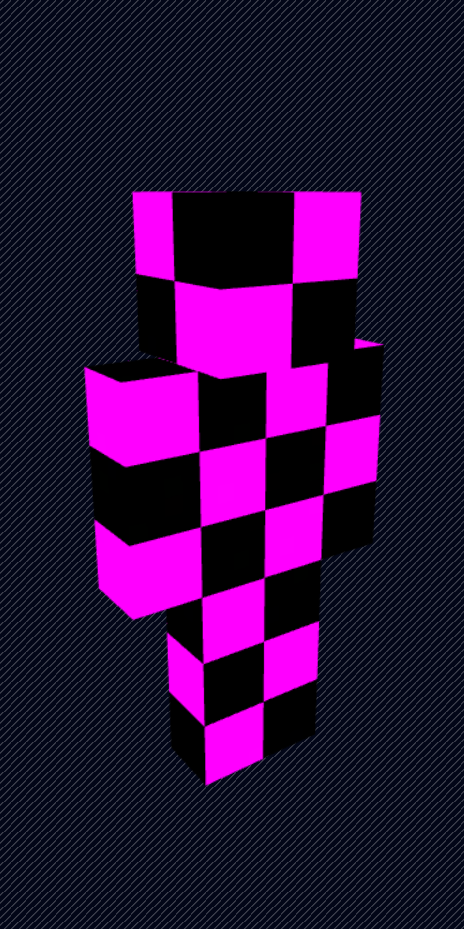
A tiny Minecraft resource pack that replaces the default Steve (wide) and Alex (slim) skins with the iconic missing texture (purple & black) pattern.
Because sometimes the default skins are just… annoying. 😌
📦 What This Pack Does
- Replaces:
- Default wide model skin (Steve)
- Default slim model skin (Alex)
- Uses Minecraft’s classic missing texture look
- Client-side only
- Lightweight & simple
🧠 Why?
Ever log in and see the default skins everywhere?
Yeah.
Now they glow in cursed purple instead.
🛠 Installation
- Download or clone this resource pack.
- Place the folder or
.zipinto: - Open Minecraft → Options → Resource Packs
- Enable the pack.
- Done.
📁 Pack Purpose
This pack only modifies the default player textures — nothing else.
No blocks.
No UI.
No sounds.
Just ✨missing skin energy✨.
⚠ Notes
- Works best when players are shown with fallback/default skins.
- Multiplayer compatible (only affects your client).
- If Mojang changes default skin paths in future versions, this pack may need updating.
🟪⬛ Enjoy the void.
常见问题
Broken Default Skins 支持哪些 Minecraft 版本?
Broken Default Skins 支持 Minecraft Java 版 1.21–26.1.2,共 15 个版本。下载时注意选择和你游戏版本一致的文件。
Broken Default Skins 怎么安装?
把下载的 .zip 文件(不用解压)放进游戏目录的 resourcepacks 文件夹,进游戏后在「选项 → 资源包」里把它移到右边启用。
Ryokurei 的其他作品
查看全部 →
Blue Fishing Rod
Retextures the Fishing Rod into a blue variant.

Inverted-Enderman
Enderman but its color are inverted.

[ICCTN] EchoShard
Adds Echo Shard crafting and a short Deep Dark advancement progression including Recovery Compass crafting and Warden encounters.
评论
登录后评论和评分