
截图



介绍
中文介绍正在准备中,下面暂时显示原文。
Inverted Enderman – Minecraft Resource Pack
A simple Minecraft resource pack that inverts the classic Enderman look — turning its dark, void-like appearance into a bright inverted variant with a clean, eerie twist.
Endermen, but flipped.
👁️ What This Pack Does
- Recolors the Enderman texture using inverted colors
- Turns the Enderman body from black → white
- Changes Enderman eyes from purple → green
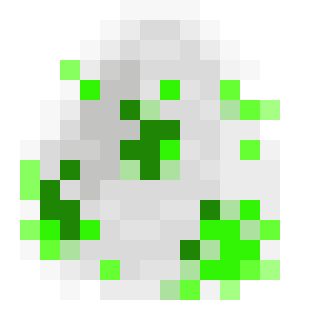
- Also changes its Spawn Egg
- Keeps the original model and behavior unchanged
- Lightweight & client-side only
🧪 Why This Exists?
Because sometimes the void deserves a remix.
🛠 Installation
- Download or clone this resource pack.
- Put the folder or
.zipinto: - Launch Minecraft → Options → Resource Packs
- Enable the pack.
- Done.
📁 Pack Scope
This pack only affects:
- Enderman entity texture
- Eye color rework (inverted palette)
No gameplay changes.
No mechanics altered.
Pure visual experiment.
⚠ Notes
- Multiplayer friendly (client-side only)
- Works in survival & creative
- Future Minecraft updates may require texture path fixes or adjustments
⚪⚫ Green eyes in the void hit different.
常见问题
Inverted-Enderman 支持哪些 Minecraft 版本?
Inverted-Enderman 支持 Minecraft Java 版 1.21–26.1.2,共 15 个版本。下载时注意选择和你游戏版本一致的文件。
Inverted-Enderman 怎么安装?
把下载的 .zip 文件(不用解压)放进游戏目录的 resourcepacks 文件夹,进游戏后在「选项 → 资源包」里把它移到右边启用。
Ryokurei 的其他作品
查看全部 →
Blue Fishing Rod
by Ryokurei
Retextures the Fishing Rod into a blue variant.
546
8 个月前
Modrinth

Broken Default Skins
by Ryokurei
Make the default skins as broken/missing textures. Why? Idek
255
8 个月前
Modrinth

[ICCTN] EchoShard
by Ryokurei
Adds Echo Shard crafting and a short Deep Dark advancement progression including Recovery Compass crafting and Warden encounters.
85
4 个月前
Modrinth
评论
登录后评论和评分