
Create: Simple storage recipes
Recipes for Tom's Simple Storage to match and use the Create mod.
截图
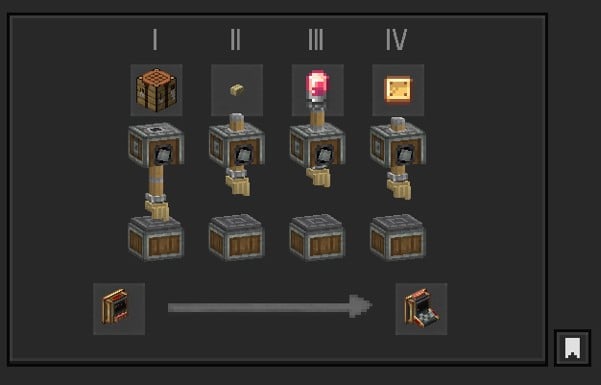
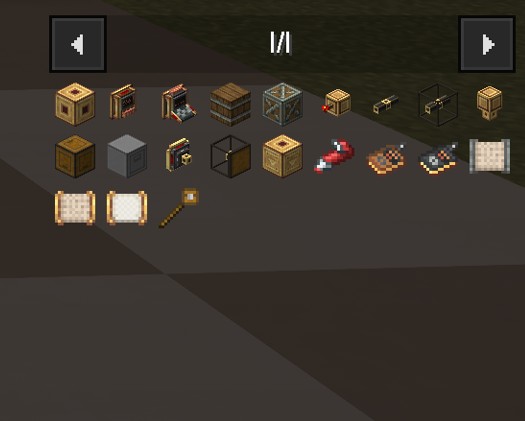
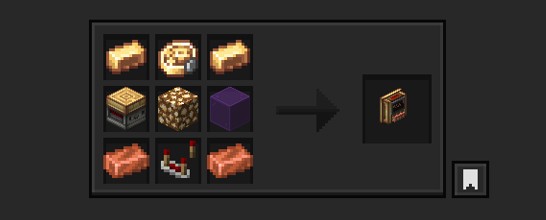
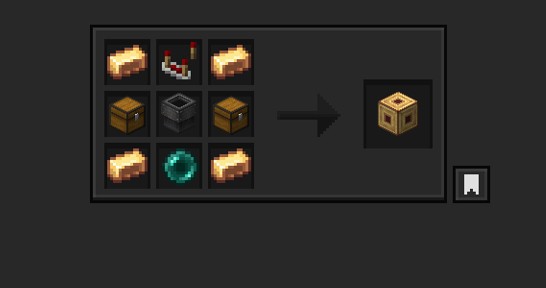
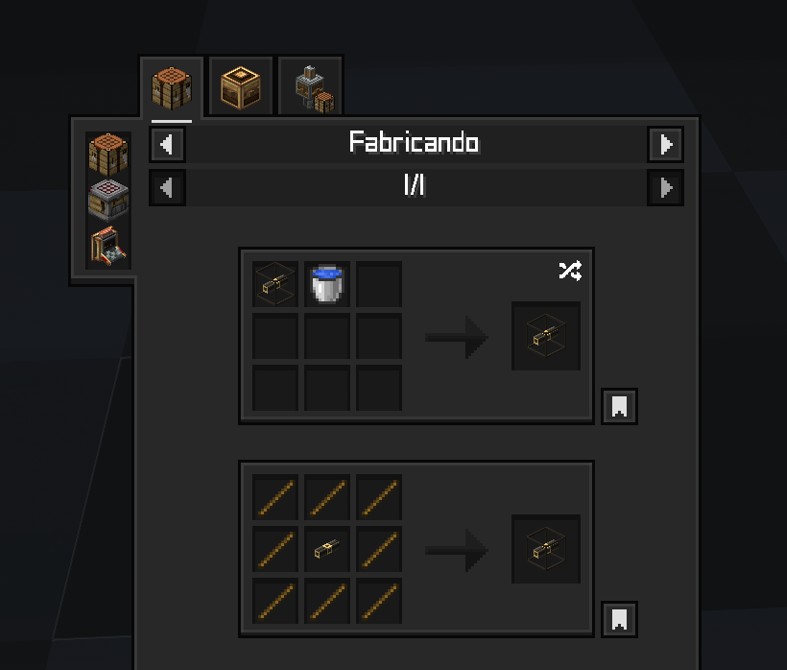
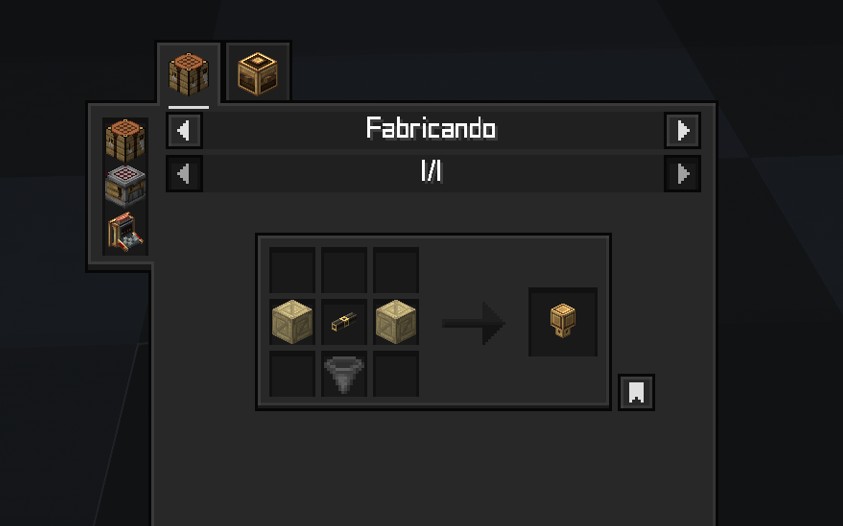
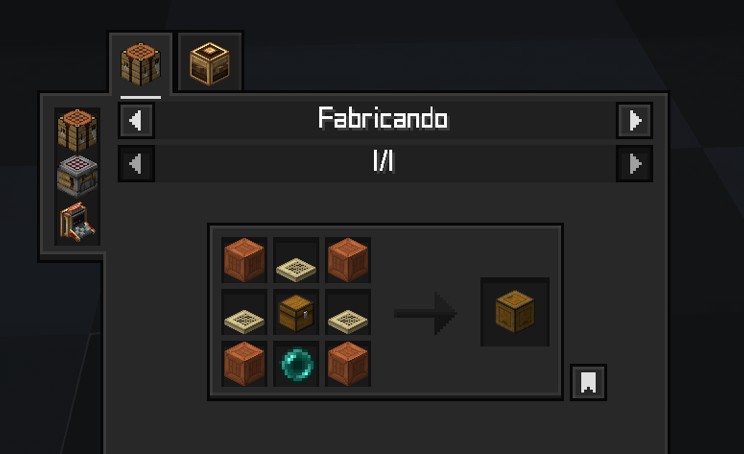
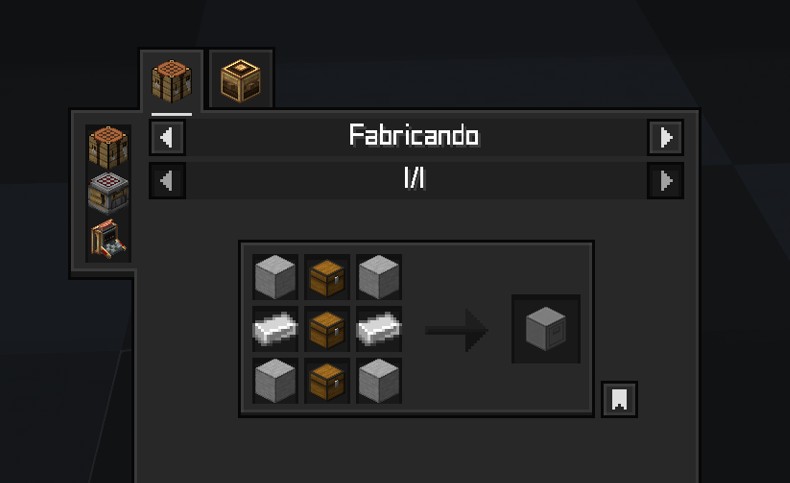
介绍
🔍 About
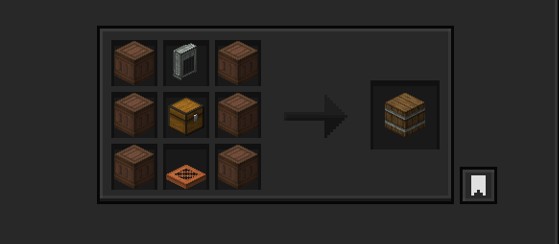
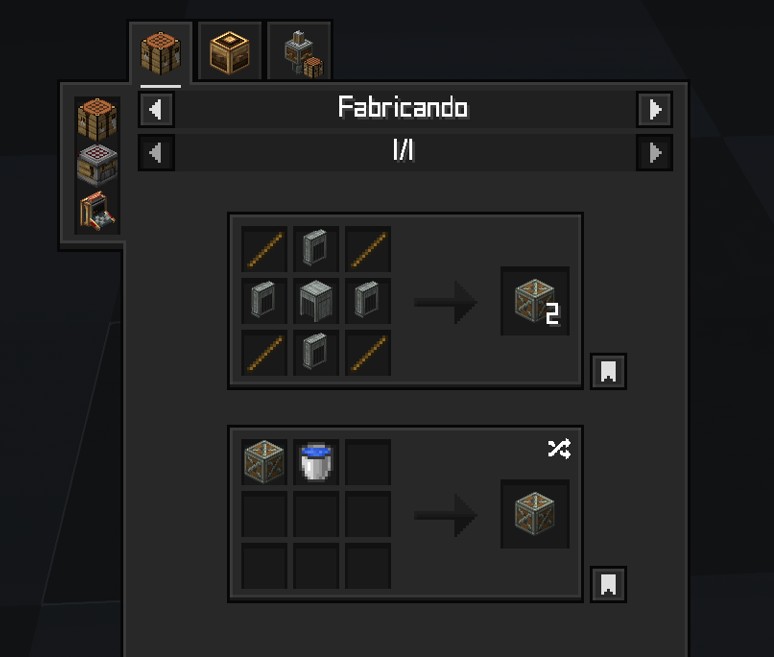
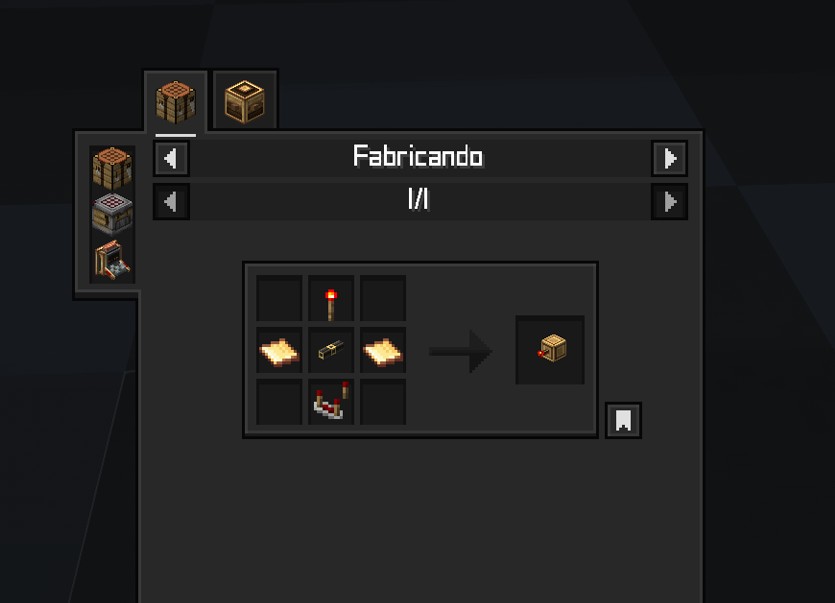
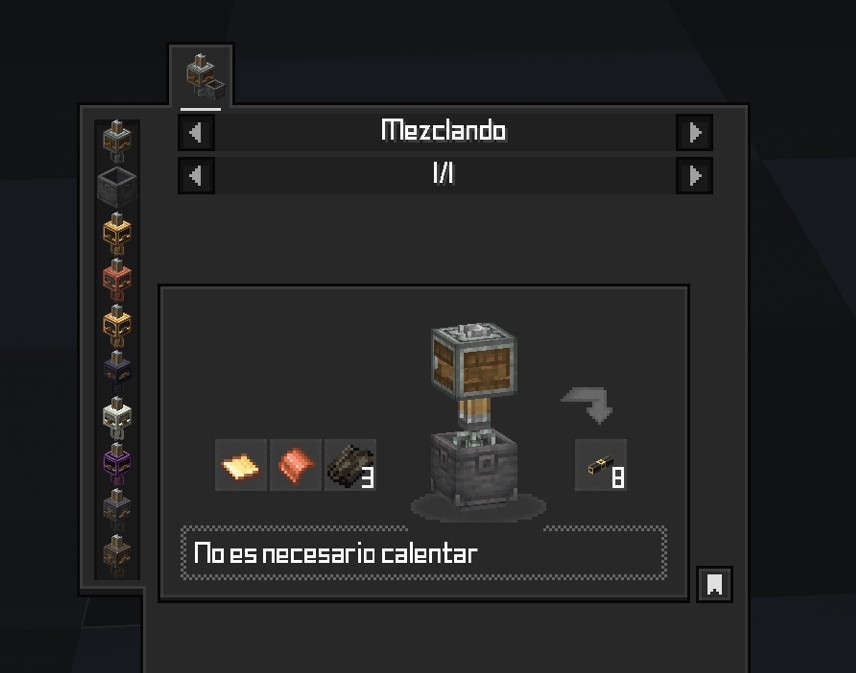
This datapack changes the recipes of Tom’s simple storage to fit with and use Create mod.
Made to go alongside Create: simple storage texturepack
The new recipes might be very expensive; that could change in the future.
Tip: Use Just Enough Items(JEI) To View The Recipe In-Game
Check out the gallery to get an idea.
⚙️ Supported Version
neoforge 1.21.x
create 6.0+
Tom’s simple storage 2.0+
🧩 Installation Guide
Just place it in your datapack folder.
But for those who don’t know how to do it:
- Go to where you have Minecraft installed.
- Find the saves folder.
- You’ll see folders with the names of your worlds; choose the one you want to use the datapack on.
- Place the file in the datapacks folder.
Something like this: C:\User\ .minecraft\saves\new_world\datapacks
Just leave it there, done!

 [
 ]()
常见问题
Create: Simple storage recipes 支持哪些 Minecraft 版本?
Create: Simple storage recipes 支持 Minecraft Java 版 1.21–1.21.1,共 2 个版本,可用的加载器:NeoForge。下载时注意选择和你游戏版本一致的文件。
Create: Simple storage recipes 怎么安装?
先用 PCL2 或 HMCL 启动器安装对应版本的 NeoForge,再把下载的 .jar 文件放进游戏目录的 mods 文件夹,重新启动游戏即可。开启了版本隔离的,mods 文件夹在 versions/版本名 下面。运行环境:客户端 / 服务端。
kentapainter 的其他作品
查看全部 →
K’s DARK GUI
Simple square texture pack, but above all... DARK

Tom’s storage Create style
Create Styled Tom's Simple Storage. Reviving this texture pack.

Create: Oxidized plus
Datapack allowing oxidizing Copper things Using Spouts

Cardboard Chalkbox
Datapack that adds a recipe to Chalk mod for use with Create mod
评论
登录后评论和评分