
CommandCrafter
Useful Minecraft command tools in a Fabric mod and VSCode Extension (syntax highlighting, completion, debugging, etc.)
截图
介绍


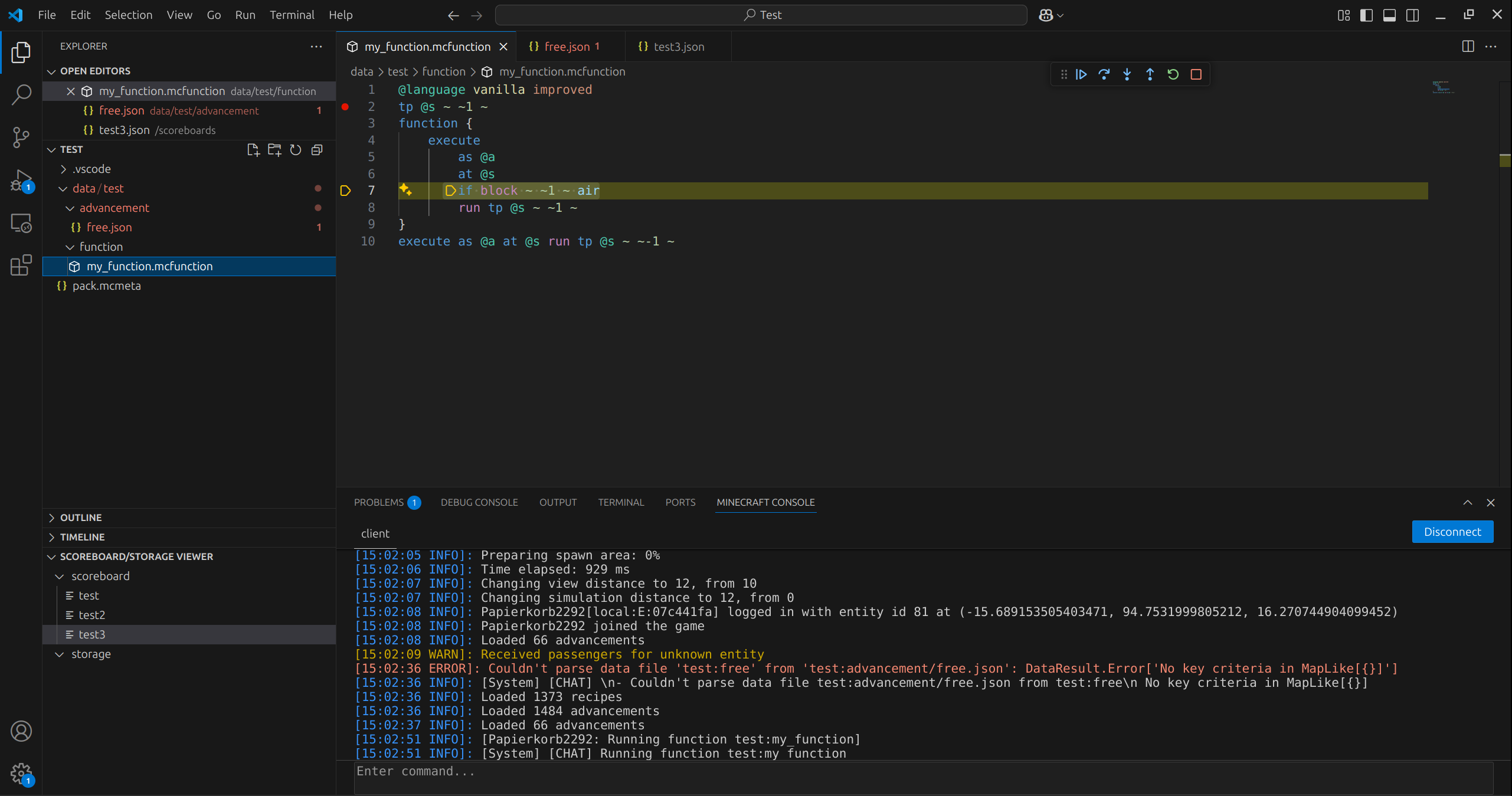
This mod and the corresponding CommandCrafter VSCode extension connects your editor to Minecraft, giving you lots of useful features for datapacks, such as:
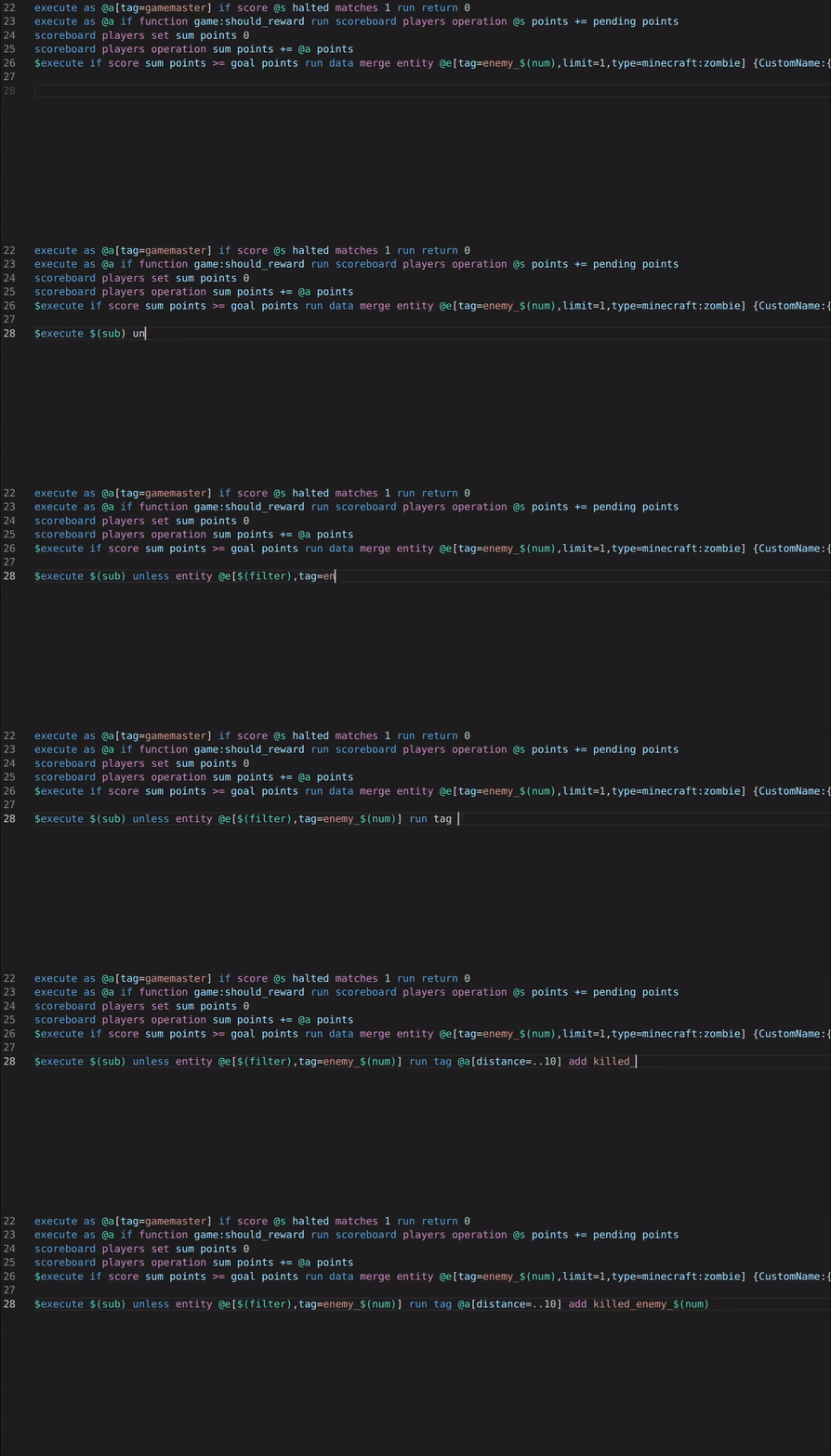
- Syntax Highlighting (including macros)
- Auto-completion
- Error checking
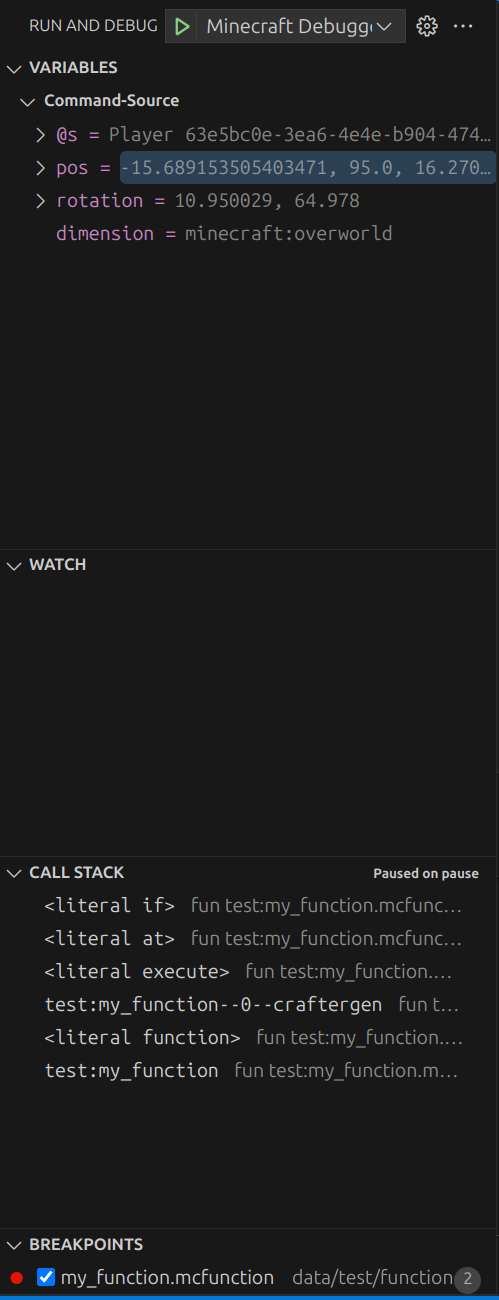
- A debugger that lets you set breakpoints and step through functions and evaluate arguments while paused
- Viewing and editing scoreboards/storages in your editor
- Viewing the client’s and the server’s log in your editor
- Reload datapacks, resourcepacks or shaders with VSCode commands (can be bound to keyboard shortcuts or configured to happen automatically upon saving a file)
CommandCrafter differs from traditional datapack extensions in that everything it does is provided by the mod, which means it can use all the data available inside Minecraft. For example the auto-completion for commands can for the most part use the vanilla suggestions, which means you see all scoreboards that exist in a world or all functions known to Minecraft. CommandCrafter can detect any commands or dynamic registries added by other mods as well. This connection to Minecraft is also what makes the debugger and other features, which require deep integration with Minecraft, possible.
Additionally, the mod includes an extension of the vanilla function syntax, which optionally makes it possible to write multiline commands without backslashes and write inline functions/tags. This new function syntax can be transpiled to a vanilla datapack by the mod using the /datapack build command.
For more info on how to use this mod, visit the Getting Started page on its wiki.
常见问题
CommandCrafter 支持哪些 Minecraft 版本?
CommandCrafter 支持 Minecraft Java 版 1.21.1–26.3,共 16 个版本,可用的加载器:Fabric。下载时注意选择和你游戏版本一致的文件。
CommandCrafter 怎么安装?
先用 PCL2 或 HMCL 启动器安装对应版本的 Fabric,再把下载的 .jar 文件放进游戏目录的 mods 文件夹,重新启动游戏即可。开启了版本隔离的,mods 文件夹在 versions/版本名 下面。运行环境:客户端 / 服务端。


评论
登录后评论和评分