
MultiScoreboard
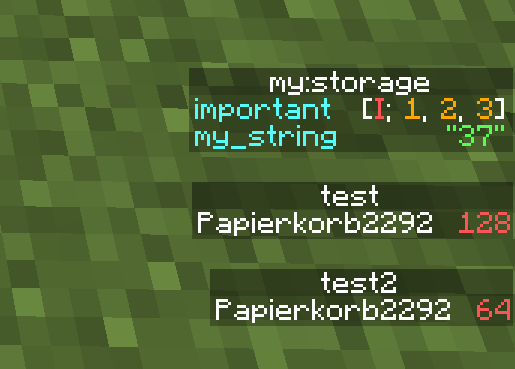
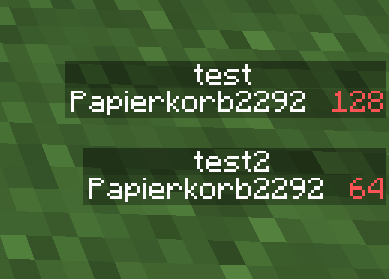
Allows viewing multiple scoreboards and nbt data on the sidebar at the same time
截图
介绍
MultiScoreboard Minecraft Mod

This Minecraft Fabric mod allows you to view multiple scoreboards and nbt data on the sidebar at the same time!
Usage
For the mod to work, it must be installed on both the client and the server.
Otherwise, scoreboards act like in vanilla.
Scoreboards
To view multiple objectives at once, simply call
/scoreboard objectives setdisplay sidebar <objective> multiple
times with different objectives. Calling the command with the same
scoreboard again will remove the objective from the sidebar again.
/scoreboard objectives setdisplay sidebar still clears the sidebar.
It is also possible to display individual scores to the
sidebar using /scoreboard objectives setdisplay indivSidebar [<objective>] [<target>]:
If both objective and target are specified, the individual score is toggled for the sidebar.
If only objective is specified, all individual scores of that objective are removed from the sidebar.
If neither objective nor target is specified, all individual scores are removed from the sidebar.
Nbt Sidebar
To view nbt data in the sidebar, use the command /data multiscoreboard toggle (block <targetPos>|entity <target>|storage <target>) [<path>] [<name>]
to toggle whether the specified nbt data is displayed in the sidebar.
If <path> is not specified, the root compound is displayed.
If <name> is not specified, a default name is build based on the data object and nbt path.
The command /data multiscoreboard remove <name> removes the nbt sidebar with the specified name.
The command /data multiscoreboard removeAll (block <targetPos>|entity <target>|storage <target>)
removes all nbt sidebars for the specified data object.
Scrolling
Use the Up or Down arrow keys to scroll through the sidebar.
If Ctrl is pressed, the next sidebar entry of the particular direction
will be brought into view.
常见问题
MultiScoreboard 支持哪些 Minecraft 版本?
MultiScoreboard 支持 Minecraft Java 版 1.20.4–26.3,共 20 个版本,可用的加载器:Fabric。下载时注意选择和你游戏版本一致的文件。
MultiScoreboard 怎么安装?
先用 PCL2 或 HMCL 启动器安装对应版本的 Fabric,再把下载的 .jar 文件放进游戏目录的 mods 文件夹,重新启动游戏即可。开启了版本隔离的,mods 文件夹在 versions/版本名 下面。运行环境:客户端和服务端都要装。


评论
登录后评论和评分