
Pl3xMarkers
A massive collection of markers for Pl3xMap. Including support for mods like Shopkeepers and Open Parties & Claims
截图




介绍

Easily show all your points of interest on your server’s Pl3xMap without running a single command.
Added markers
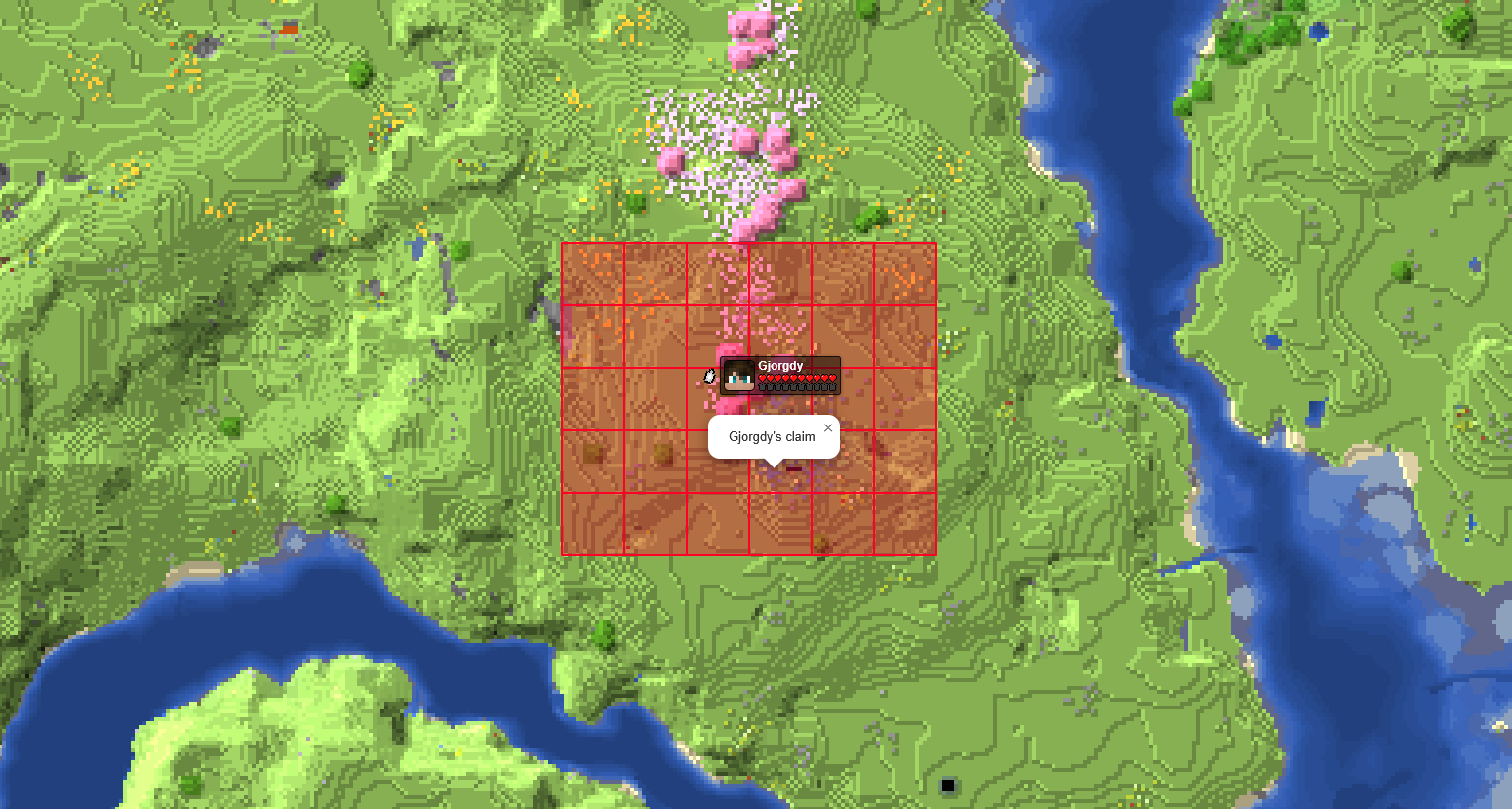
- Open Parties and Claims claimed chunks
- Shopkeepers shops
- Player made areas
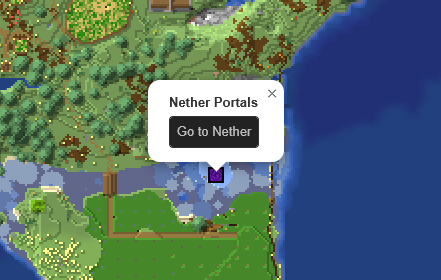
- Nether Portals
- End Portals
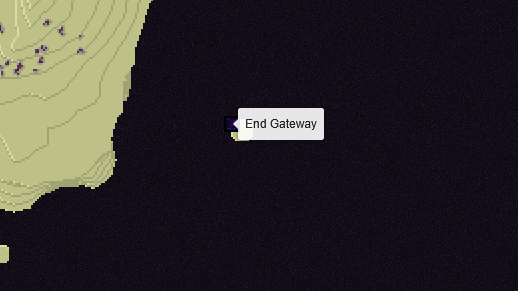
- End Gateways
- Lightning strikes
- Beacons
- Signs
- Cross-dimensional players
All without the need for any commands and all fully configurable
How to –
Make an area
- Get a lodestone and a banner (all the same color) for all corners of your area.
- Give all banners the name of your area in an anvil.
- Place a lodestone with one of the banners on top on every corner.
- Admire your area on the web map.
- An area can have a max distance of 512 blocks between its furthest points.
- The names on the banners need to be an exact match.
- The placement order does not matter, the points will be connected automatically.
- You can add or remove points as you wish, the area will adapt.
- 2 points in a straight line create a circle.
- 2 points not in a straight line create a rectangle.
Add a portal marker
- Go through a portal.
- Admire your portal on the web map.
Add a beacon marker
- Place a beacon.
- Activate the beacon.
- Admire your b
eacon on the web map.
Add a sign marker
- Place a sign on top of a lodestone.
- Write some text on your sign.
- Admire your sign on the web map.
Rename a marker
- Rename a name tag in an anvil.
- Click on the block the marker is for with the name tag in your hand.
FAQ
Q: The layers are not showing up on my web map, what do I do?
A: You most likely use custom names for your worlds. Make sure they use the correct suffix structure: `{worldname}, {worldname}_nether, {worldname}_the_end`
Q: Why are some points not showing up?
A: Areas are made out of the outermost points. If you have points inside the area they will not be used. Or the points are too far apart from the center.
Q: Can I customize area labels?
A: Yes! Area names support basic HTML tags such as <b>, <i>, <u>, <br>, and <span style="color: #RRGGBB;"> {text} </span>.
Q: Why is my area a small triangle?
A: You either have too few points (minimum 3) or your points are too far apart.
Q: How to reload the config?
A: Pl3xMarkers listens to Pl3xMap’s reload, so you can reload using /pl3xmap reload
Demo
The Pl3xMarkers mod started out as Helix Markers, for my server; Helix Survival
You can check its webmap at https://map.hexasis.eu/
常见问题
Pl3xMarkers 支持哪些 Minecraft 版本?
Pl3xMarkers 支持 Minecraft Java 版 1.21.7–26.3,共 7 个版本,可用的加载器:Fabric / Folia / Paper / Purpur / Quilt。下载时注意选择和你游戏版本一致的文件。
Pl3xMarkers 怎么安装?
先用 PCL2 或 HMCL 启动器安装对应版本的 Fabric / Folia / Paper / Purpur / Quilt,再把下载的 .jar 文件放进游戏目录的 mods 文件夹,重新启动游戏即可。开启了版本隔离的,mods 文件夹在 versions/版本名 下面。运行环境:仅服务端。
Gjorgdy 的其他作品
查看全部 →
Bars & Ladders
Use Bars as fireman poles and Ladders as climbing rope

Project E(strogen)
Become what you've always wanted to be; a girl

Sculk Radio
Use the power of Sculk to stream music, redstone, and voice chat across your world.
Pl3xMarkers
A massive collection of markers for Pl3xMap. Including support for mods like Shopkeepers and Open Parties & Claims
评论
登录后评论和评分