
Create: Vault UI
An addon for the Create mod that provides a custom user interface for Vaults.
截图
介绍

Create: Vault UI
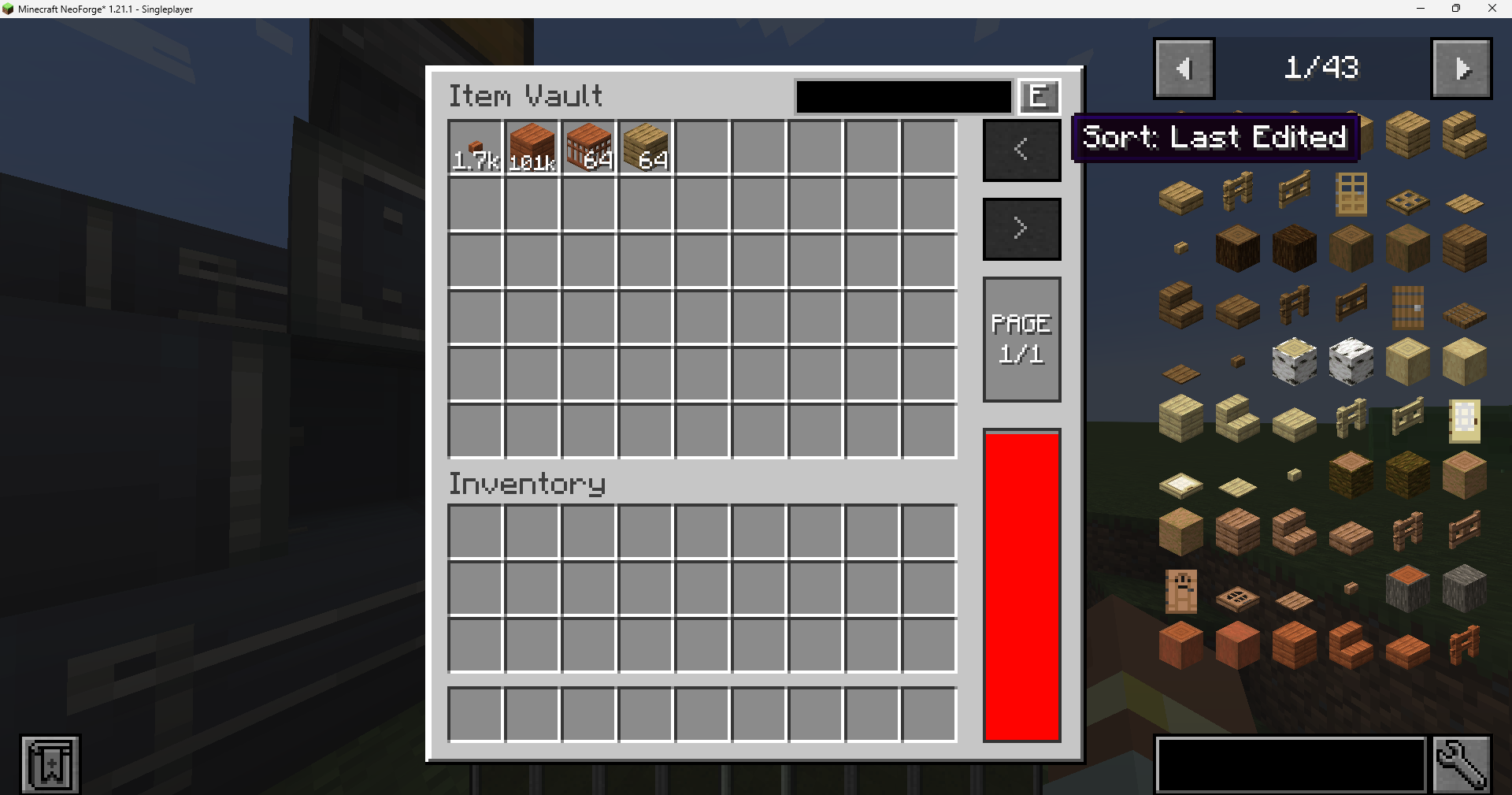
Vault UI provides a specialized interface for the Create mod‘s Item Vaults. It aggregates all stored items into a single, organized view, simplifying inventory management for large-scale storage systems.
Features
Unified Storage View
Vault UI merges separate stacks of identical items into a single slot. This provides a clear overview of total quantities, with large counts automatically formatted (e.g., 1.2k, 1.5M) for readability.
Capacity & Fullness Tracking
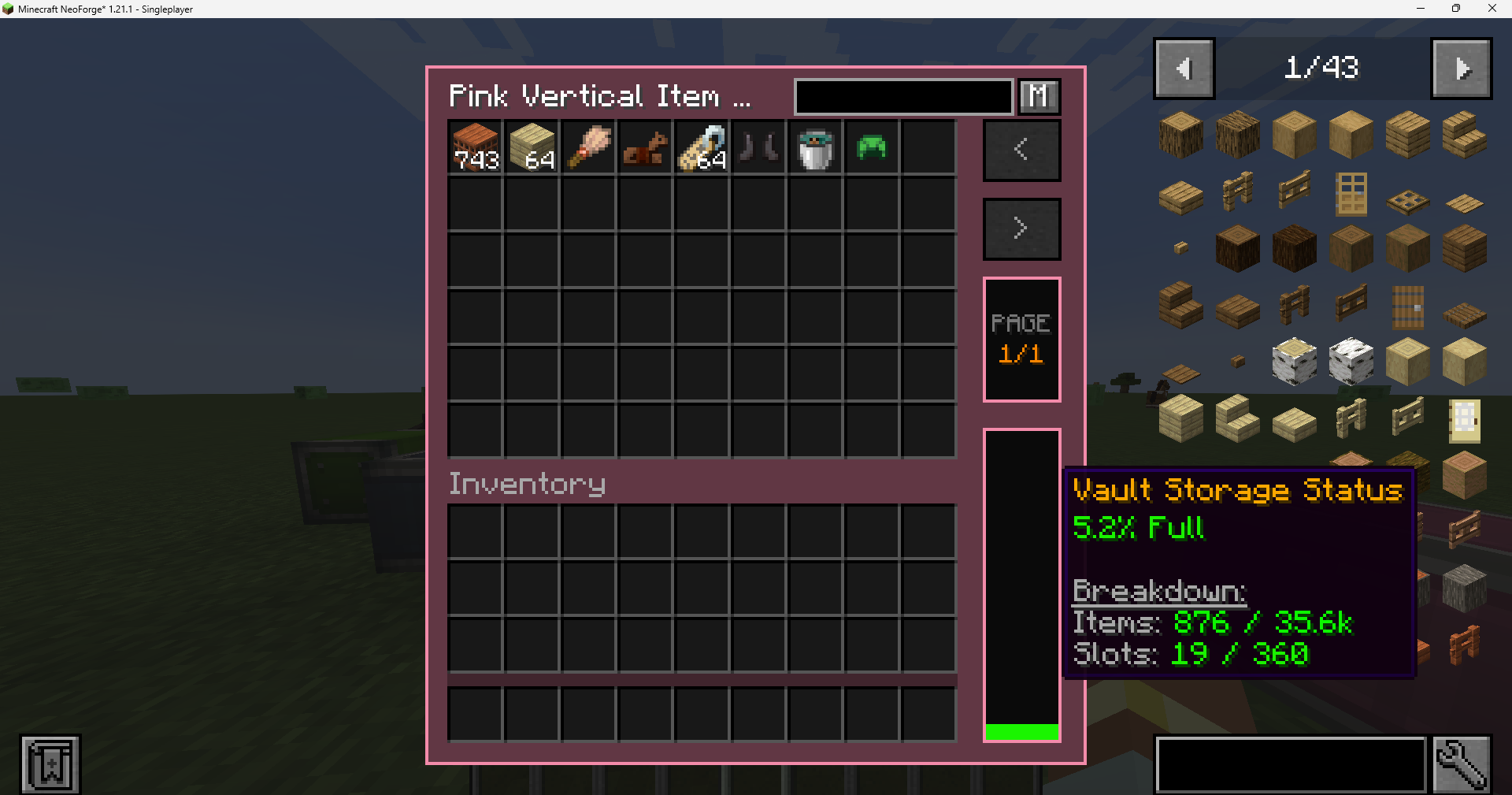
A real-time fullness indicator tracks vault storage capacity.
- Smart Tracking: Accounts for both item counts and slot availability, ensuring accurate status even with unstackable items.
- Detailed Stats: Hover over the fullness bar to view precise item counts and occupied slot data.
Item Searching & Sorting
Easily locate specific items in massive storage systems:
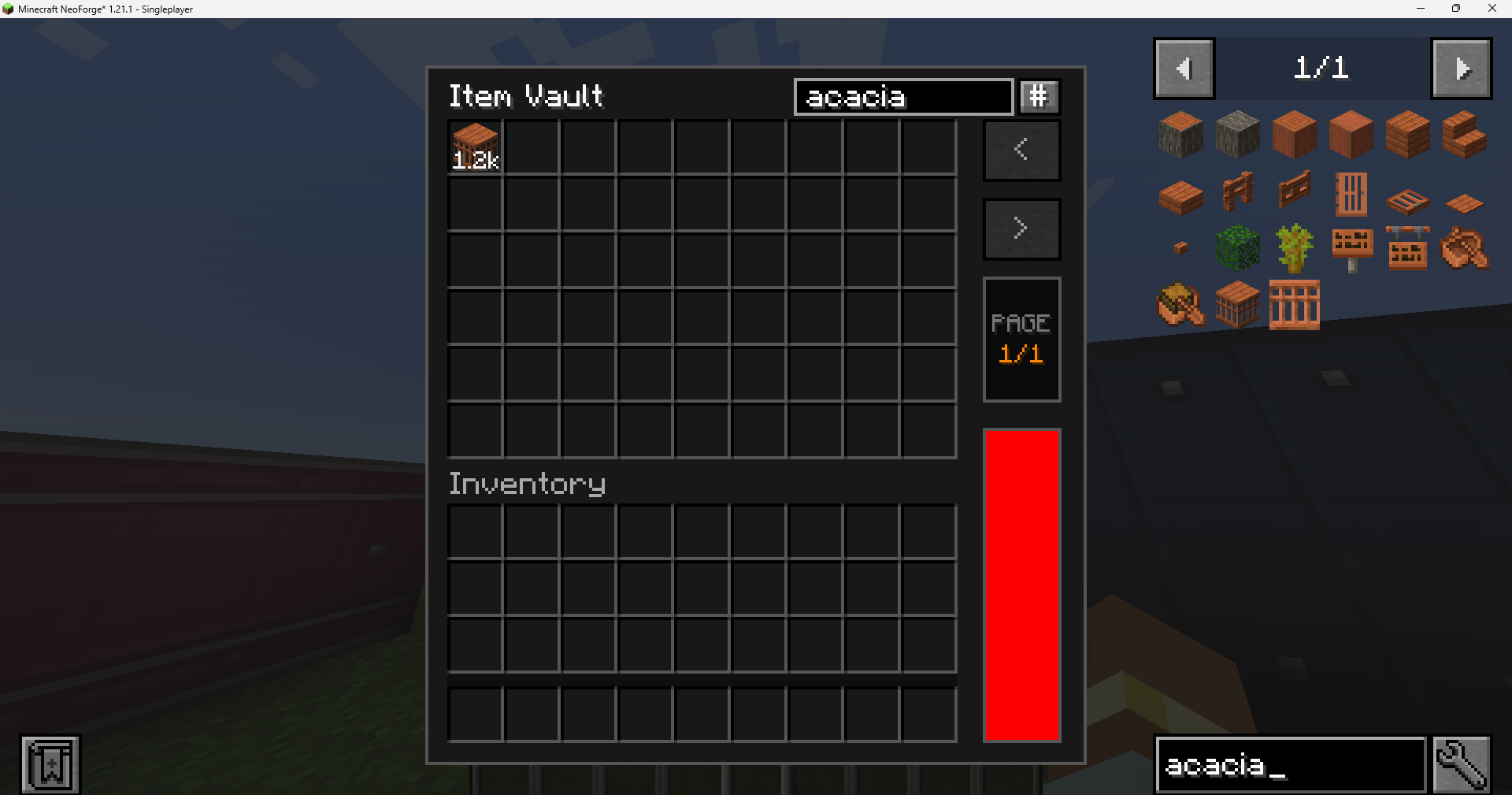
- Search Bar: Quickly filter visible items by typing their name in the built-in search box.
- Recipe Viewer Sync: Bidirectional search synchronization with JEI and EMI. Typing in one updates the other automatically.
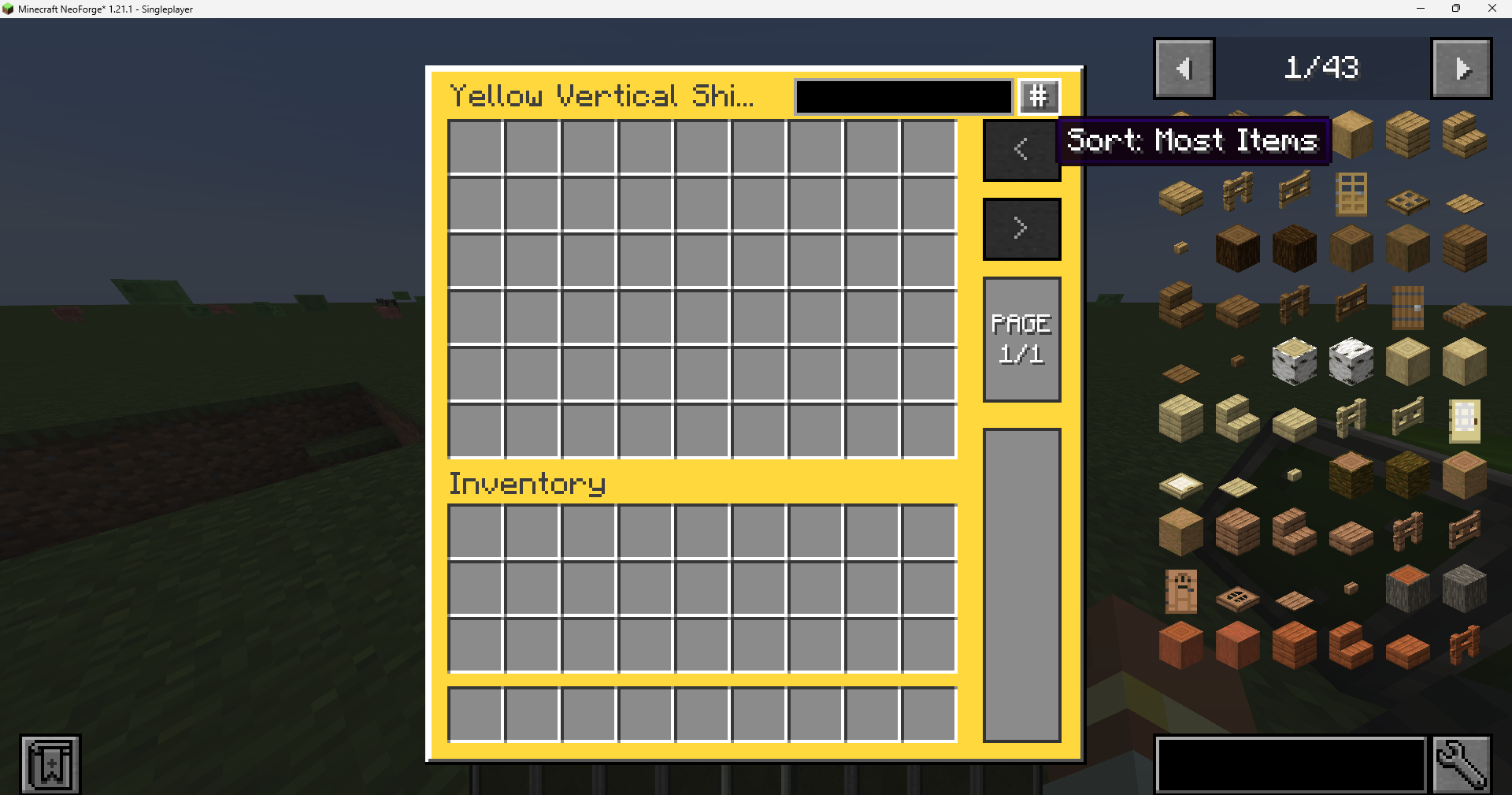
- Custom Sorting: Sort your items by Most Items, Last Edited, Alphabetical, or Mod ID.
Modern Interaction Shortcuts
- Shift + Double-Click: Rapidly transfer all matching items from the vault into your inventory. This shortcut requires holding an item in the cursor to trigger, preventing accidental bulk transfers.
Customization & Themes
- Adaptive UI Colors: Fully compatible with Create: Vibrant Vaults. The UI background dynamically tints to match the color of the vault block being accessed.
- Dark Mode: A clean, high-contrast dark theme for better visibility.
- Persistent Preferences: Sorting modes and theme selections are saved per-player.
Compatibility
Vault UI is designed to work with the standard Create Item Vault system and its internal ItemHandler logic.
- Create: Vibrant Vaults: Fully supported with dynamic UI color matching and variant detection.
- JEI / EMI: Bidirectional search synchronization supported for a seamless crafting and storage experience.
- General Support: Works with most mods that extend Create’s vault system or utilize standard vault capabilities.
Installation & Usage
Requirements:
How to Use:
- Open Interface: Right-click any part of an Item Vault structure.
- Expand Vault: Hold an Item Vault block while clicking to expand the structure normally without opening the UI.
- Navigation: Use the paging controls on the right to navigate through large inventories.
Configuration
Client-side preferences are stored in config/vault_ui-client.toml:
# Use the dark theme.
darkMode = false

# Default sorting method (COUNT, LAST_EDITED, NAME_ID, or NAME).
sortMode = "COUNT"

# Enable colored UI backgrounds for Vibrant Vaults.
vibrantColors = true

# Sync search bar with JEI/EMI.
jeiSync = true
Links
- Modrinth: vault-ui
- CurseForge: vault-ui
- GitHub: yigit-guven/Vault-UI
Distributed under the LGPL v3 License.
Special thanks to the Create Team.
常见问题
Create: Vault UI 支持哪些 Minecraft 版本?
Create: Vault UI 支持 Minecraft Java 版 1.20.1–1.21.1,共 2 个版本,可用的加载器:Forge / NeoForge。下载时注意选择和你游戏版本一致的文件。
Create: Vault UI 怎么安装?
先用 PCL2 或 HMCL 启动器安装对应版本的 Forge / NeoForge,再把下载的 .jar 文件放进游戏目录的 mods 文件夹,重新启动游戏即可。开启了版本隔离的,mods 文件夹在 versions/版本名 下面。运行环境:客户端和服务端都要装。
yigitguven 的其他作品
查看全部 →
Easy Hammers
Adds pickaxe-style tools that effortlessly break a 3x3 area.

RPG Backpacks
Adds backpacks with different storage capacities for carrying more items.

MX Lib
Simple library for MX Team's mods

Leather Craft
Create leather by smelting rotten flesh.
评论
登录后评论和评分