截图

介绍
World Folders
World Folders is a mod that lets you neatly sort your worlds into in-game folders!
Description
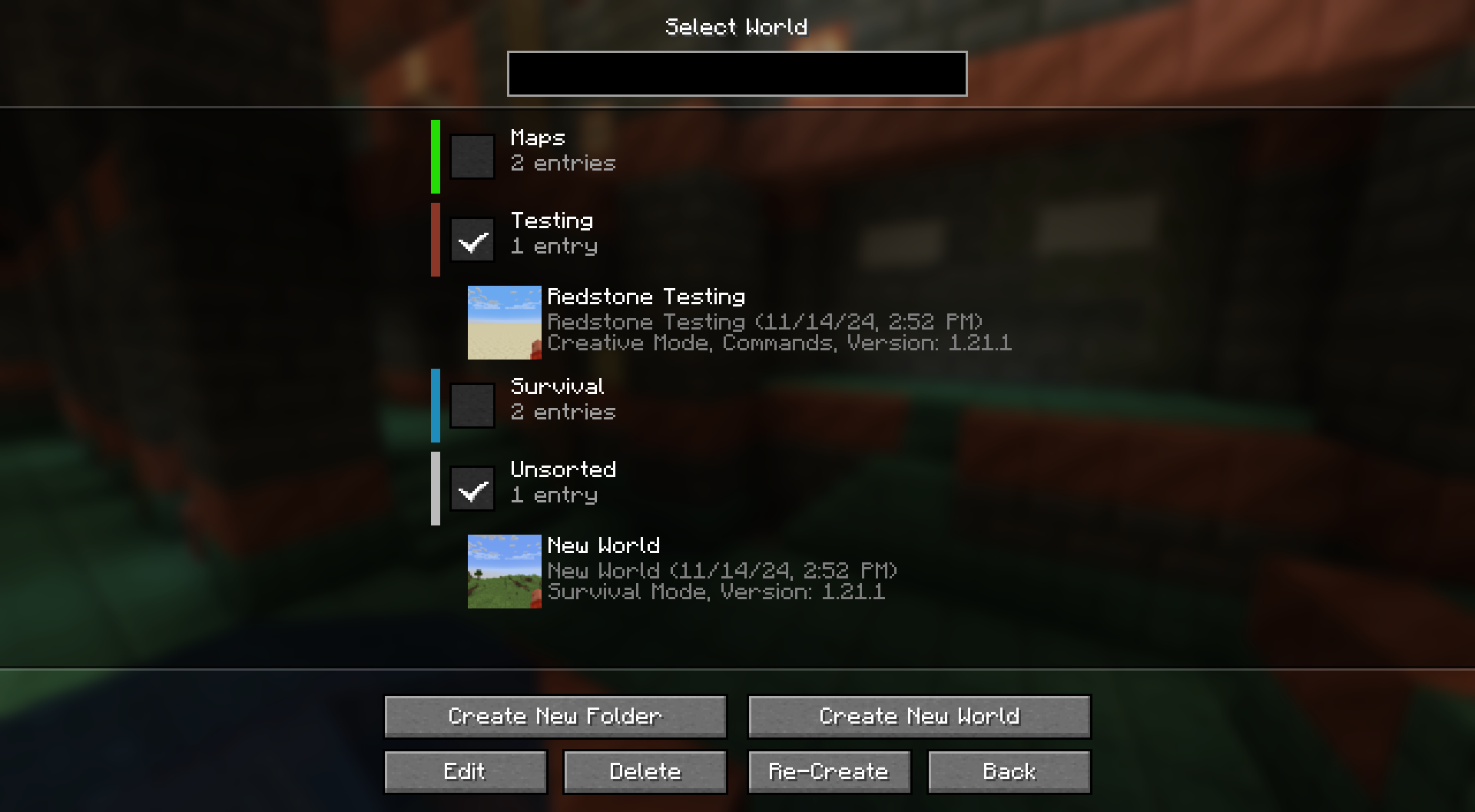
To help make navigating through your worlds list easier, this mod lets you create folders and put mods into them. You can create folders with names and colors and put worlds into them through the Edit World screen.
When not searching for a specific world, you will only see the list of folders and can click on them to see their contents.
These folders only exist in-game, your worlds are not actually moved into folders on the system level. This means you can add/remove the mod without any issues.
常见问题
World Folders 支持哪些 Minecraft 版本?
World Folders 支持 Minecraft Java 版 1.21–1.21.8,共 8 个版本,可用的加载器:Fabric / NeoForge。下载时注意选择和你游戏版本一致的文件。
World Folders 怎么安装?
先用 PCL2 或 HMCL 启动器安装对应版本的 Fabric / NeoForge,再把下载的 .jar 文件放进游戏目录的 mods 文件夹,重新启动游戏即可。开启了版本隔离的,mods 文件夹在 versions/版本名 下面。运行环境:仅客户端。
Apollo 的其他作品
查看全部 →
Lithostitched
为世界生成提供全新可配置性与兼容性增强的前置库模组

Terralith
探索近100个全新生物群系,涵盖写实与轻奇幻风格,仅使用原版方块。搭配多个沉浸式结构,为全面翻新的地形增色。

Regions Unexplored
一批新生物群系遍布主世界和下界!

Tectonic
地形塑造再攀新高,比以往更加宏伟多变!
评论
登录后评论和评分