介绍
Ryba — Fishing Minigames and Rod Collection
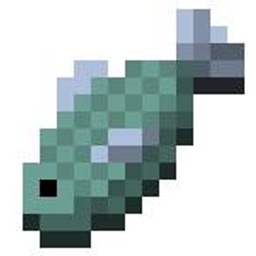
Ryba changes fishing in Minecraft by adding a skill-based minigame, collectible fishing rods, custom catches and a fishing progression system. Instead of simply reeling in a catch when the bobber moves, you take part in a minigame where the outcome depends on keeping a moving fish inside your control bar.
How fishing works
Cast a supported fishing rod into water and wait for a bite. When a fish bites, an alert appears and the fishing minigame opens. Hold and release the left mouse button to move the control bar and keep the fish inside it.
Your progress increases while the fish is inside the bar and decreases when it escapes. Fill the progress bar to catch your reward, or lose all progress and the fish gets away. Different catches can change how quickly your progress increases.
Fishing rods
Ryba adds several rods with different fishing styles and stats:
Tryhard Rod has a narrow control bar, but offers high Luck and fast progress.
Little laaazzyyy Rod has a full-width control bar. Its progress speed is randomly chosen for each catch, making it either very slow or much faster.
Slash Test Rod gains progress through occasional slashes as the fish changes direction.
The vanilla fishing rod is also supported as the Flimsy fishing style.
Fishing progression and collection
Successful catches award fishing XP and increase your fishing streak. Level up by earning XP, and track your progress on the fishing HUD.
The mod also includes:
A bestiary to track the items you have caught and explore catches from different fishing locations.
Rod storage, opened with R, where you can view your collected rods, inspect their stats and switch between them.
Different catch rarities, with visual and sound alerts when a fish bites.
Ryba is in beta, so features and balance may change as development continues.
Minecraft version: 1.21.1
Mod loader: NeoForge
常见问题
Ryba 支持哪些 Minecraft 版本?
Ryba 支持 Minecraft Java 版 1.21.1,可用的加载器:NeoForge。下载时注意选择和你游戏版本一致的文件。
Ryba 怎么安装?
先用 PCL2 或 HMCL 启动器安装对应版本的 NeoForge,再把下载的 .jar 文件放进游戏目录的 mods 文件夹,重新启动游戏即可。开启了版本隔离的,mods 文件夹在 versions/版本名 下面。

评论
登录后评论和评分